Booking Hub
Online Booking and Team Scheduling, Synced to Your Calendar
Publish booking pages your customers use on their own, share them across your team, and sync every appointment with Google Calendar or Outlook. Google Meet or Zoom links come with Video Meeting, included.
Everything you need to coordinate bookings and meetings
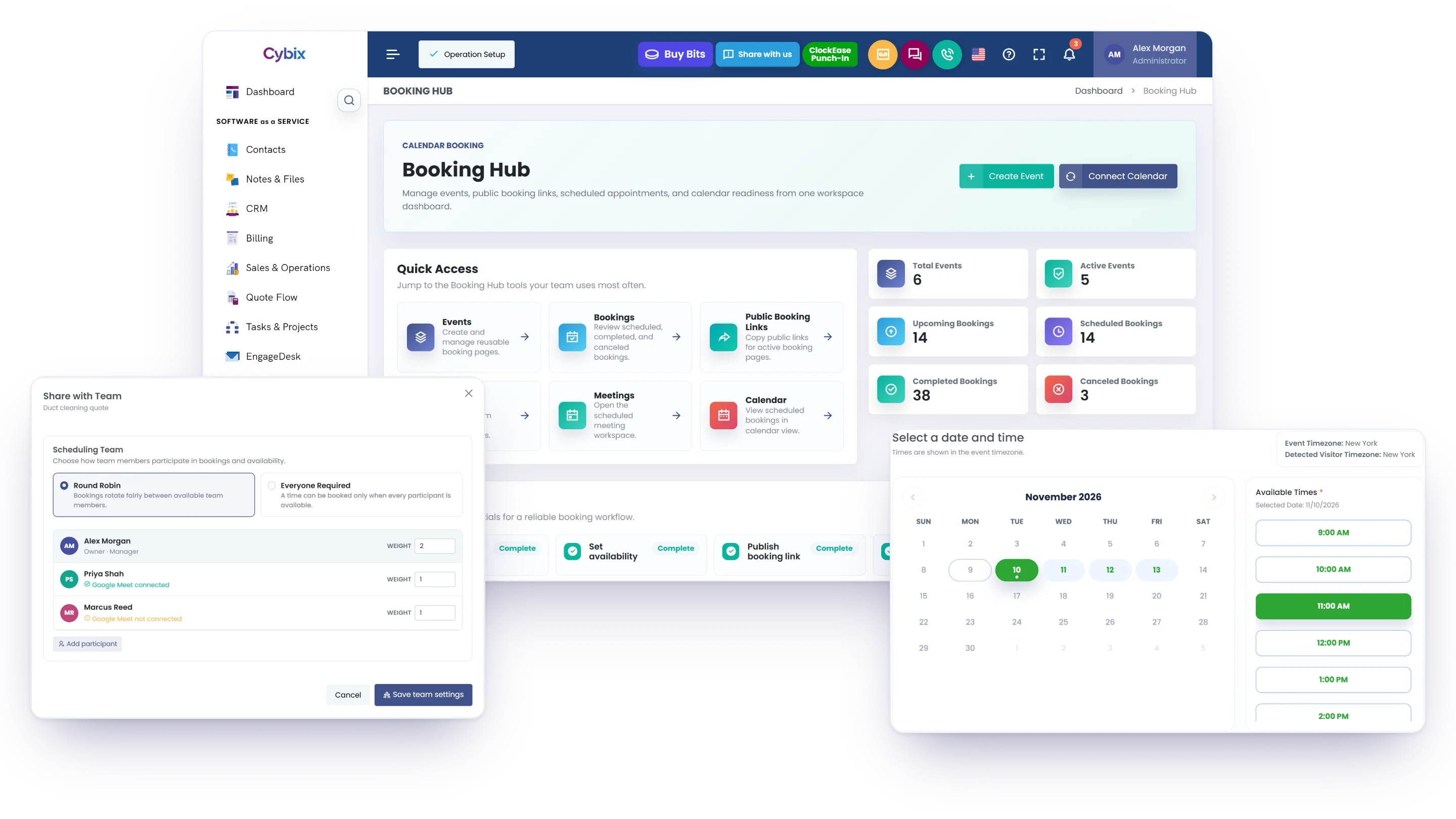
Manage events, availability, and booking links so customers and teams can schedule meetings with ease.
Bookings connected to your calendar
Manage event types, booking links, availability, and meetings connected with Google Calendar, Outlook Calendar, and Video Meeting.
Connected calendars
Sync Google Calendar and Outlook Calendar to keep your availability up to date and prevent double bookings.
Booking links
Create multiple booking links with independent availability for different services, teams, or meeting types.
Integrated video meetings
Video Meeting is included: with the host's account connected, each booking gets its own Google Meet or Zoom link, ready for your confirmation email.
From Booking to Meeting
Keep every step of the scheduling process organized, from the initial booking to post-meeting follow-up.
Booking Request
A customer or team member schedules a meeting.
Confirmation
The booking is confirmed, added to your connected calendar, and your confirmation email goes to the invitee.
Meeting Scheduled
The event is prepared based on availability.
Meeting Held
The meeting takes place as scheduled.
Follow-Up
Mark it Completed or No Show, add notes and files, or email the invitee from Meetings.
Better calendar management
Keep bookings, availability, and meeting history organized.
Less manual scheduling
Reduce back-and-forth communication when scheduling meetings.
Greater visibility
Track bookings, appointments, and meeting activity from one place.
Connected calendars, booking links, and meetings
Booking Hub works with Google Calendar and Outlook Calendar, and with Video Meeting it adds a Google Meet or Zoom link to each booking.


One booking page for your whole team
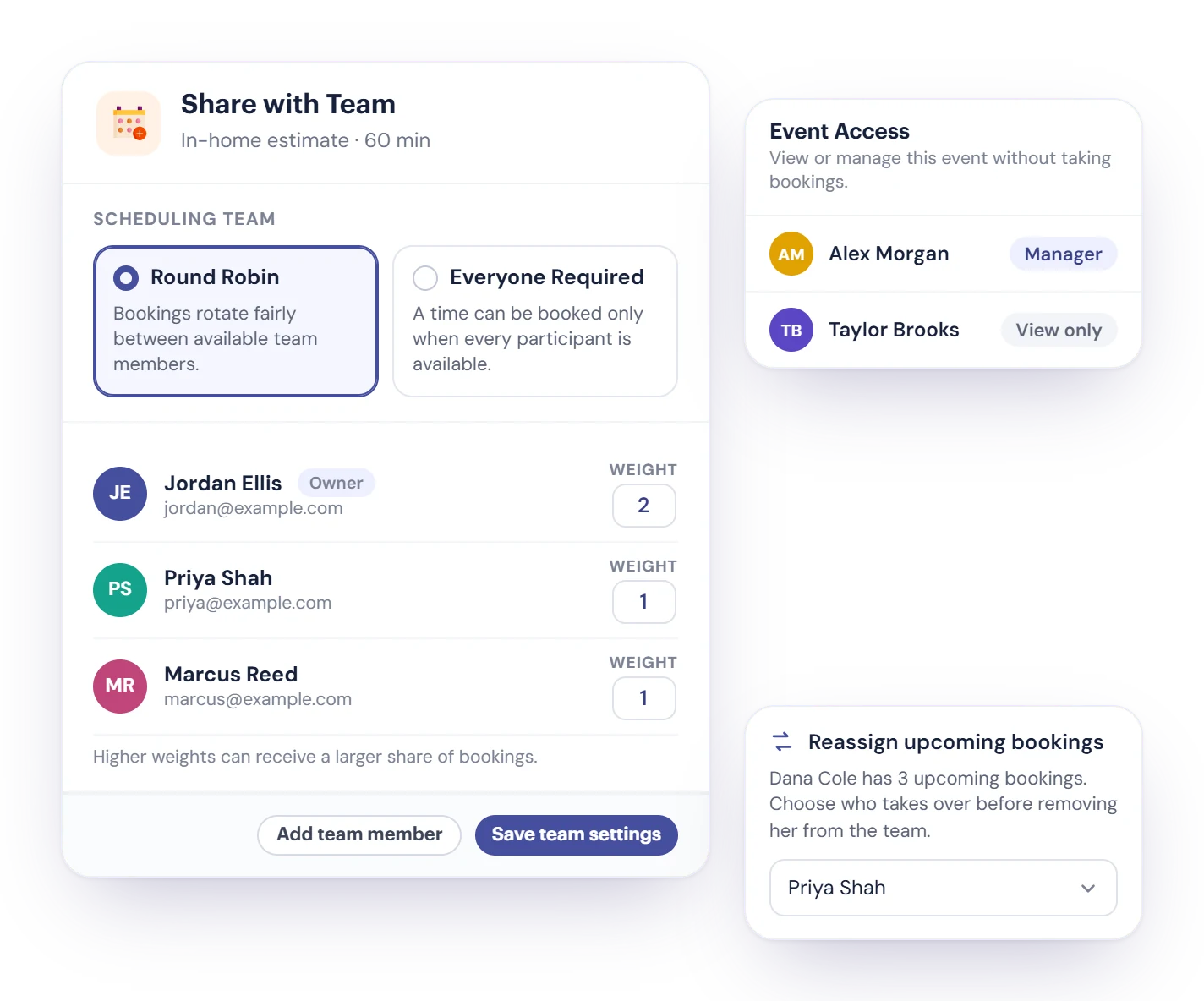
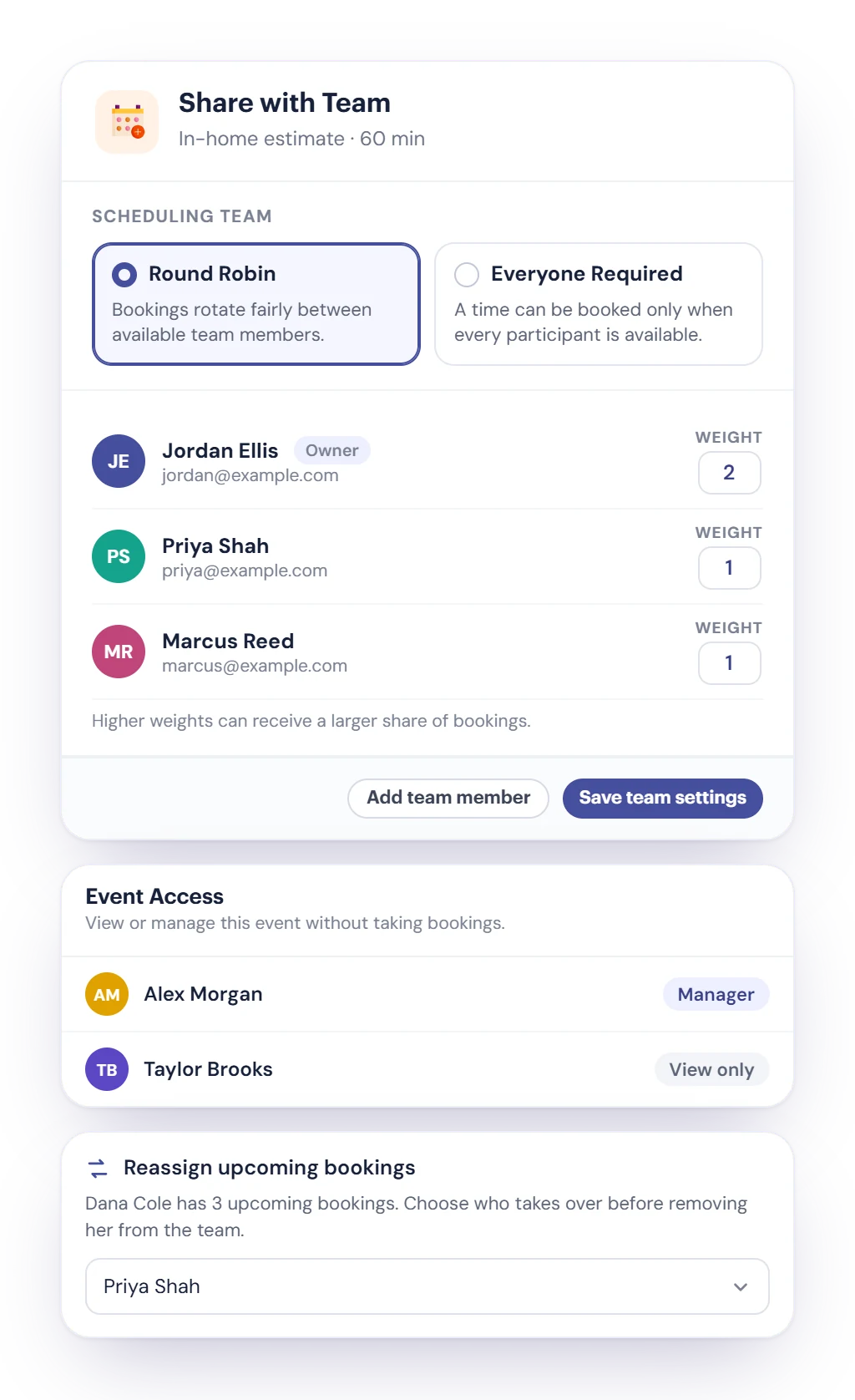
With Share with Team, a booking page can belong to several people. Pick how they share it, and Booking Hub only offers times that work.
- Round Robin rotates bookings between the available members. Give someone a higher weight and they get a larger share.
- Everyone Required offers a time only when every participant is free, for meetings that need the whole group.
- Give others Manager or View only access to the event without adding them to the schedule.
- Removing someone? Choose who takes over their upcoming bookings first. Members without the meeting provider connected are skipped until they connect it.
A booking page your customers can use on their own
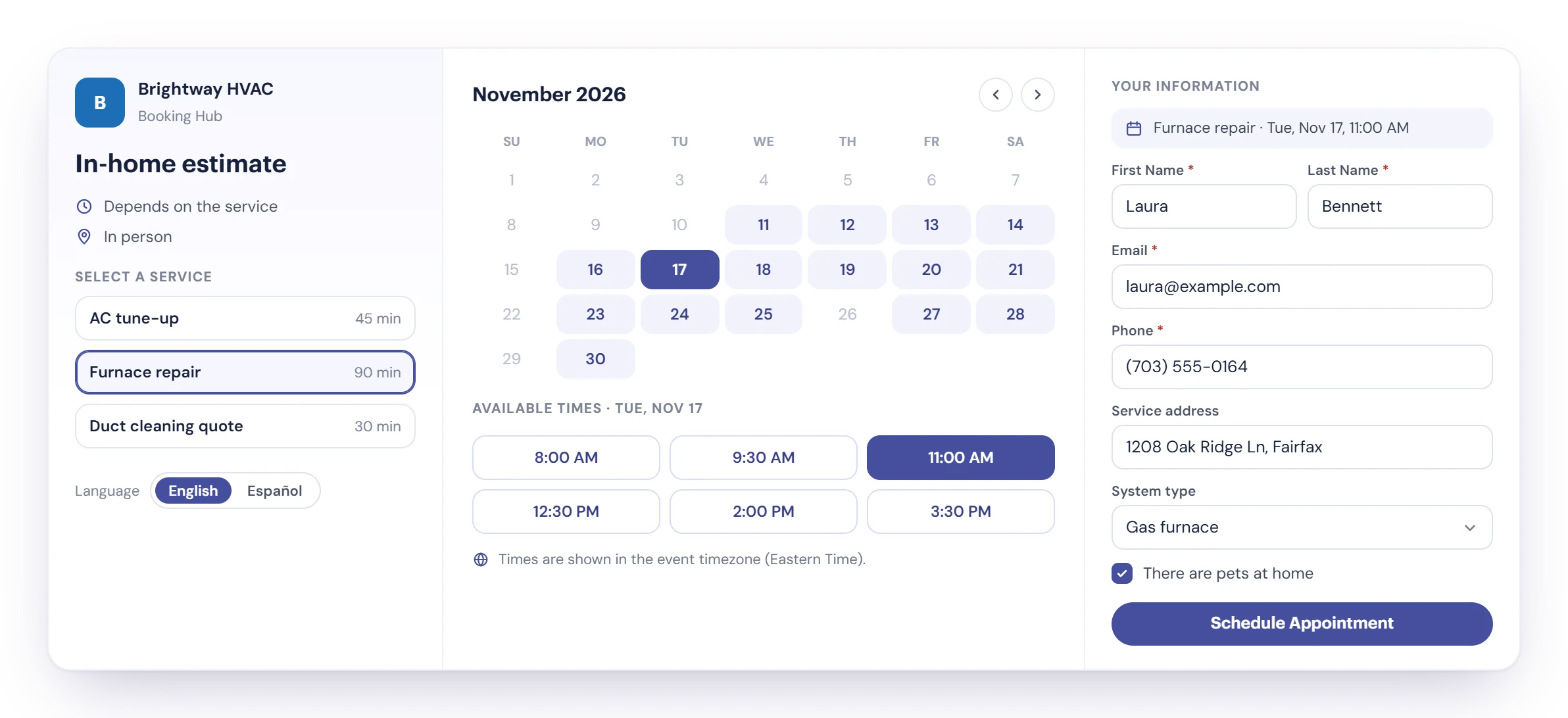
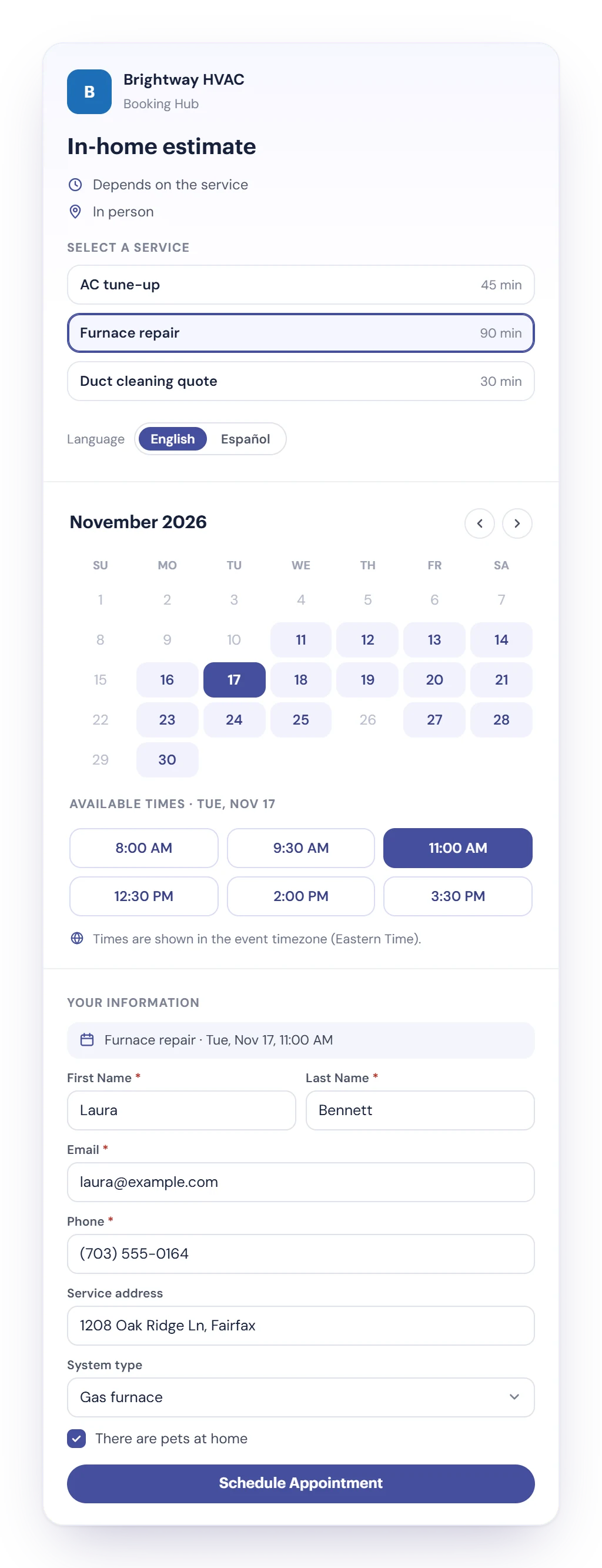
Customers pick a service, a day and an open time, answer your questions and book. Times show in the event's timezone, and the visitor's timezone is saved with the booking.
Several services, one page
List your services with their own duration, like a tune-up or a repair, and the service sets how long the slot is.
Questions that fill Contacts
Ask what you need with 9 field types, from short text to dates. Each booking creates or updates the person in Contacts.
English and Spanish, and self-service
Write the page and questions in both languages. Customers cancel or reschedule from the links in your confirmation email.
Take bookings on your own website
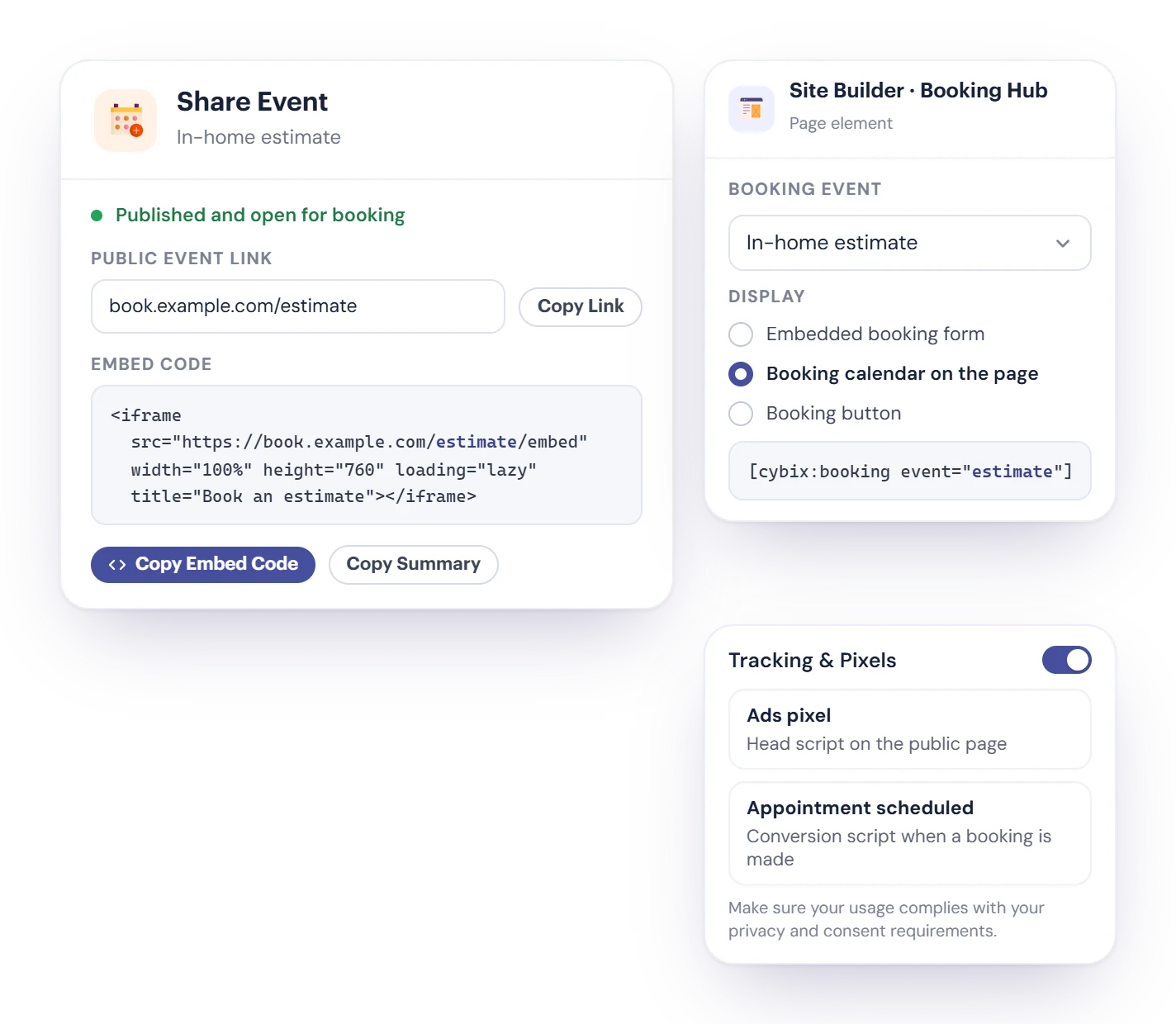
Share the public link anywhere, or put the booking page inside your website so customers never leave it.
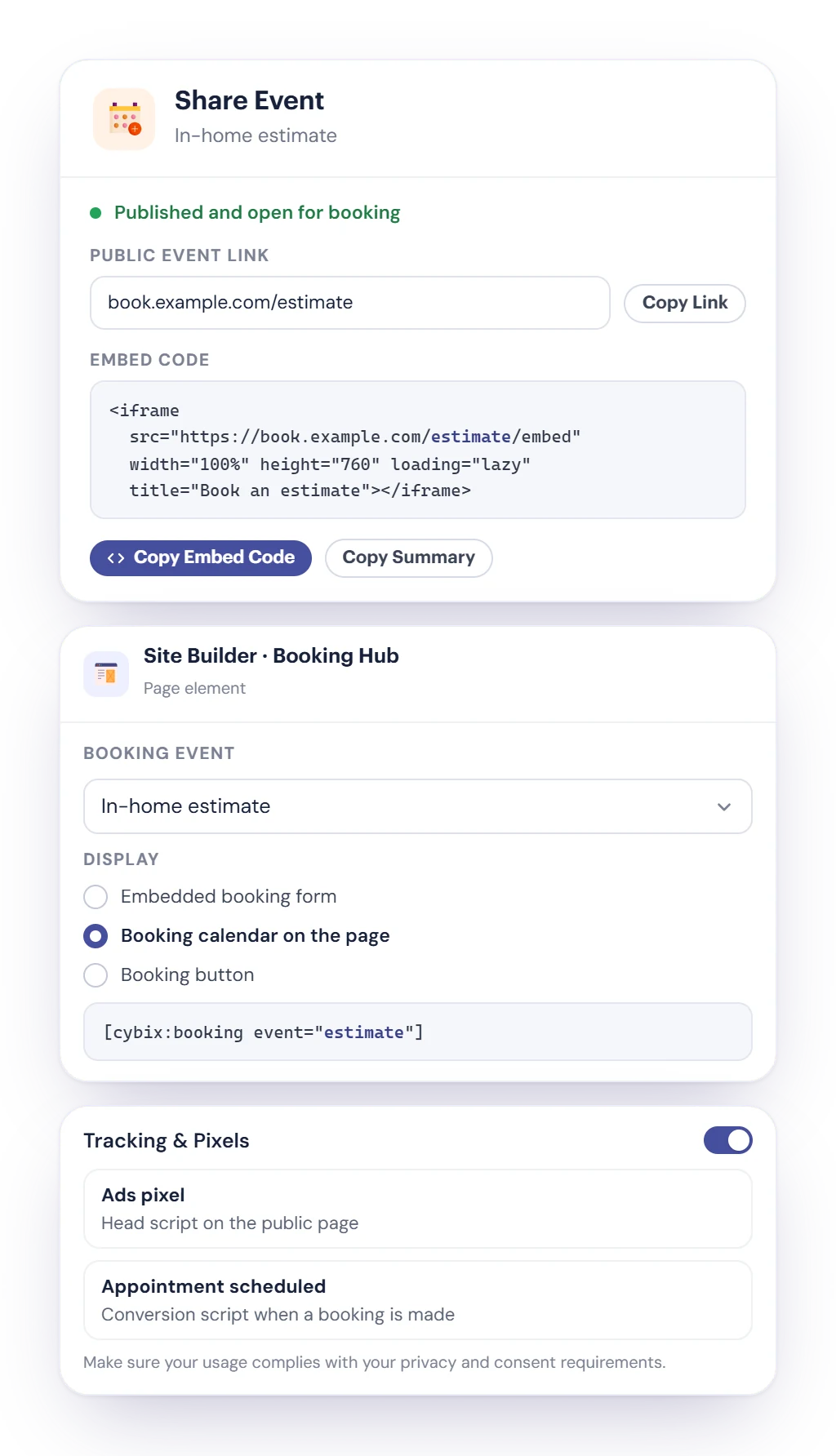
- Copy the embed code and paste it into any website.
- On a Cybix Site Builder site, add the Booking Hub element and show an embedded form, a booking calendar on the page or a booking button.
- Imported HTML pages take the [cybix:booking] shortcode with the event you choose.
- Tracking & Pixels adds your own scripts to the public page, plus a conversion script that runs when a booking is made.
Availability rules that protect your day
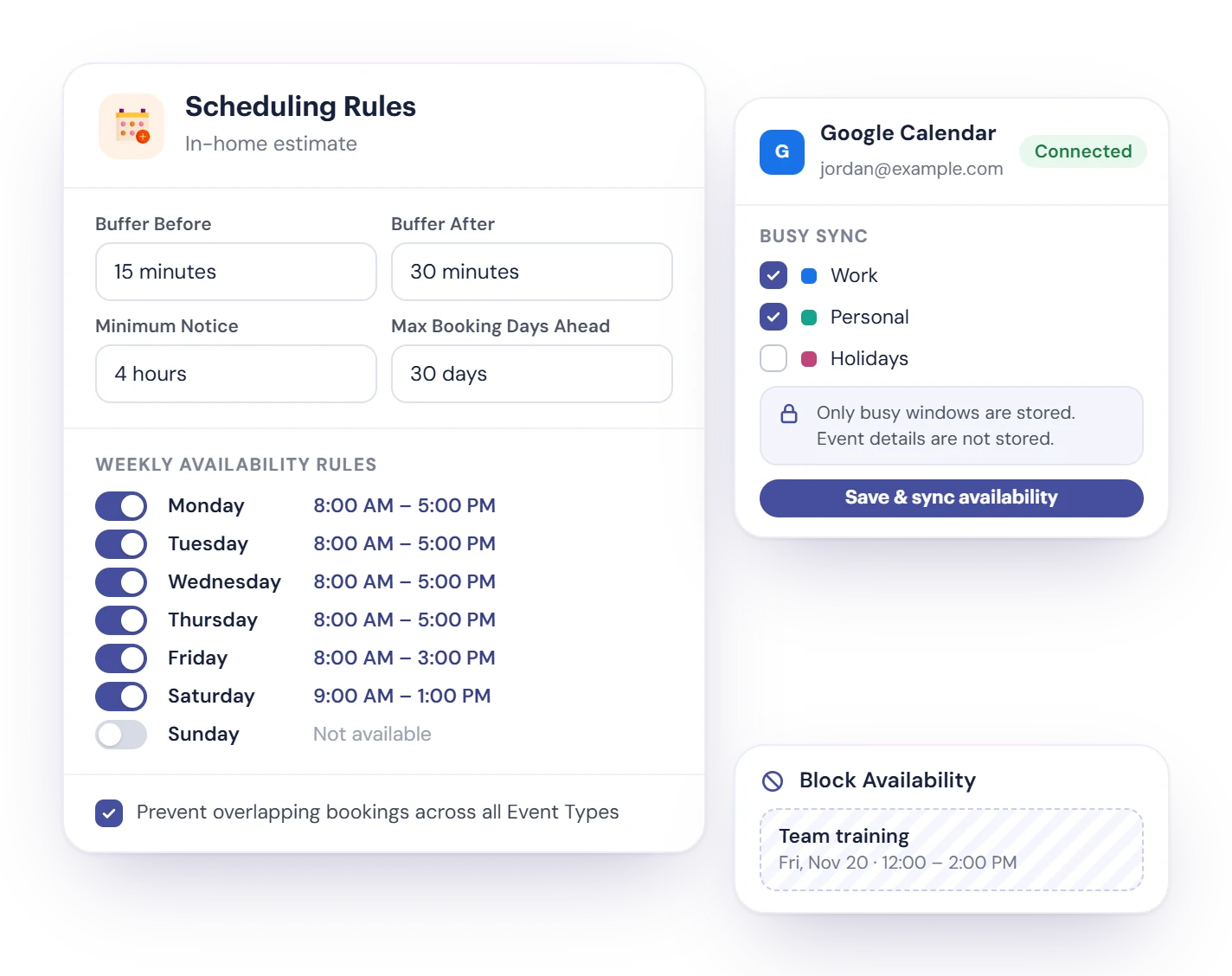
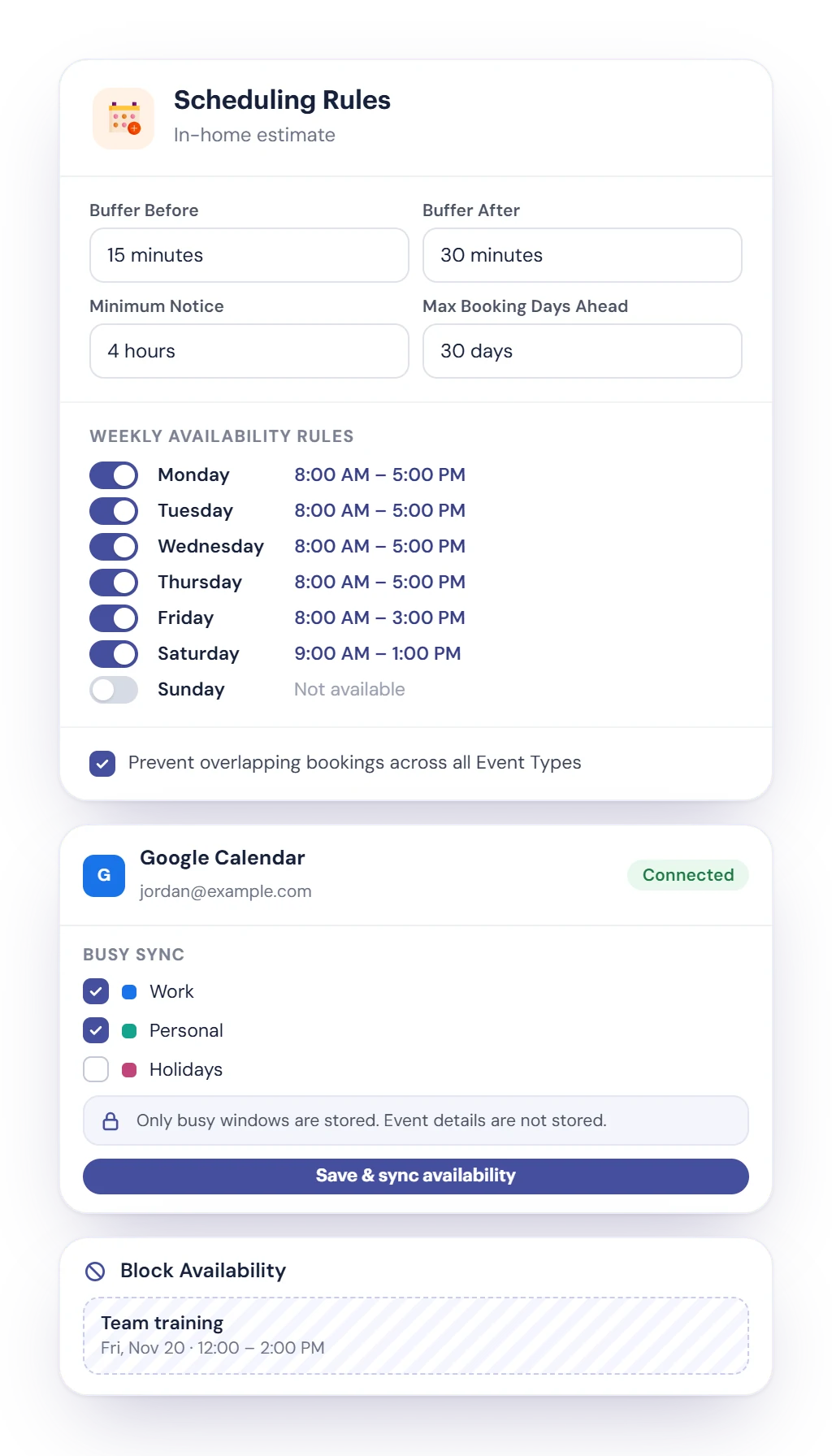
Each event has its own weekly hours and scheduling rules, so customers only see times you can really take.
Room between appointments
Add a buffer before and after each booking, a minimum notice like 4 hours, and how many days ahead people can book.
No double bookings
Prevent overlapping bookings across every event, ideal when one person or one chair does the work. Block time off for training or errands.
Busy times from your calendar
Pick which Google or Outlook calendars count as busy. Only busy windows are stored, never the details of your events.
Every booking, from scheduled to done
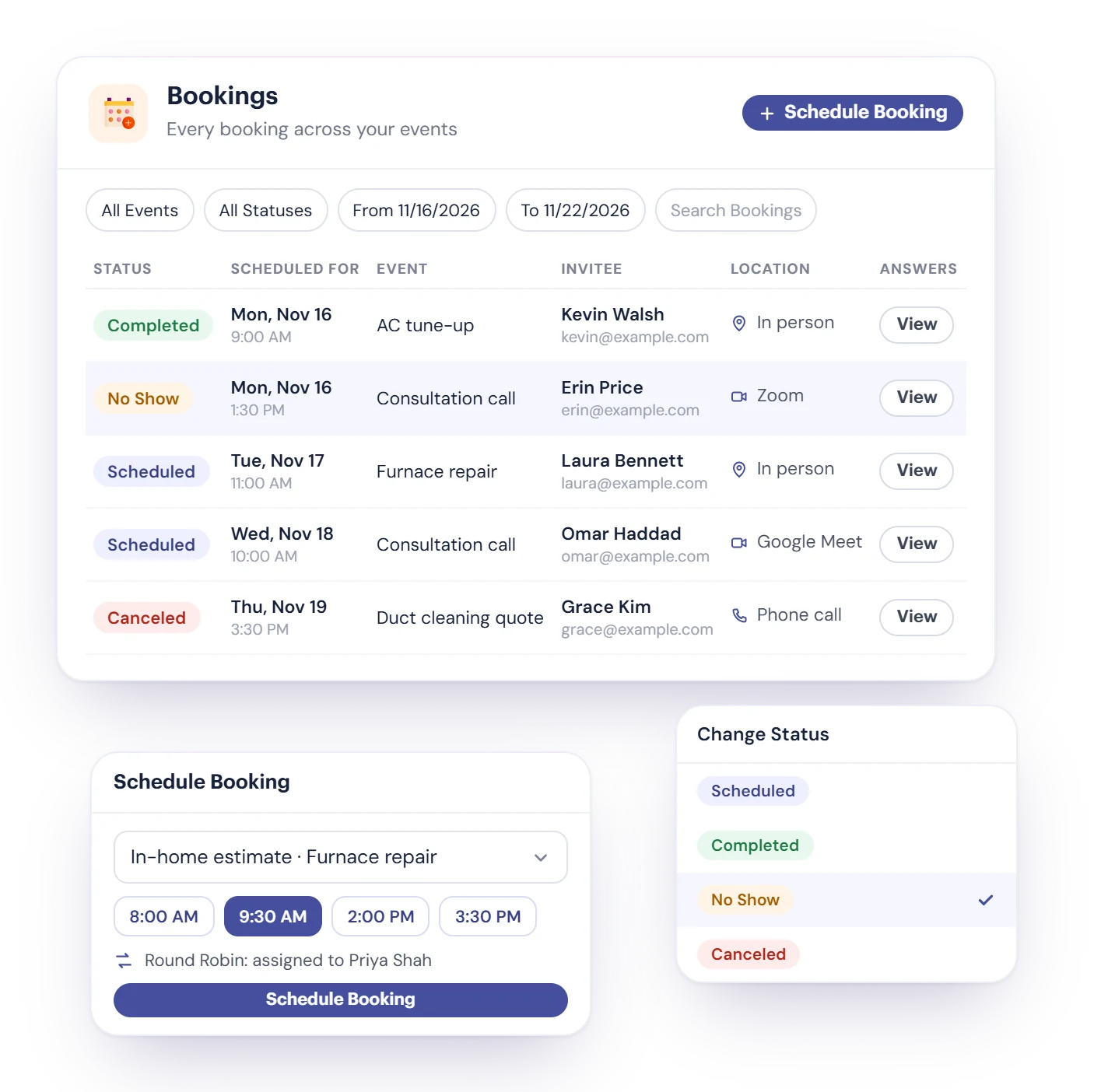
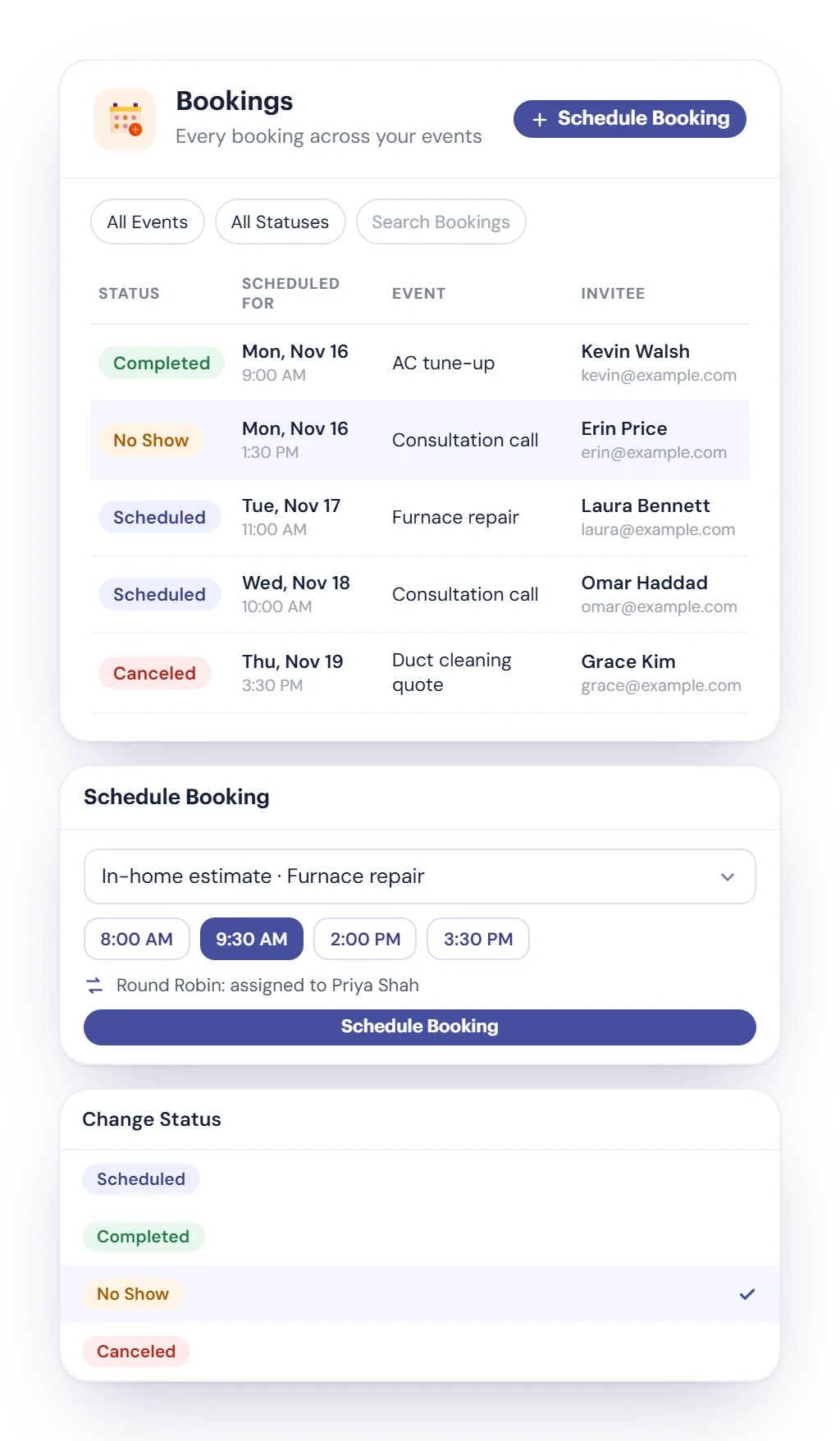
The Bookings list shows every appointment with its event, invitee, location type and answers, filtered by event, status or dates.
- Change a booking’s status to Completed, Canceled or No Show, so you know who didn’t make it.
- Book for a customer yourself with Schedule Booking. It uses the same open times and the same Round Robin rotation as the public page.
- Add notes with attachments to a booking, and email the invitee from Meetings.
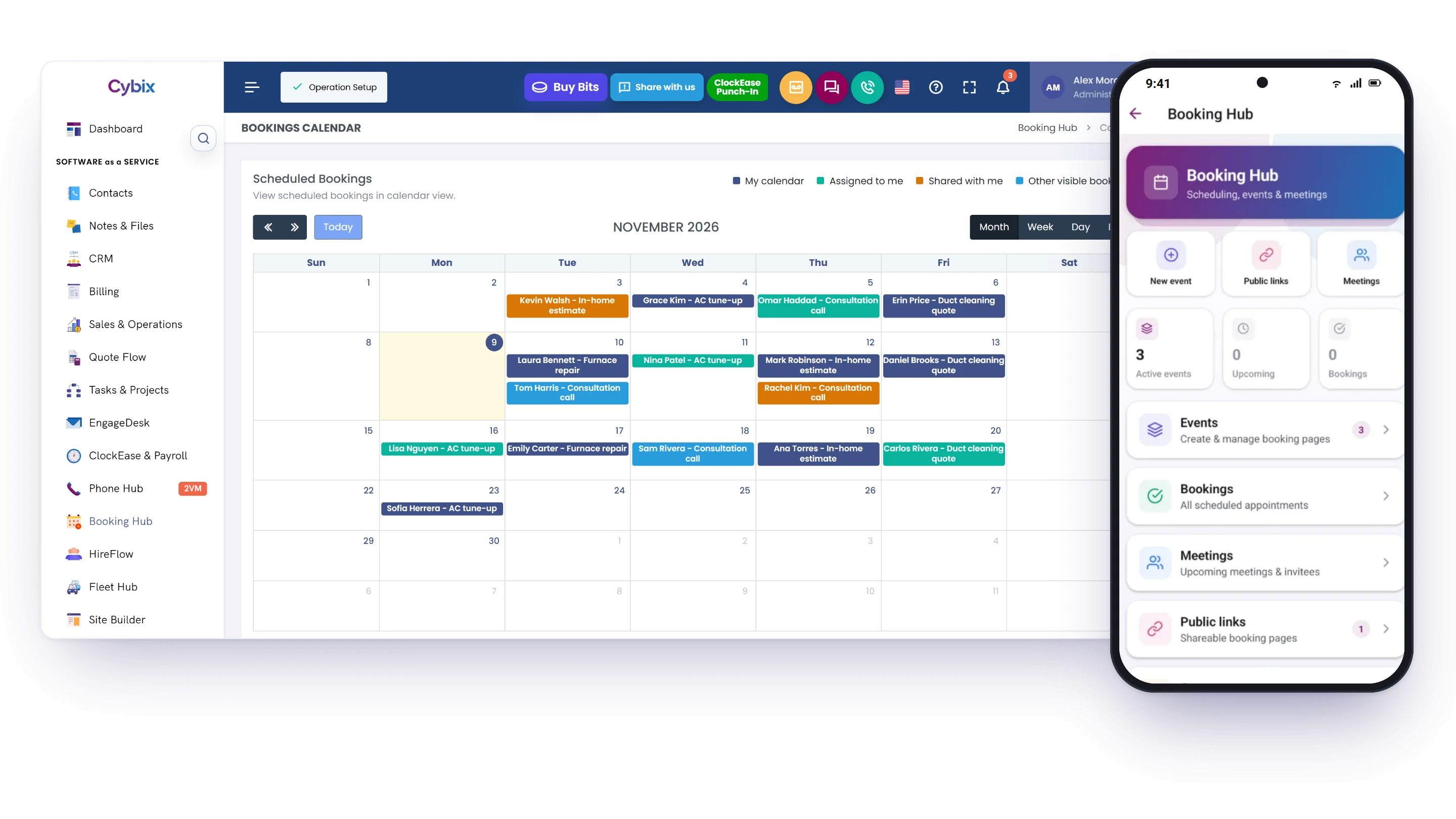
- See everything on a calendar by month, week, day or as a list. Your team is notified in Cybix when a booking is made or moved.
Connected to the rest of Cybix
Booking Hub works with the modules your workspace uses.
Single Chair / Single Stylist
A ready template for salons, barbers and solo providers: one event with your services, hours and questions, set up in one step.

Cybix AI
Ask Cybix AI to find open times, book, reschedule or cancel an appointment, edit an event or block time, when the Cybix AI module is on.

Contacts
Every booking creates or updates the person in Contacts, with the answers they gave.
Video Meeting
Included with Booking Hub: connect Google Meet or Zoom and each online booking gets its own link.
Cybix mobile app
Create and edit events, block time, change a booking’s status, email an invitee and copy your public links from your phone.
Calendar and Meetings
See bookings by month, week, day or list, and every online meeting on one timeline with its link.
Booking Hub questions, answered
Still deciding? Try the live demo or talk to our team.
What does Cybix Booking Hub do?
Booking Hub gives you public booking pages where customers choose a service, a day and an open time and answer your questions. It syncs appointments with Google Calendar or Outlook Calendar, shares a page across your team with Round Robin or Everyone Required, adds Google Meet or Zoom links through Video Meeting, and keeps every booking, status and note in one place, on the web and in the Cybix mobile app.
Can several people share one booking page?
Yes. With Share with Team, Round Robin rotates bookings between the available members, and a higher weight gives someone a larger share. Everyone Required offers a time only when every participant is free. If someone leaves the team, you choose who takes over their upcoming bookings.
Which calendars and video tools work with Booking Hub?
Google Calendar and Outlook Calendar. Booking Hub adds new bookings to your calendar and reads your busy times so they aren’t offered; only busy windows are stored, not event details. Google Meet and Zoom links come through Video Meeting, which is included with Booking Hub; the host only needs to connect their account.
Can customers cancel or reschedule on their own?
Yes. When you set up the confirmation email, it includes links to manage, reschedule or cancel the appointment, and the customer can do it without calling you. Your team is notified in Cybix when a booking is made or rescheduled.
Does Booking Hub send reminders or take payments?
No. Booking Hub sends a confirmation email when you set it up, and an update if the meeting link changes. It doesn’t send reminders before the appointment, doesn’t send text messages, and doesn’t take payments or deposits.
Can I add booking to my own website?
Yes. Copy the embed code into any website. On a Cybix Site Builder site, add the Booking Hub element as an embedded form, a booking calendar on the page or a booking button, and imported HTML pages can use the [cybix:booking] shortcode.
Can I manage bookings from my phone?
Yes. Booking Hub works in the Cybix mobile app. Create and edit events, block time, see your bookings and meetings, change a booking’s status, email an invitee, copy your public booking links and see the contacts who booked with you.
Ready to simplify scheduling?
Connect your calendars, share booking links, and manage bookings from your desk or the Cybix mobile app.