HireFlow
Hire Top Talent Faster and with Confidence
Share an application form, review every candidate, book interviews through Booking Hub, verify IDs with Stripe Identity and give new hires access to Cybix, in one hiring pipeline.
A Smarter Hiring Process from Day One
HireFlow keeps every stage of the hiring process organized, helping your team evaluate candidates, coordinate interviews, and make better hiring decisions.
Your entire hiring process in one place
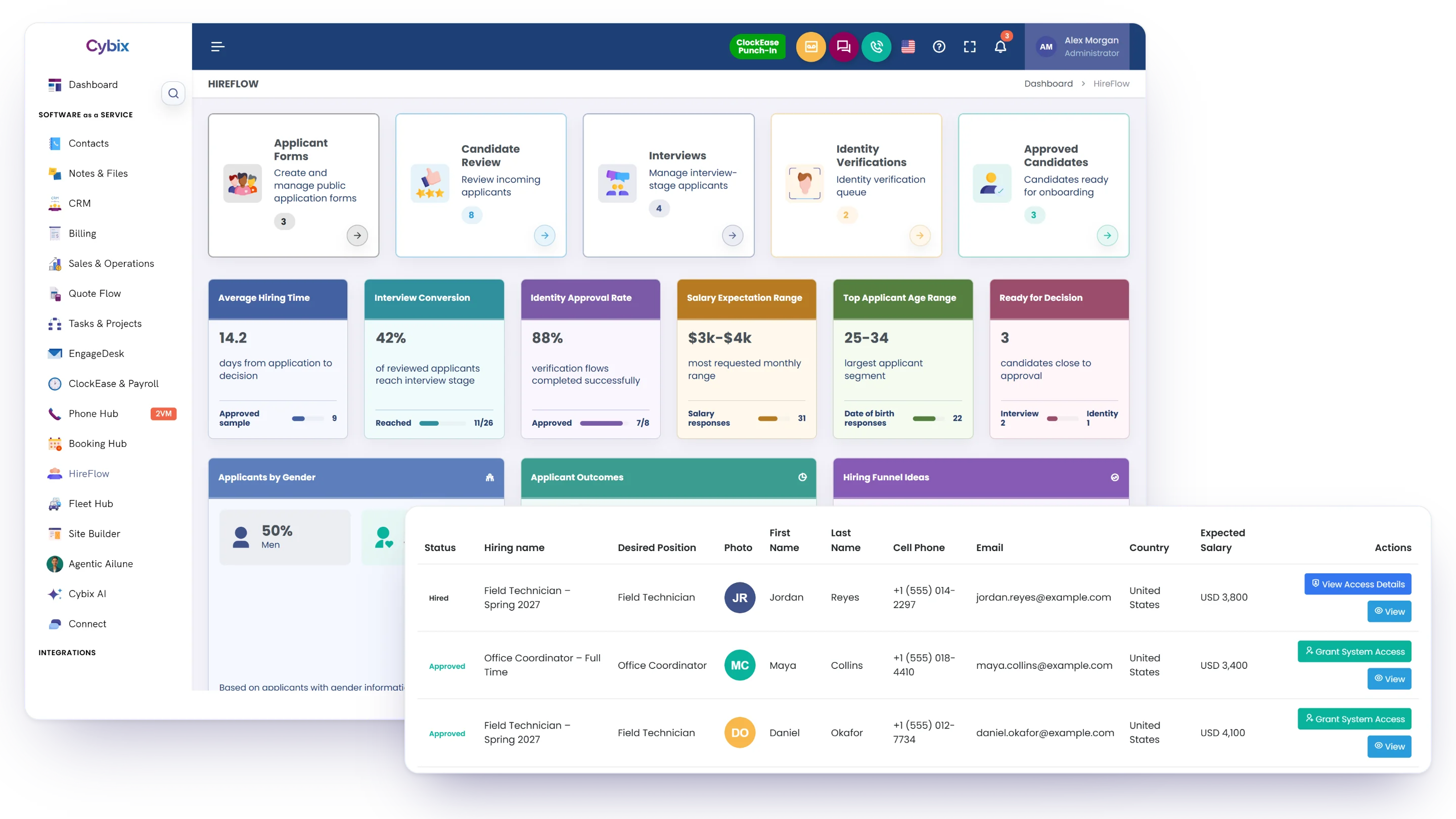
Collect applications, review candidates, book interviews, verify identity and onboard new hires from one workspace, so every candidate stays on track.
Application forms
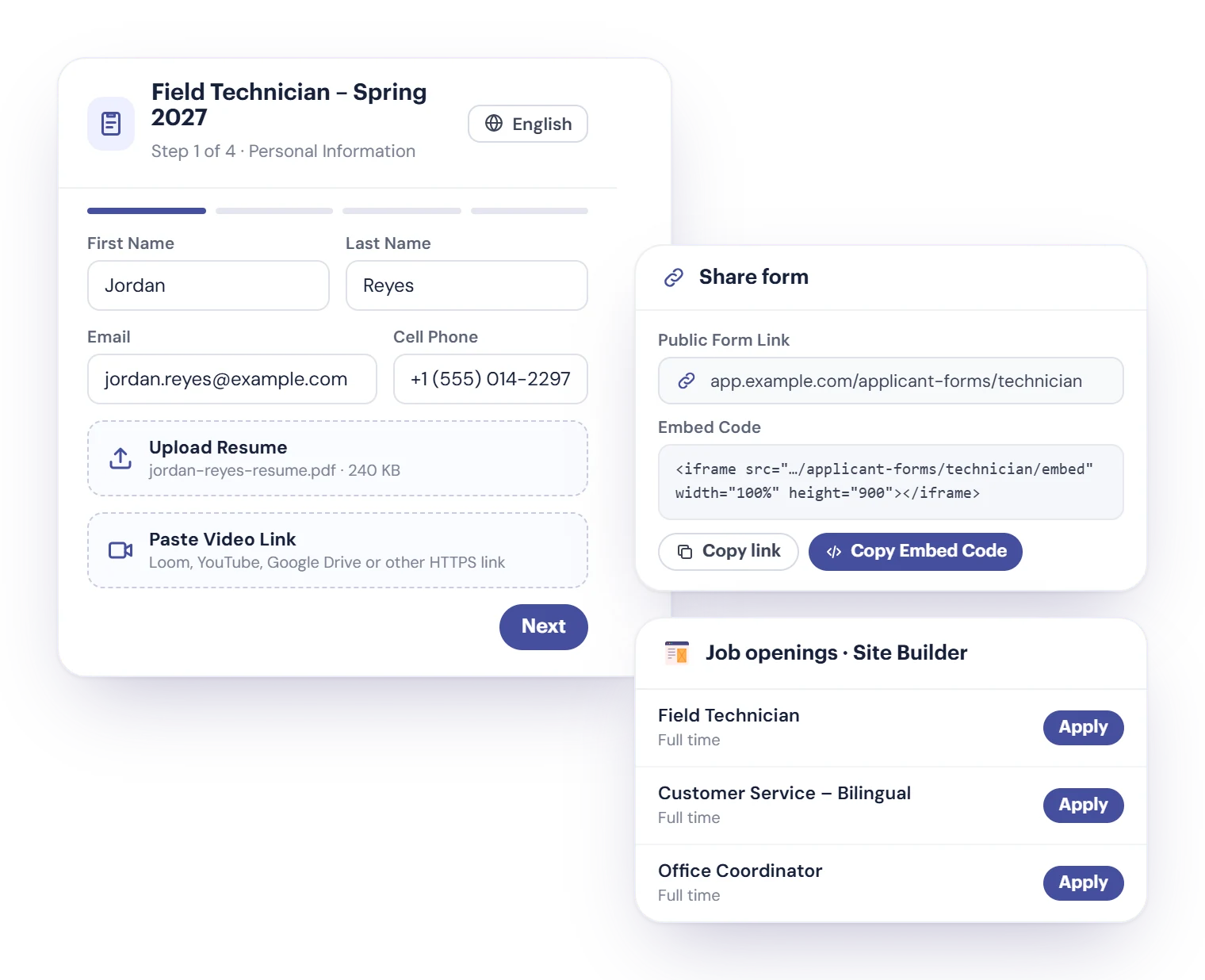
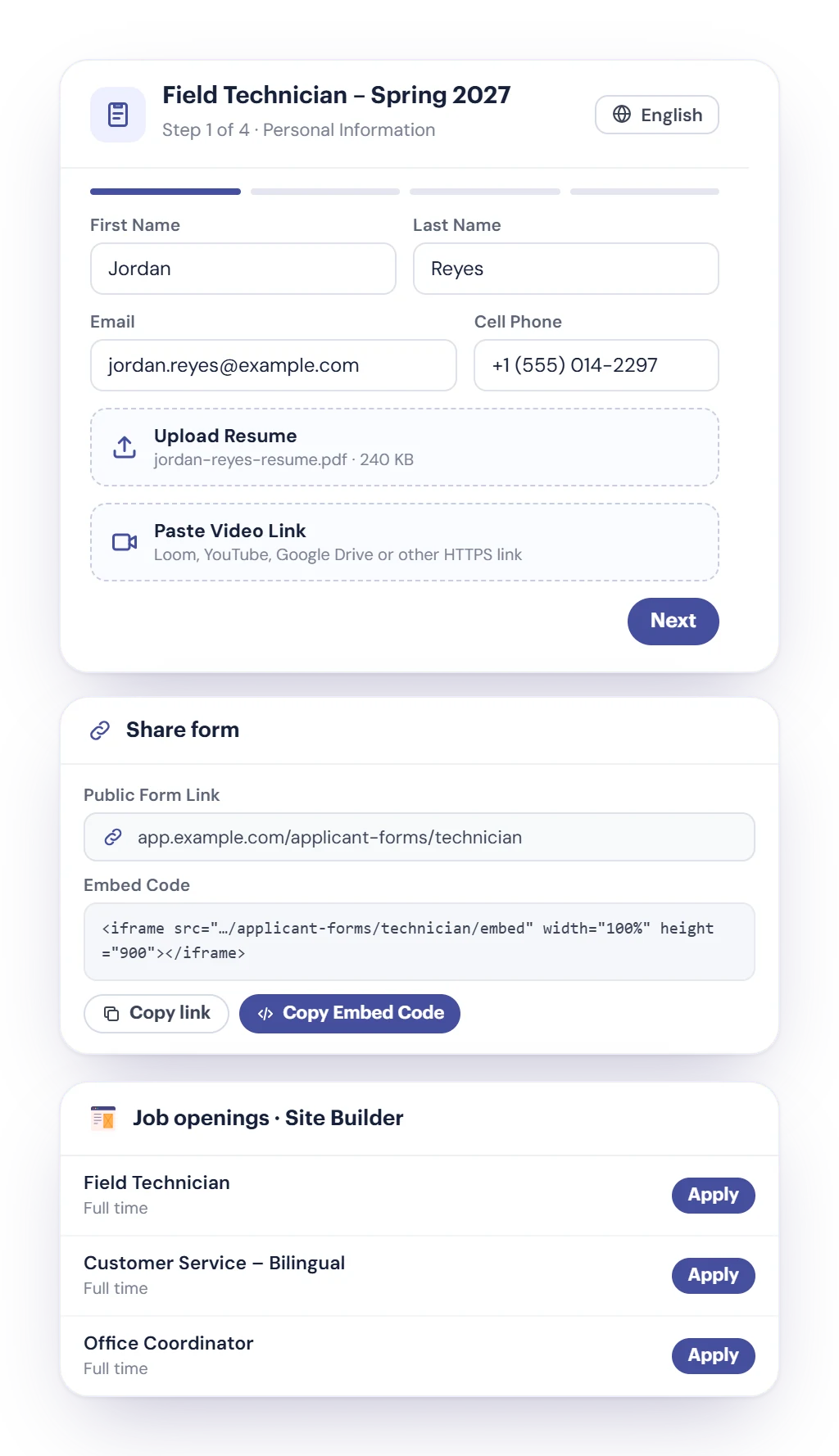
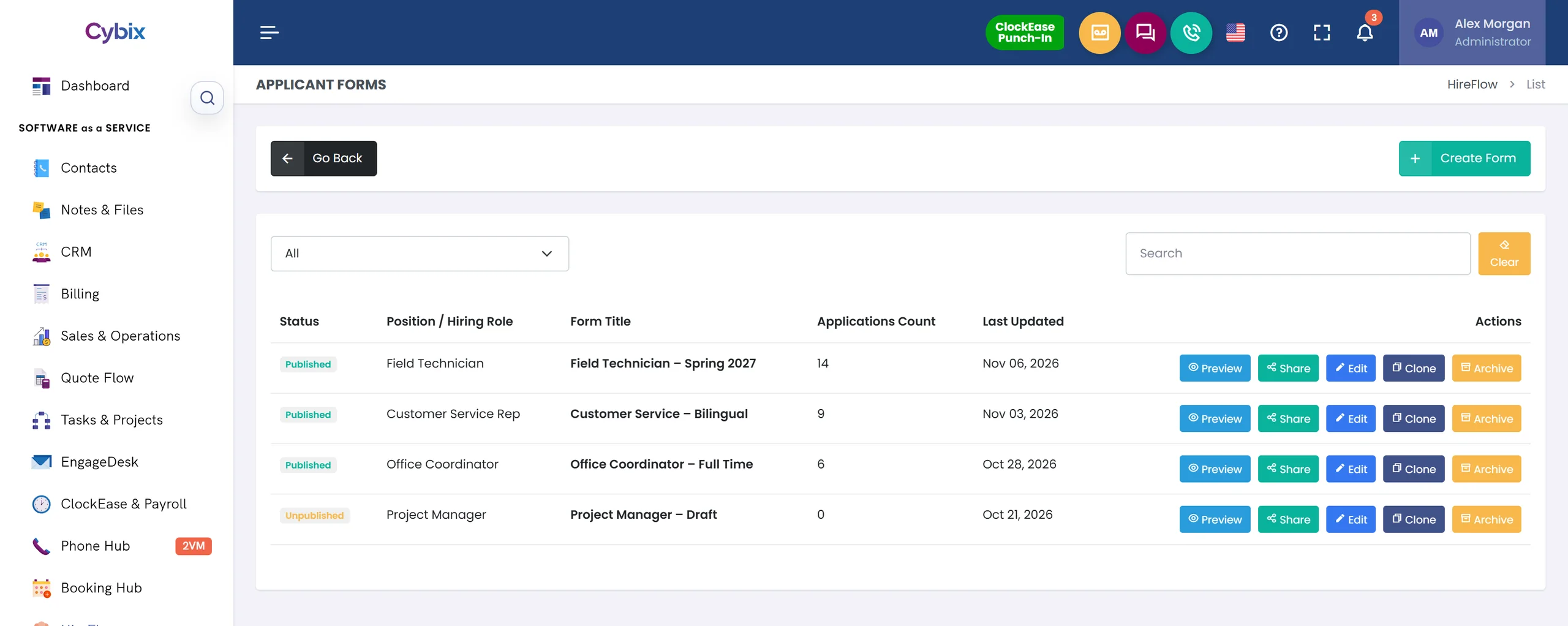
Share a public link, embed the form on your website or list your openings on a Cybix site. Candidates can attach a resume and a video introduction.
Interviews through Booking Hub
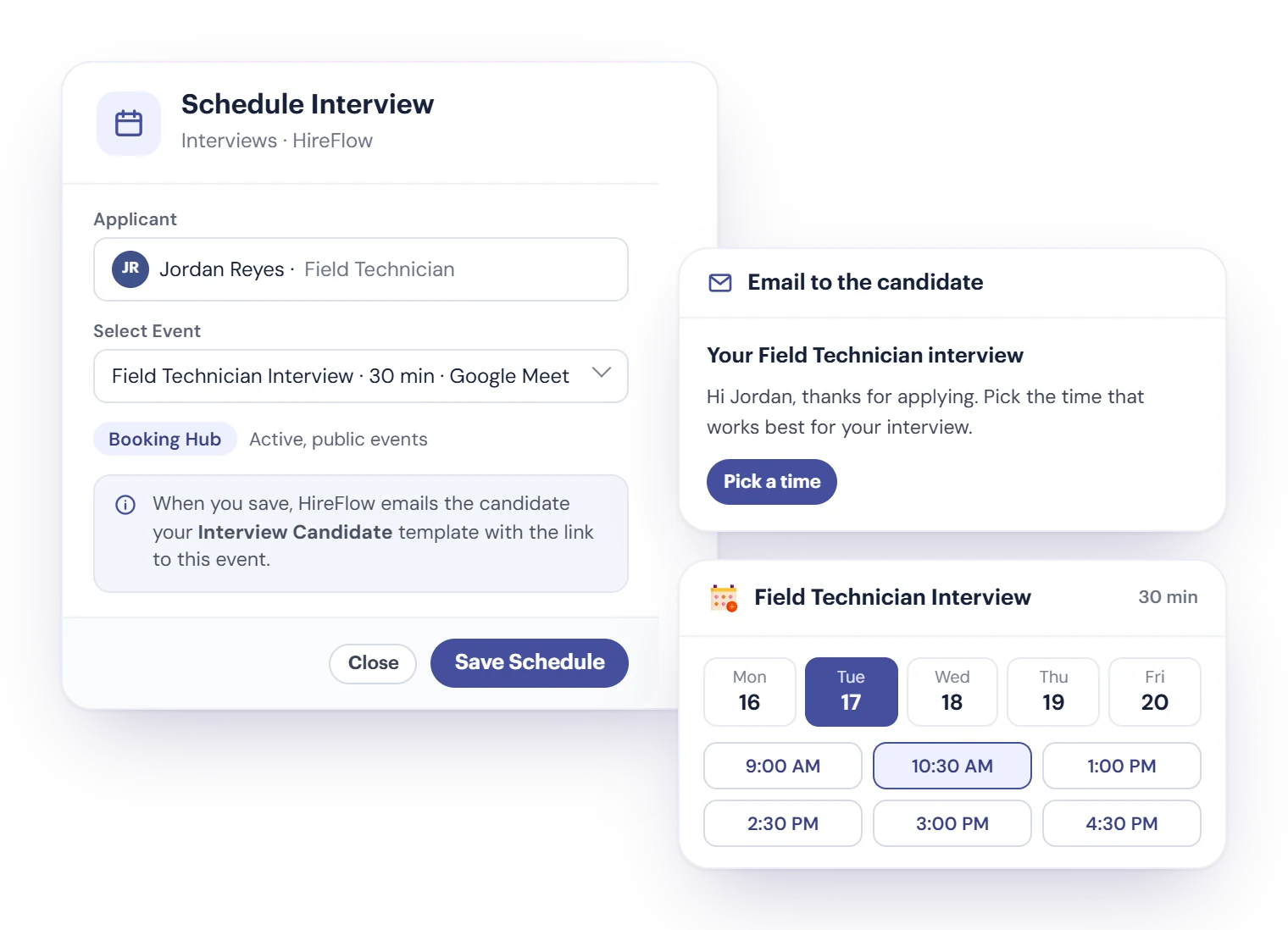
Pick one of your Booking Hub events and HireFlow emails the candidate a link to choose a time: in person, by phone or on Google Meet or Zoom. Booking Hub is a separate Cybix module.
Identity verification
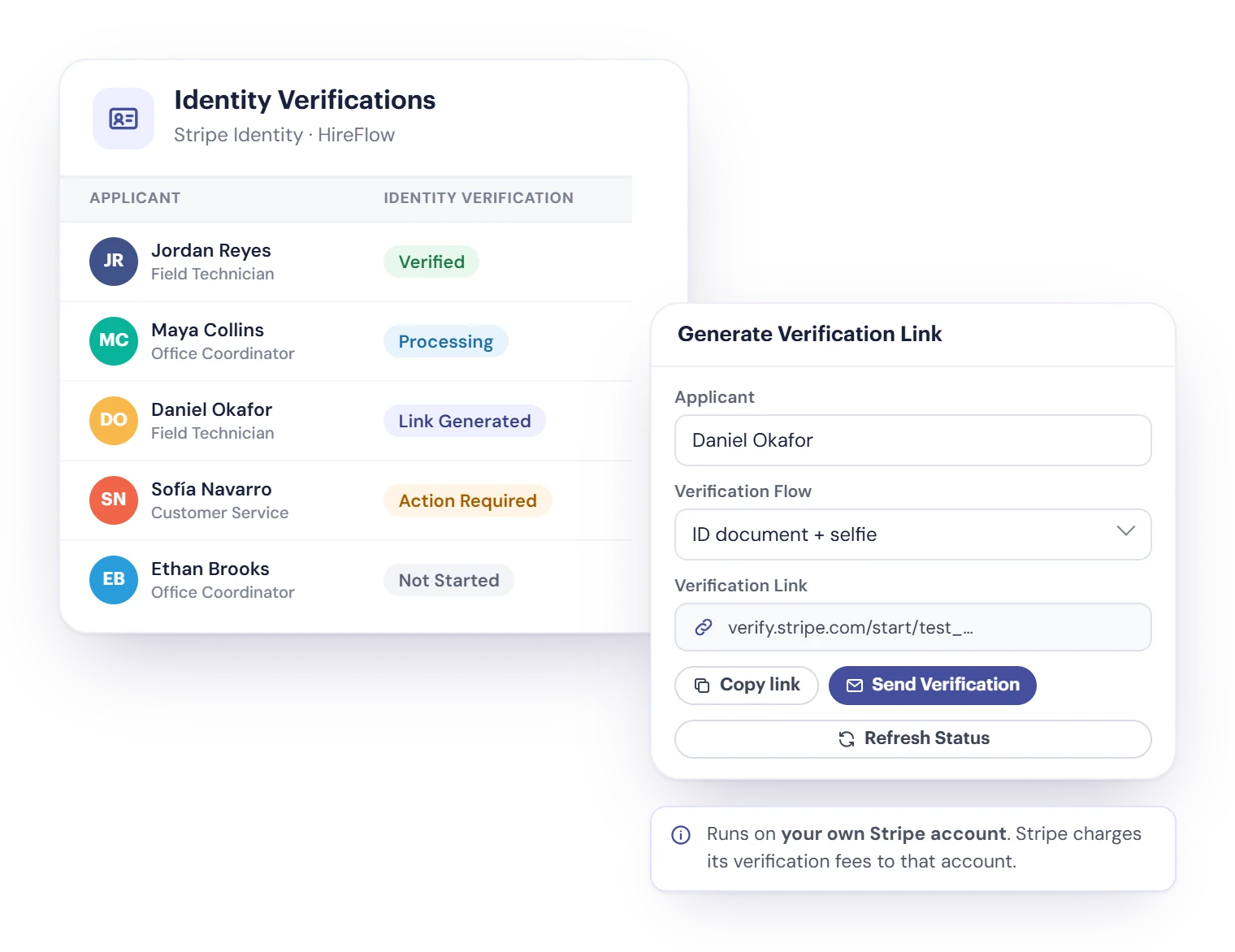
HireFlow includes Stripe Identity. Candidates check their ID document and a selfie through your own Stripe account, and Stripe charges its verification fees there. It’s an ID check, not a background check.
From Application to Hiring
Track every candidate from the initial application through the final hiring decision.
Application Submitted
The candidate completes an application.
Application Review
Your team reviews the submitted information.
Interview
Qualified candidates move to the interview stage.
Identity Verification
Verify candidate identity when required.
Candidate Approved
Approve the candidate and give them access to Cybix.
More visibility
Track candidate progress at every stage.
Better follow-up
Keep hiring information organized throughout the recruitment process.
Greater confidence
Support hiring decisions with identity verification.
See how your hiring is going
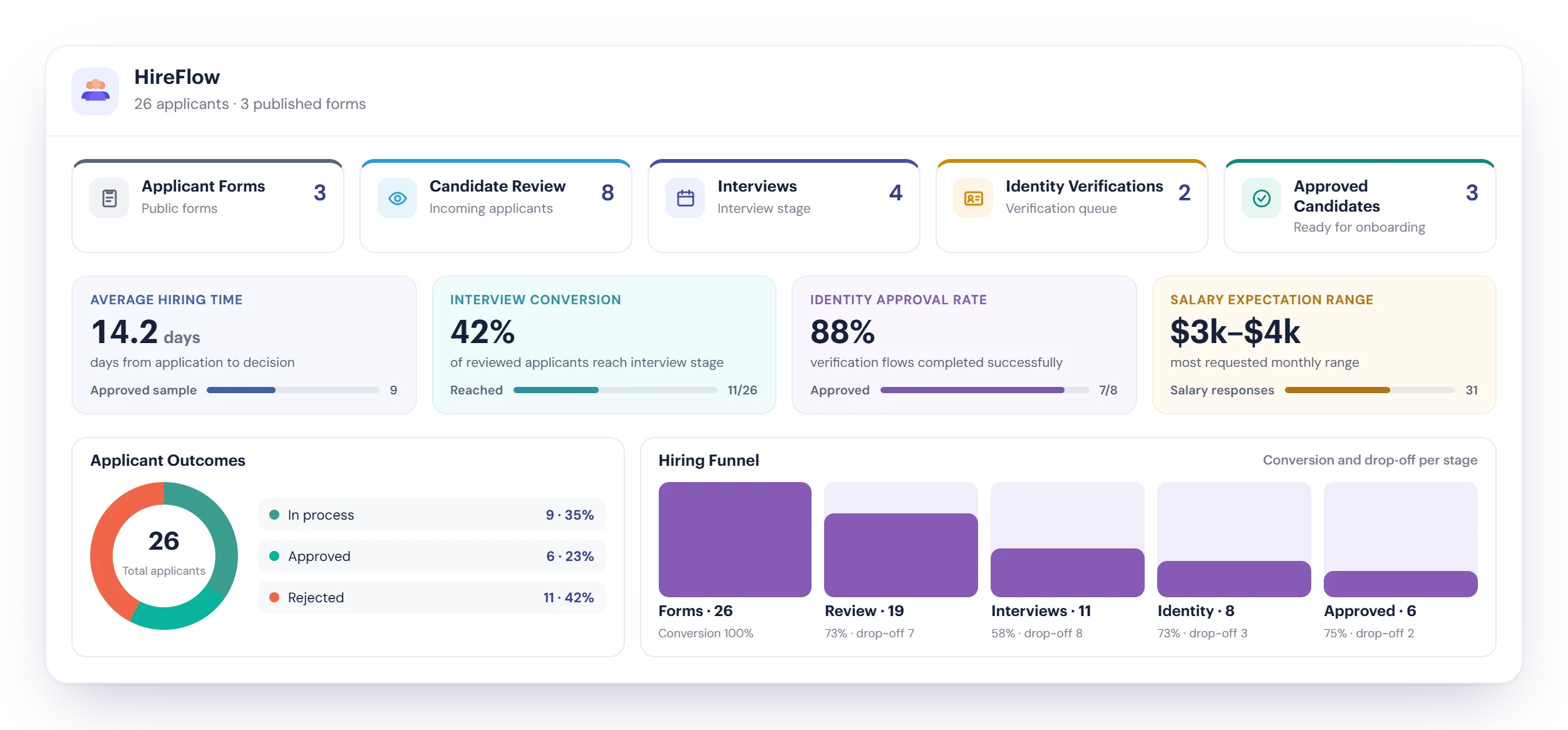
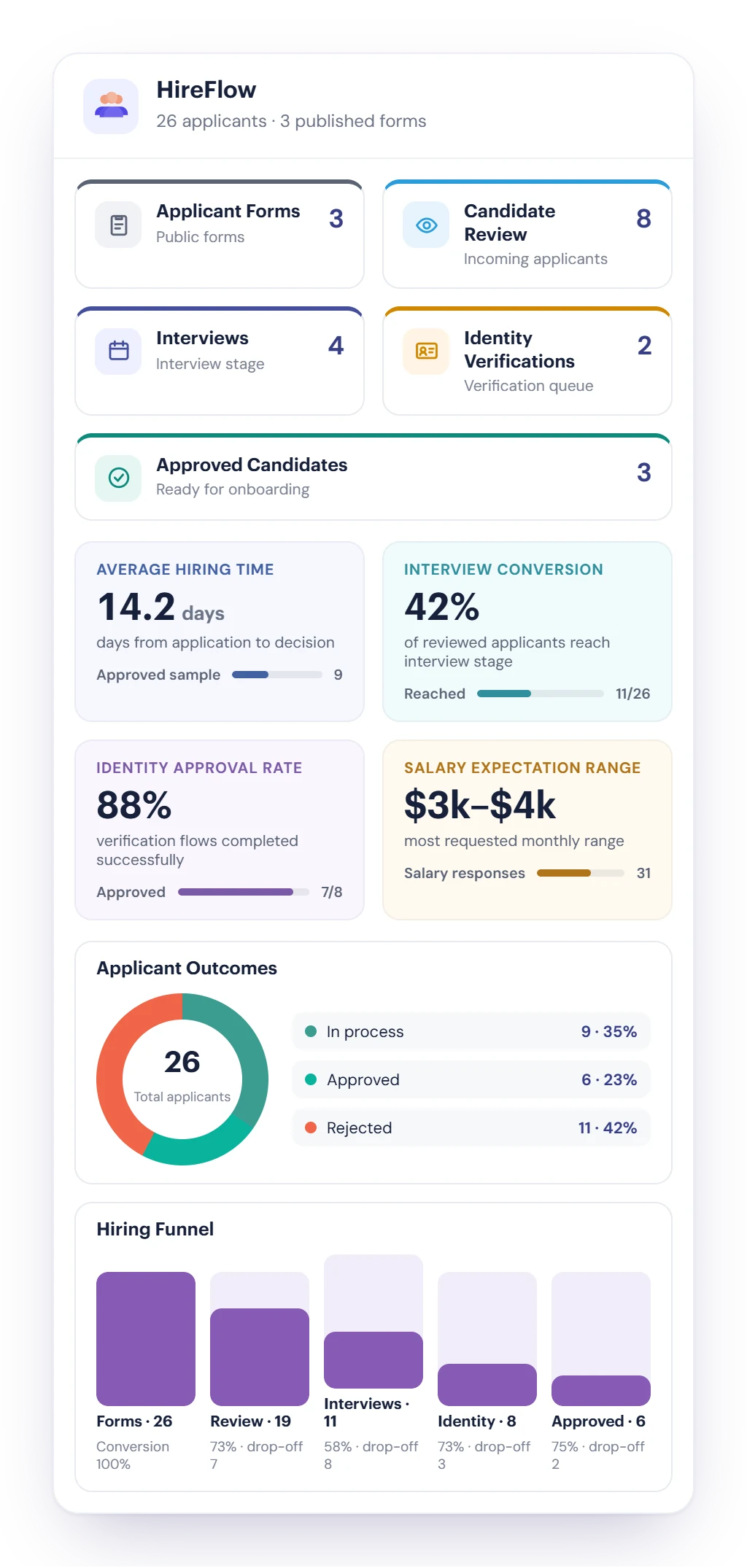
The HireFlow dashboard counts every stage and turns your applications into numbers you can act on.
Average hiring time
The days from application to decision, from the candidates you’ve already decided on.
Interview and identity rates
How many reviewed applicants reach an interview, and how many identity checks finish successfully.
Hiring funnel
Each stage with its conversion and drop-off, so you see where candidates stop, plus the salary range most applicants ask for.
Application forms that go where candidates are
Build the form once and share it everywhere you recruit.
- Share a public form link, or copy the embed code to put the form on any website.
- On a Cybix Site Builder site, the Job openings element lists your open positions, each with an Apply button.
- Write the form’s public content in each language your workspace uses, check it in the live preview, and candidates switch languages on the form.
- Set each field as Required, Optional or Off, add role-specific skill questions, and clone a form for the next opening.
The whole candidate on one screen
Every application arrives complete, so your team reviews people, not paperwork.
Resume, video and more
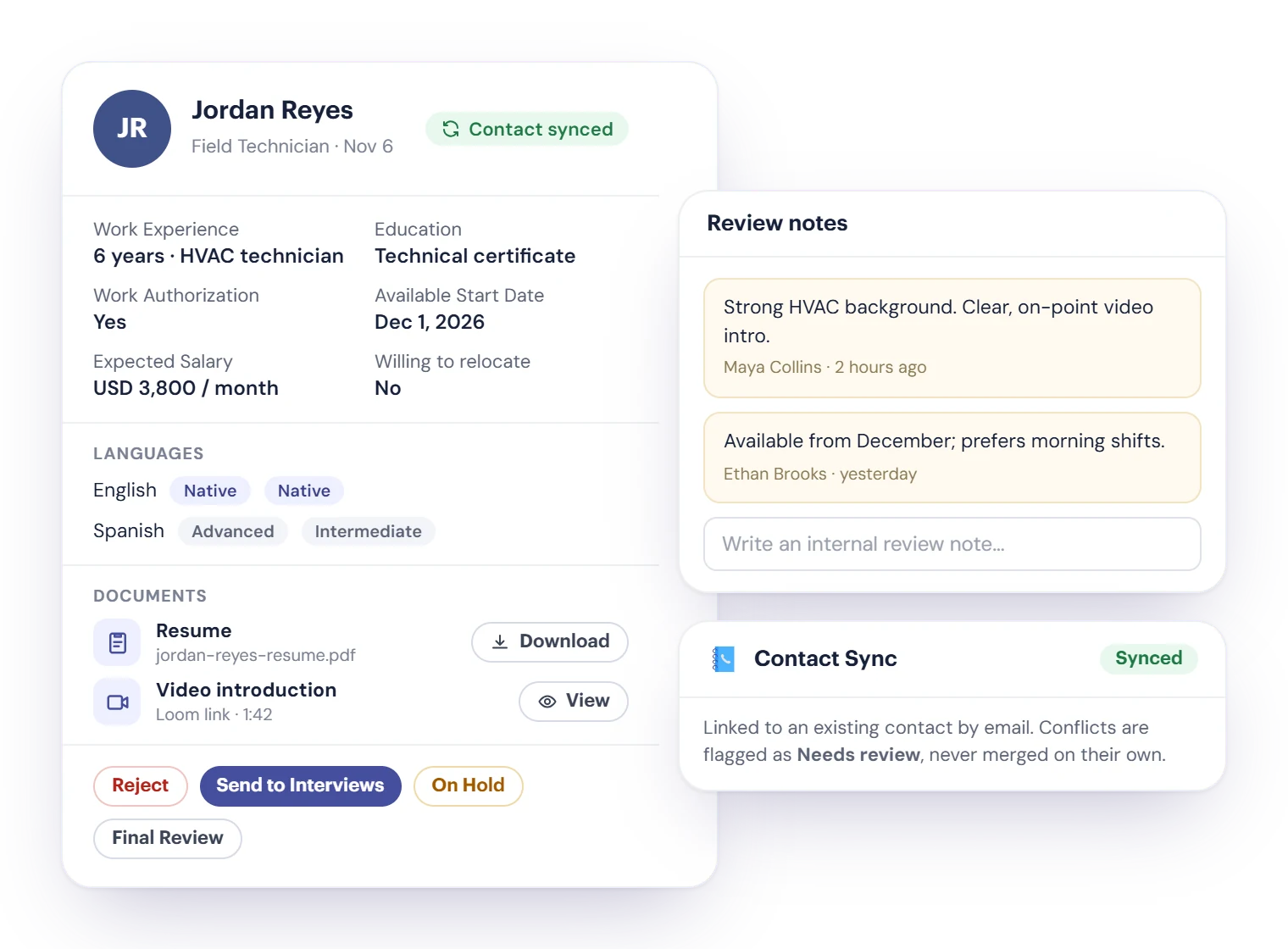
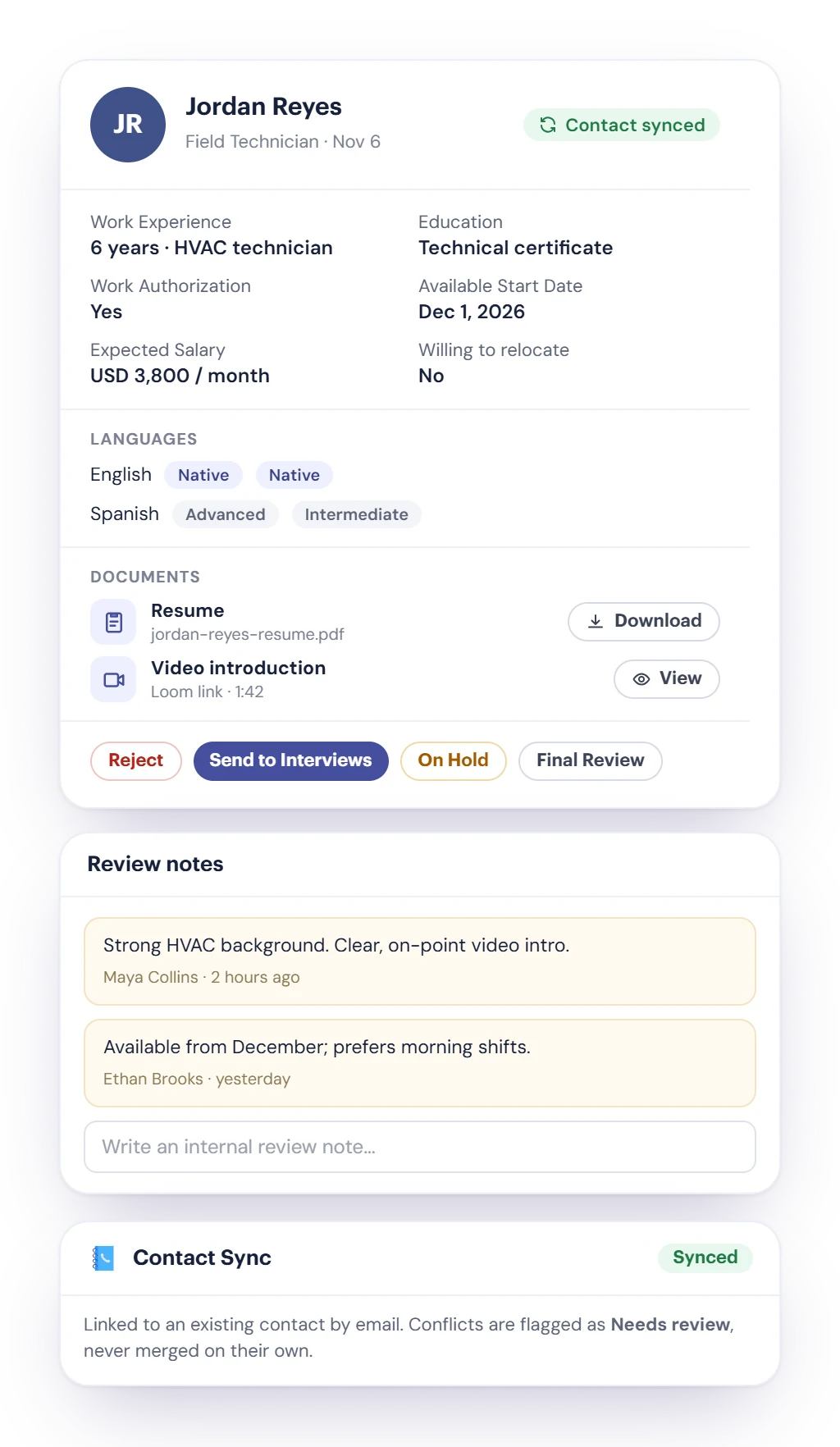
Education, work experience, languages with their level, work authorization, start date, expected salary, the resume, certifications, a portfolio and a video introduction, uploaded or as a Loom, YouTube or Drive link.
Notes and a clear next step
Leave internal review notes, then Reject, Send to Interviews, put On Hold or move to Final Review.
Synced with Contacts
Each applicant is matched to your Contacts. If a record conflicts, HireFlow flags it for review instead of merging it.
Interviews the candidate books themselves
No back-and-forth emails to find a time. Scheduling uses Booking Hub, a separate Cybix module.
- Choose Schedule Interview and pick one of your active, public Booking Hub events.
- HireFlow emails the candidate your Interview Candidate template with the link to that event.
- The candidate picks a time on your Booking Hub page, and the booking lands in your calendar.
- Meet in person, by phone or on Google Meet or Zoom, depending on how the event is set up. See Booking Hub.
Identity checks with Stripe Identity
Confirm a candidate is who they say they are before you hire them.
Send a verification link
Generate a link from your verification flow, then copy it or send it with your Verify Identity email.
The candidate checks their ID
Stripe Identity checks an ID document and a selfie. Track each check as Link Generated, Processing, Action Required or Verified, and get notified when it’s verified.
Your Stripe account, your fees
HireFlow includes Stripe Identity. It runs on your own Stripe account (your API keys), and Stripe charges its verification fees to that account. It’s an ID check, not a criminal or employment background check.
From approved candidate to team member
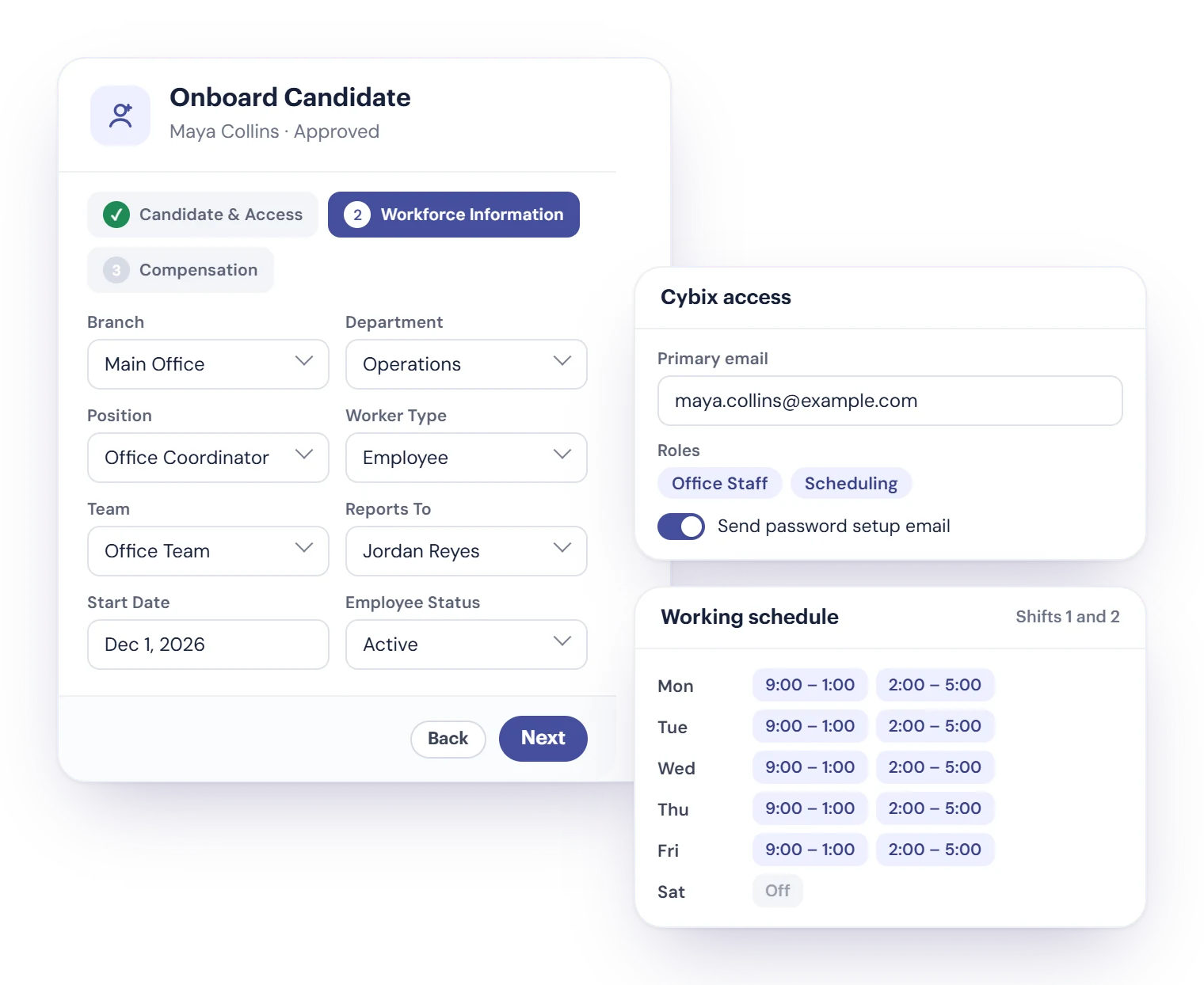
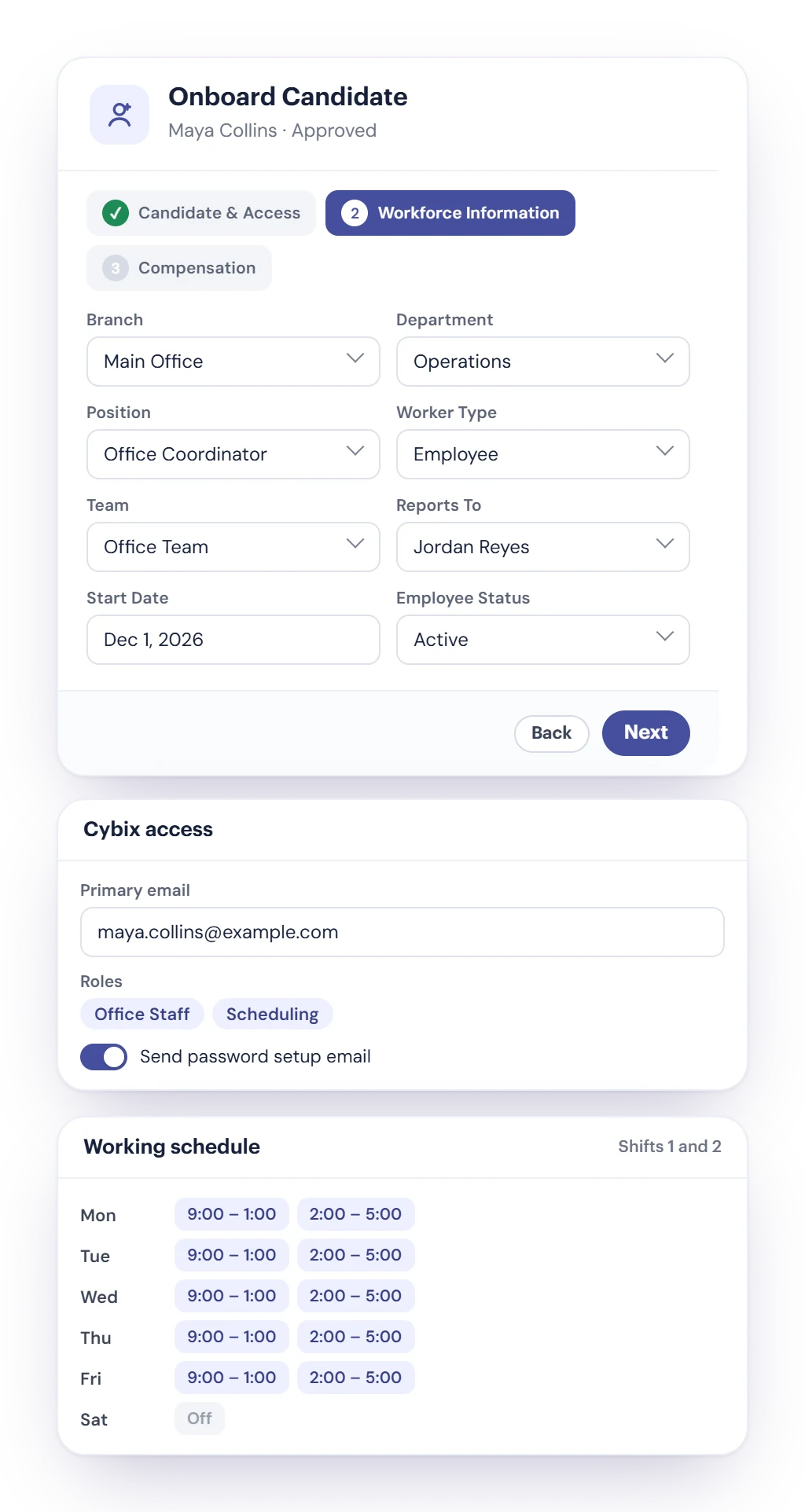
When you hire, one screen turns the candidate into a Cybix user.
- Grant System Access opens Onboard Candidate, filled in from the application.
- Create the Cybix user with their roles, and send the password setup email.
- Add their workforce details: branch, department, position, worker type, team, who they report to, start date and compensation.
- Set a weekly schedule with up to three shifts a day, from a template or by hand. The candidate is then marked Hired.
Connected to the rest of Cybix
HireFlow works with the modules your team already uses.

Contacts
Every applicant is matched to your Contacts, and conflicts wait for your review instead of creating duplicates.
Email templates
Edit the Interview Candidate, Verify Identity and New User Access emails in each language, with the candidate’s name and position filled in.
Booking Hub
Interviews are booked through Booking Hub, a separate module, and Video Meeting adds the Google Meet or Zoom link. See Booking Hub.

Site Builder
Add the Job openings element to a Cybix site to list your open positions with an Apply button.
Cybix mobile app
Review applicants, add notes, schedule interviews and send verification links from your phone.
Dashboard widget
The HireFlow widget puts your hiring pipeline on the Cybix dashboard.
HireFlow questions, answered
Still deciding? Try the live demo or talk to our team.
What does Cybix HireFlow do?
HireFlow runs your hiring in five stages: application forms, candidate review, interviews, identity verification and approved candidates. You share or embed a form, review each applicant’s full profile, book interviews through Booking Hub, verify identity with Stripe Identity and turn the people you hire into Cybix users, with a dashboard that tracks every stage.
How do candidates apply?
Through your HireFlow application form. Share its public link, embed it on any website with the embed code, or list your openings on a Cybix Site Builder site with the Job openings element. Candidates can attach a resume, certifications, a portfolio and a video introduction.
Can the application form be in English and Spanish?
Yes. You write the form’s public content in each language your workspace uses and check it in the live preview. On the form’s public page, candidates can switch languages.
How are interviews scheduled?
When you schedule an interview, you pick one of your Booking Hub events and HireFlow emails the candidate a link to it. The candidate picks a time on your Booking Hub page. The meeting is in person, by phone or on Google Meet or Zoom, depending on the event. Booking Hub is a separate module; it isn’t included with HireFlow. See Booking Hub.
Does HireFlow include Stripe Identity?
Yes. HireFlow includes Stripe Identity. It runs on your own Stripe account: you connect your Stripe API keys, and Stripe charges its verification fees to that account.
Does HireFlow run background checks?
No. Stripe Identity checks a candidate’s ID document and a selfie to confirm who they are. It isn’t a criminal, credit or employment background check.
Do candidates have to be verified before I approve them?
No. Identity verification is a stage you can use when you need it. You decide when to approve, and each candidate’s verification status is right there to check.
What happens after I hire someone?
From Approved Candidates, Grant System Access creates their Cybix user with roles and sends a password setup email. In the same screen you add their branch, department, position, team and a weekly shift schedule, and the candidate is marked Hired.
Can I use HireFlow on my phone?
Yes. In the Cybix mobile app you can see the hiring dashboard, review applicants, add notes, schedule interviews and send verification links. Building forms and onboarding open the web page inside the app.
Ready to streamline your hiring process?
Publish your application form, review candidates, book interviews, verify identity and onboard new hires, all from HireFlow.