ClockEase & Payroll
Time Clock, Schedules and Payroll in One Place
Track punches and shifts, approve time off and tips, and run payroll for W-2 employees, 1099 contractors and external services, with tax estimates your accountant can review.
Time and Attendance, Organized
Access timesheets, schedules, and attendance reports from one workspace designed to simplify daily workforce management.
Better workforce management
Track punches, schedules, time off, tips and extra work in one place, then turn the hours into a payroll estimate your accountant can review.
Time tracking
Punch in and out on the web or in the Cybix mobile app. Managers can mark people in or out on the PunchBoard and correct a missed punch-out.
Schedule management
Set each person’s working days with up to three shifts a day, start from a template, and remind people before each shift.
Time-off requests
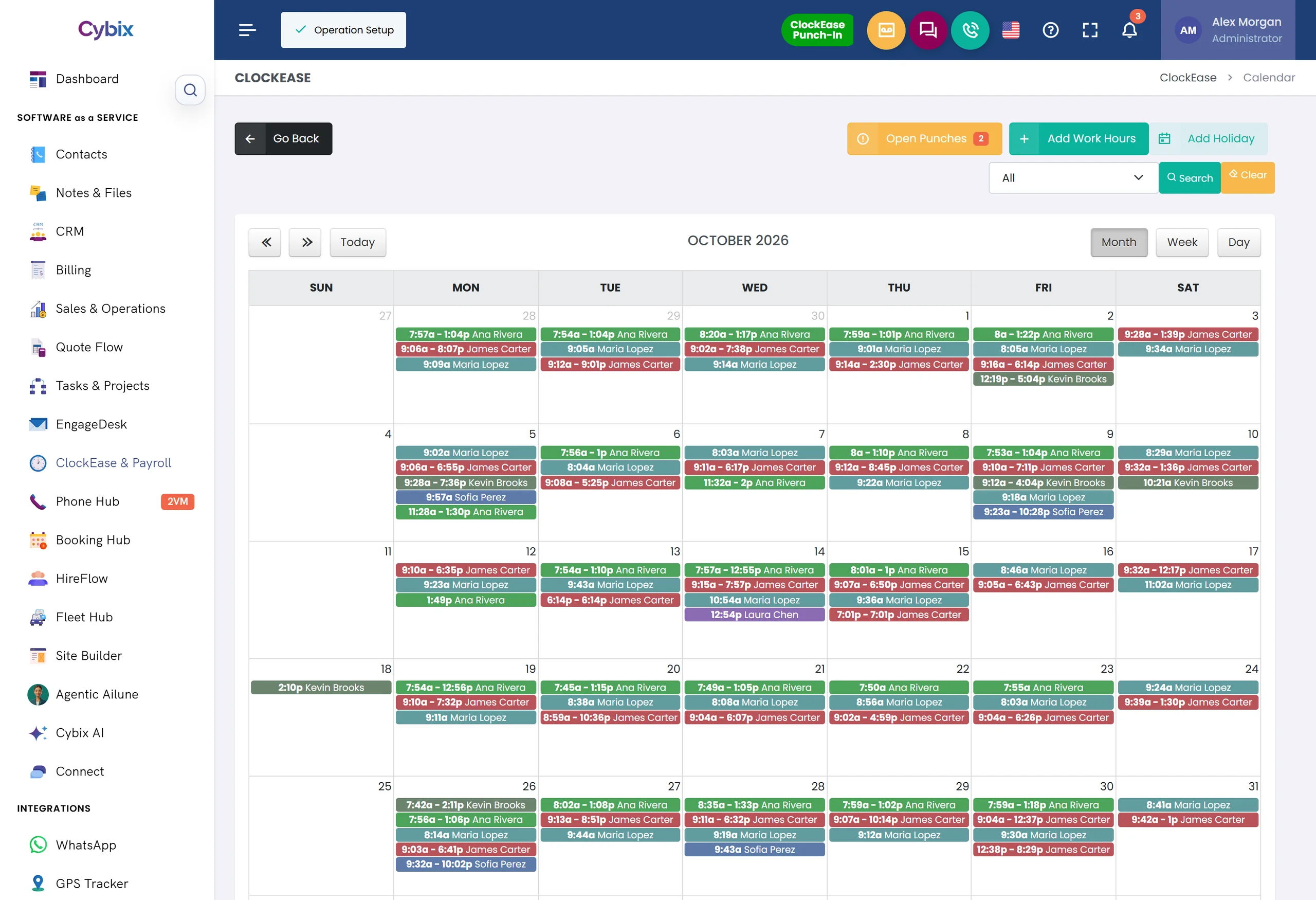
Employees request time off with the dates and a reason. Managers approve or reject it and see it on the ClockEase calendar.
From Clock-In to Payroll
Every punch flows into timesheets, reports and the payroll run, with a record of who did what.
Clock In
Employees punch in on the web or in the Cybix mobile app.
Time Recorded
Each punch saves the time, device and IP, and the hours add up.
Requests & Adjustments
Approve time off, tips and extra work, and correct missed punch-outs.
Reports Available
Print or export the punch report, total hours and timesheets.
Ready for Payroll
Hours, overtime and approved tips and extra work go into the payroll run.
Better organization
Keep attendance records and work activity organized in one place.
Improved visibility
Monitor work hours, attendance, and team activity with confidence.
Up-to-date records
Access timesheets and reports whenever you need them.
Run payroll in five steps
Payroll is included with ClockEase. Pick the people and the pay period, check the numbers, then approve and pay. Every payroll screen says it plainly: the taxes are estimates to review with your accountant.
Preview, then save a draft
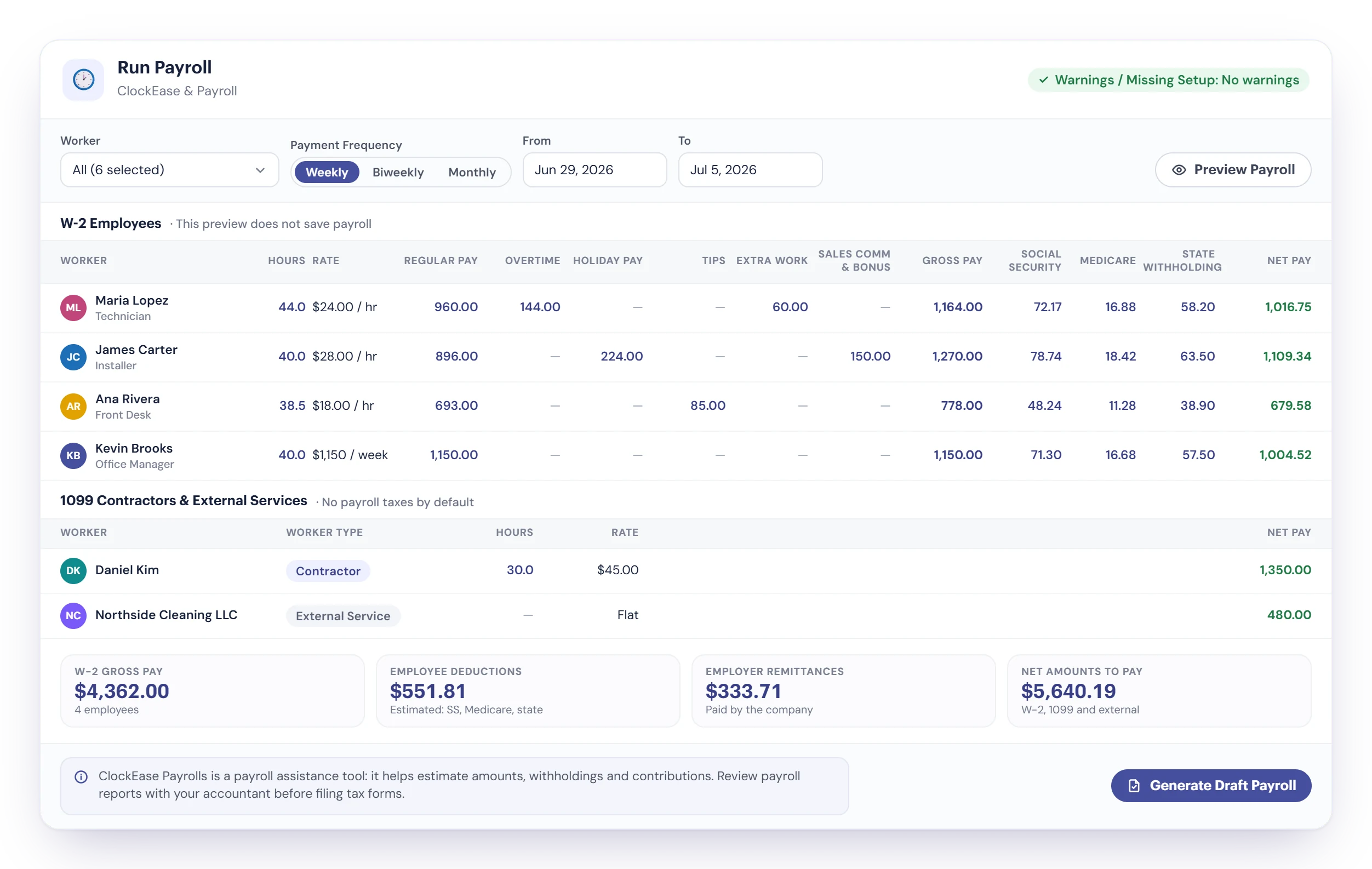
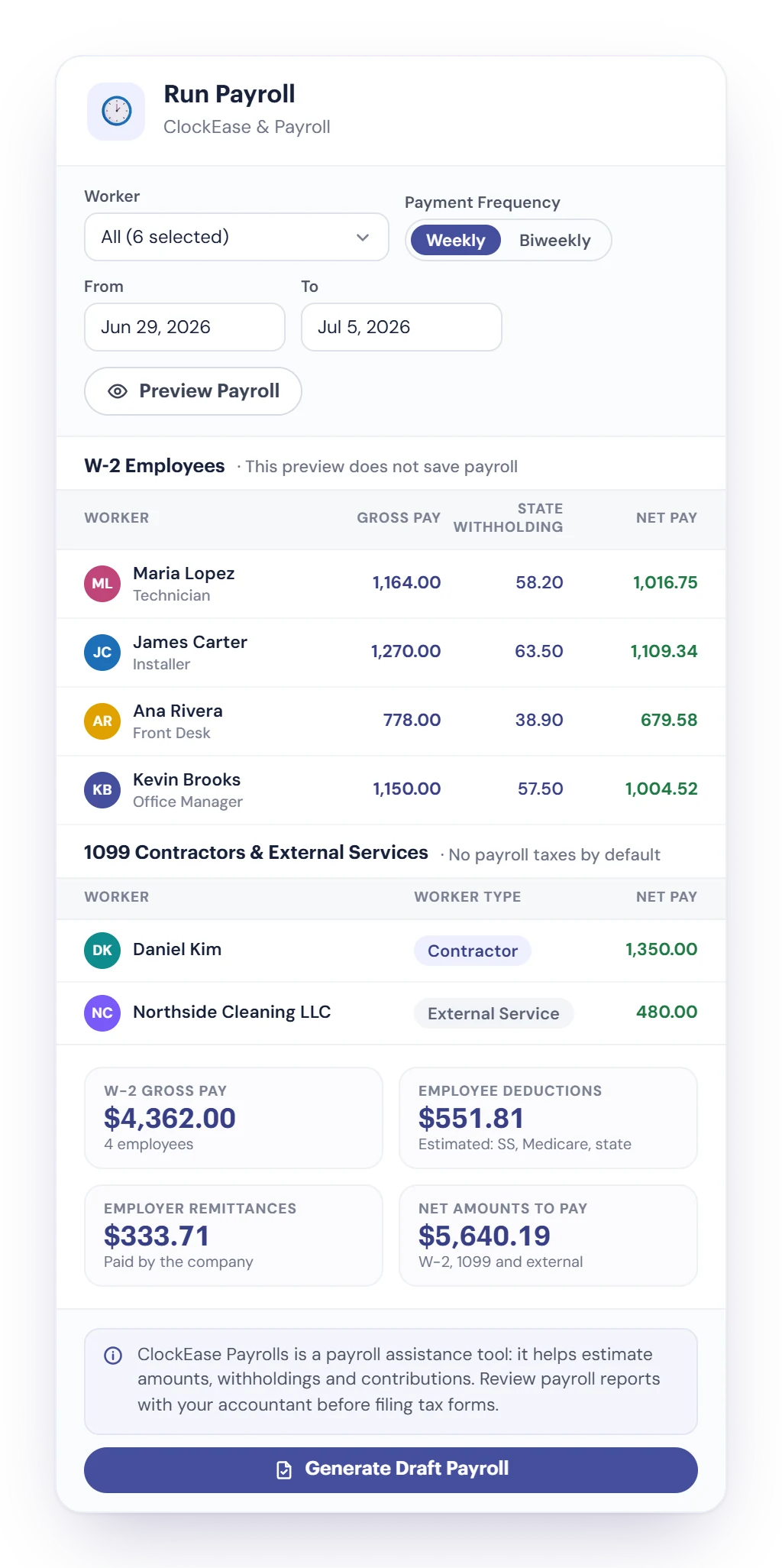
Preview Payroll calculates the period without saving anything and lists missing setup. Generate Draft Payroll saves a snapshot for review.
Review and approve
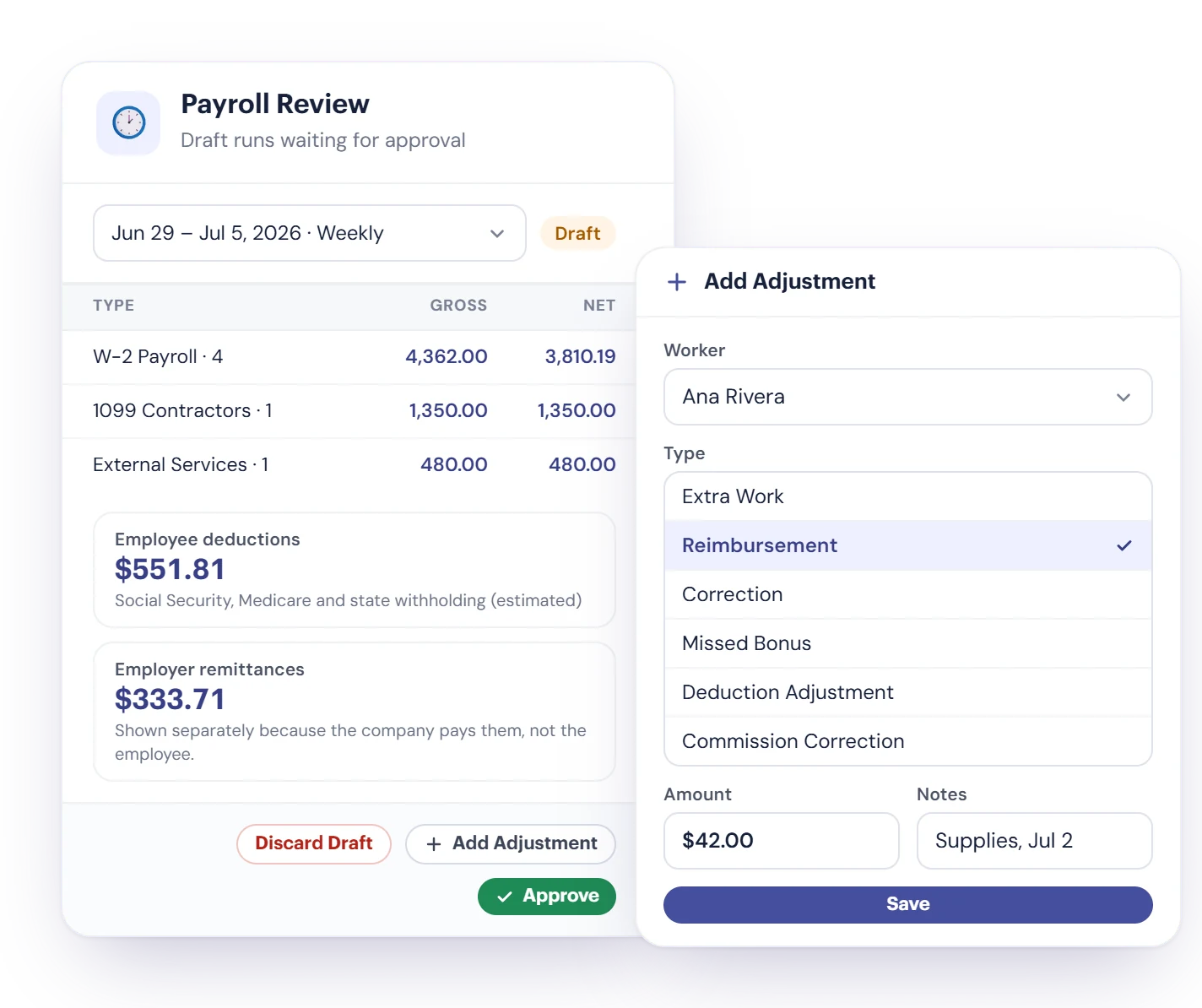
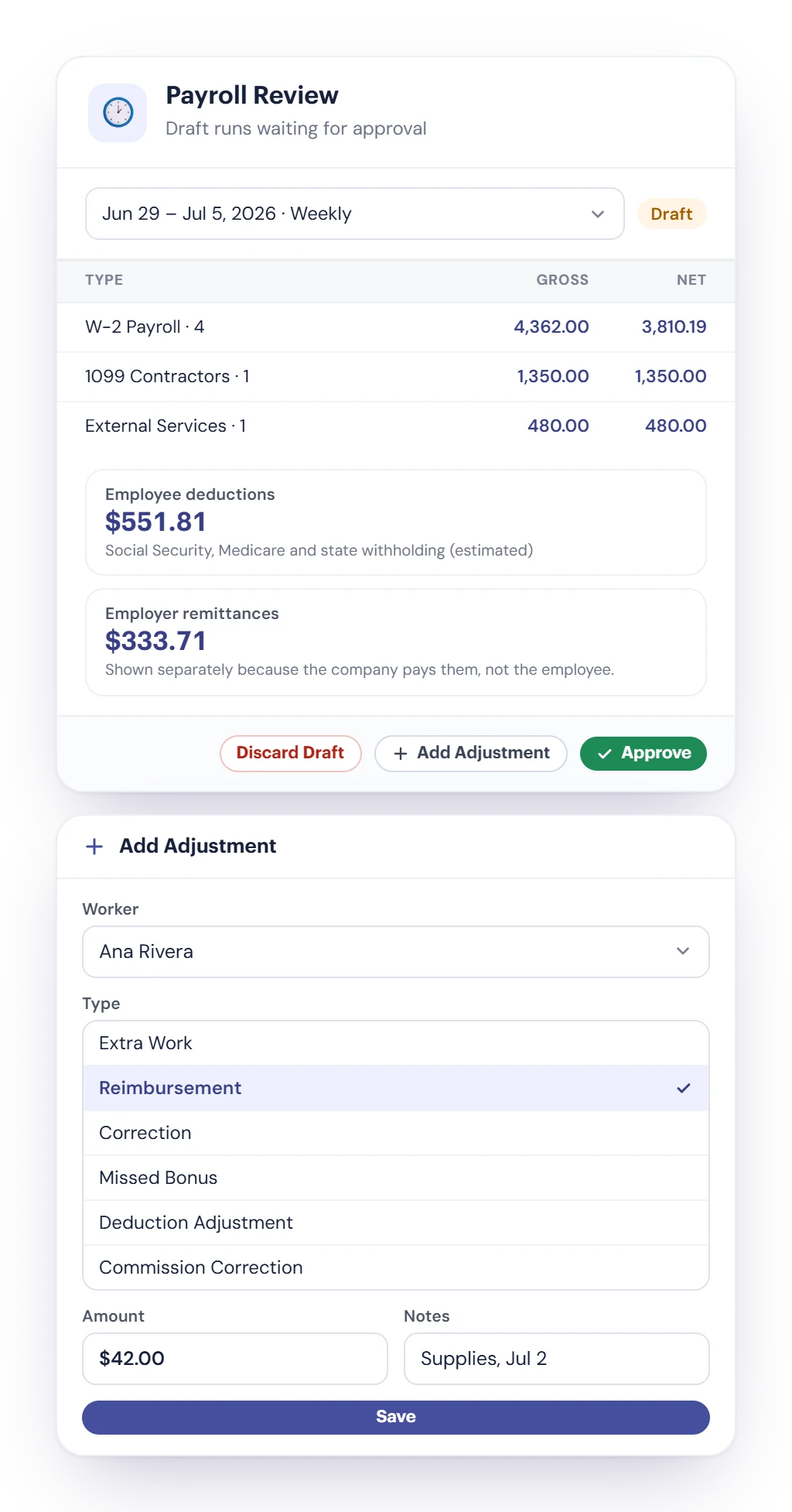
In Payroll Review, check the totals, add an adjustment if something is missing, then approve the run or discard the draft.
Pay and keep the history
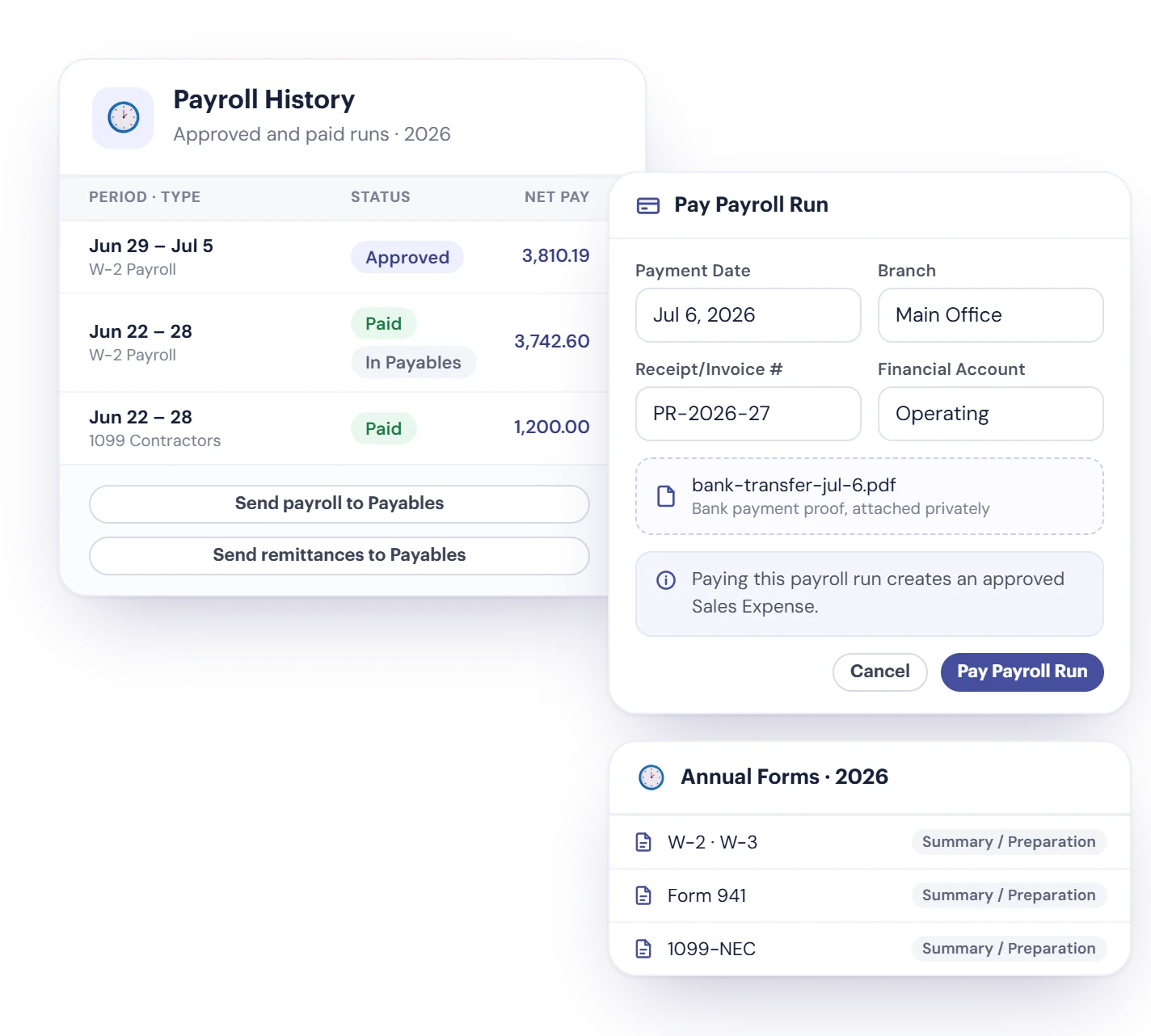
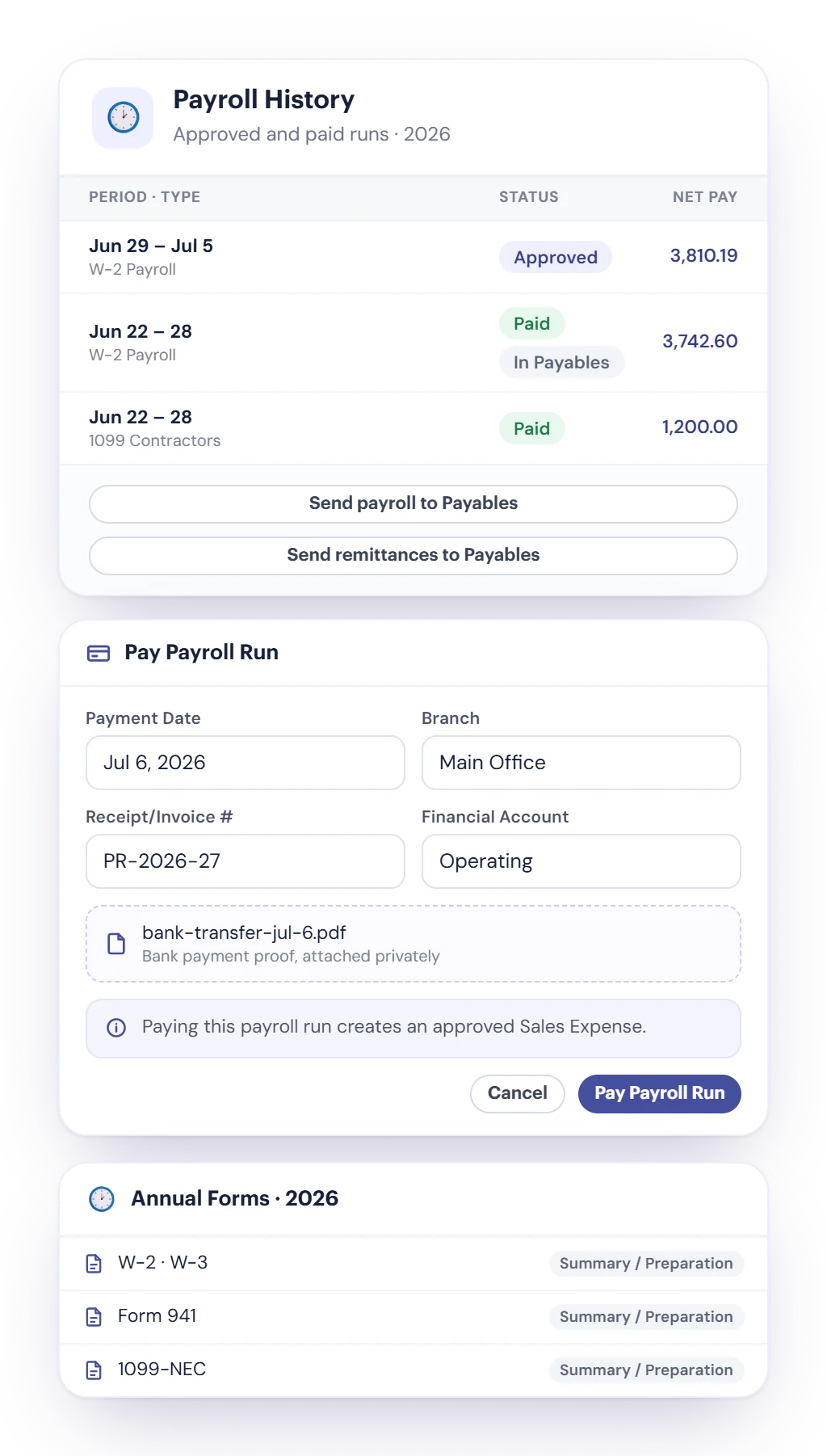
Record the payment in Payroll History, send it to Payables, and keep every approved and paid run with its full detail.
Every kind of pay, for every kind of worker
W-2 employees, 1099 contractors and external services are paid in separate sections, so each one gets the right math.
- Regular pay, overtime and holiday pay from the hours, plus approved tips, extra work and sales commissions and bonuses.
- Estimated Social Security, Medicare and state withholding for W-2 employees, with the state rate you set for each state where you have a branch. 1099 contractors and external services get no payroll taxes by default.
- Employer taxes are shown apart from what comes out of the paycheck.
- Add an adjustment before approval: extra work, a reimbursement, a correction, a missed bonus or a commission correction.
Pay the run, hand it to Payables, prepare the year
Cybix keeps the books straight after you approve. It records what you paid; the money itself moves through your bank as usual.
Record the payment
Pay Payroll Run saves the payment date, branch, receipt number, financial account and the bank proof, and books an approved expense in Sales.
Send it to Payables
Send the net payroll and the employer remittances to Receivables & Payables in Sales & Operations, so nothing gets paid twice.
Year-end summaries
W-2, W-3, Form 941 and 1099-NEC preparation summaries add up the year for your accountant. They are summaries, not official filings.
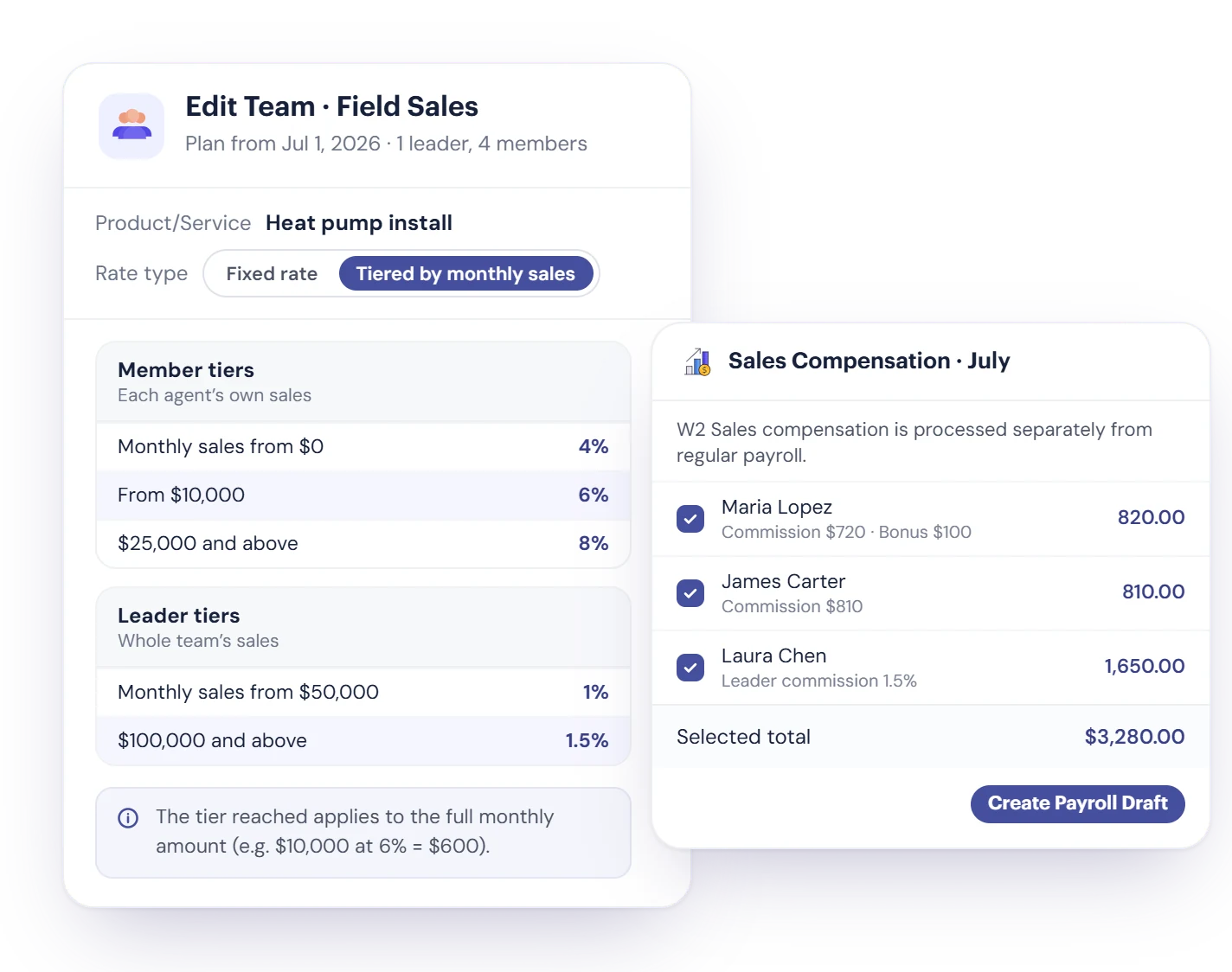
Commissions from your team’s compensation plans
Set how each team earns once, and approved commissions and bonuses for W-2 sellers reach payroll on their own run.
- Teams come with ClockEase (under Users, Roles & HR): leaders, members and dated compensation plans with a commission and a product bonus per product or service.
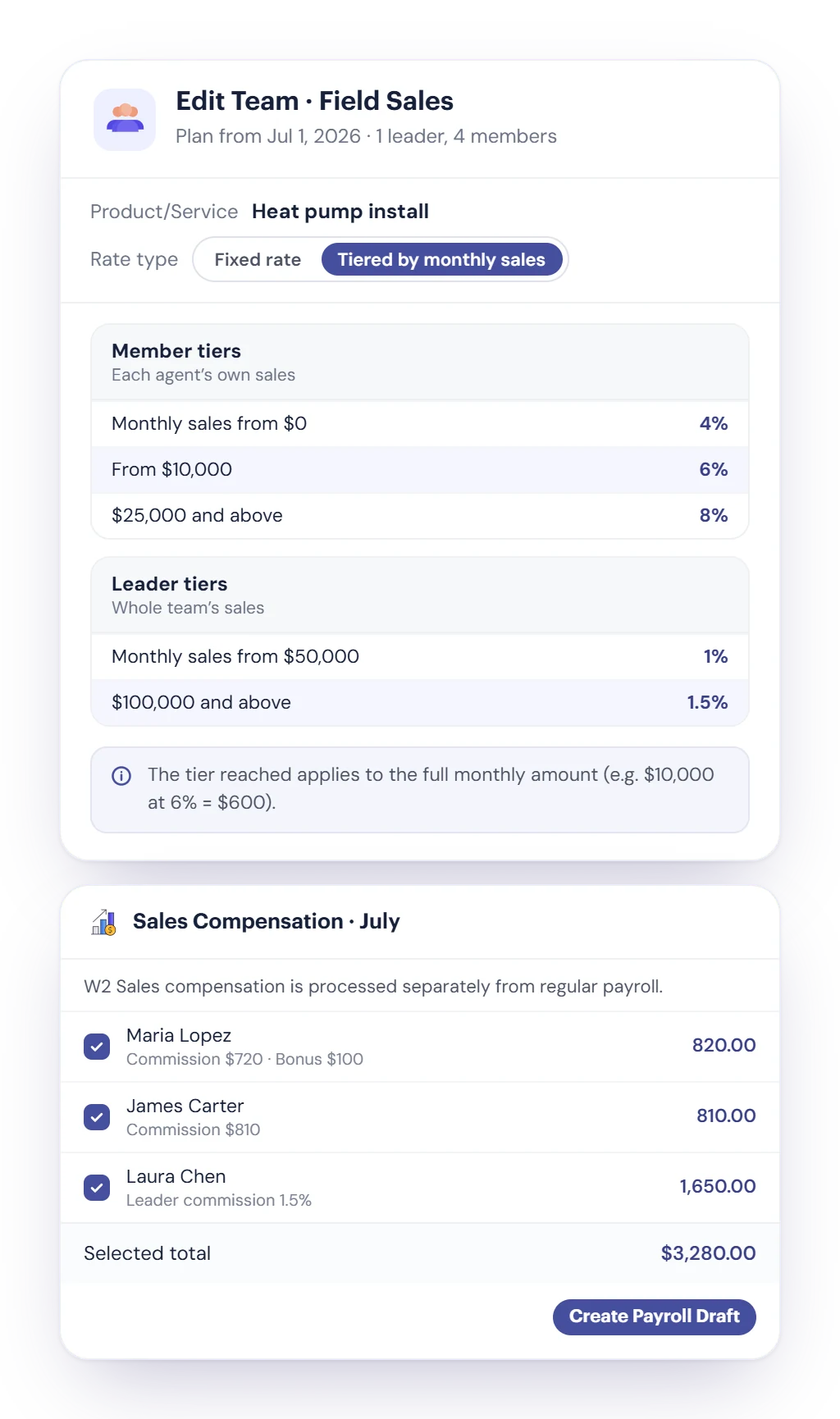
- Use a fixed rate, or a rate tiered by monthly sales: members by their own fully paid sales, leaders by the whole team’s.
- Sales & Operations calculates the commissions from these plans. Sales Compensation collects the approved W-2 commissions and bonuses into a separate payroll draft for review, approval and payment.
- Contractor commissions are paid from Sales & Operations.
Know who’s working, and fix the punches that aren’t right
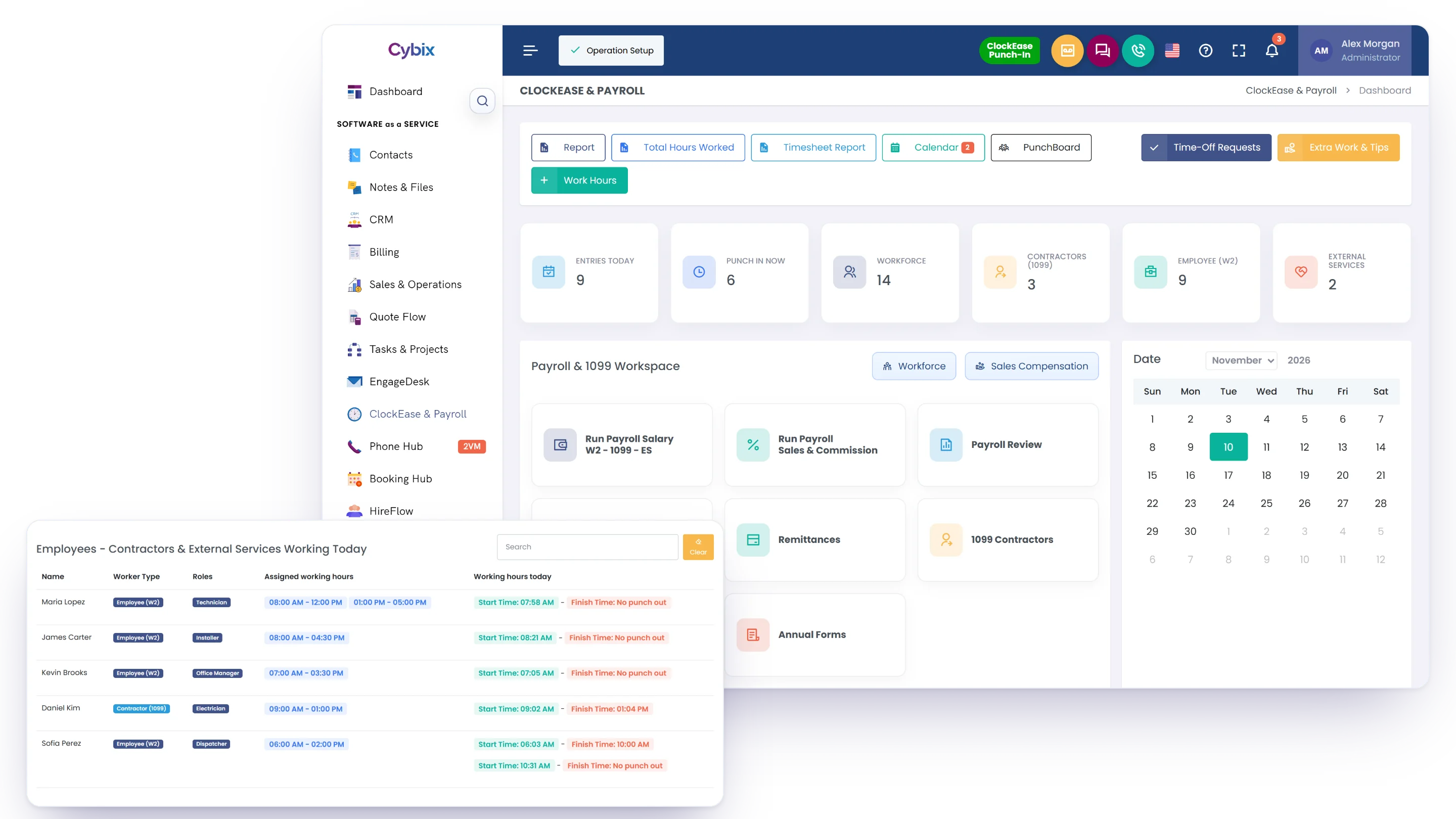
See today at a glance, correct what people forget, and keep a record of where every punch came from.
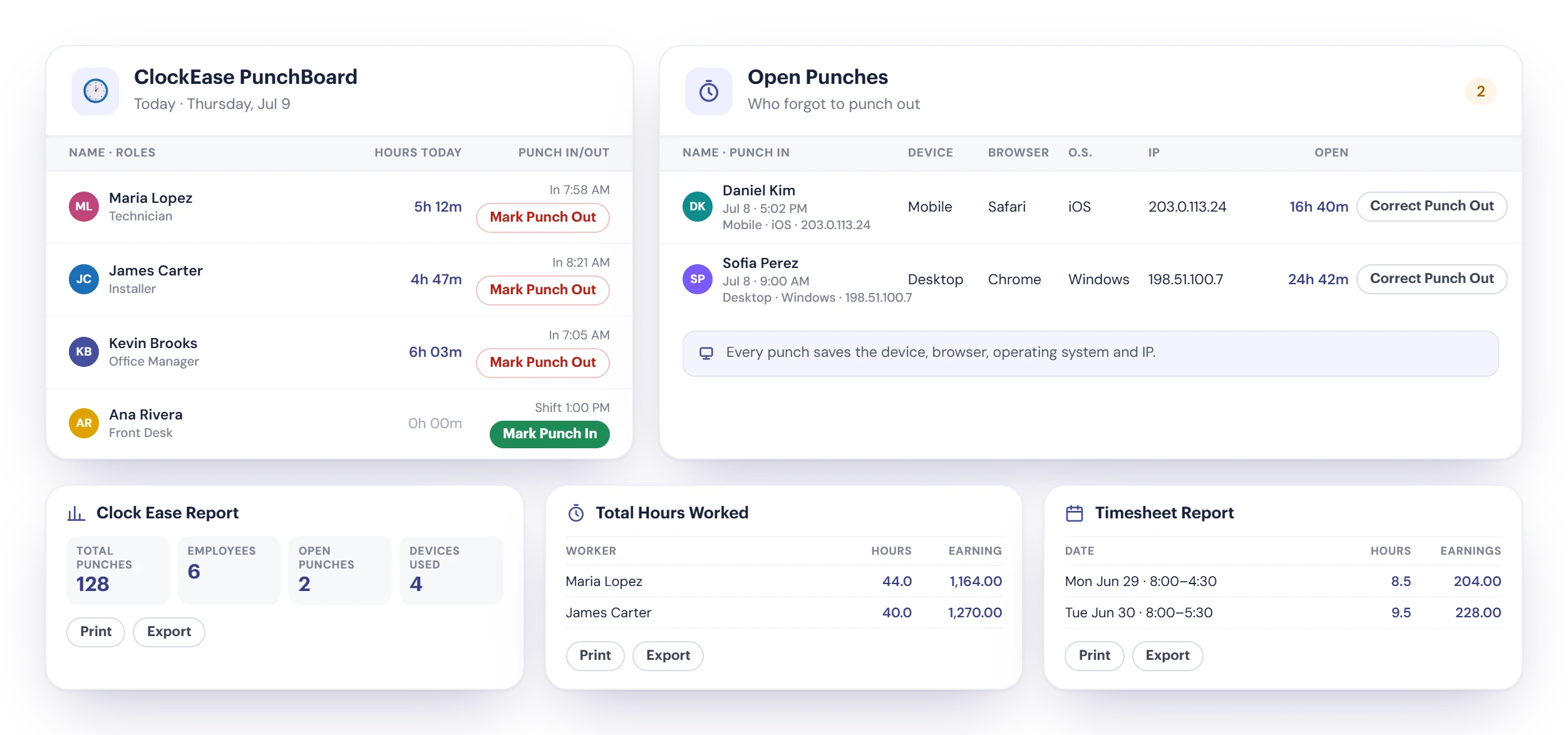
PunchBoard
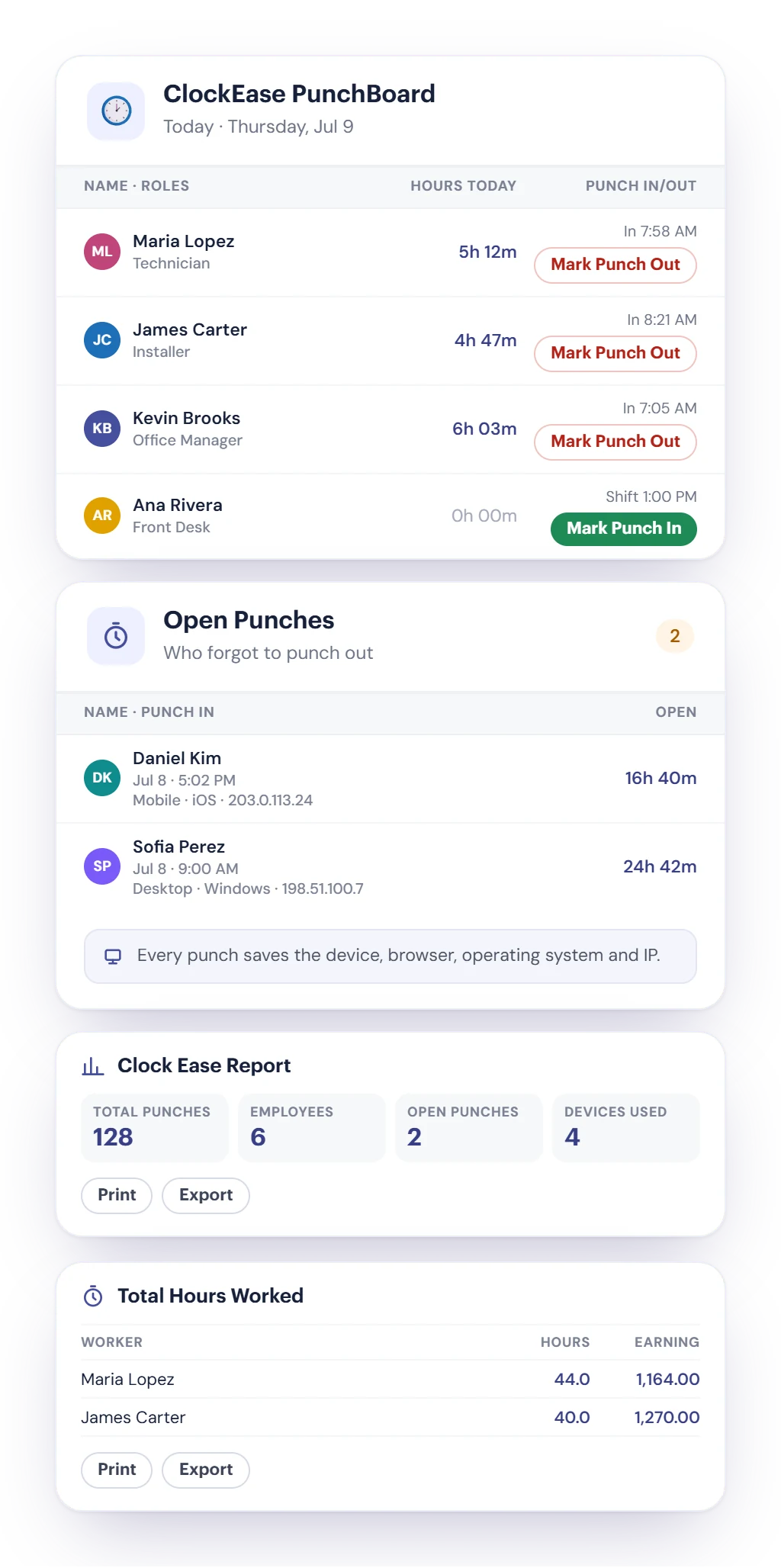
Managers see who is in or out today and can mark a punch in or out for someone, with the hours they’ve worked so far.
Open Punches
Everyone who forgot to punch out, how long the punch has been open, and the device, browser, OS and IP it came from. Correct the punch-out in one click.
Three reports
The punch report, Total Hours Worked with overtime and tips, and the Timesheet Report with earnings per day. Print or export each one.
Shifts, reminders and holidays
Give everyone a schedule once, and ClockEase uses it for reminders, the calendar and pay.
Assigned working hours
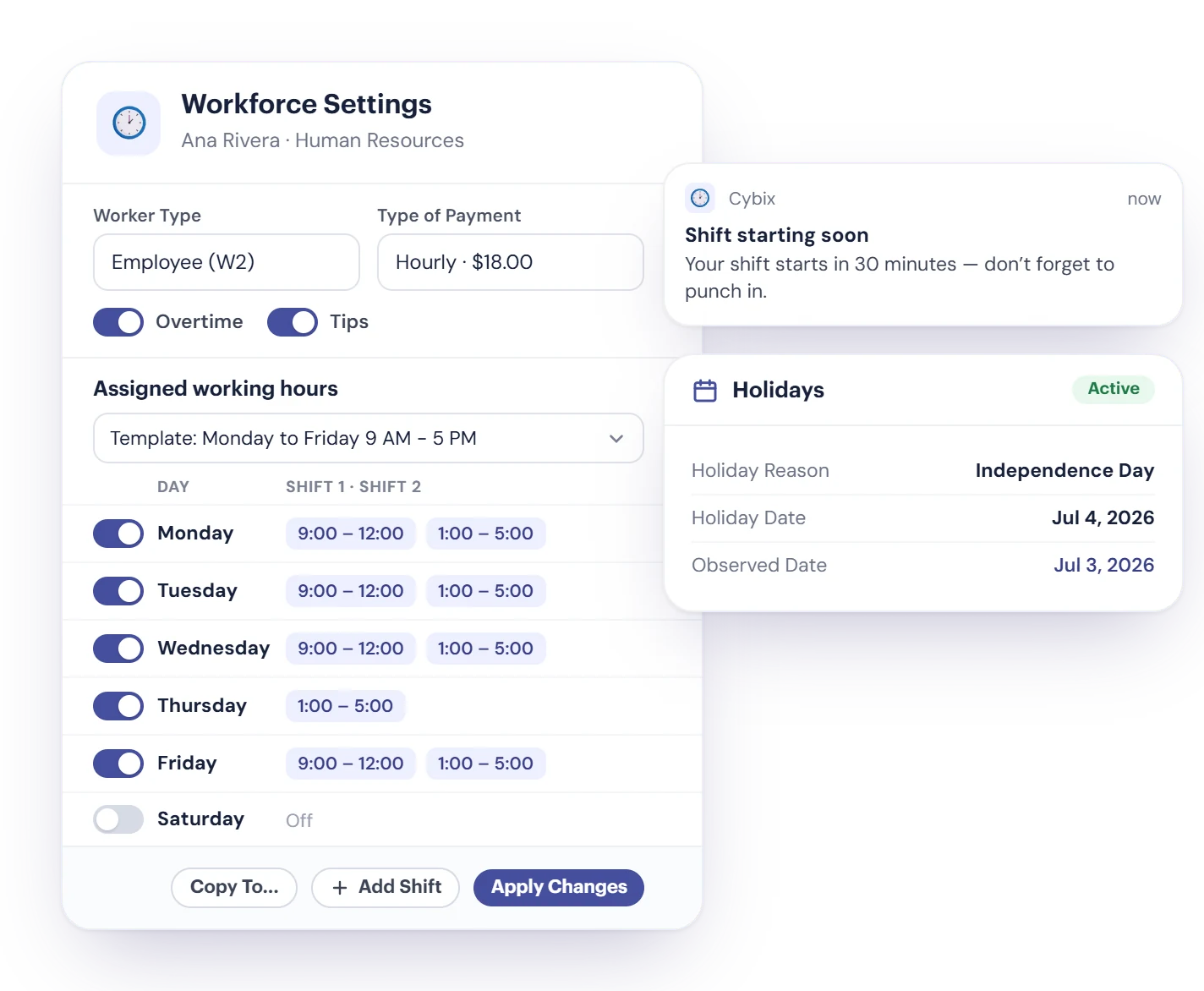
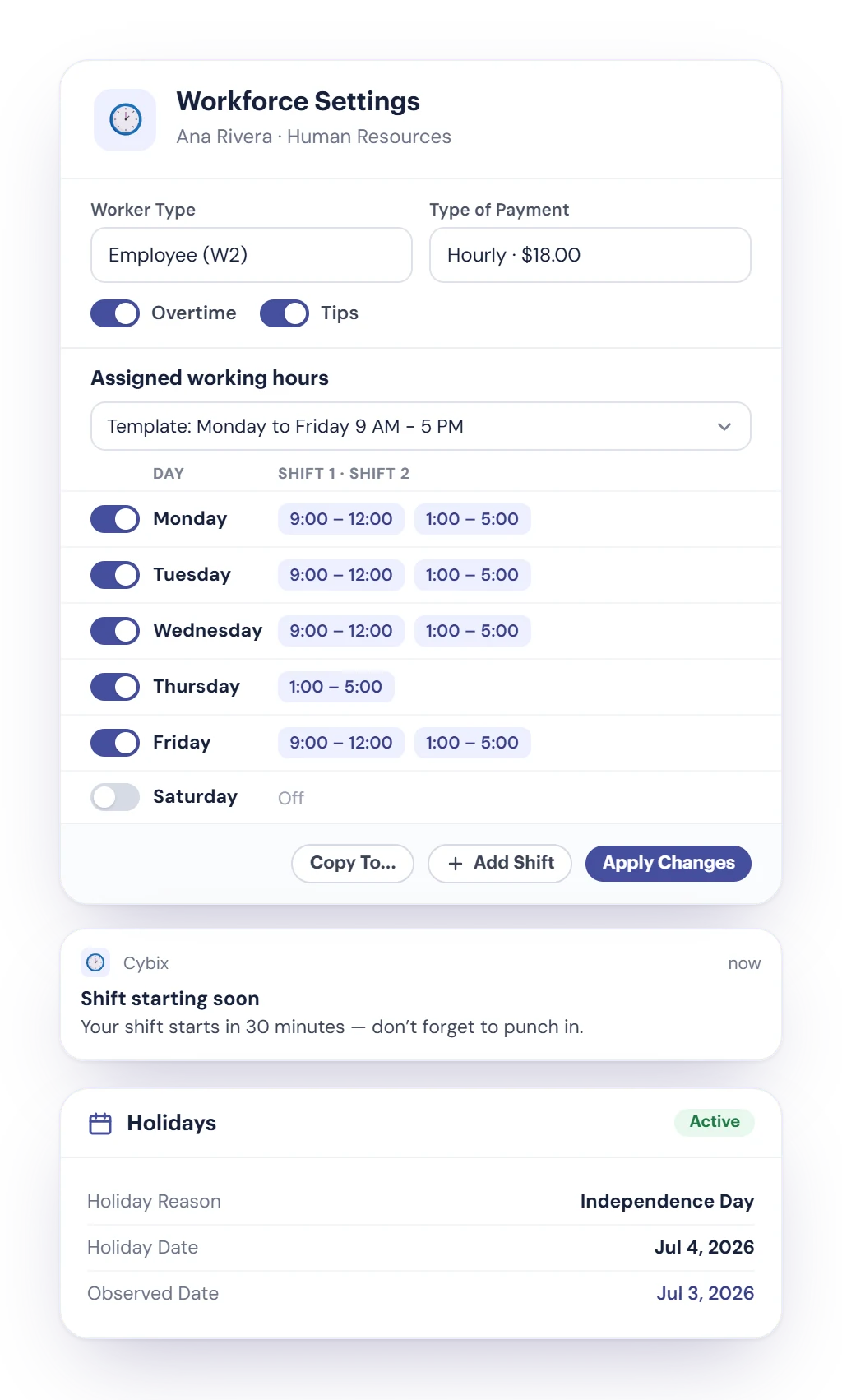
Pick each person’s working days and up to three shifts a day. Start from a template (9 AM to 5 PM, Monday to Friday, or weekends only) and copy a day to others.
A reminder before each shift
People get a push notification on the Cybix mobile app 30 minutes before a scheduled shift, so they remember to punch in.
Holidays
Add each holiday with its date and observed date. It shows on the ClockEase calendar and counts as Holiday Pay in payroll.
Time off, tips and extra work, approved in one place
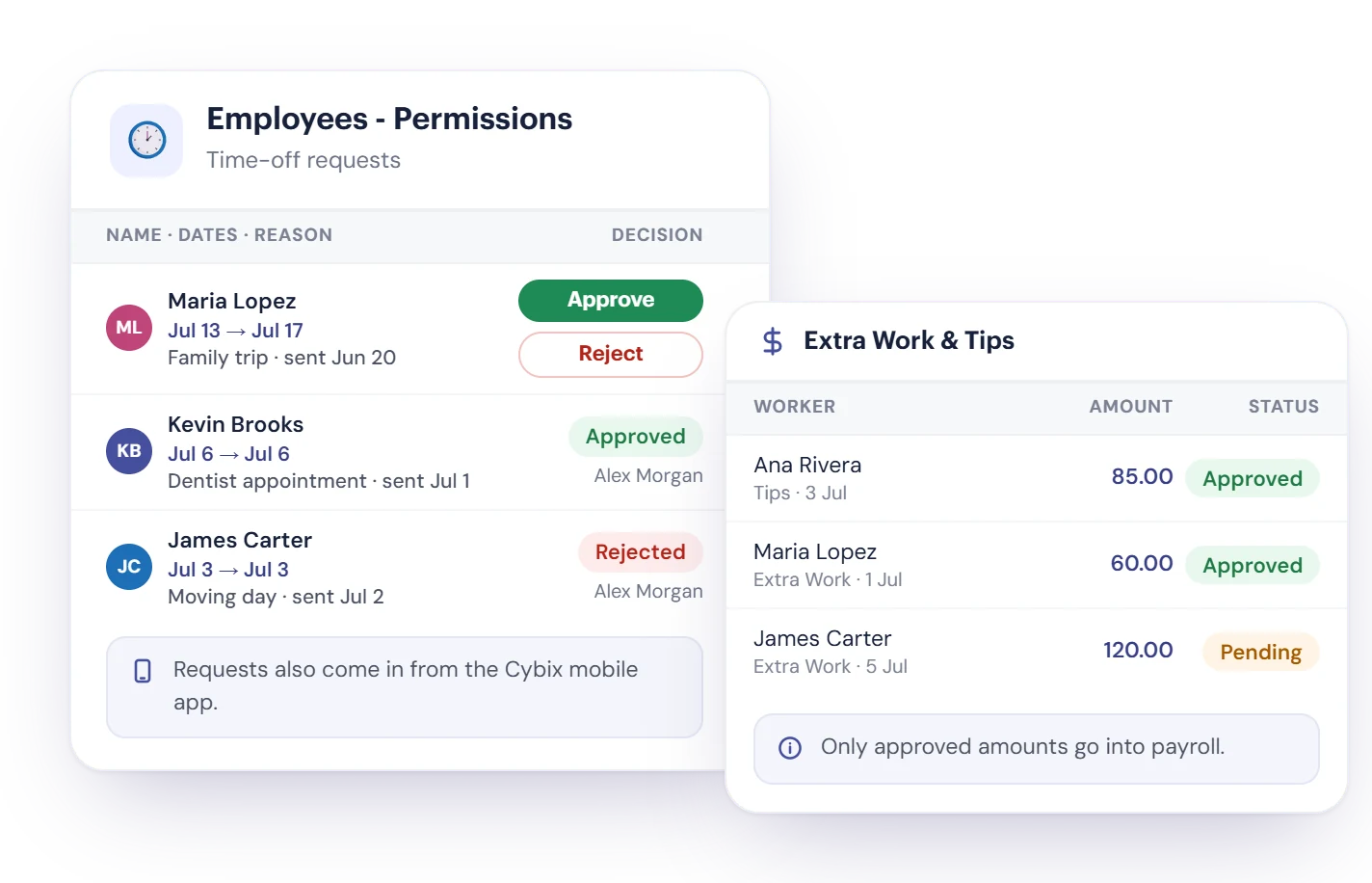
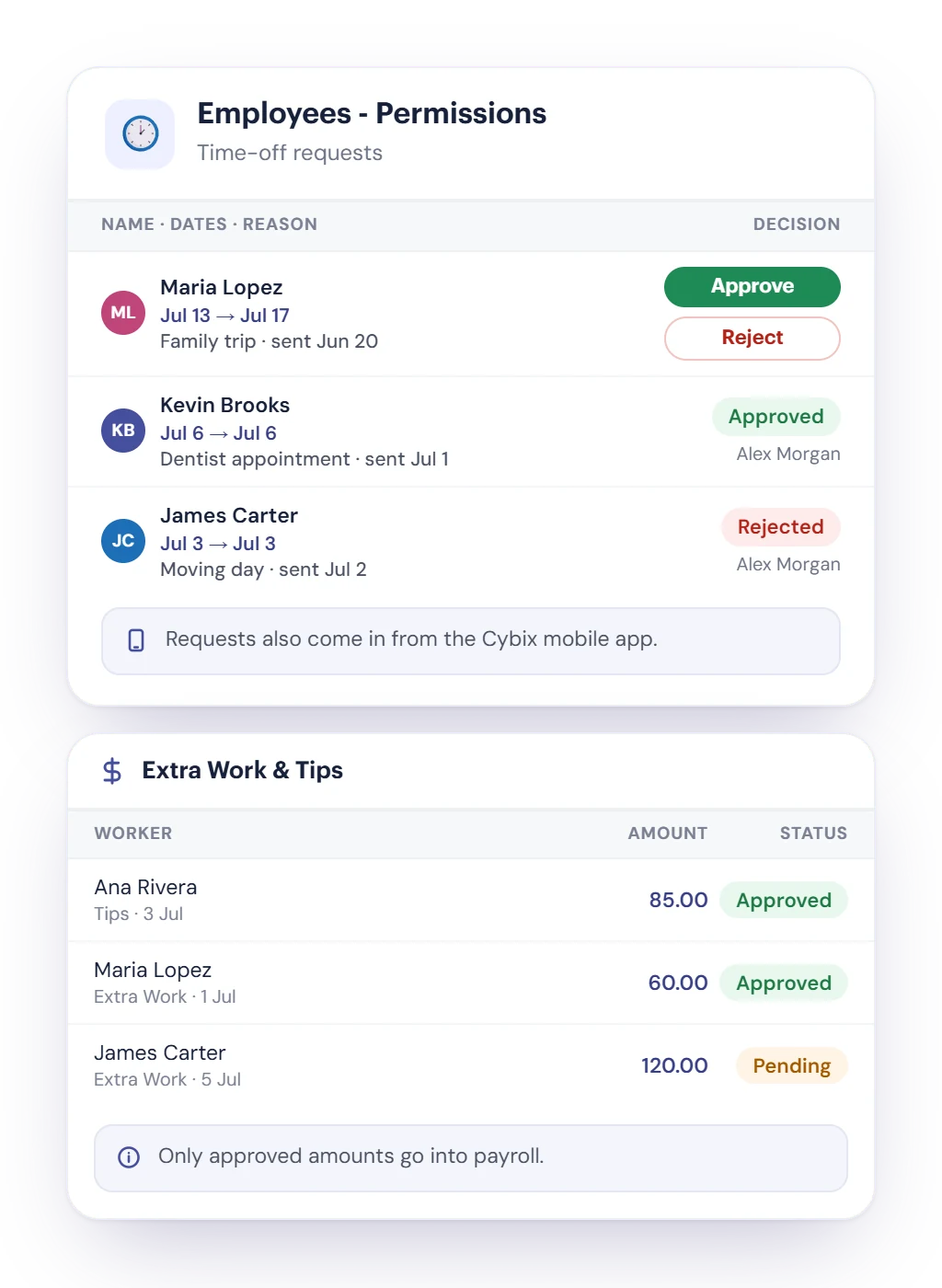
Requests come in from the web or the phone, and managers decide in one list. Only approved amounts reach payroll.
- Employees request time off with the dates and a reason, on the web or in the Cybix mobile app.
- Managers approve or reject it, and the list shows who decided and when.
- Log Extra Work or Tips for a worker with the amount, date and notes; each one is Pending, Approved or Rejected.
- Time-off requests are dates and a reason; ClockEase doesn’t track leave types or balances.
Connected to the rest of Cybix
ClockEase & Payroll works with the modules your workspace uses.

Sales & Operations
Paid payroll runs become expenses, and payroll and remittances go to Payables. See Sales & Operations.

Teams
Teams come with ClockEase. Their compensation plans drive the commissions Sales & Operations calculates, and approved W-2 amounts come back to payroll.
Human Resources and branches
Worker type, pay type and income live with each person; you set the state withholding rate for each state where you have a branch.

Dashboard widget
Punch in or out from the Cybix dashboard without opening ClockEase.
Cybix mobile app
Punch in and out, see the calendar, add work hours, use the PunchBoard, and request or approve time off. Payroll stays on the web.
Shift reminders
A push notification 30 minutes before each scheduled shift.
ClockEase & Payroll questions, answered
Still deciding? Try the live demo or talk to our team.
What does Cybix ClockEase & Payroll do?
ClockEase & Payroll tracks punches, shifts, time off, tips and extra work, and turns them into a payroll run for W-2 employees, 1099 contractors and external services. You preview the period, save a draft, review and approve it, record the payment and keep the history. Payroll is included with ClockEase, and punching, the calendar, the PunchBoard and time off also work in the Cybix mobile app.
Does ClockEase file payroll taxes or pay my employees?
No. ClockEase calculates and organizes payroll, but it doesn’t file tax forms, make tax deposits or send direct deposits. When you pay a run through your bank, Pay Payroll Run records the payment and books it as an expense, and the W-2, W-3, Form 941 and 1099-NEC summaries help your accountant prepare the filings.
Which taxes does ClockEase estimate?
For W-2 employees it estimates Social Security, Medicare and state withholding, and shows the employer’s share separately. State withholding uses the flat rate your admin sets for each state where you have a branch. Federal income tax withholding isn’t calculated. 1099 contractors and external services get no payroll taxes by default. Every payroll screen reminds you that the amounts are estimates to review with your accountant or payroll professional.
How is overtime calculated?
With the federal weekly rule set in Overtime Rules: hours over the weekly threshold (for example 40) are paid at the multiplier you set (for example 1.5). State overtime rules aren’t applied. You can turn overtime and tips on or off for each worker.
Can I pay W-2 employees, 1099 contractors and external services?
Yes. Each group has its own section in Run Payroll with its own rules, and ClockEase keeps yearly summaries for 1099 contractors and external services. Approved W-2 sales commissions and bonuses run as a separate payroll draft from Sales Compensation.
Does ClockEase use GPS or photos to verify punches?
No. Each punch records the time and the device, browser, operating system and IP address it came from, and managers can see and correct open punches. There is no GPS, geofence or photo check.
Can employees use ClockEase on their phone?
Yes. In the Cybix mobile app, people can punch in and out, see their calendar, add work hours and request time off, and managers can use the PunchBoard and approve time off. They also get a push reminder 30 minutes before a scheduled shift. Payroll, rates and report exports stay on the web.
Does ClockEase track vacation balances?
No. Time-off requests have dates and a reason, and managers approve or reject them. ClockEase doesn’t keep leave types, balances or accruals.
How do payroll and Sales & Operations work together?
Paying a payroll run creates an approved expense in Sales, and you can send the net payroll and the employer remittances to Receivables & Payables. Approved W-2 commissions and bonuses from your team compensation plans come into ClockEase for payroll, while contractor commissions are paid from Sales & Operations.
Ready to simplify workforce management?
Track time and shifts on the web or in the Cybix mobile app, and turn the hours into a payroll you can review, approve and pay.