Image Image Dark
Image Image Dark

CRM

Close More Deals with Less Effort

Cybix CRM organizes every opportunity, analyzes your sales pipeline with Ailune Agent, and recommends the next best action to help convert prospects into customers.

1 CRM

From pipeline to action

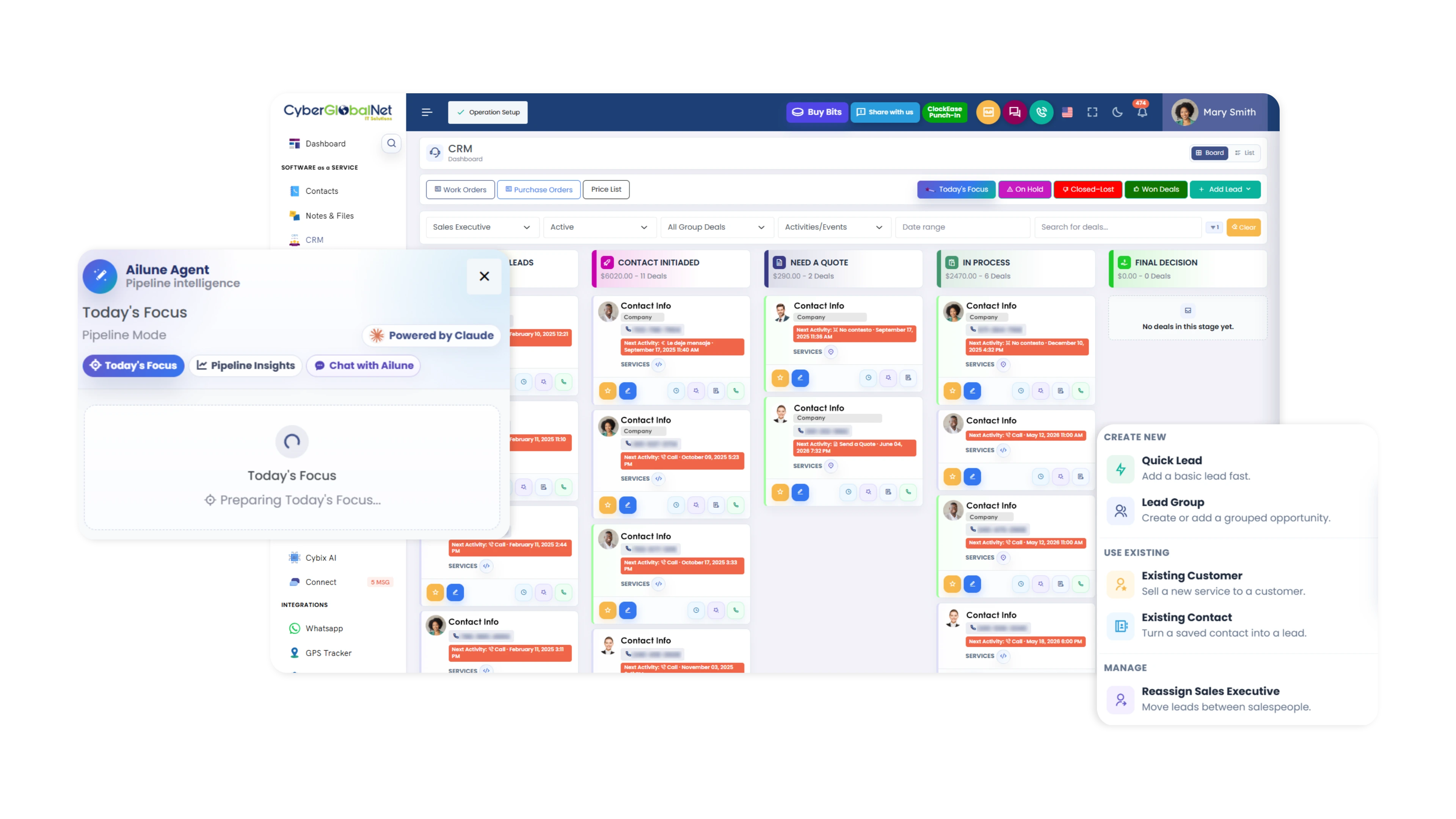
Move every opportunity through your own stages, with a clear next step for each deal. The pipeline below is an example: you set your stages in CRM settings.

Leads & Prospects

New leads enter your pipeline.

First Contact

Reach out and start the conversation.

Quote Requested

Send a QuoteFlow quote from the deal.

Negotiation

Move opportunities toward closing.

Won Customer

Mark it as Won, invoice and get paid.

AI tools for every prospect
8
Languages for AI summaries
10
Ways to add a lead
4

Meet Your AI Sales Copilot

Ailune Agent analyzes every opportunity, identifies priorities, and recommends the next best action to help your team move deals through the pipeline.

Customer insights in one place

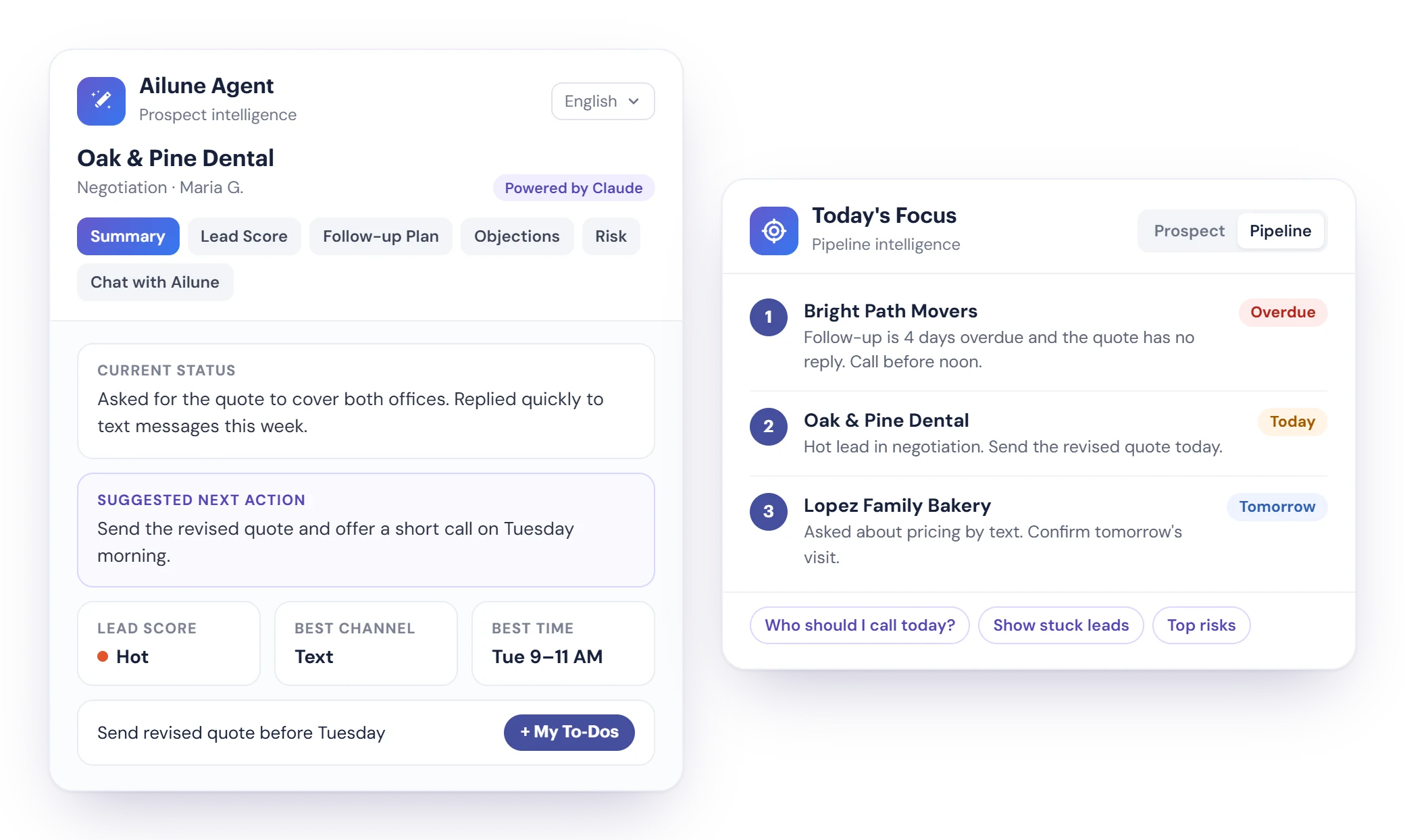
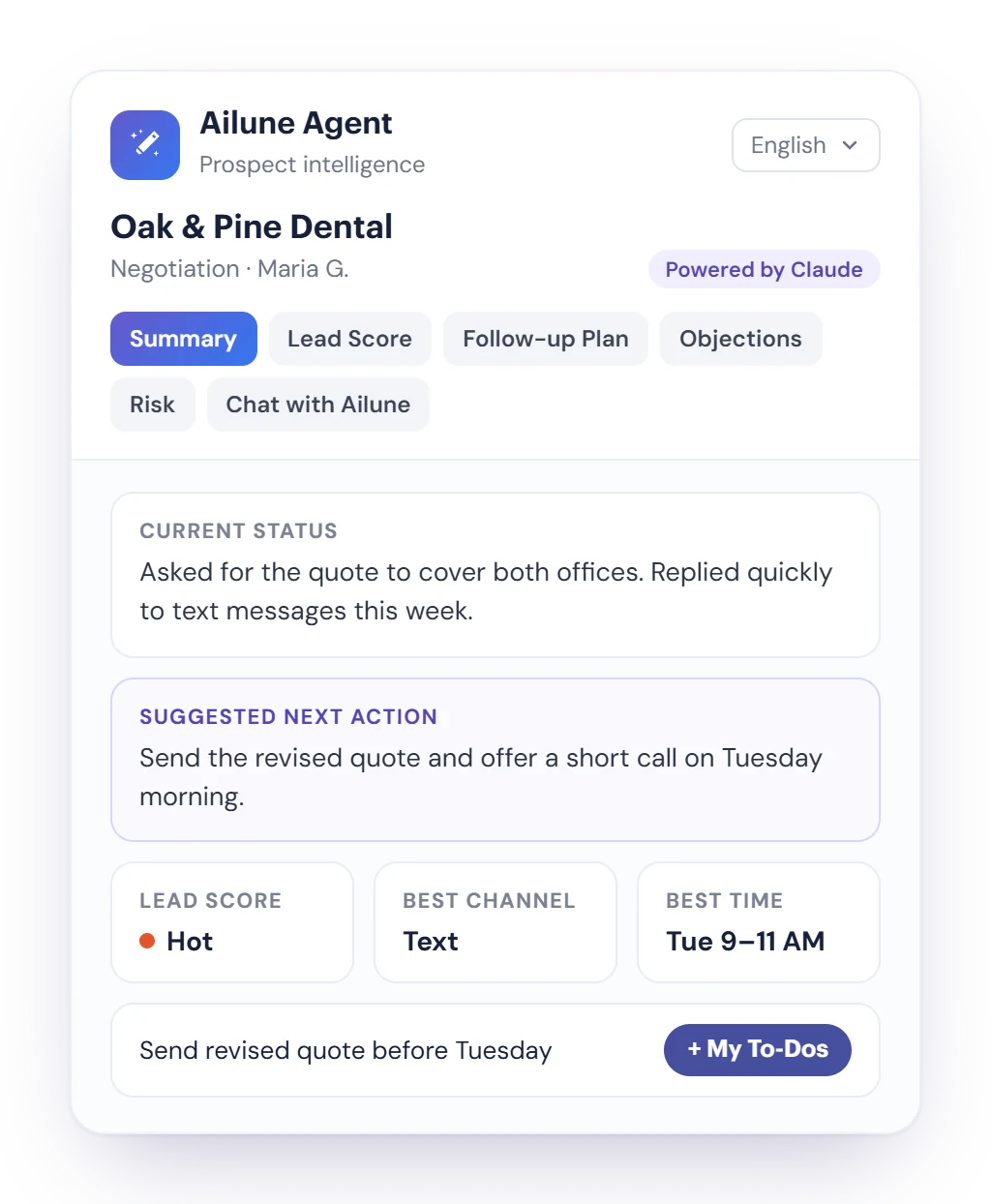
Open Ailune Agent on any deal for a summary, lead score, follow-up plan, objections and risk. Switch to Pipeline Mode to see who needs attention today.

Summary Lead Score Follow-up Plan Stuck Lead Objections Risk Today's Focus Pipeline Insights
Ask about any prospect

Chat with Ailune Agent about a deal. It reads the lead's history and answers with its status, risk and the best next step, plus the best channel and time to reach out.

Today's Focus and Pipeline Insights

Start the day with a ranked list of who to call and why, or ask “Who should I call today?” and “Show stuck leads”.

Summaries in 10 languages

Read each summary in English, Spanish or eight more languages, and send suggested tasks straight to My To-Dos.

Board & List views

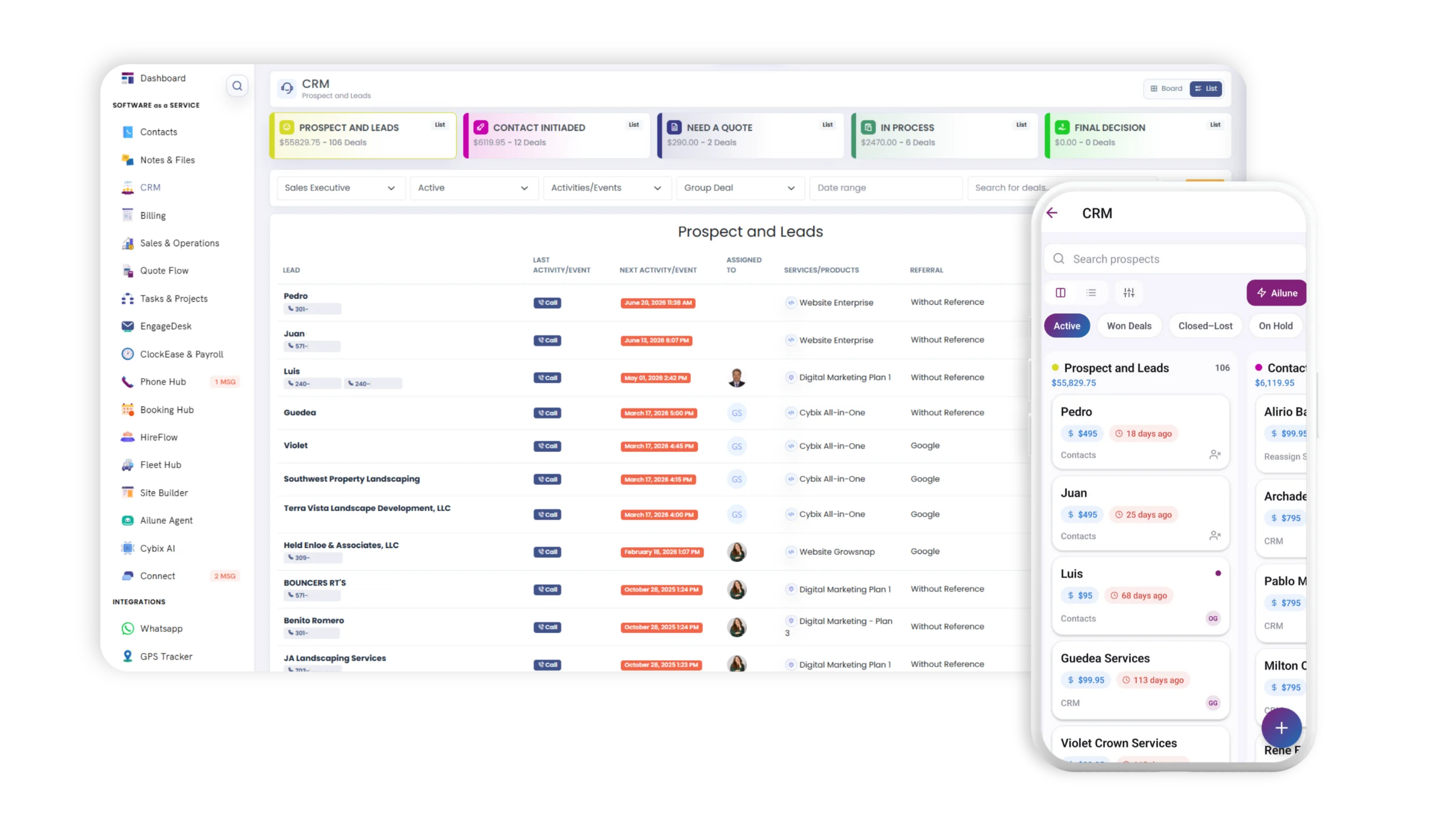
Switch between Kanban and List views to manage opportunities in the way that works best for your team.

Ailune Agent runs when you ask and uses Bits from your workspace balance.

Ailune Agent in Cybix CRM: a prospect summary with lead score, best channel and best time, next to Today's Focus for the whole pipeline

From “yes” to paid, without leaving the deal

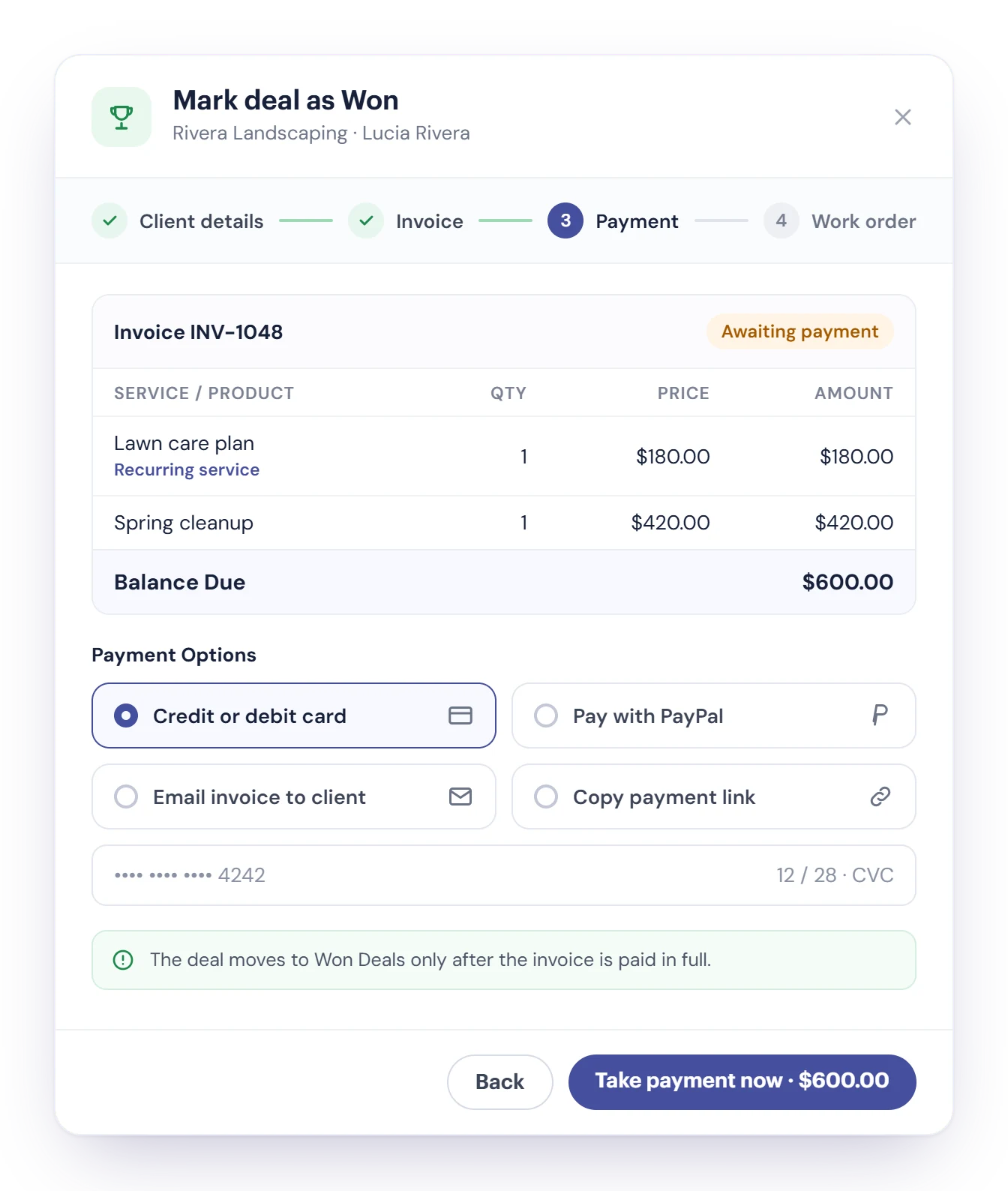
When a customer says yes, Mark deal as Won walks you through the rest: confirm the client details, create the invoice from the deal's services and take the payment.

  1. Confirm client details

    Filled in from the contact. Any change is saved back to it.

  2. Create the invoice

    The lines come from the services on the deal, recurring services included.

  3. Take payment or send the link

    Charge a card or PayPal, copy the payment link or email the invoice. The deal moves to Won Deals once it’s paid in full.

  4. Generate the work order

    Send it to your team with handoff notes that Cybix AI can draft for you.

Payments use the gateway you set up in Billing. You can switch the invoice and payment steps off in CRM settings.

Mark deal as Won in Cybix CRM: invoice lines, balance due and payment options for card, PayPal, email or payment link

Sales Manager Tools: every lead, every agent

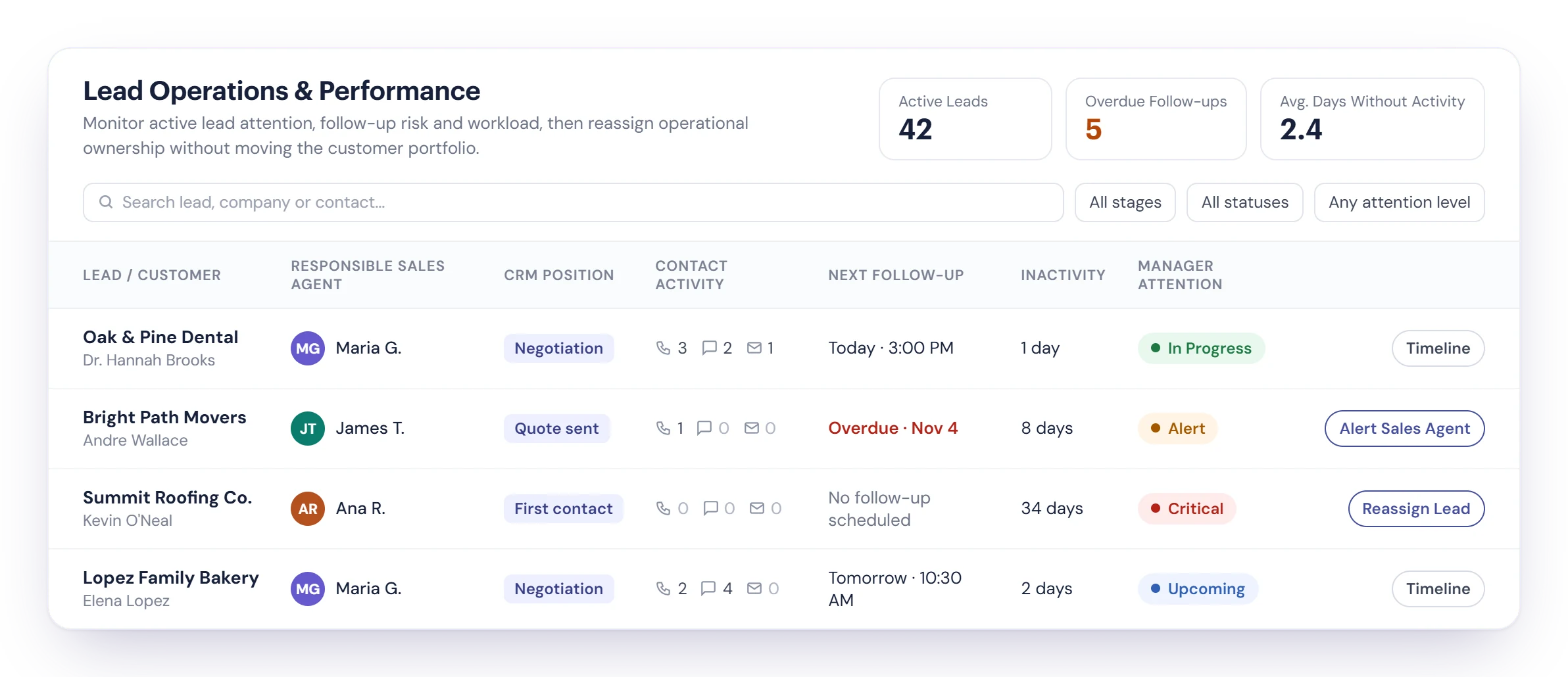
Three tools for sales managers to watch follow-ups, catch leads that stall and move work between agents, without changing who owns the customer.

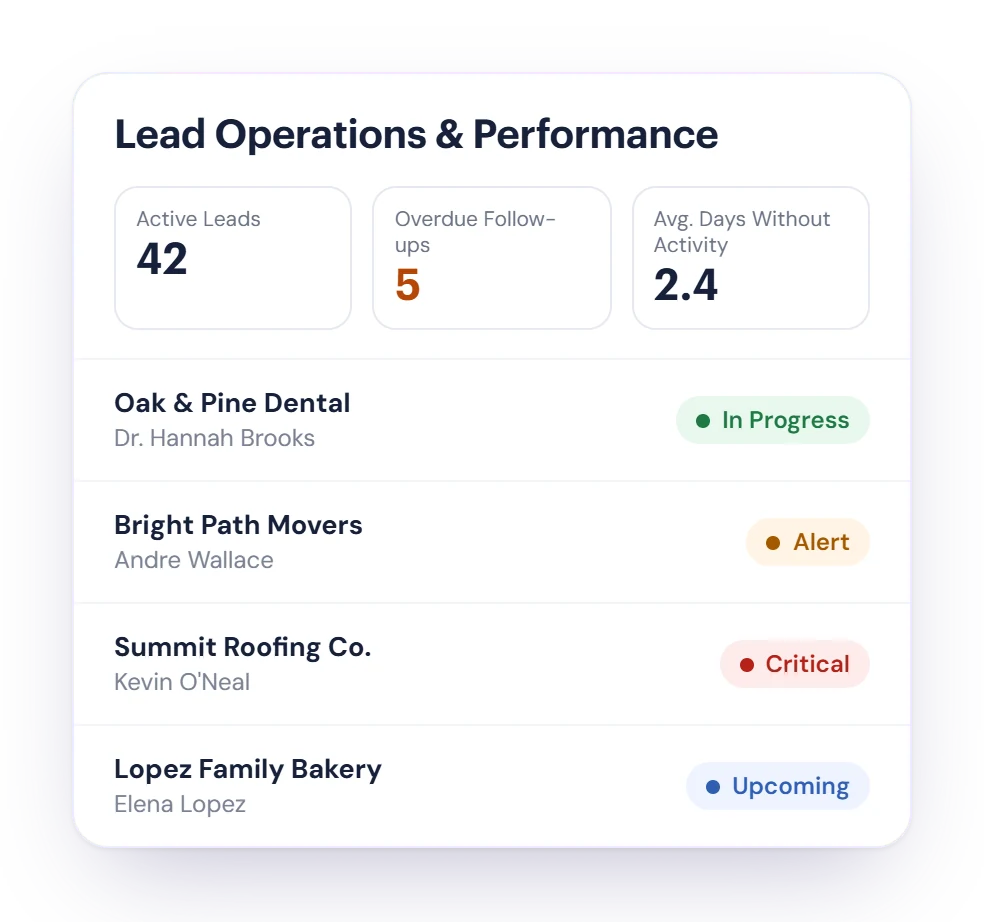
Lead Operations & Performance in Cybix CRM: active leads, overdue follow-ups, contact activity per lead and manager attention levels
  • Customer Portfolio & Sales History

    See which customers belong to each sales agent, who first sold to them, who closed each order and when to open the next opportunity.

  • Lead Operations & Performance

    Calls, texts, WhatsApp messages and emails are detected automatically, so you see real follow-up, overdue leads and inactivity. Alert an agent or reassign a lead in one click.

  • Sales Team & Coverage

    See your sales hierarchy, which manager covers which agents, and the load each agent carries.

Every deal connects to the rest of Cybix

Leads come in from your contacts, referrals and forms, and a deal turns into a quote, an invoice or a work order without retyping anything.

  • Four ways to add a lead

    A quick lead, an existing contact, an existing customer buying a new service, or a lead group.

  • Referrals and a public lead form

    Share a referral form and a lead form. New leads land in your pipeline with their preferred time to call.

  • Quotes and work orders from the deal

    Send a quote with QuoteFlow, and create work orders and purchase orders with Sales & Operations.

  • Calls and texts on the timeline

    Call or text from the deal card with Phone Hub. The CRM Timeline keeps calls, texts, activities and status changes.

  • Won, lost and on-hold lists

    Review closed deals by status and use Sale Again when a customer is ready to buy more.

  • In the Cybix app

    Work the pipeline from your phone: board and list, deal details and timeline, and Ailune Agent, on iOS and Android.
CRM questions, answered

Still deciding? Try the live demo or talk to our team.

Yes. Stages, statuses, activities, labels and teams are set per workspace in CRM settings, so the pipeline matches how your team sells.

On a single deal it gives a summary, a lead score (hot, warm, cold or dormant), a follow-up plan, stuck-lead advice, suggested tasks, objections and risk, and you can chat with it. In Pipeline Mode it shows Today’s Focus and Pipeline Insights. It runs when you ask, writes summaries in 10 languages and uses Bits from your workspace balance.

Cybix creates the invoice from the deal’s services in Billing. You can charge a card or PayPal, copy the payment link or email the invoice. The deal moves to Won Deals once the invoice is paid in full, and then you generate the work order. Your workspace can switch the invoice and payment steps off.

Yes. Sales Manager Tools show each agent’s customer portfolio, lead follow-up with calls, texts, WhatsApp and emails detected automatically, overdue and inactive leads, and team coverage. Managers can alert an agent or reassign a lead.

Add a quick lead, start from an existing contact or customer, create a lead group, send contacts to the CRM from Contacts, or let leads come in through the referral form and the public lead form.

Yes. The Cybix app for iOS and Android has the pipeline board and list, deal details and timeline, deal create and edit, stage changes, activity logging and Ailune Agent.

Sell Faster. Follow Up Smarter. Win More Customers.

Join growing teams that use Cybix CRM to organize their sales process and close more deals.

2 CRM INGLES