Image Image Dark
Image Image Dark

ENGAGEDESK

Business Email and Email Campaigns in One Place

Connect Gmail or any IMAP/SMTP mailbox once, then read and reply on the web or in the Cybix mobile app, with Cybix AI to write, translate and summarize. Add the paid EngageDesk Campaigns add-on to send newsletters and automated emails to your contacts.

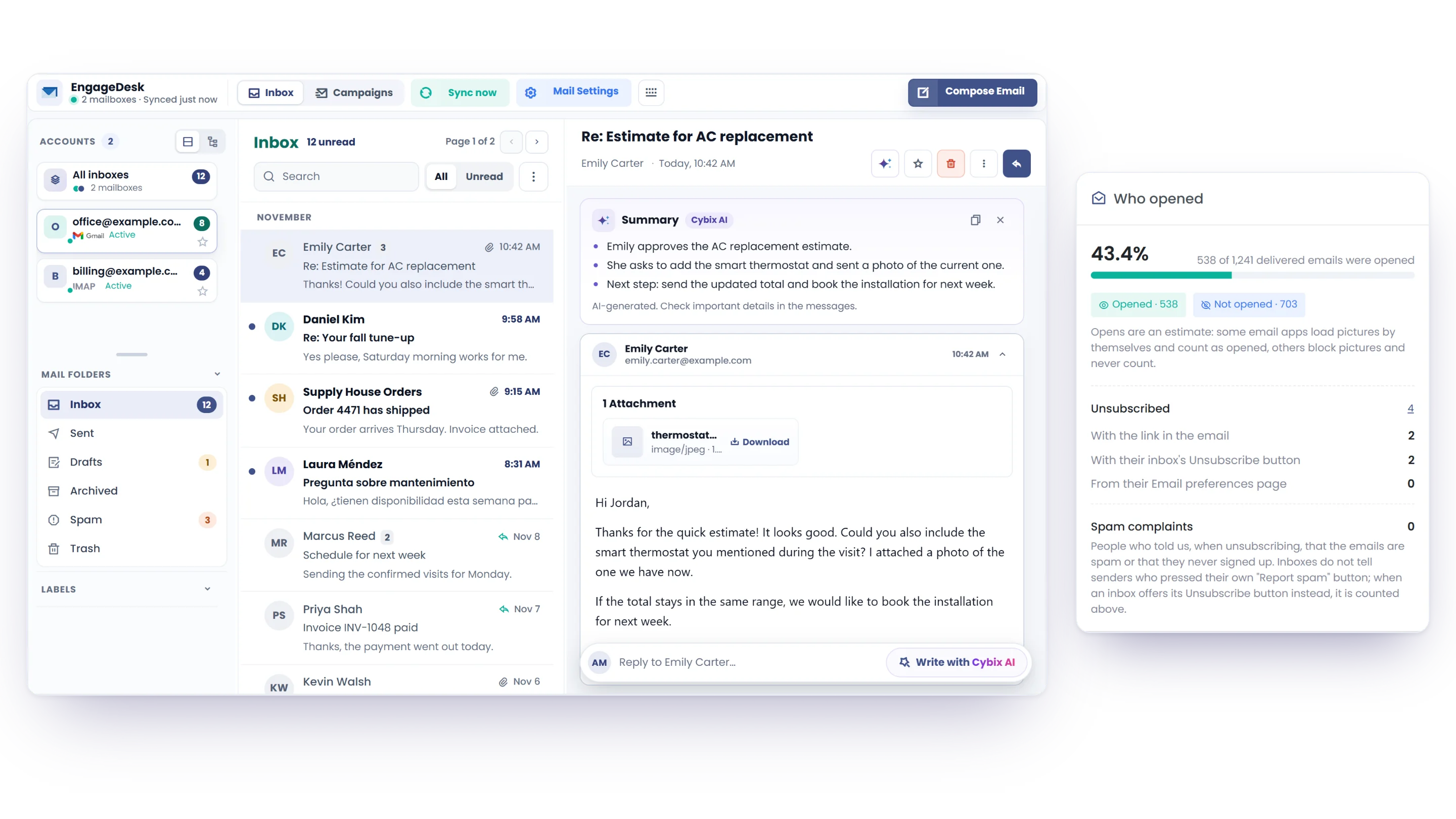
The Cybix EngageDesk inbox with two mailboxes under All inboxes, a list of customer emails, an open conversation with a Cybix AI summary, and a campaign report card showing who opened

Manage multiple email accounts from one place

EngageDesk brings your email accounts together so you can read, reply and organize every conversation without leaving Cybix.

All your inboxes. One workspace

Read every mailbox in one list, switch accounts in a click, keep conversations grouped, and use Cybix AI to write, rewrite, translate and summarize without leaving Cybix.

Gmail IMAP / SMTP All inboxes Cybix AI Conversations Attachments
Multiple accounts

Connect Gmail and IMAP/SMTP accounts, give each one a color and pick your default.

Organized conversations

Group messages by conversation and filter by unread, starred or attachments, so the full context is always there.

AI Writing Assistant

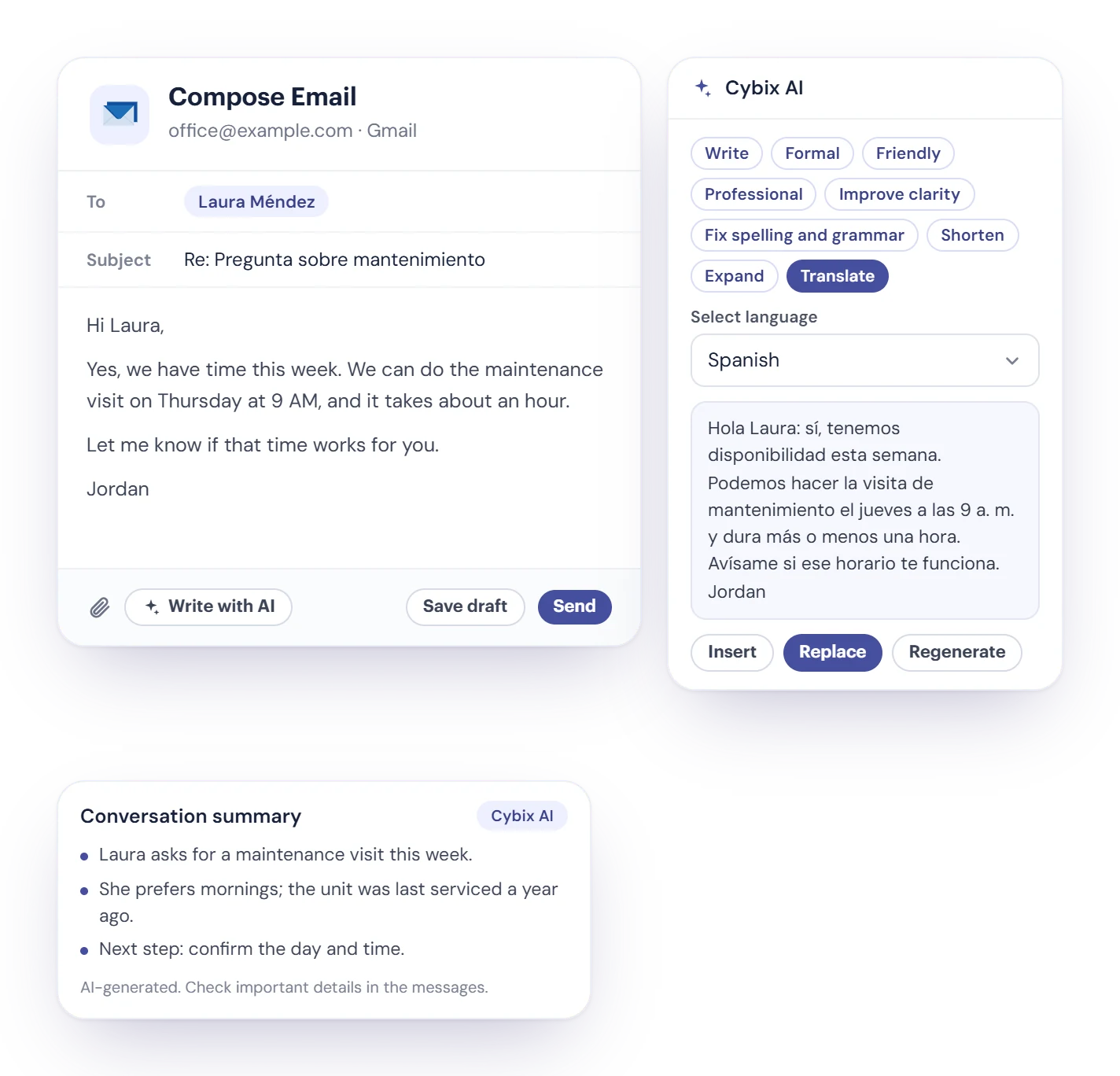
Write from a short brief, or use Formal, Friendly, Professional, Improve clarity, Fix spelling and grammar, Shorten, Expand and Translate.

From first email to full history

Keep every business conversation organized, from the first email to your reply, with the whole thread one click away.

Email received

Conversation opened

Reply sent

Starred or archived

Conversation history

Multiple inboxes

Access multiple email accounts from one place.

Complete conversation history

Keep the full context of every email thread.

Work more efficiently

Reply to and organize emails without switching between apps.

Business email, fully integrated

Manage all your business communications from one secure workspace connected to the rest of Cybix.

Gmail

Sign in with Google. Mail, labels and categories sync both ways.

IMAP / SMTP

Any IMAP and SMTP mailbox, like Yahoo, iCloud, Zoho or your own domain. Type the address and EngageDesk looks up the settings.

Conversations

View received and sent emails in a single conversation thread.

AI Writing Assistant

Write a whole email from a short brief, or rewrite, shorten or translate any draft with Cybix AI.

Attachments

Drag files in or paste an image, and download what customers send you.

Security

Safe HTML email, outside images through a secure proxy, Gmail through Google sign-in and IMAP passwords stored encrypted.

Every mailbox in one inbox

All inboxes lists Gmail and IMAP accounts together, each with its own color, while folders, labels and read status stay in step with the mail server.

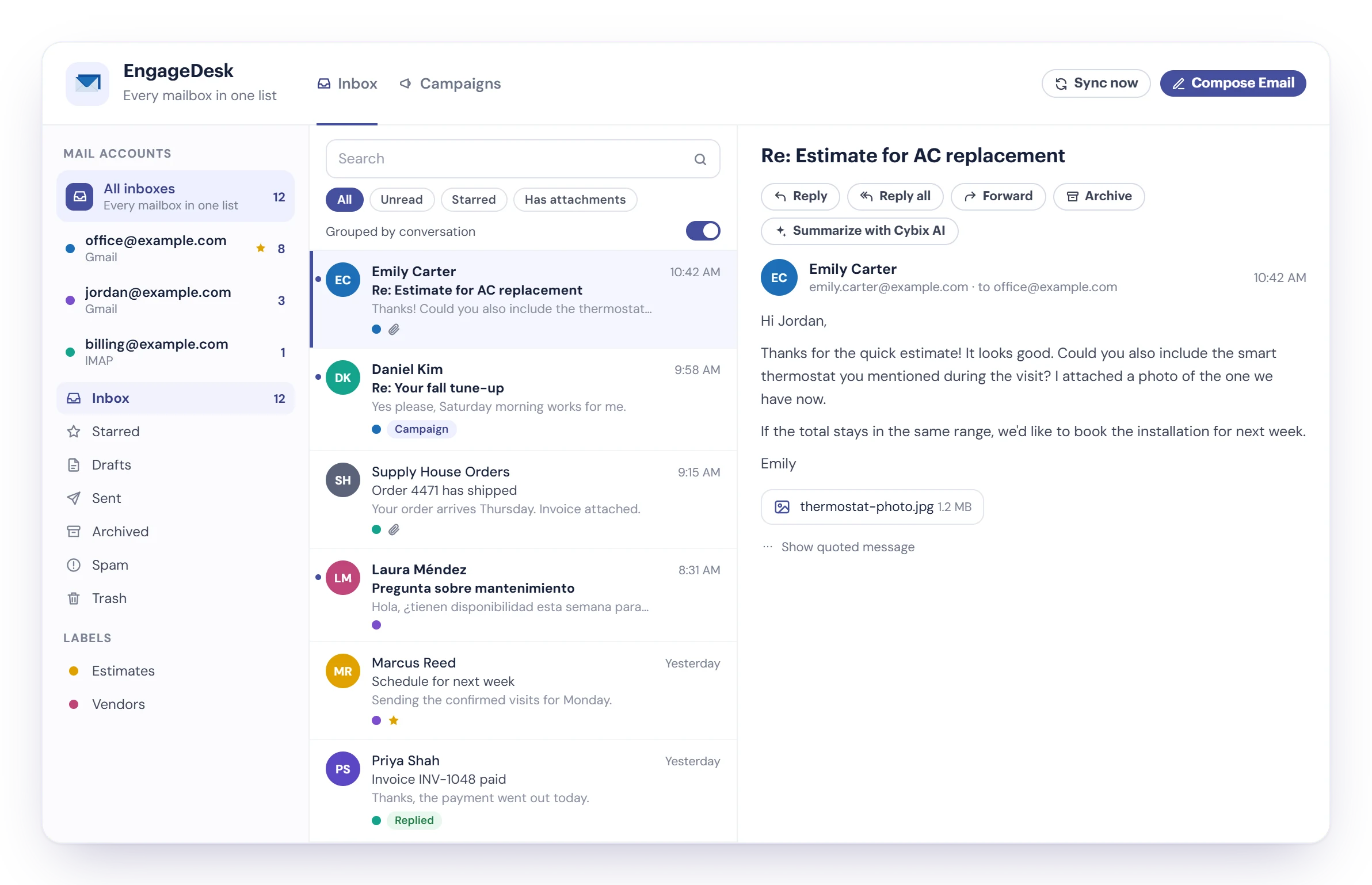
The Cybix EngageDesk inbox with three mailboxes under All inboxes, folders and Gmail labels, a message list filtered by All with a Campaign reply, and an open email with Reply, Forward, Archive and Summarize with Cybix AI
  • Two-way sync

    Read, archive and trash stay in step with Gmail or your mail server. Gmail labels and categories come along, or hide them with Simplified Inbox.

  • Find it fast

    Search, filter by unread, starred or attachments, group by conversation, and move through mail with keyboard shortcuts.

  • Safe to open

    HTML email is cleaned before it shows, and outside images wait until you load them, through a secure proxy.

Cybix AI writes, translates and sums up

In the composer and in every conversation, Cybix AI works with the email in front of you. AI uses Bits, and the cost shows before it runs.

  • Write a whole email from a short brief, like “a polite follow-up asking for the signed agreement”.
  • Rewrite a draft: Formal, Friendly, Professional, Improve clarity, Fix spelling and grammar, Shorten or Expand.
  • Translate into 12 languages, including Spanish, French, Portuguese, Chinese and Arabic.
  • Summarize with Cybix AI turns a long thread into a few lines you can copy. Insert, replace, regenerate or undo any AI change.
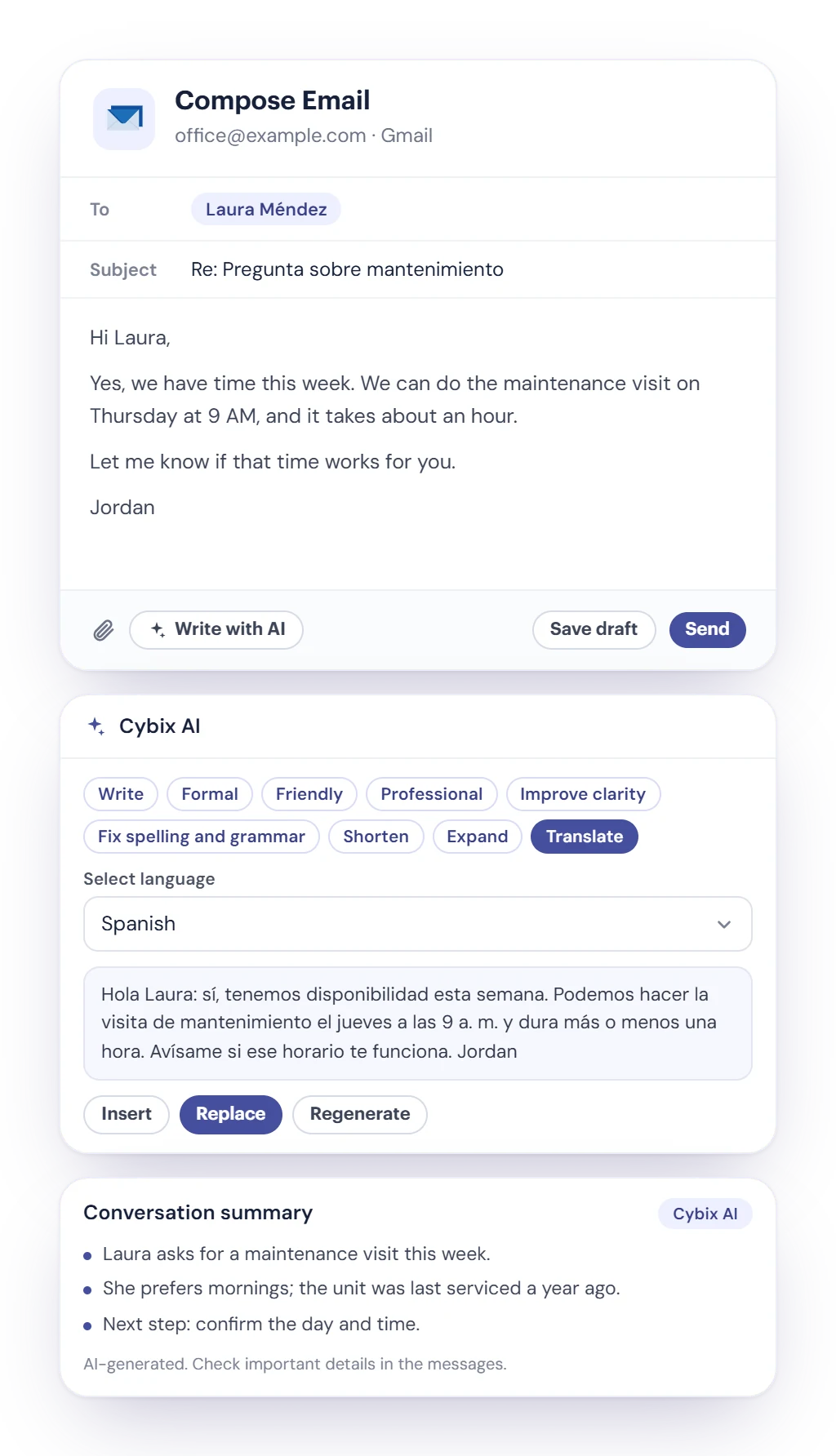
The Cybix EngageDesk composer with a reply to a customer, the Cybix AI panel with Formal, Friendly, Professional, Improve clarity, Fix spelling and grammar, Shorten, Expand and Translate, a translation ready to insert, and a conversation summary

EngageDesk Campaigns: email your contacts

A paid add-on to EngageDesk for newsletters, promotions and announcements, designed with drag and drop and sent from your own mailbox or the company email. Sending uses no Bits.

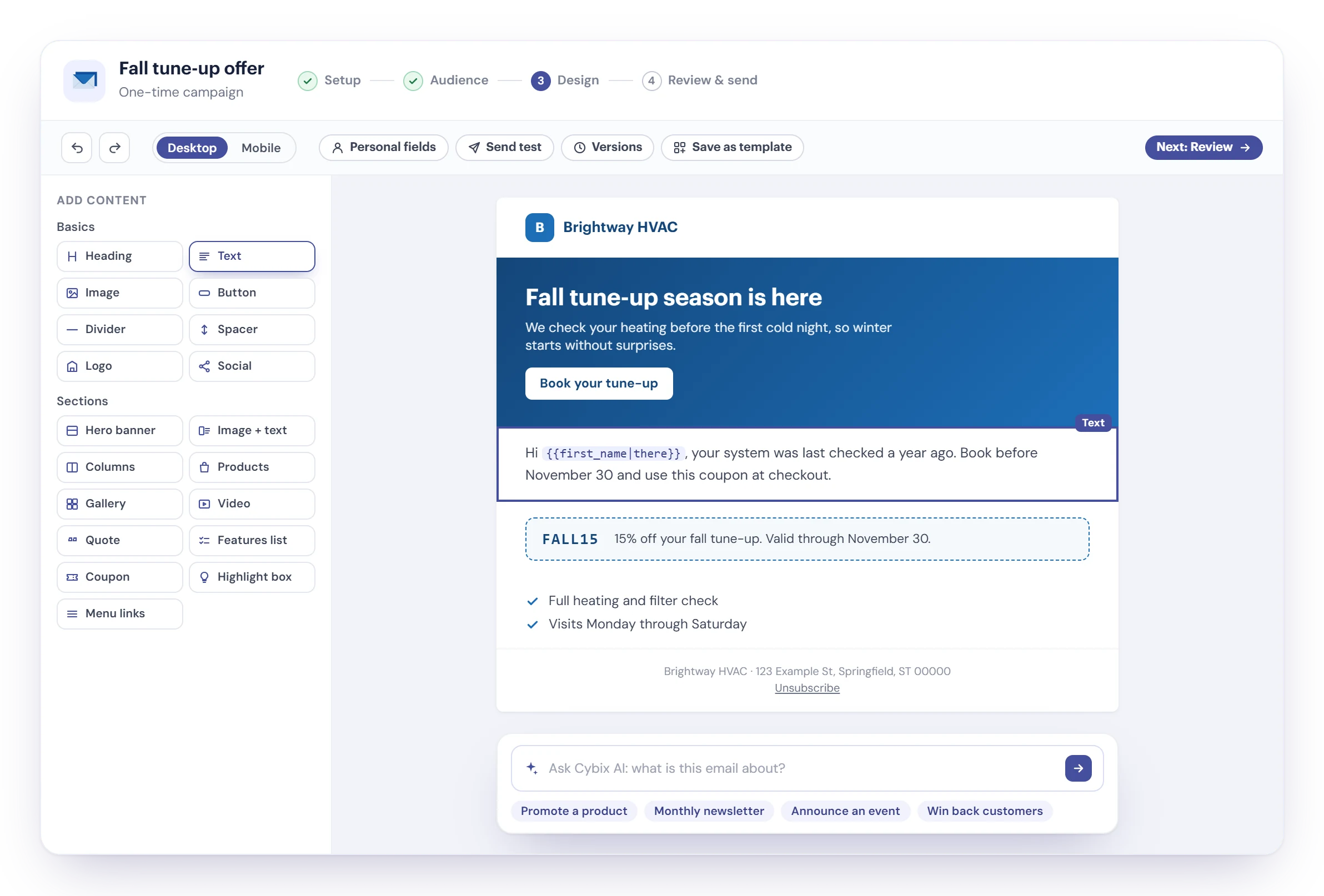
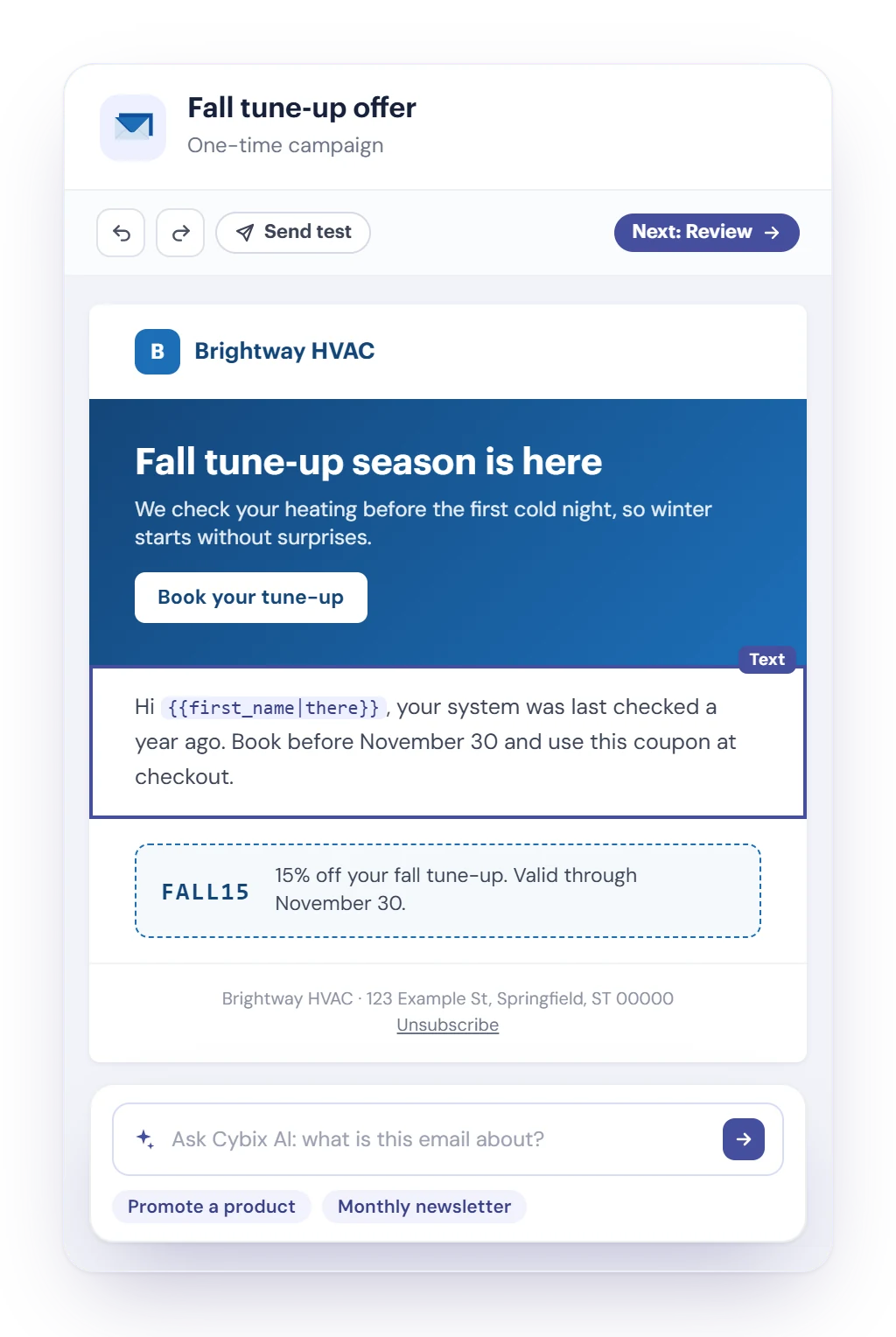
The EngageDesk Campaigns drag-and-drop builder on the Design step, with the Basics and Sections blocks, an email with a hero banner, a personal first-name field and a coupon, and the Ask Cybix AI bar with ideas
  • Drag-and-drop builder

    19 email-safe blocks, from hero banners and coupons to products and galleries, with personal fields like first name and a desktop and mobile preview.

  • Cybix AI drafts it

    Describe the email and Cybix AI writes it, reading your products, branches and company profile to get details right. It never changes them.

  • Test, save, go back

    Send a test to up to 5 addresses, save a design as a template for you or the whole company, and restore any earlier version.

Send now, schedule, or let a label send it

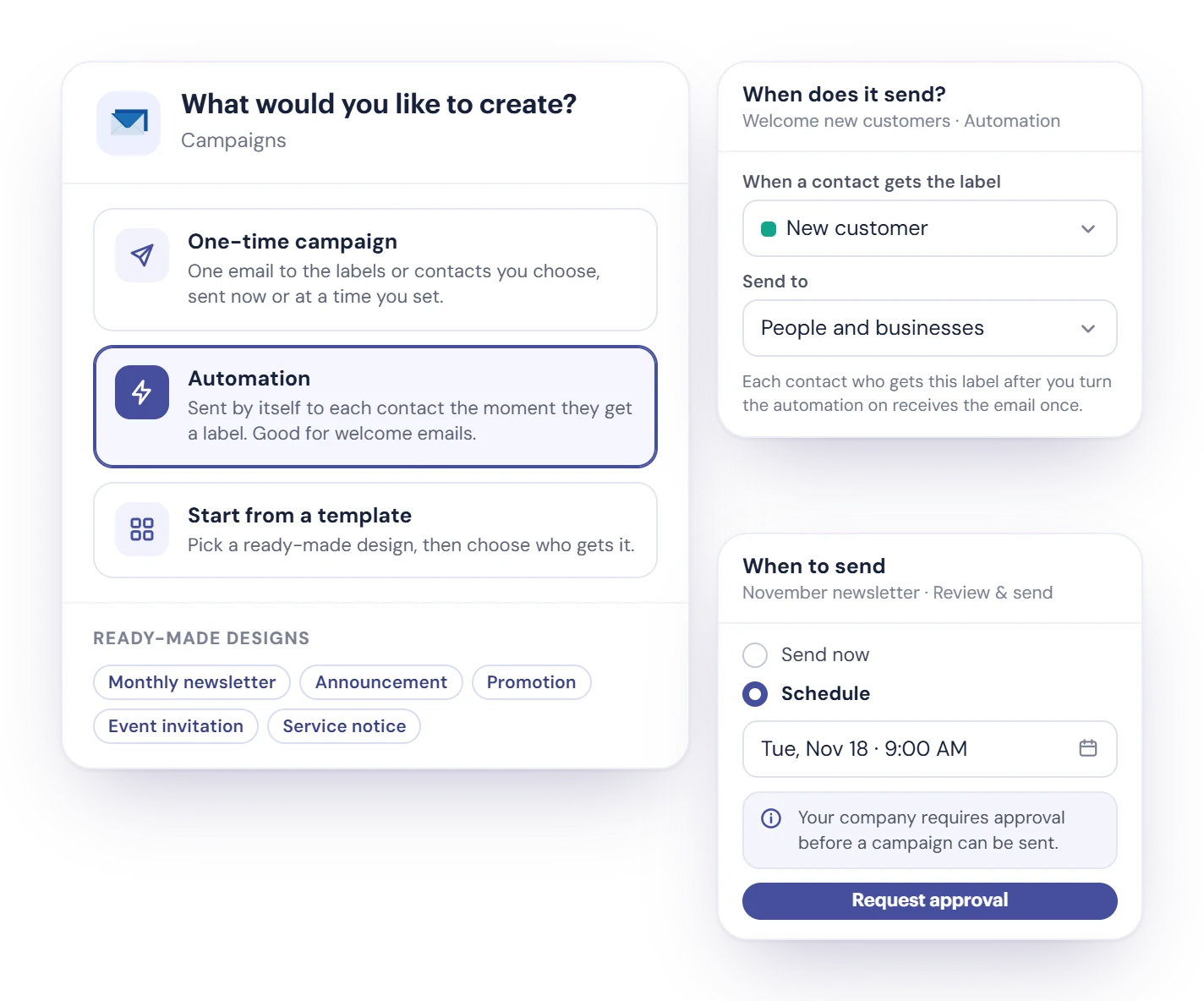
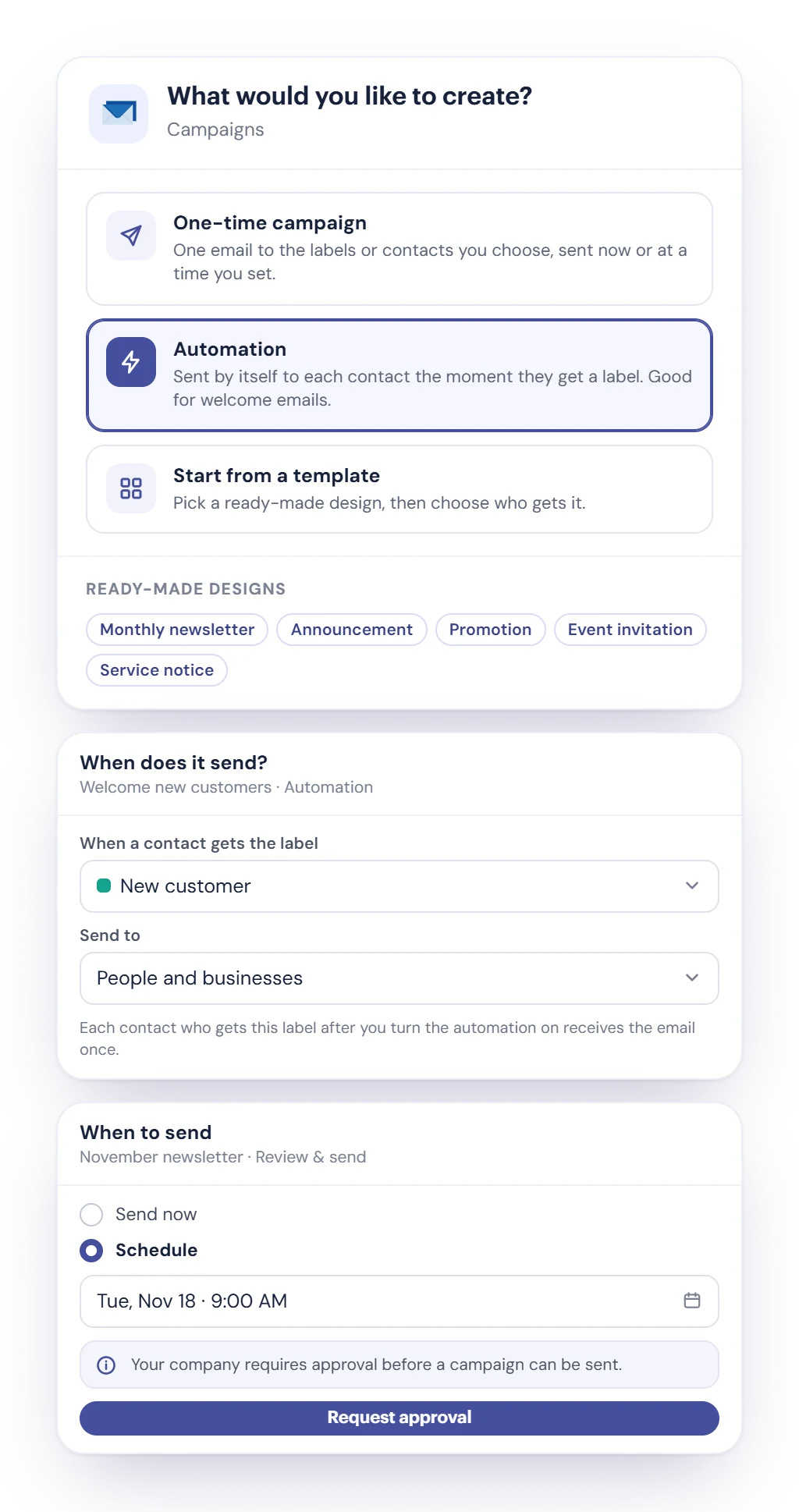
A one-time campaign goes to the Contacts labels or people you pick. An automation emails each contact once, the moment they get a label.

  • Welcome new customers on their own: give them a label like New customer and the email goes out.
  • Send now or pick a date and time. Big audiences go out gradually, within the hourly and daily limits your company sets, and are never cut short.
  • Test two subject lines on part of the audience; the winner goes to everyone else.
  • Require approval before anything is sent. A manager approves it or sends it back with what should change.
Creating an EngageDesk campaign: one-time campaign, automation or template; an automation that sends when a contact gets the New customer label; and a scheduled send that needs approval

See who opened, clicked and replied

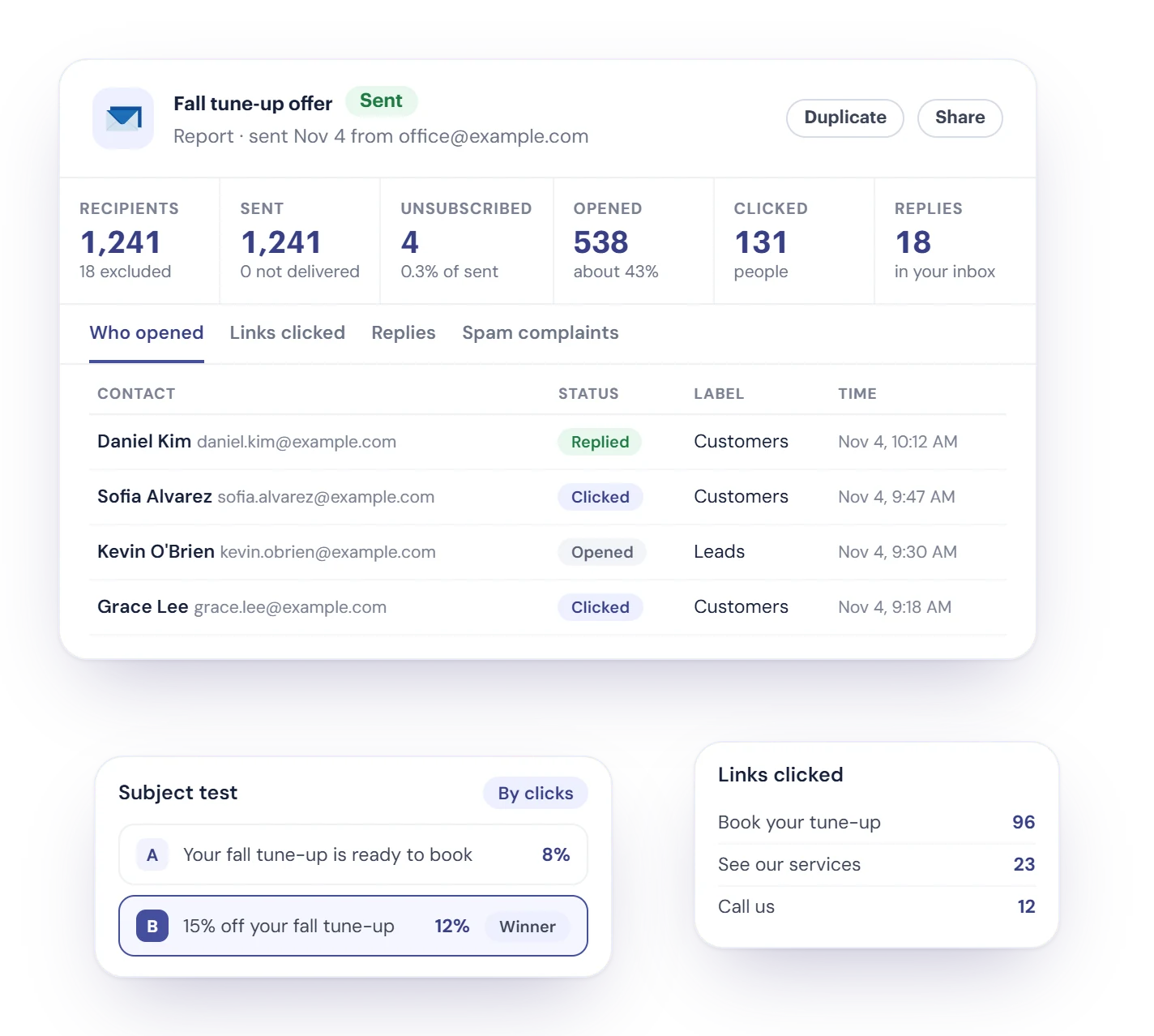
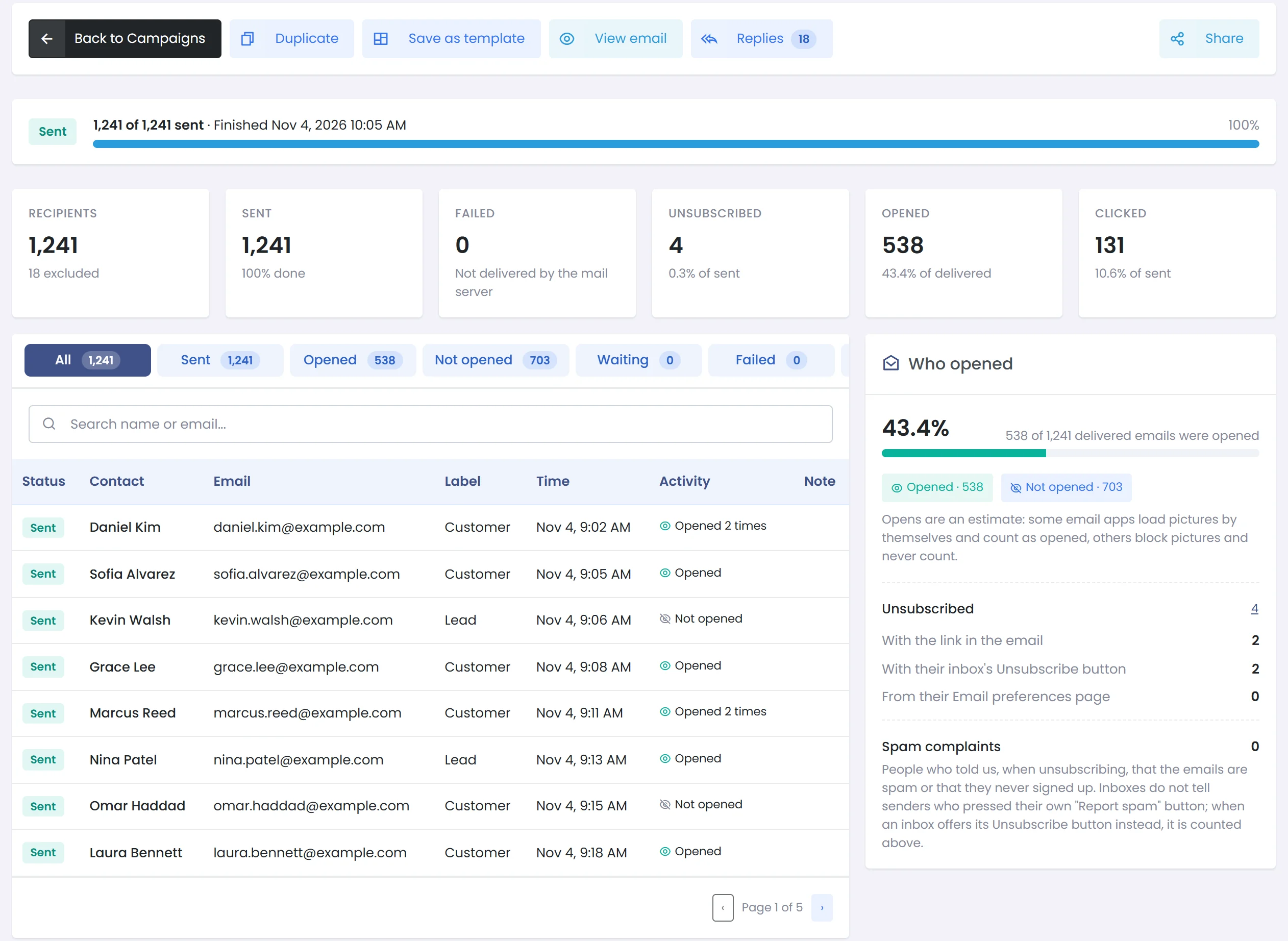
Every campaign gets its own report, updated while it sends. Open and click counts are optional, and opens are an estimate.

  1. Results at a glance

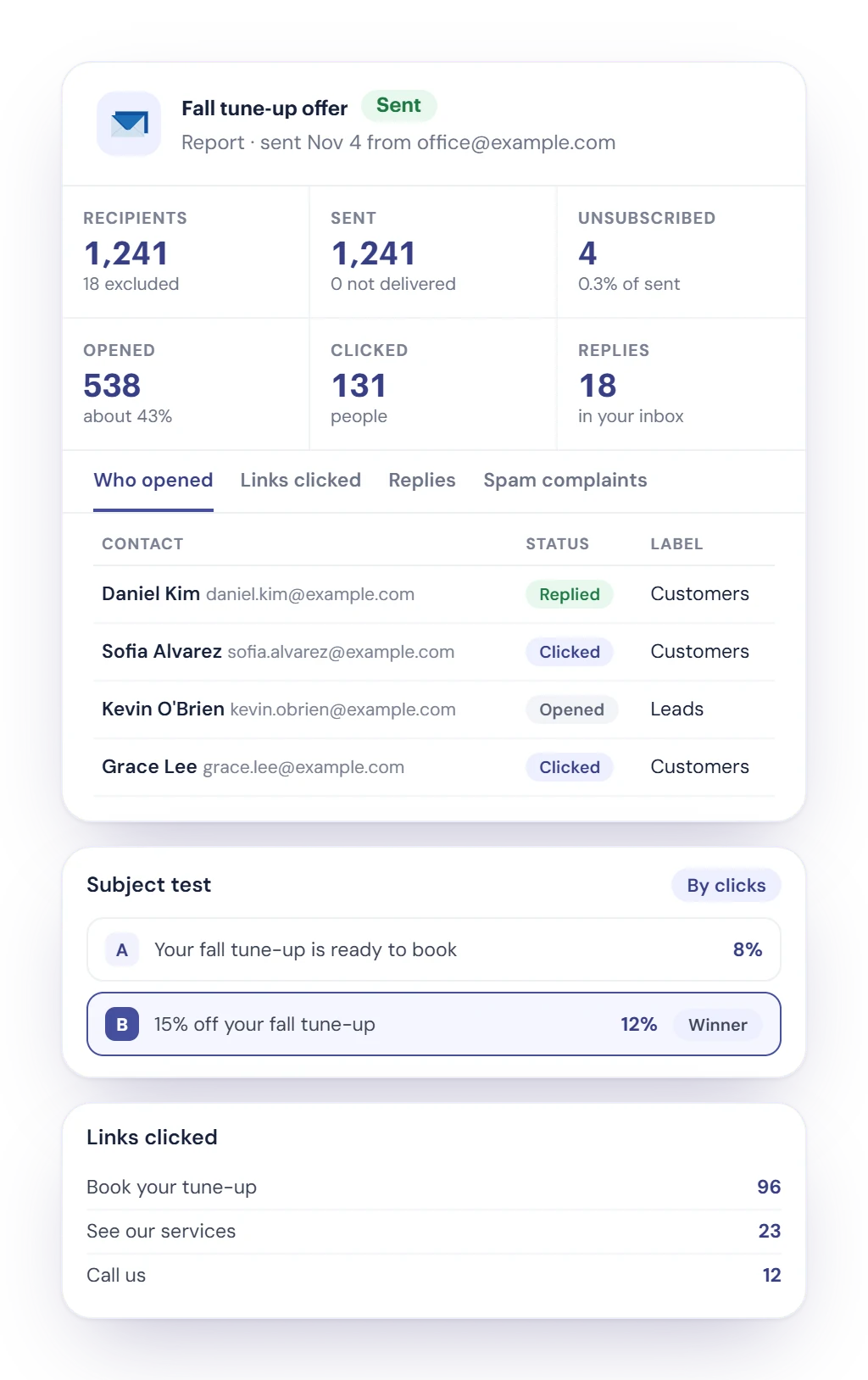
    Recipients, sent, not delivered, unsubscribed, opened, clicked and replies, with the list of who did what and which links got clicks.

  2. Replies land in your inbox

    Send from your own mailbox and replies arrive in EngageDesk with their campaign attached.

  3. Stay in control

    Pause, resume or cancel the rest, duplicate a campaign, or share it with a teammate.

An EngageDesk campaign report with recipients, sent, unsubscribed, opened, clicked and replies, the list of who opened, a subject test with its winner and the links clicked

Unsubscribes and bounces handled for you

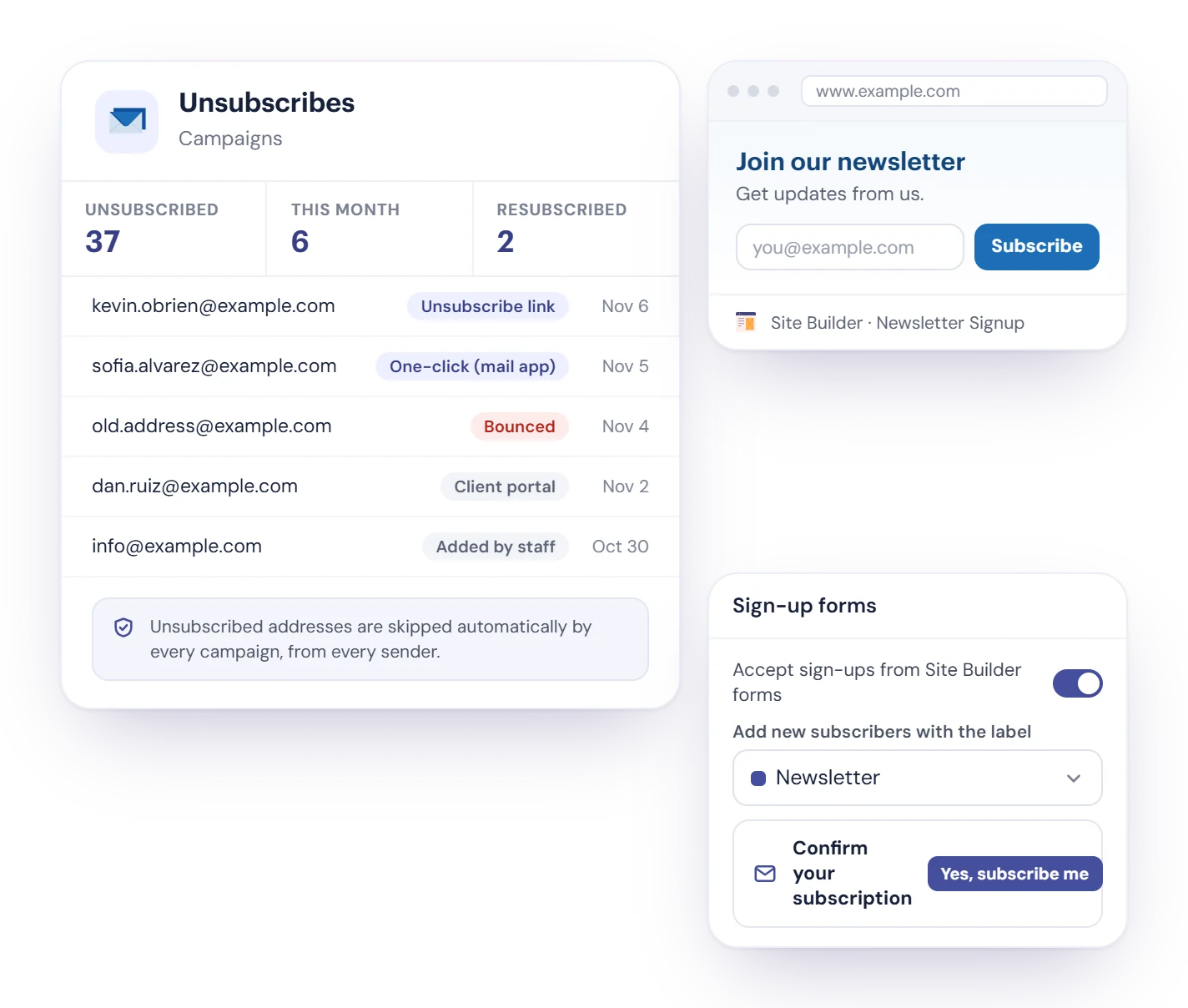
Every campaign carries an unsubscribe link and your company's postal address, and anyone who opts out is skipped by every campaign, from every sender.

  • One-click unsubscribe from the mail app, the way Gmail and Yahoo expect for bulk mail.
  • Hard bounces are removed automatically, and staff can add someone who asked by phone.
  • Grow your list with the Newsletter Signup block in Site Builder: people confirm by email (double opt-in) and join with the label you choose.
  • Resubscribing someone needs a note, so you always know why.
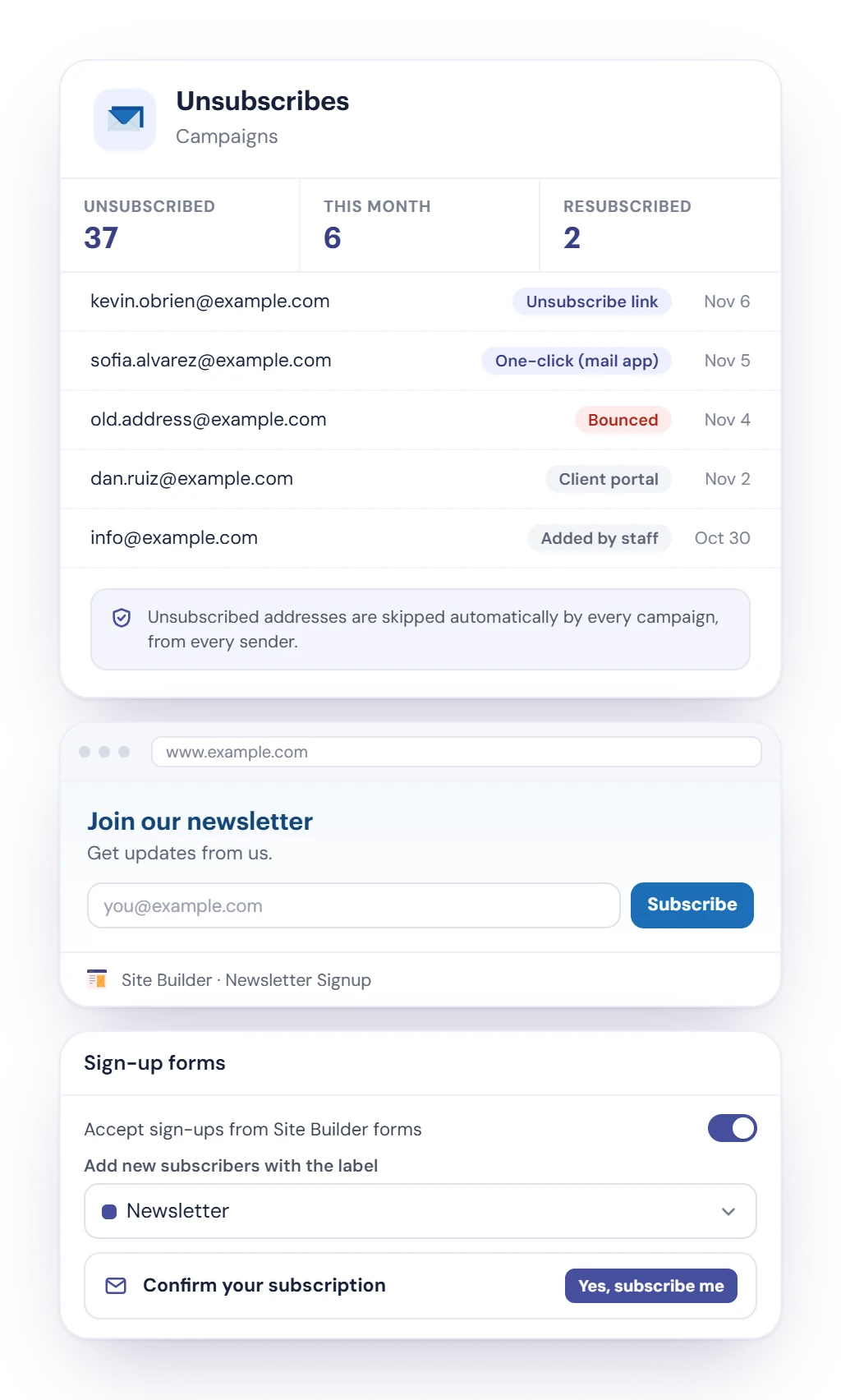
The EngageDesk Unsubscribes list showing how each person opted out or bounced, a Site Builder newsletter sign-up form on a website, and the sign-up settings that add subscribers with a label after they confirm

Connected to the rest of Cybix

EngageDesk works with the modules your workspace uses.

  • Contacts

    Audiences come from your Contacts labels, people and businesses, the composer suggests contacts, and each profile shows the campaigns that person received.

  • Site Builder

    The Newsletter Signup block adds new subscribers to your campaign list once they confirm by email.

  • Cybix AI

    Writing, translation, summaries and campaign drafts, paid with Bits and priced before they run.

  • Cybix mobile app

    Mailboxes you connect on the web are ready in the app, with no second setup. Read, reply, write with Cybix AI and get new-mail notifications on your phone.

  • Company sending rules

    Owners set hourly and daily sending limits, the postal address footer, approval before sending and whether the company email can send.

  • Shared campaigns

    Share a campaign with teammates or transfer it, and save templates for yourself or the whole company.
EngageDesk questions, answered

Still deciding? Try the live demo or talk to our team.

EngageDesk brings your business email into Cybix. Connect Gmail or any IMAP/SMTP mailbox, read every account in one inbox that stays in sync with the mail server, and use Cybix AI to write, rewrite, translate and summarize. Your mailboxes work on the web and in the Cybix mobile app. With the paid EngageDesk Campaigns add-on, you can also design and send email campaigns and automated emails to your contacts.

Gmail, through Google sign-in, and any mailbox that offers IMAP and SMTP, like Yahoo, iCloud, Zoho, AOL or your own domain’s mail server. Type the address and EngageDesk looks up the server settings, then test the connection before you save. IMAP passwords are stored encrypted and never shown again.

Yes. Connect a mailbox once on the web and it’s ready in the Cybix mobile app, with no second setup. From the app you can read your mail and attachments, reply, write and send, save drafts, use Cybix AI writing, star, archive or delete messages, sync, and get new-mail notifications.

No. Each person connects and reads their own mailboxes. Teams work together in EngageDesk Campaigns, where campaigns can be shared or transferred, templates can be shared with the whole company, and campaigns can require approval before they are sent.

It writes a whole email from a short brief; rewrites a draft as Formal, Friendly or Professional, improves clarity, fixes spelling and grammar, or makes it shorter or longer; translates into 12 languages; and summarizes a conversation. In Campaigns it drafts a whole campaign email. AI features use Bits, and the cost shows before they run.

A paid add-on to EngageDesk for email campaigns: a drag-and-drop builder with 19 blocks and personal fields, Cybix AI drafting, templates, subject A/B tests, sending now or on a schedule, approval before sending, version history, automations triggered by a Contacts label, and a report with opens, clicks, replies, unsubscribes and spam complaints. Sending campaigns uses no Bits.

Every campaign includes an unsubscribe link, with one-click unsubscribe from the mail app, and your company’s postal address. People who unsubscribe are skipped by every campaign from every sender, and hard bounces are removed automatically. Staff can add someone who asked by phone, and resubscribing someone requires a note.

Yes. Add the Newsletter Signup block to a Cybix Site Builder page. New subscribers confirm by email before they are added (double opt-in) and get the Contacts label you choose, ready for your next campaign.

Ready to centralize your business email?

Connect Gmail or any IMAP/SMTP mailbox once, manage it on the web or in the Cybix mobile app, and reach your contacts with EngageDesk Campaigns.

An EngageDesk Campaigns report with recipients, sent, unsubscribed, opened and clicked totals, the list of recipients with their activity, and the Who opened panel