


GPS Tracker
Track Your Fleet from One Map
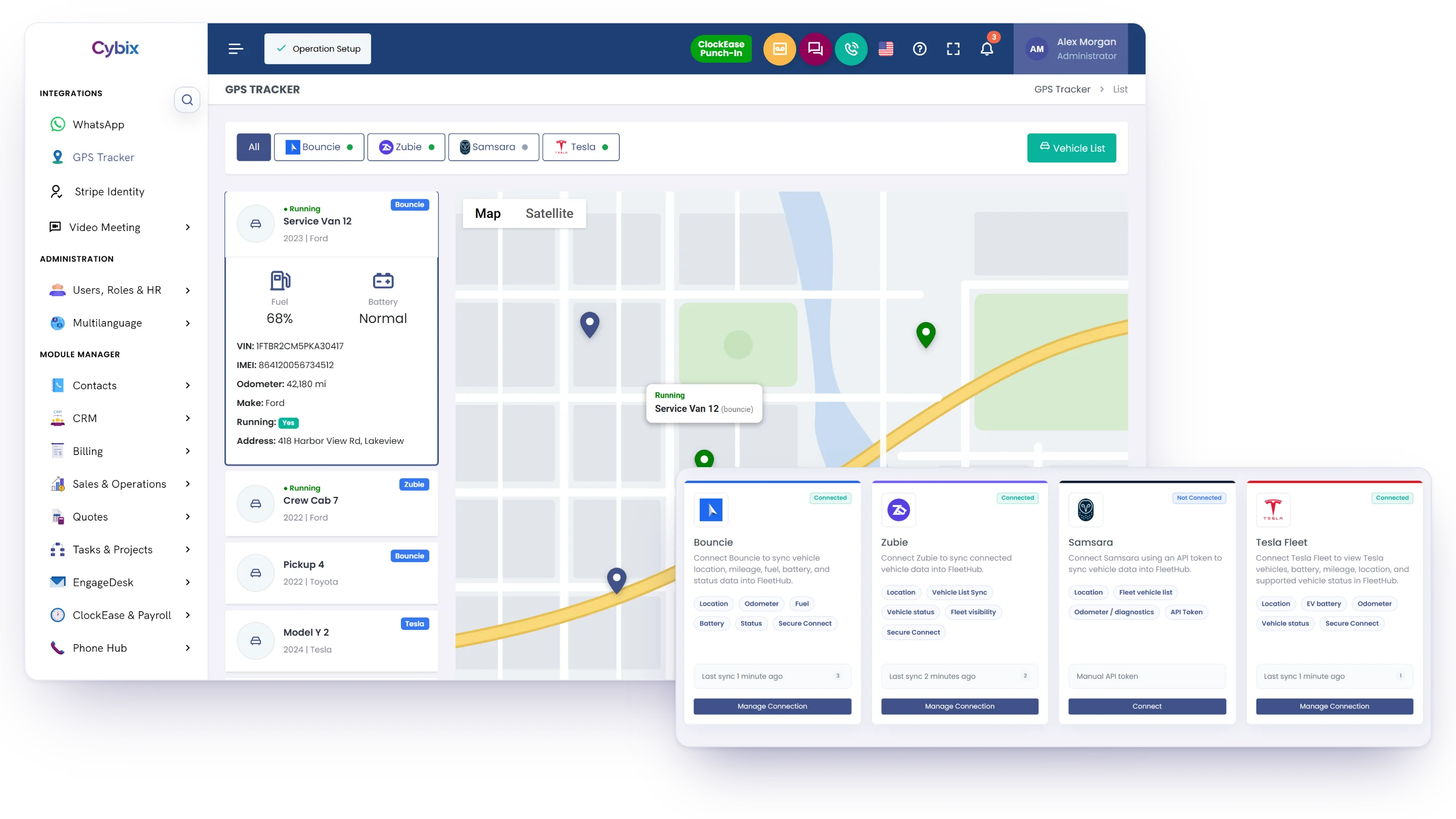
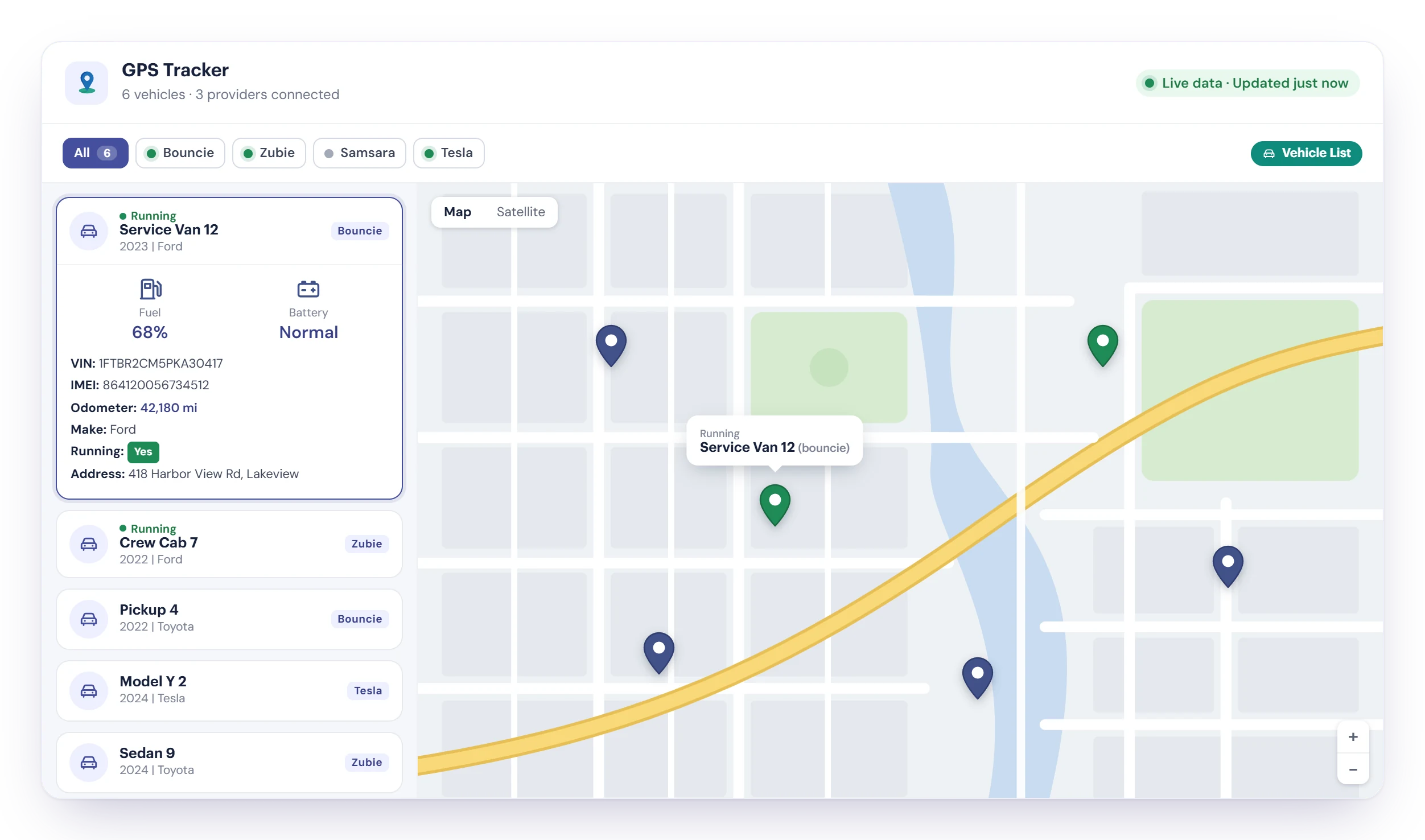
See where every vehicle is and whether it’s running, with fuel, battery and mileage when your provider sends them. Bouncie, Zubie, Tesla and Samsara on one map, as part of Fleet Hub.
Connected Vehicle Tracking
Centralize location, vehicle status, and operational data to maintain complete visibility across your fleet.
Your fleet information in one place
See locations, running status and the vehicle data your GPS provider sends, on one map inside Fleet Hub.
Live map
Every connected vehicle on one map with its latest position, refreshed automatically. With Bouncie, pins move and turn green during a trip.
Vehicle status
Running or parked, plus fuel, battery, EV charge and odometer when your provider sends them.
Four GPS providers
Connect Bouncie, Zubie, Tesla or Samsara, side by side, with the sync status of each one in view.
From Tracking to Fleet Visibility
Connect your GPS providers and see their latest fleet data in one place.
Provider Connected
Connect your Bouncie, Zubie, Tesla or Samsara account.
Vehicles Synced
Your provider’s vehicles sync into Cybix.
Location Tracking
See every vehicle’s latest position on the map.
Vehicle Status
Check running status, fuel, battery and mileage.
Into Fleet Hub
Import tracked vehicles into Fleet Hub by VIN.
Centralized tracking
Monitor every vehicle from one map.
Flexible integrations
Connect multiple compatible GPS providers.
Better fleet visibility
Keep location and operational data organized.
Compatible Integrations
Bouncie, Zubie and Tesla connect securely through your account; Samsara connects with an API token from your Samsara account.


Every vehicle on one map
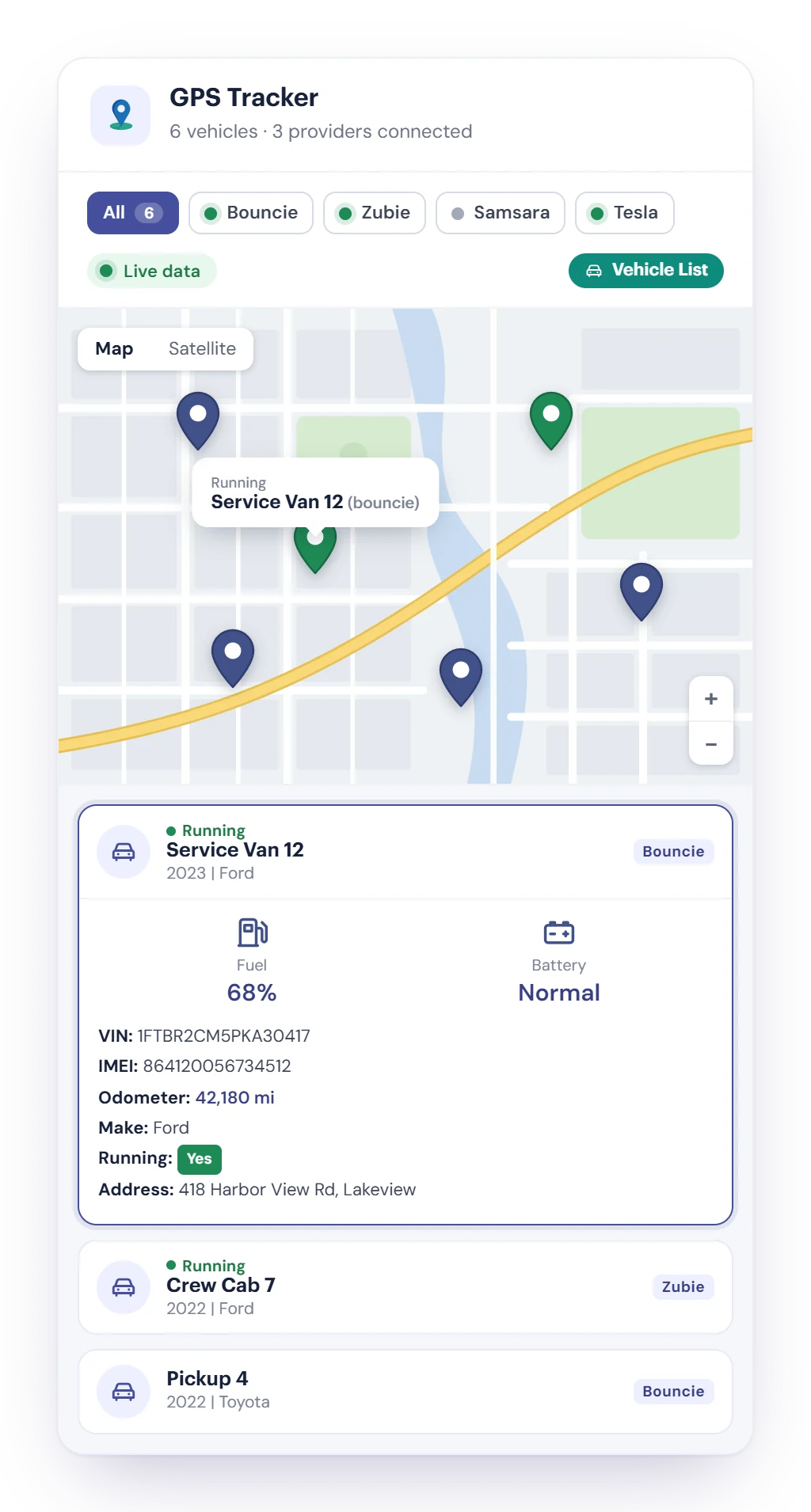
Open GPS Tracker to see where your vehicles are, which ones are running and the latest data from each provider.
Provider tabs
Show all your vehicles or only those from Bouncie, Zubie, Samsara or Tesla. Running vehicles are listed first.
Vehicle details
Open a vehicle to see its VIN, make, odometer, address and running status, with fuel and battery, or EV battery for Tesla, when the provider sends them.
Live Bouncie trips
When a Bouncie vehicle starts a trip, its pin turns green and moves on the map without reloading. Other providers show their latest synced position.
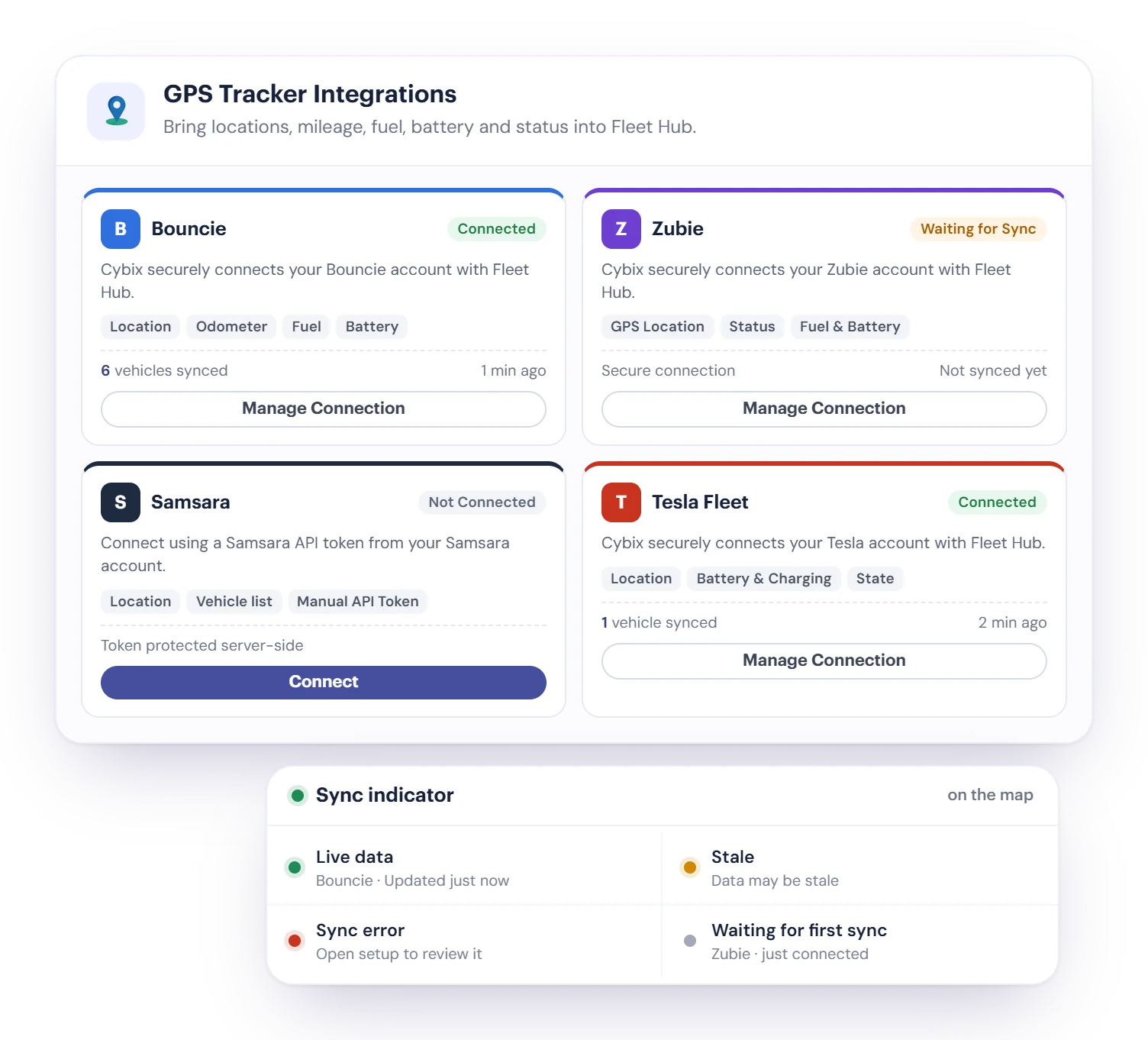
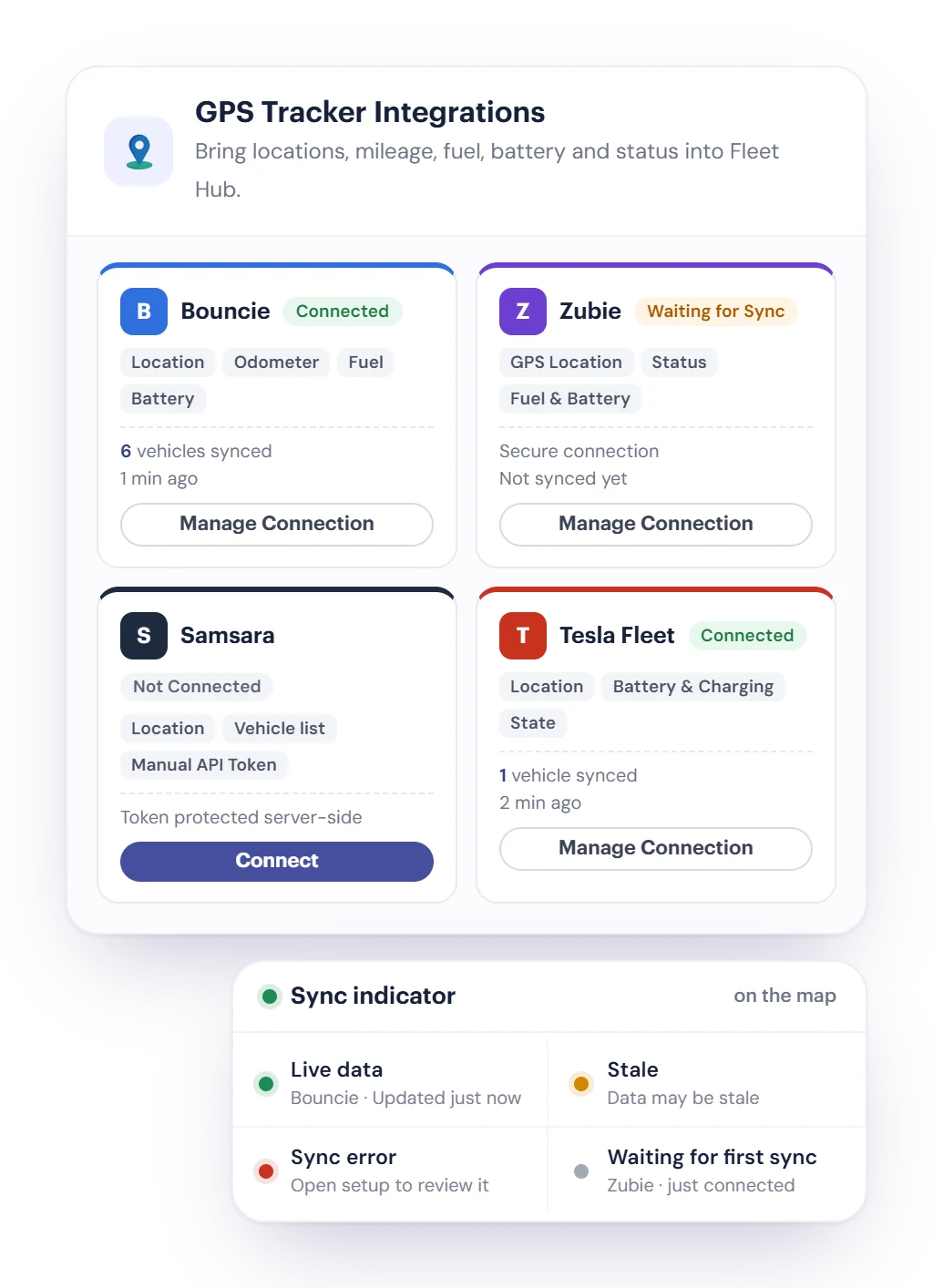
Bouncie, Zubie, Tesla and Samsara, side by side
Connect the GPS provider your fleet already uses, or more than one. Each gets its own card and its own sync status.
- Bouncie, Zubie and Tesla connect securely through your own account with the provider.
- Samsara connects with an API token you create in your Samsara account. Cybix keeps it on the server and only shows it masked.
- Each card shows its status (Connected, Not Connected, Waiting for Sync or Needs Attention), how many vehicles synced and when.
- On the map, a sync indicator for each provider says Live data, Stale or Sync error, so you know how fresh the positions are.
Bring tracked vehicles into Fleet Hub
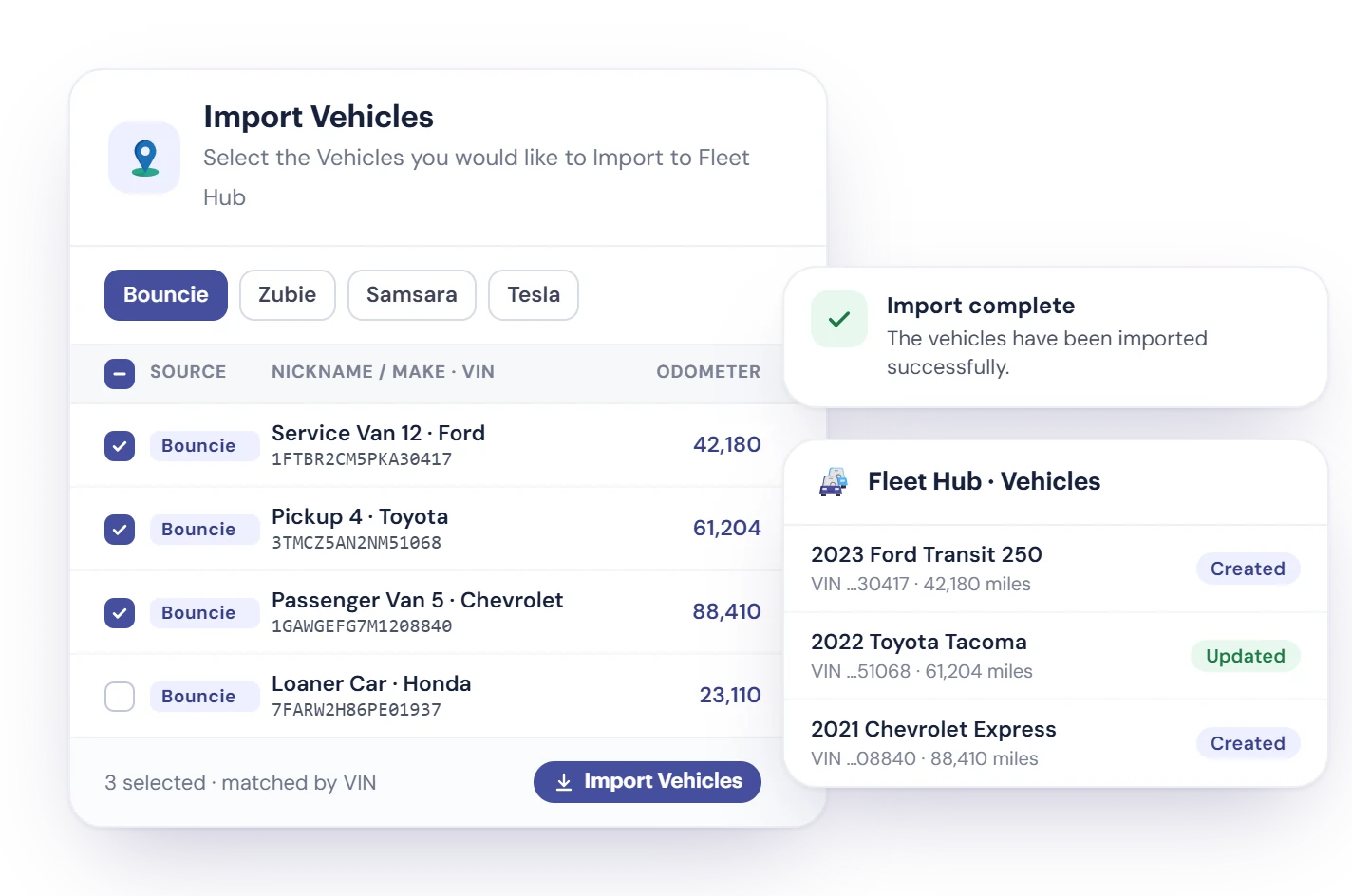
Turn the vehicles your trackers already know into Fleet Hub vehicles, without typing them again.
Pick the vehicles
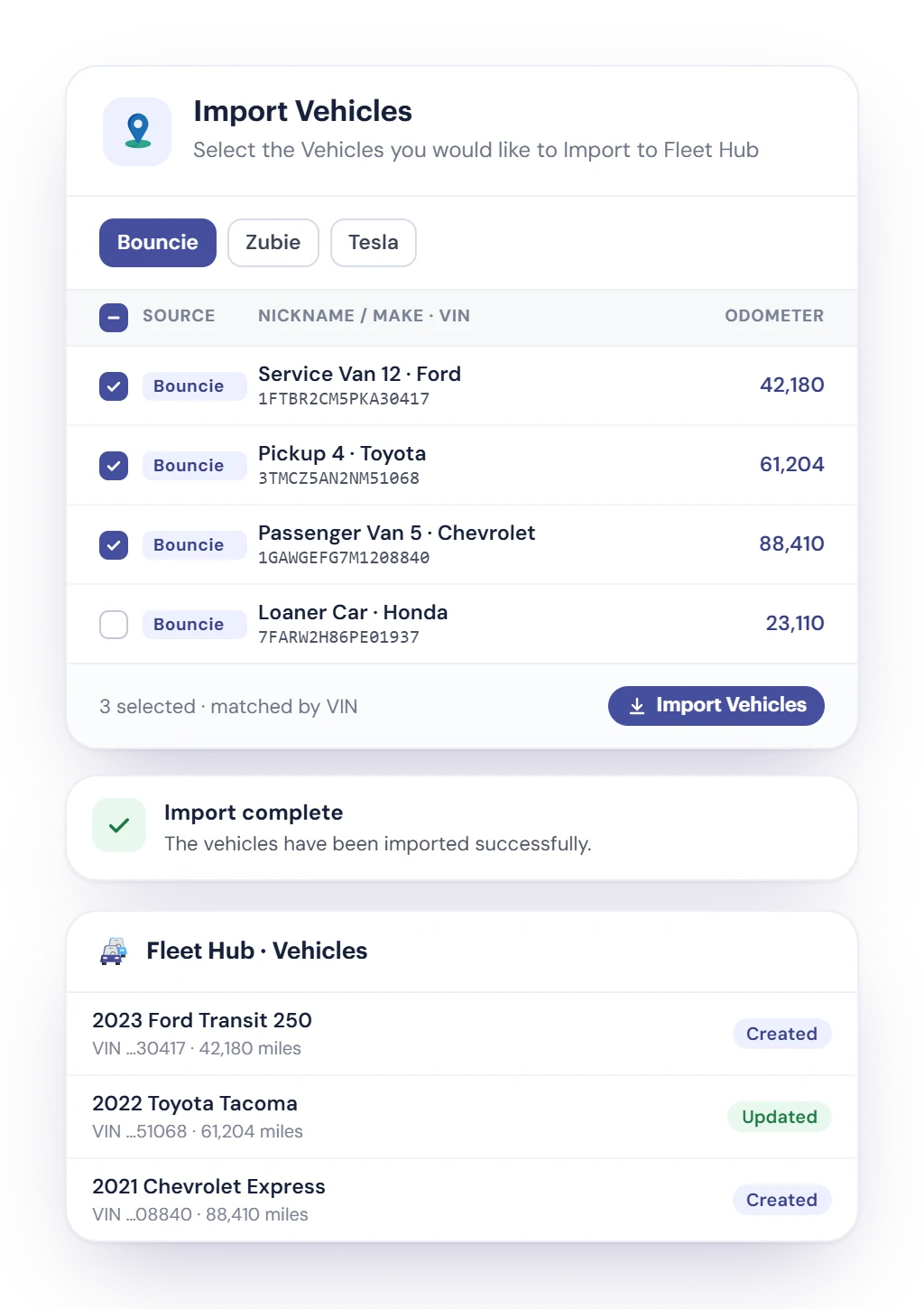
Import Vehicles lists each provider’s vehicles with the nickname, make, VIN, IMEI and odometer. Select the ones you want.
Import by VIN
Cybix creates each vehicle in Fleet Hub, or updates the one with the same VIN, with its make, model, year and current odometer. A missing brand or year is added to your lists.
Manage them in Fleet Hub
Maintenance, service reminders, checkpoints, issues and drivers then work on the same vehicle. See Fleet Hub.
A table view, and a map on your dashboard
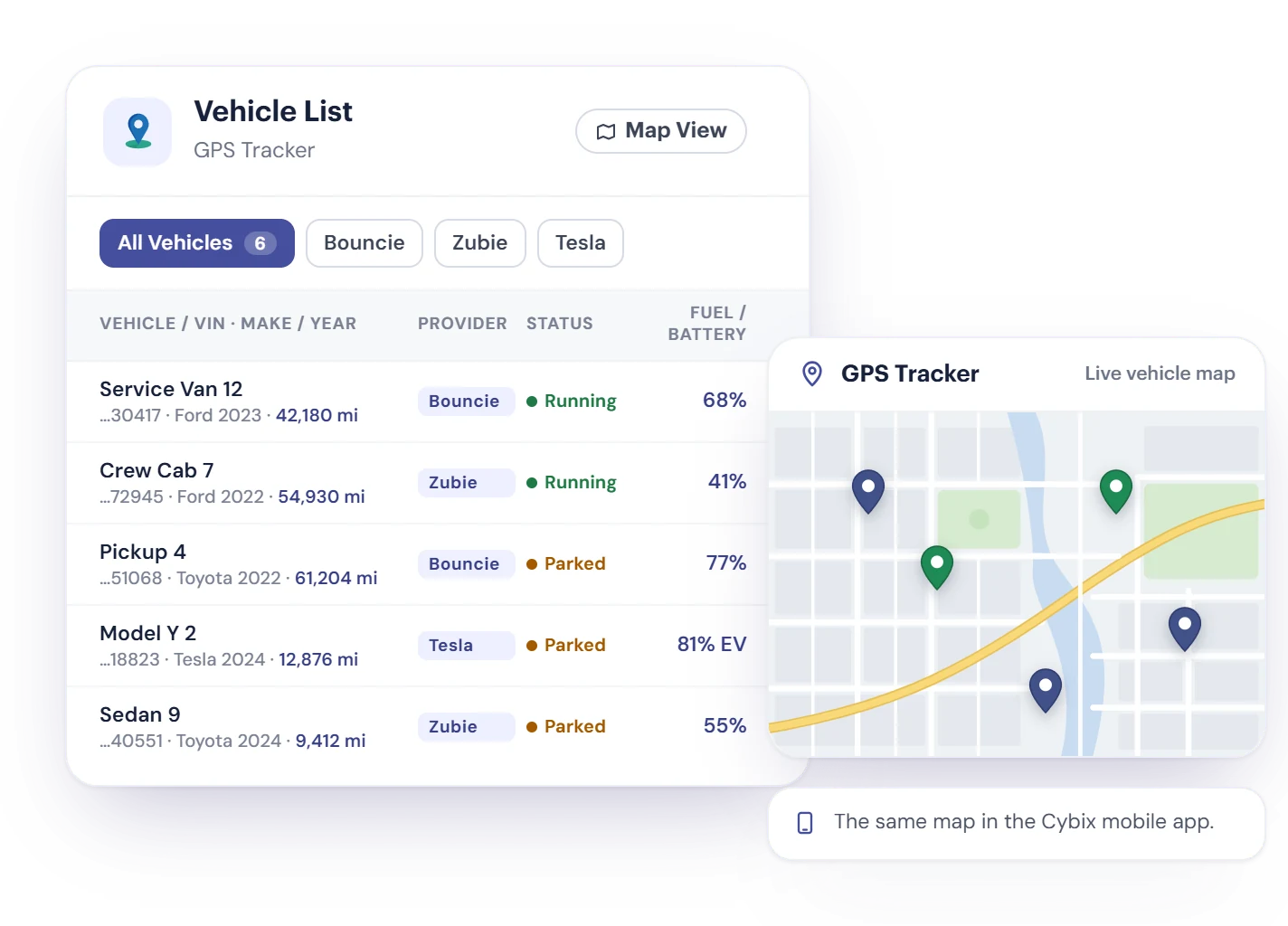
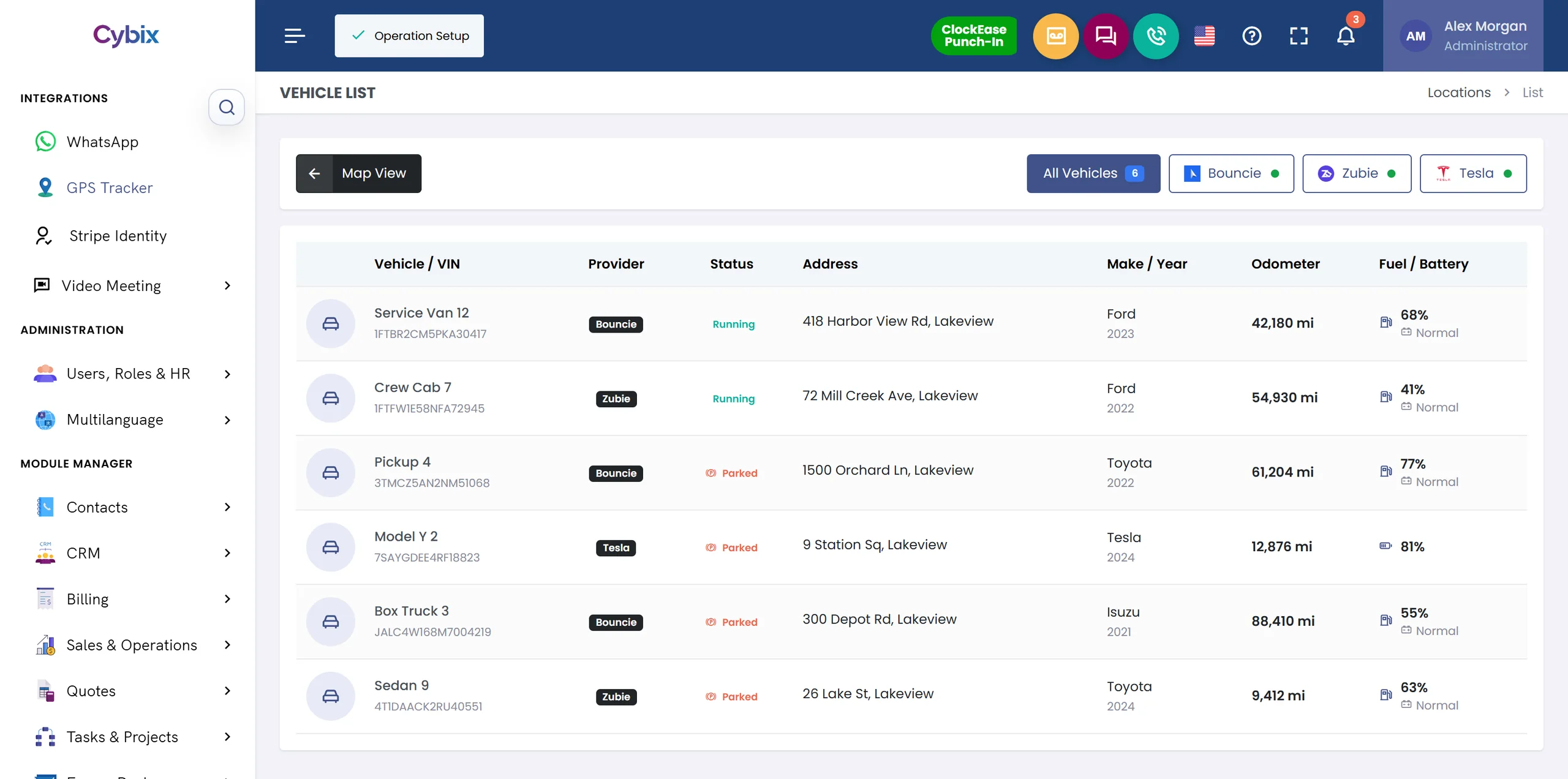
When a map isn’t the fastest way to check, switch to the list.
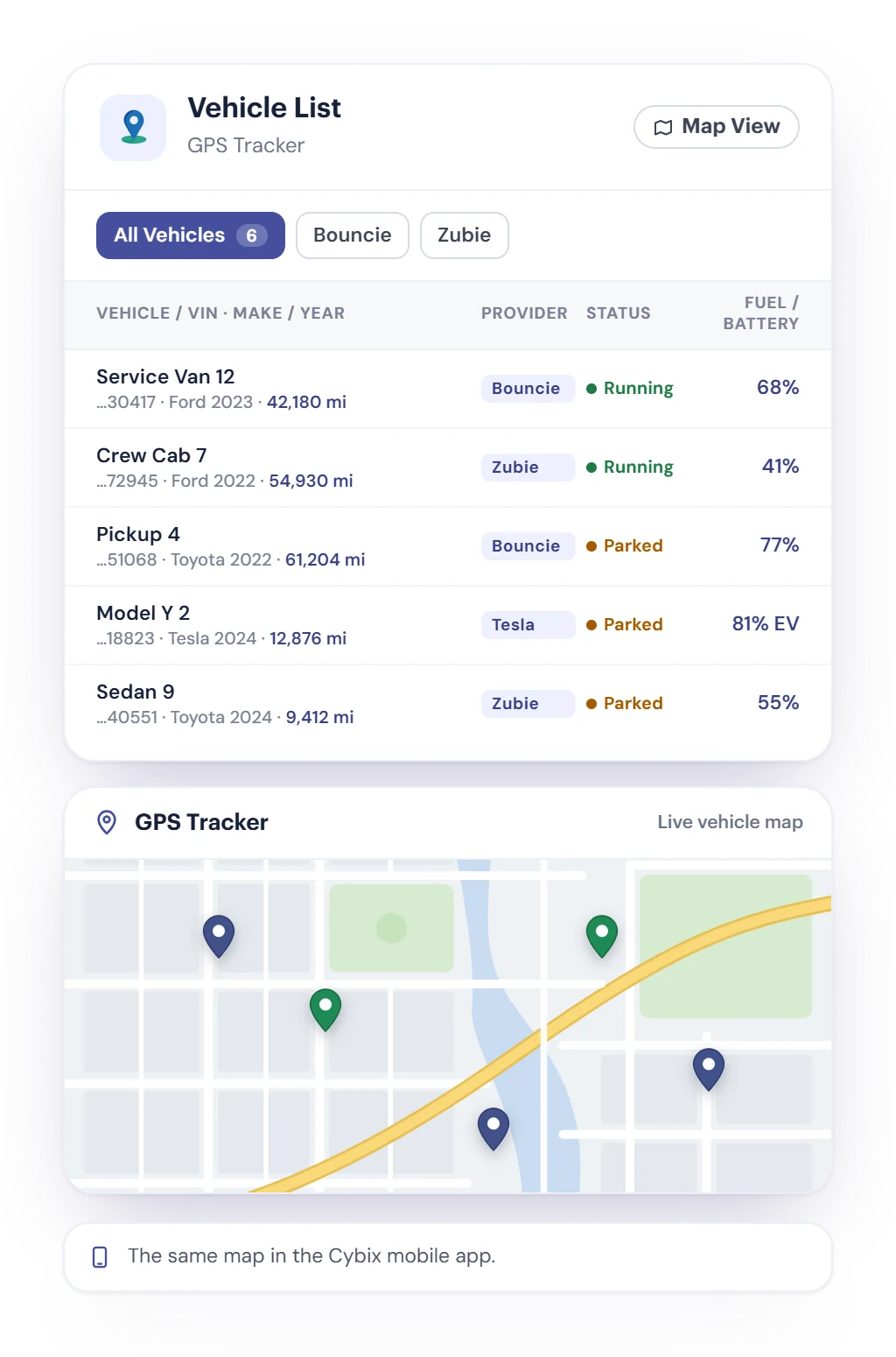
- Vehicle List shows each vehicle with its VIN, provider, Running or Parked, address, make and year, odometer and fuel or battery.
- Filter by provider with the same tabs, and go back to the map with Map View.
- Add the GPS Tracker widget to your Cybix dashboard for a small live map of your vehicles.
- Check the GPS map in the Cybix mobile app. Connecting providers and importing vehicles stay on the web.
The right people see the right vehicles
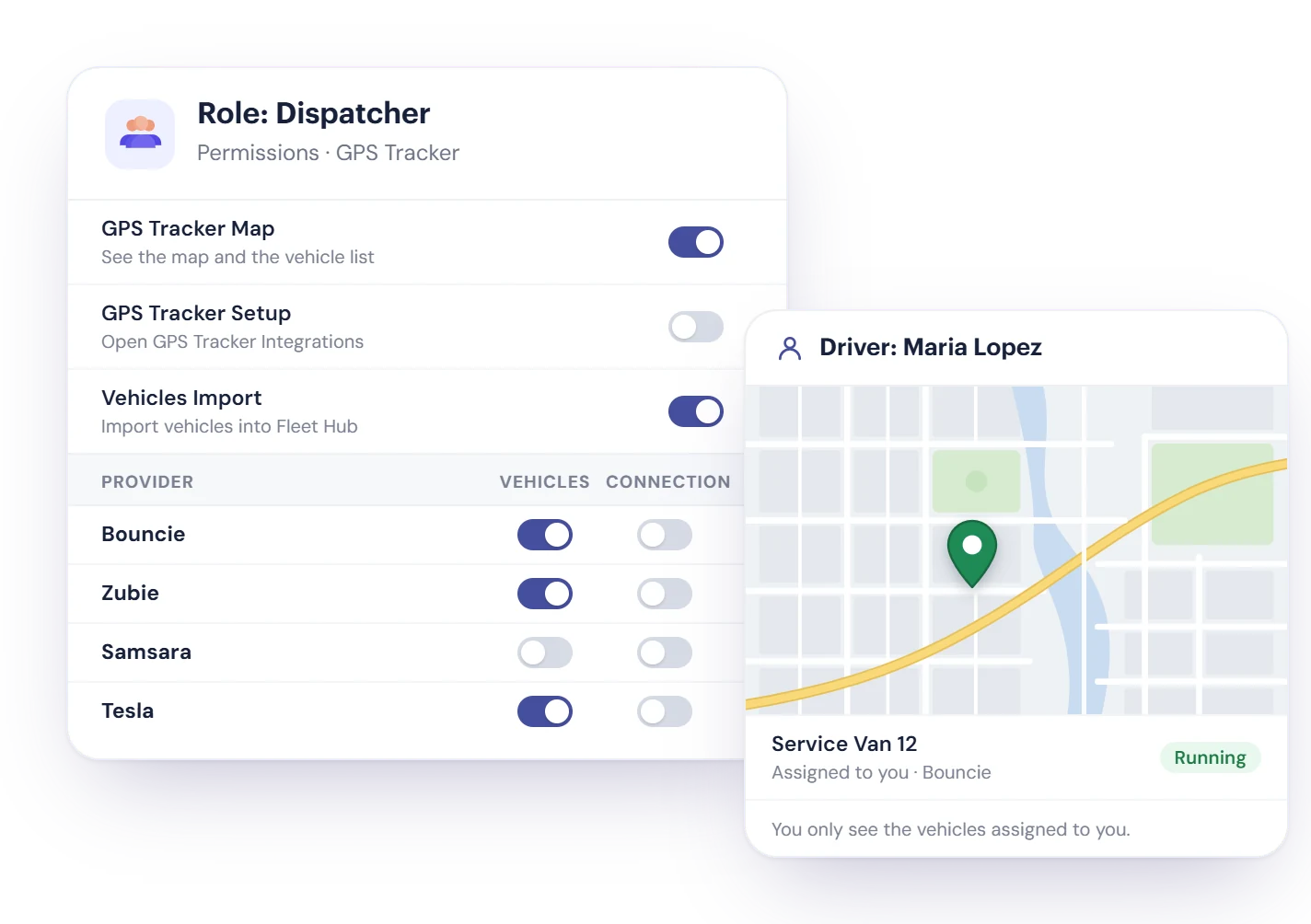
GPS Tracker uses your Cybix roles, so you decide who sees the map and who manages the connections.
The map, setup and import
Separate permissions for viewing the GPS Tracker map, setting up providers and importing vehicles into Fleet Hub.
Per provider
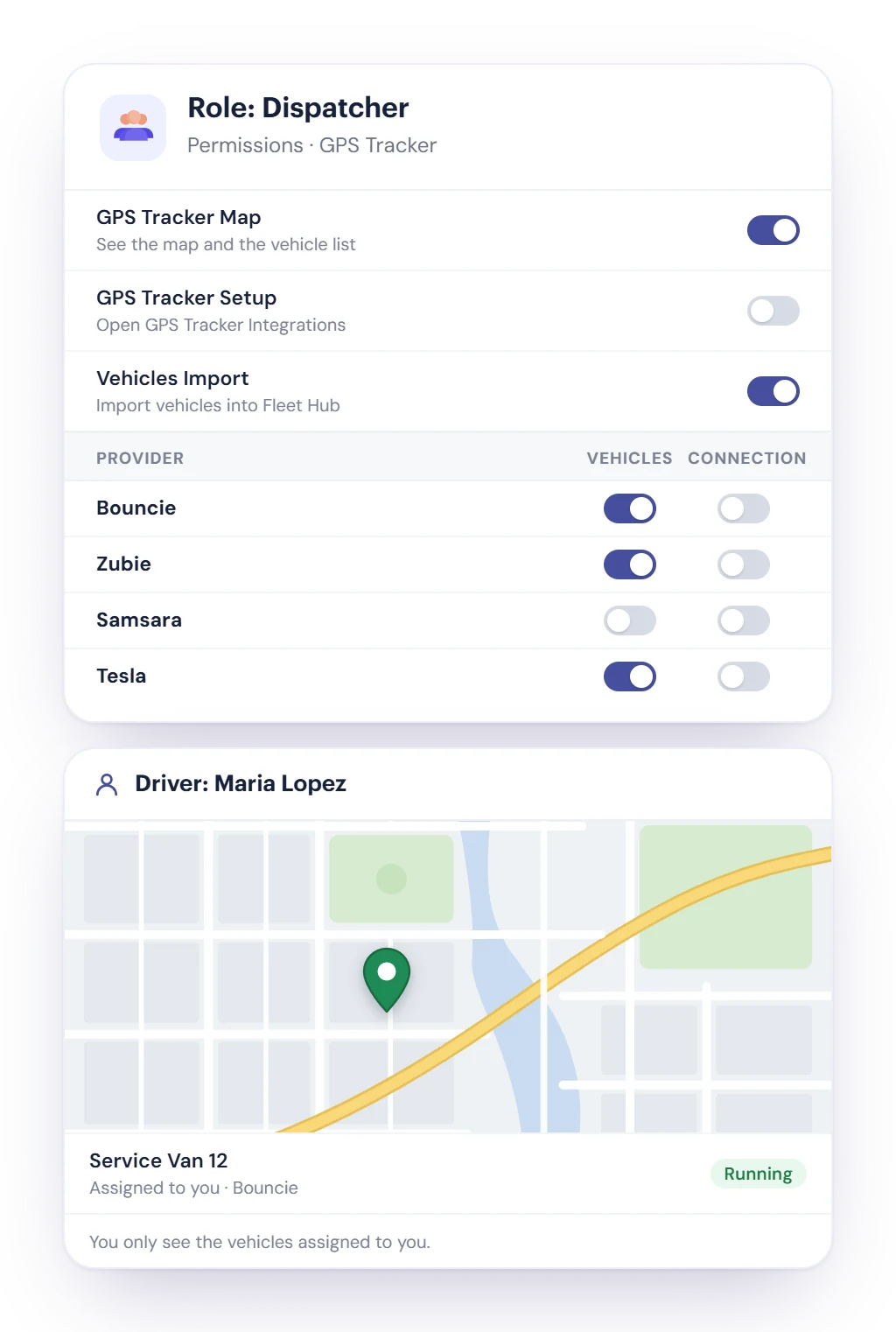
For each of Bouncie, Zubie, Samsara and Tesla, one permission to see its vehicles and another to manage its connection.
Drivers see their own
A driver with assigned access sees only the vehicles assigned to them in Fleet Hub, on the web and in the Cybix mobile app.
Connected to the rest of Cybix
GPS Tracker works with Fleet Hub and the rest of your workspace.

Fleet Hub
GPS Tracker is part of Fleet Hub. Imported vehicles get maintenance, service reminders, checkpoints, issues and driver assignments. See Fleet Hub.
Cybix mobile app
See the GPS map on your phone. Drivers see only their assigned vehicles there too.

Cybix AI
Ask Cybix AI which vehicles are tracked or where one was last seen, from the positions already synced, when the Cybix AI module is on.
Dashboard widget
The GPS Tracker widget puts a small live map of your vehicles on the Cybix dashboard.
Tesla data
Tesla vehicles show their EV battery and charging, odometer and whether they’re parked, running or asleep, when Tesla provides it.
Your provider account
GPS Tracker connects to the Bouncie, Zubie, Tesla or Samsara account you already have, and reads the data that account shares.
GPS Tracker questions, answered
Still deciding? Try the live demo or talk to our team.
What does Cybix GPS Tracker do?
GPS Tracker shows the vehicles from your Bouncie, Zubie, Tesla or Samsara account on one map in Cybix, with whether each one is running and its fuel, battery, odometer and address when the provider sends them. You can switch to a vehicle list, import the vehicles into Fleet Hub by VIN, and see the map on the Cybix dashboard and in the Cybix mobile app.
Which GPS providers does it work with?
Bouncie, Zubie, Tesla (Tesla Fleet) and Samsara. You can connect more than one, and the map shows them together or one provider at a time. Other providers aren’t supported.
Do I need my own account with the provider?
Yes. Bouncie, Zubie and Tesla connect securely through your own account with them, and Samsara connects with an API token you create in your Samsara account. GPS Tracker shows the data that account shares.
Can I buy GPS Tracker on its own?
No. GPS Tracker is part of Fleet Hub, so the vehicles you track can also get maintenance, reminders, checkpoints and driver assignments. See Fleet Hub.
How current are the positions on the map?
The map refreshes the latest synced positions automatically while it’s open. Bouncie also sends trip events as they happen, so a Bouncie vehicle’s pin moves and turns green during a trip. For each provider, a sync indicator shows Live data, Stale or Sync error.
Does it show fuel, battery and mileage?
Yes, when the provider sends them. Bouncie sends fuel, battery and odometer; Zubie fuel and battery; Tesla EV battery and charging, odometer and whether the car is parked, running or asleep; Samsara odometer and fuel.
Can I see trip history or replay a route?
No. GPS Tracker shows each vehicle’s latest position and status. There’s no trip history or route replay screen.
Does GPS Tracker send geofence or driving alerts?
No. It doesn’t have geofences or alerts for speeding, harsh driving, idling or fuel.
Can drivers use it on their phone?
Yes. The GPS map is in the Cybix mobile app, and a driver with assigned access sees only the vehicles assigned to them, on the web and in the app. Connecting providers and importing vehicles are done on the web.
Ready to gain complete visibility of your fleet?
See every vehicle on one map, bring them into Fleet Hub and check the map from the Cybix mobile app.