Stripe Identity
Verify Identities with Confidence
Share a secure link, let Stripe Identity check a person’s ID and selfie, and review every result in Cybix, all on your own Stripe account.
Identity Verification in One Place
Manage verification requests, monitor progress, and review validation history from a centralized dashboard.
Complete control over every verification
Set up verification flows, share secure links and see every result in one place, whether the check started in HireFlow or from a link you shared.
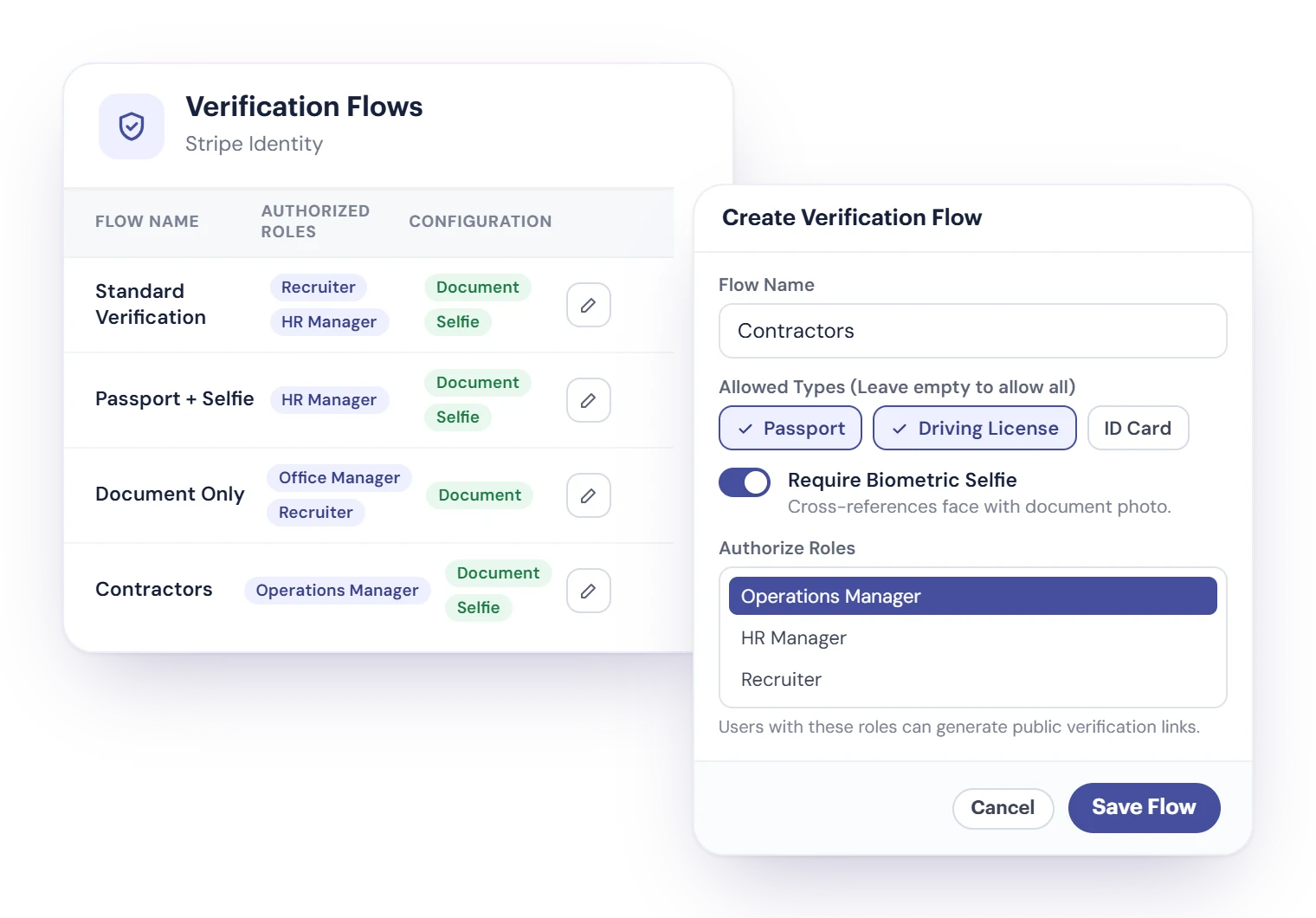
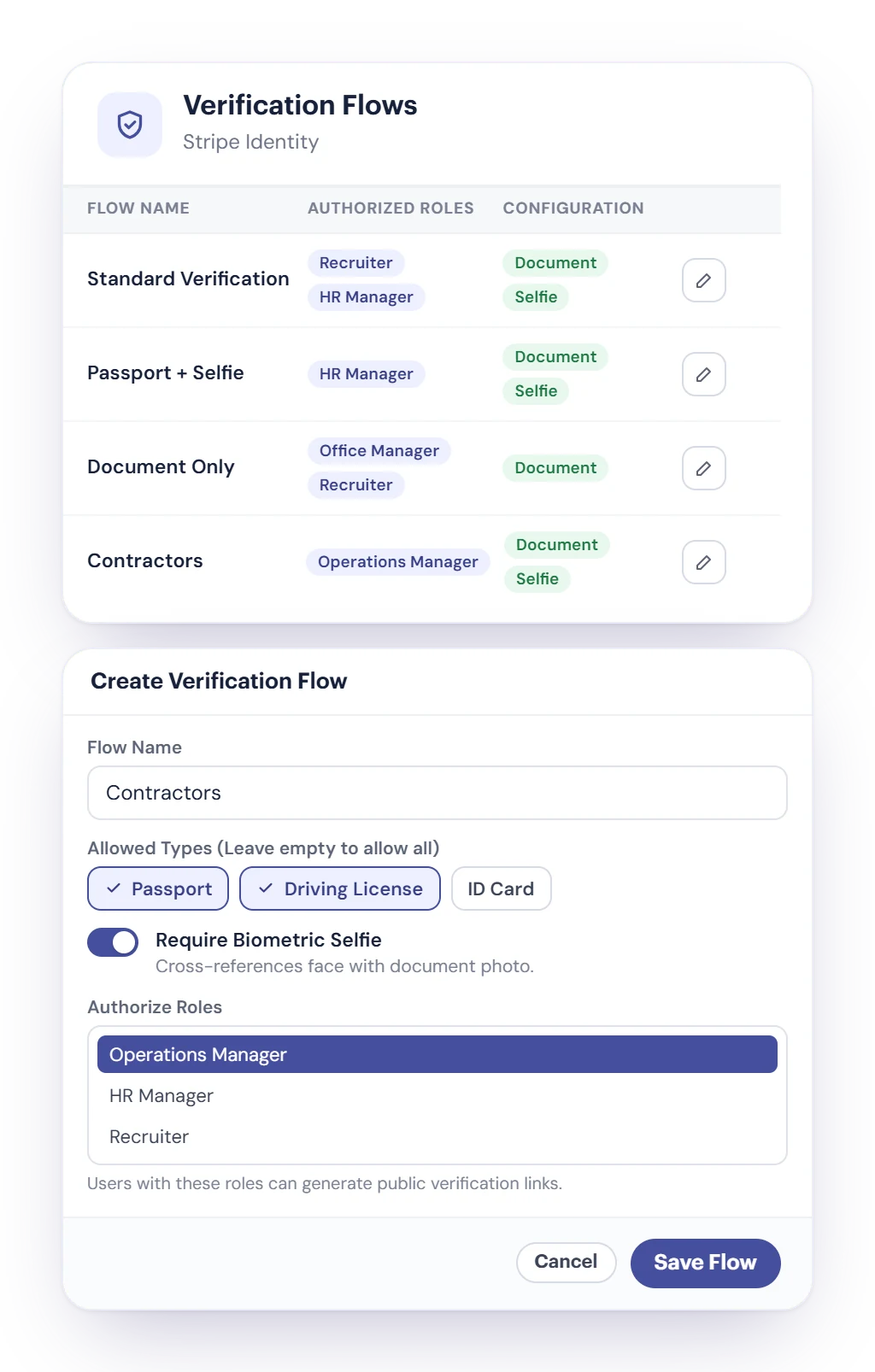
Verification flows
Choose the ID types each flow accepts (passport, driver’s license or ID card), add a selfie match and decide which roles can use it.
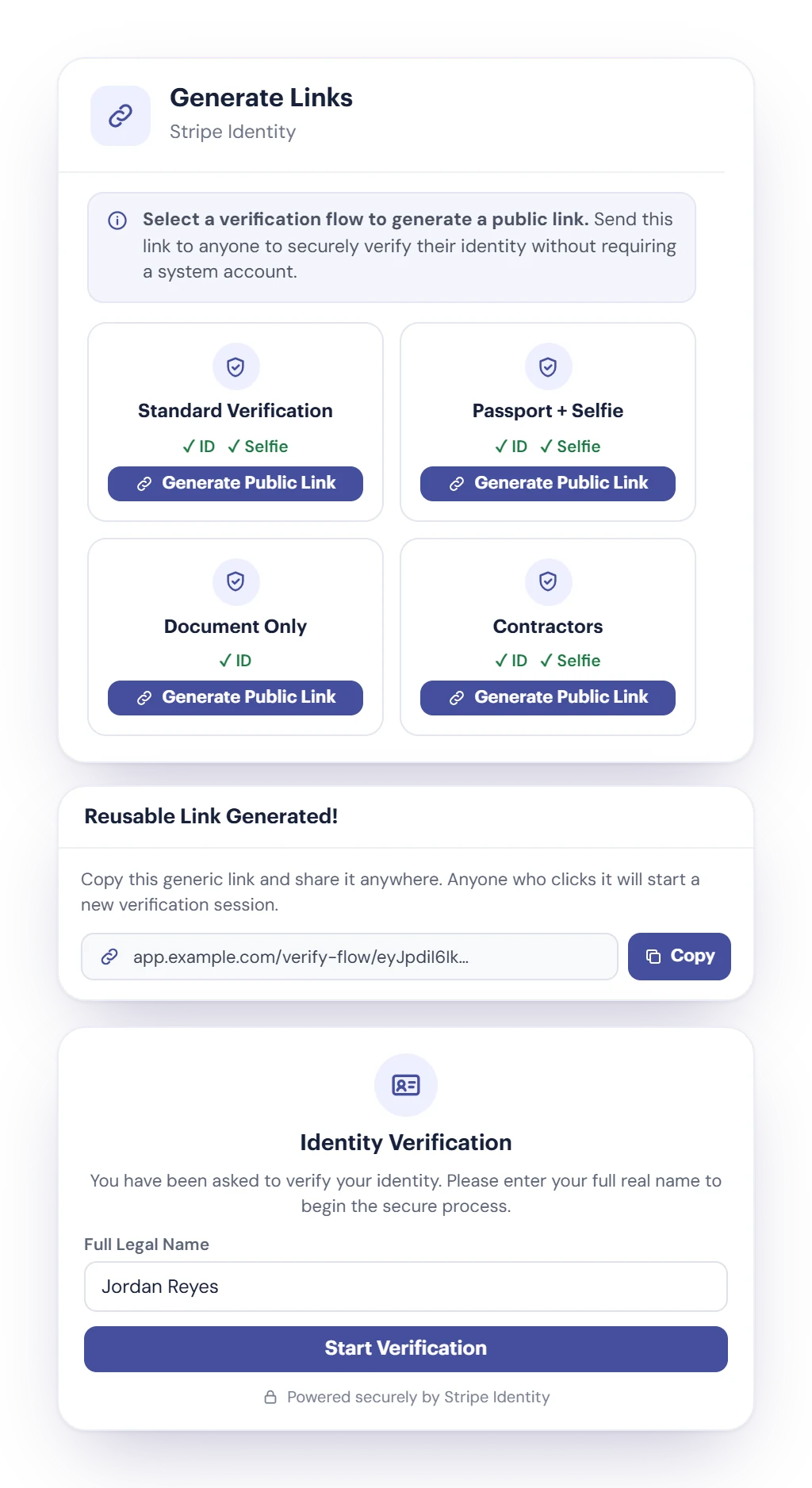
Reusable public links
Generate a link from a flow and copy it into any message. Anyone who opens it can verify, with no Cybix account.
Results and history
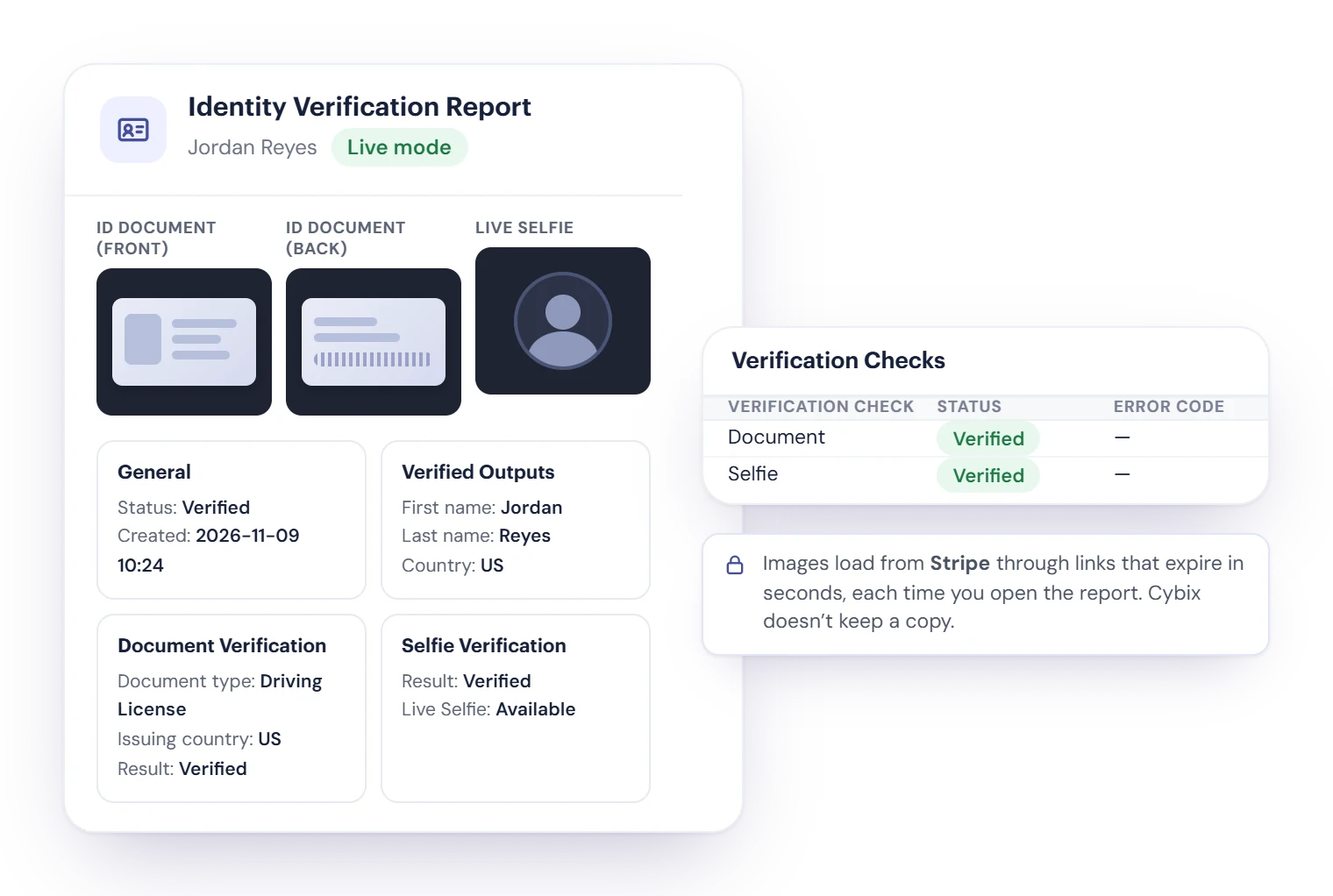
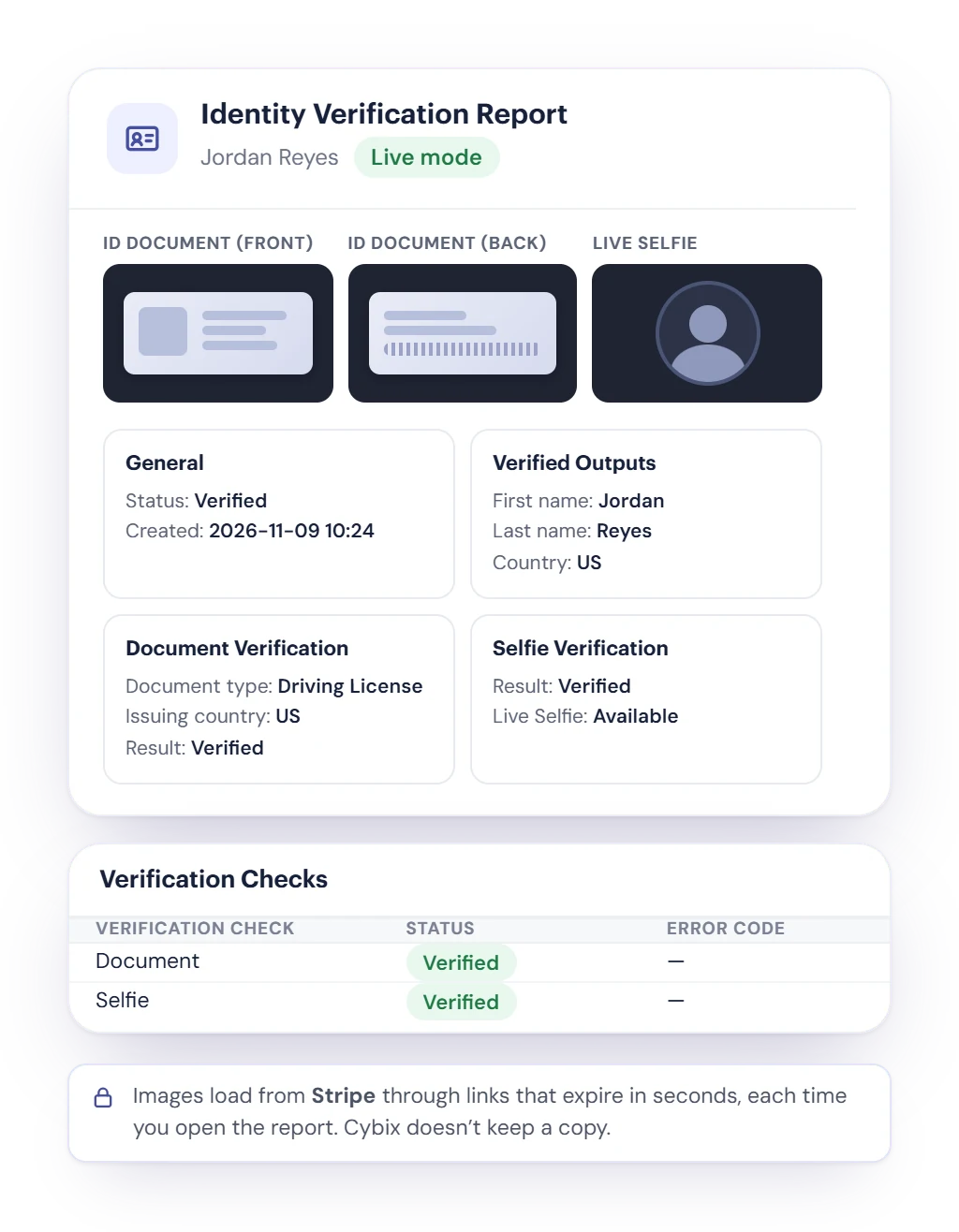
Every verification shows its status, origin and flow, and the report shows the ID and selfie straight from Stripe.
From Request to Verification
Manage identity verification through a simple workflow powered by Stripe Identity.
Verification Request
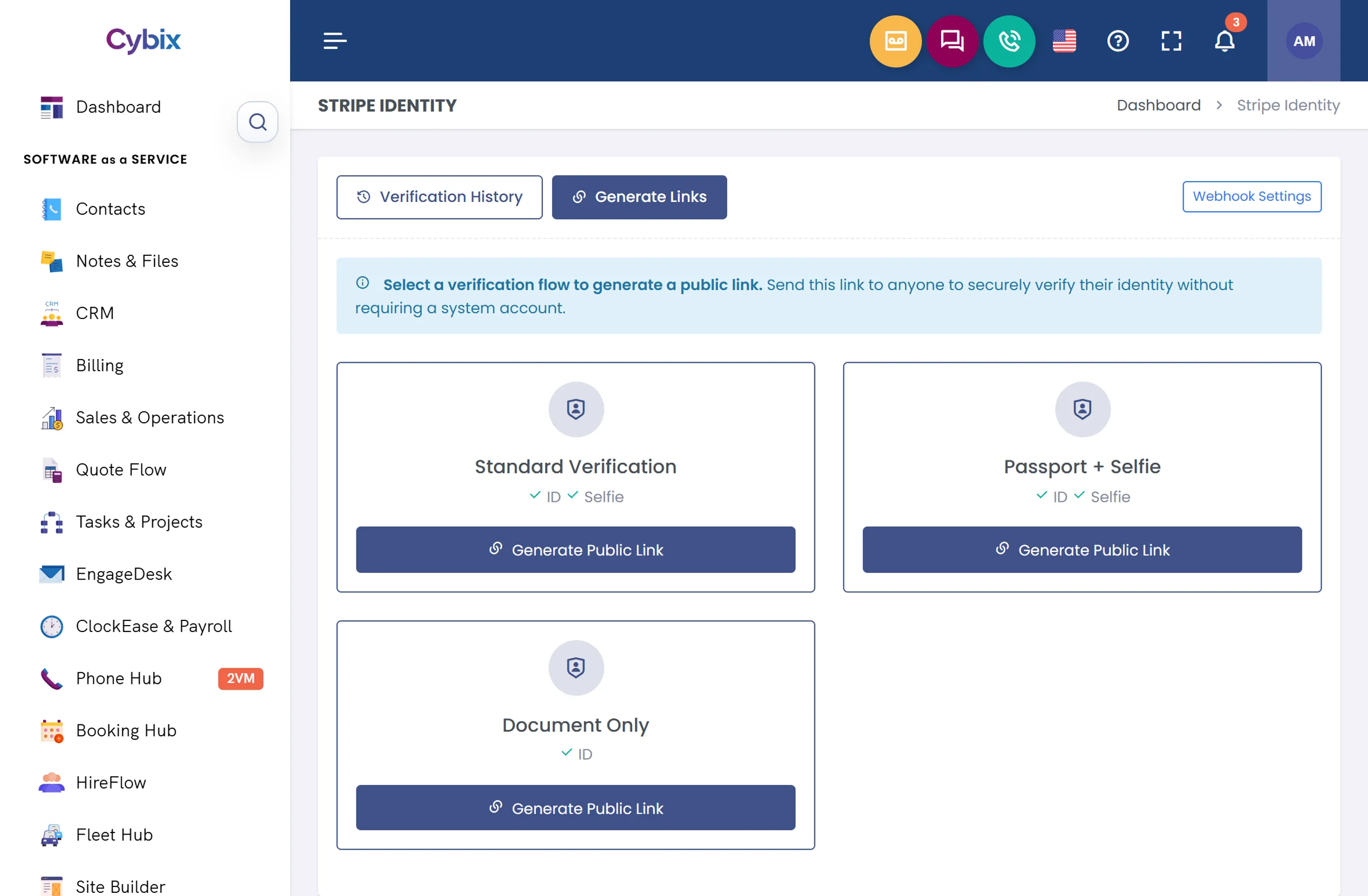
Pick a verification flow and generate a secure link.
Share Verification Link
Copy the link and share it, or send it by email from HireFlow.
Identity Verification
The person checks their ID and a selfie with Stripe.
Review Results
Check the verification status returned by Stripe Identity.
Verification History
Keep each verification’s status and flow for future reference.
Centralized verifications
Manage every verification request from one dashboard.
Organized history
Quickly access previous verification records.
Greater visibility
Track statuses and verification results with confidence.
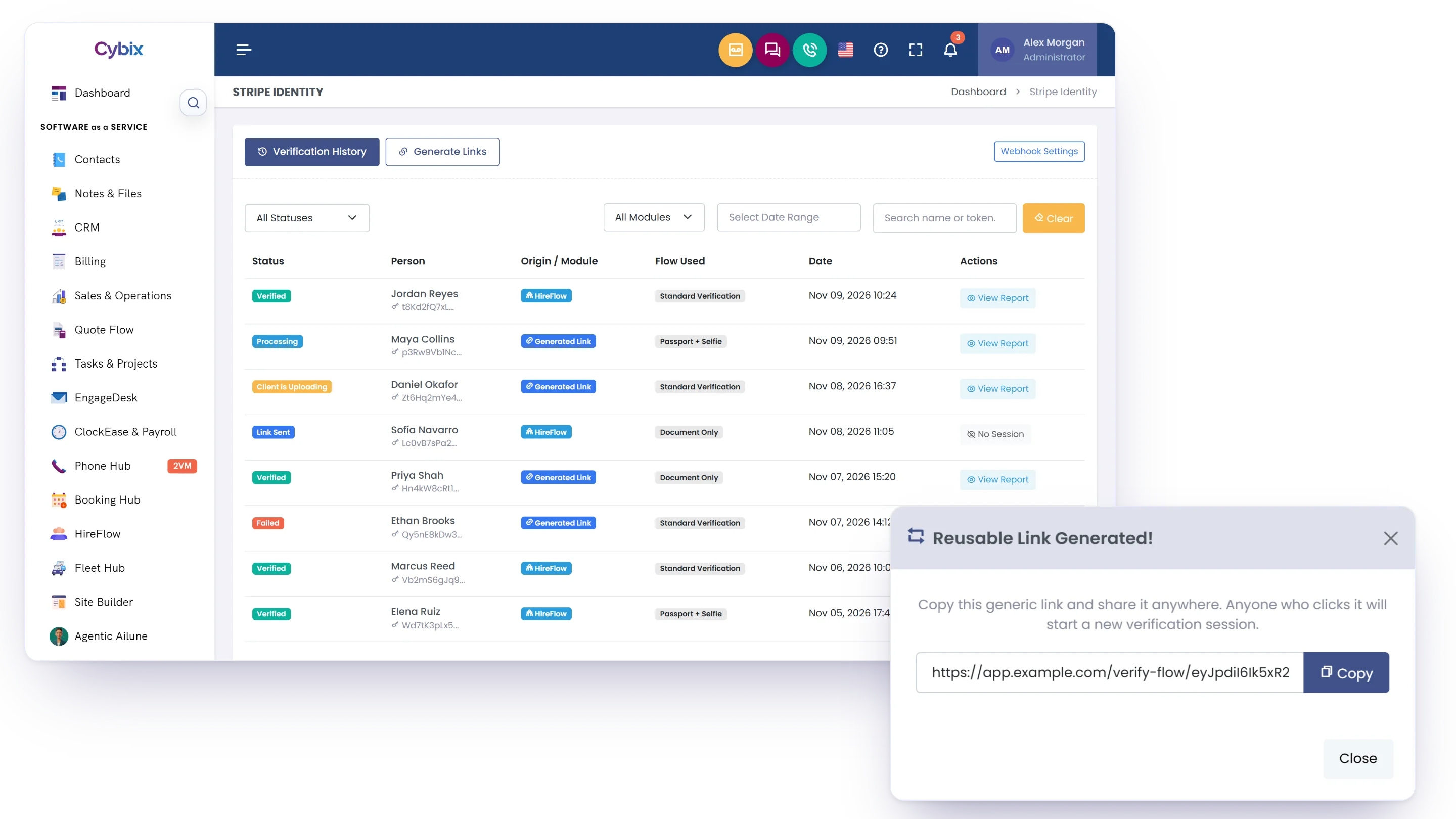
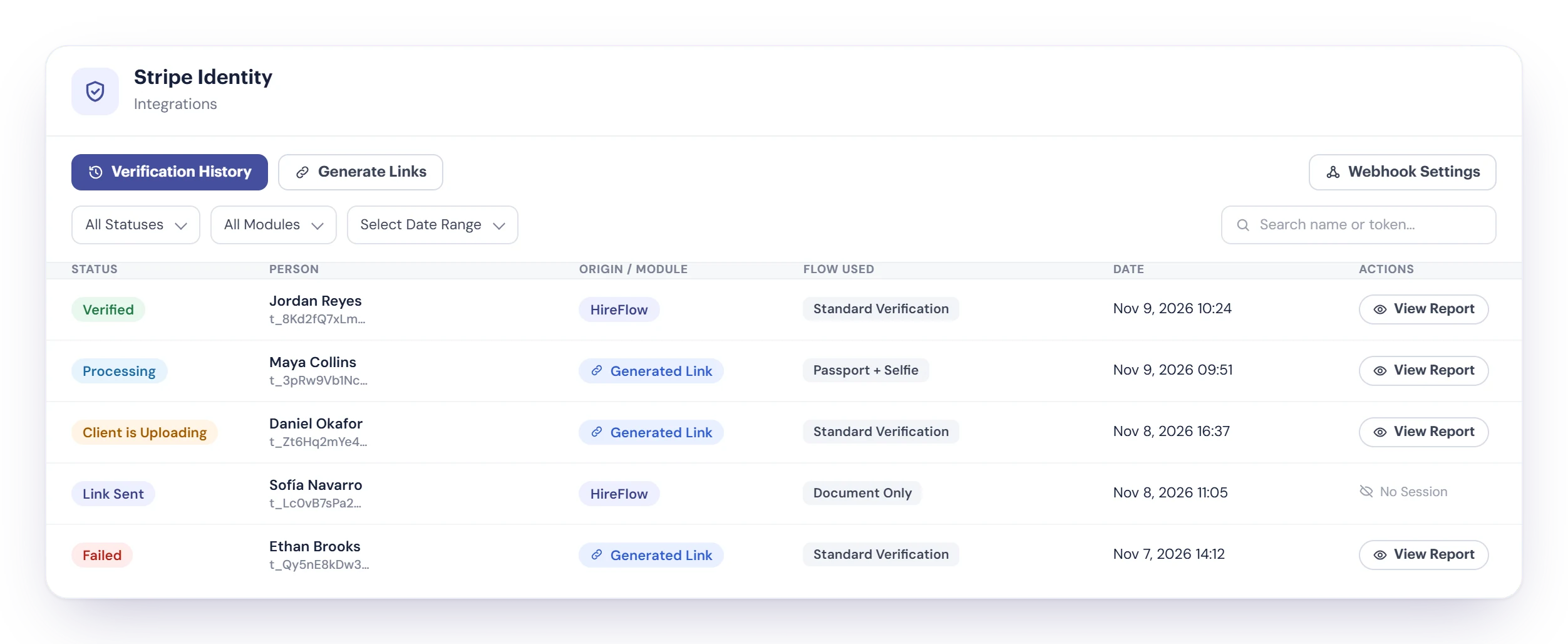
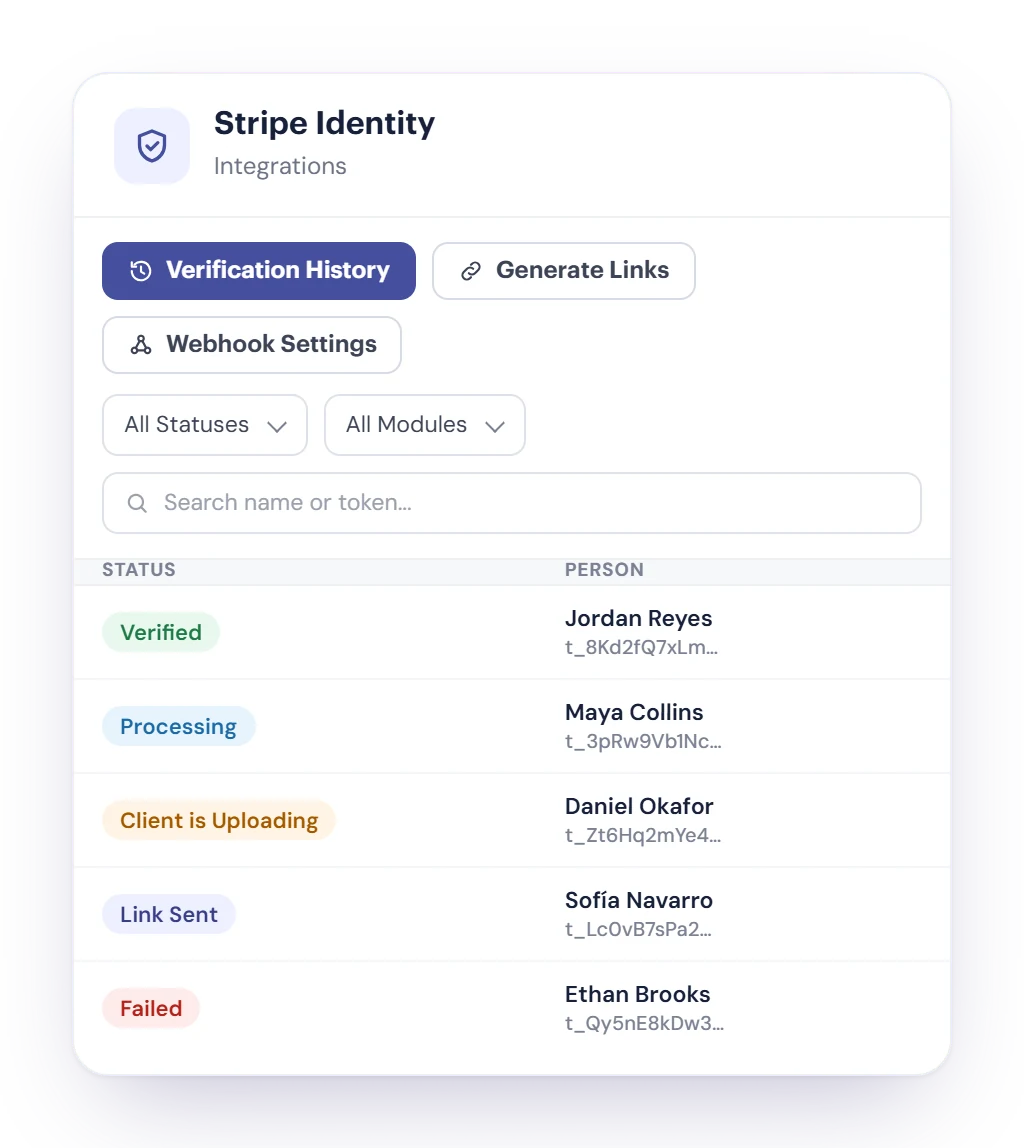
Every verification in one list
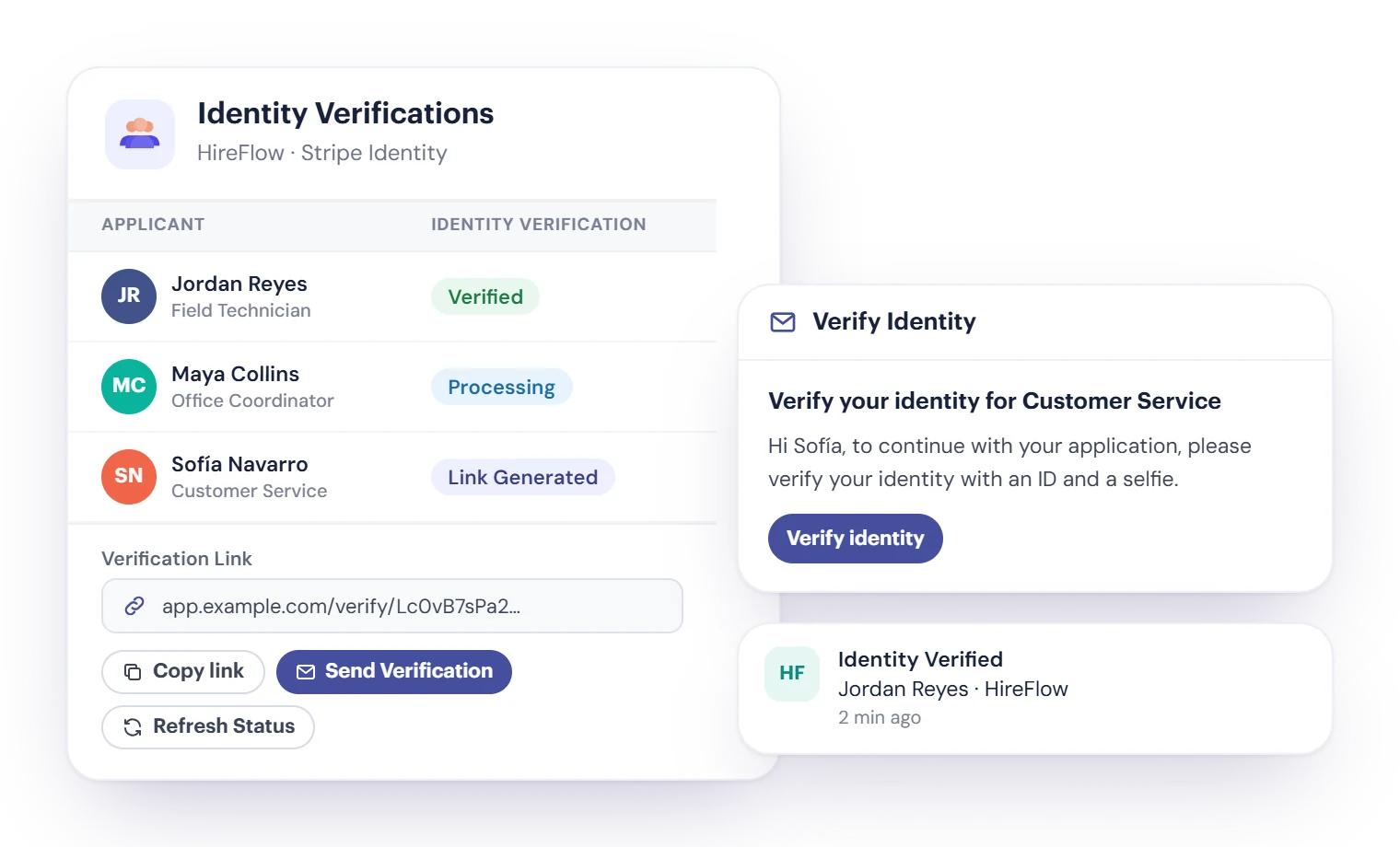
See each check’s status, who it’s for, where it came from and which flow it used.
Five clear statuses
Verified, Processing, Client is Uploading, Link Sent or Failed, so you know who still needs to finish.
Where each check came from
HireFlow candidates and links you generated yourself sit in the same list, with the flow each one used.
Filters and search
Filter by status, origin and date range, or search by name or link token, then open the report.
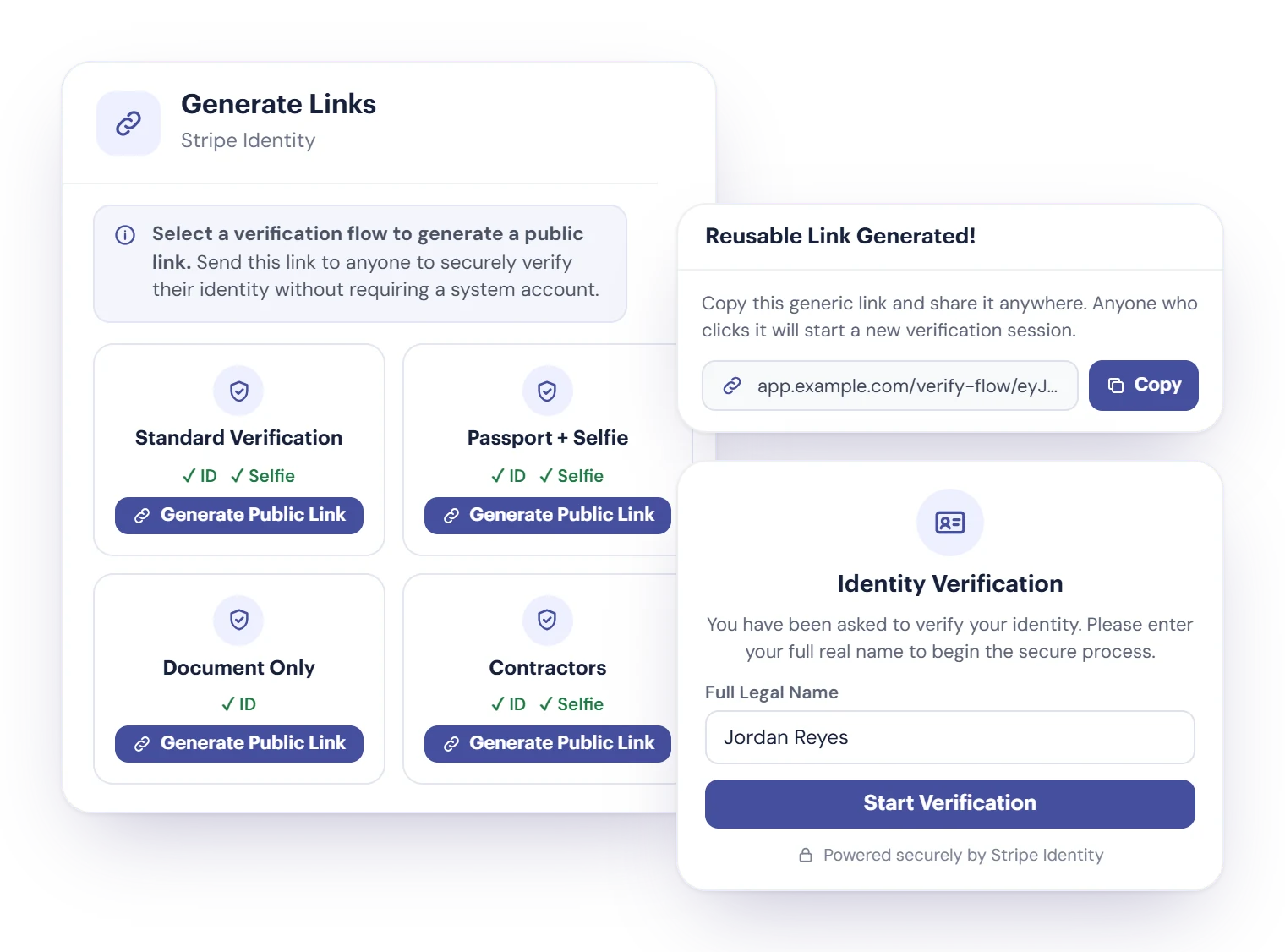
Reusable links anyone can use
The person you need to verify doesn’t need a Cybix account.
- On Generate Links, pick a verification flow and choose Generate Public Link.
- Copy the link and share it wherever you talk to people: an email, a text message or your website.
- One link works for many people: each visit starts a new verification.
- The person enters their full legal name and Stripe walks them through the ID and selfie check, then shows whether it was verified, is still processing or needs another try.
A verification flow for each situation
Decide once what each kind of check asks for and who can send it.
Allowed ID types
Accept a passport, a driver’s license, an ID card, or leave it open to all three.
Selfie match
Require a live selfie that Stripe compares with the photo on the ID.
Who can use it
Authorize the roles that can generate links with each flow. Your team only sees the flows their roles allow.
Review the ID and selfie inside Cybix
Open the report from any verification without signing in to Stripe.
- View Report shows the front and back of the ID and the live selfie.
- See the verified name and country, the document type, issuing country and expiration date, and the result of each check.
- The pictures load from Stripe through links that expire in seconds, each time you open the report. Cybix doesn’t keep a copy.
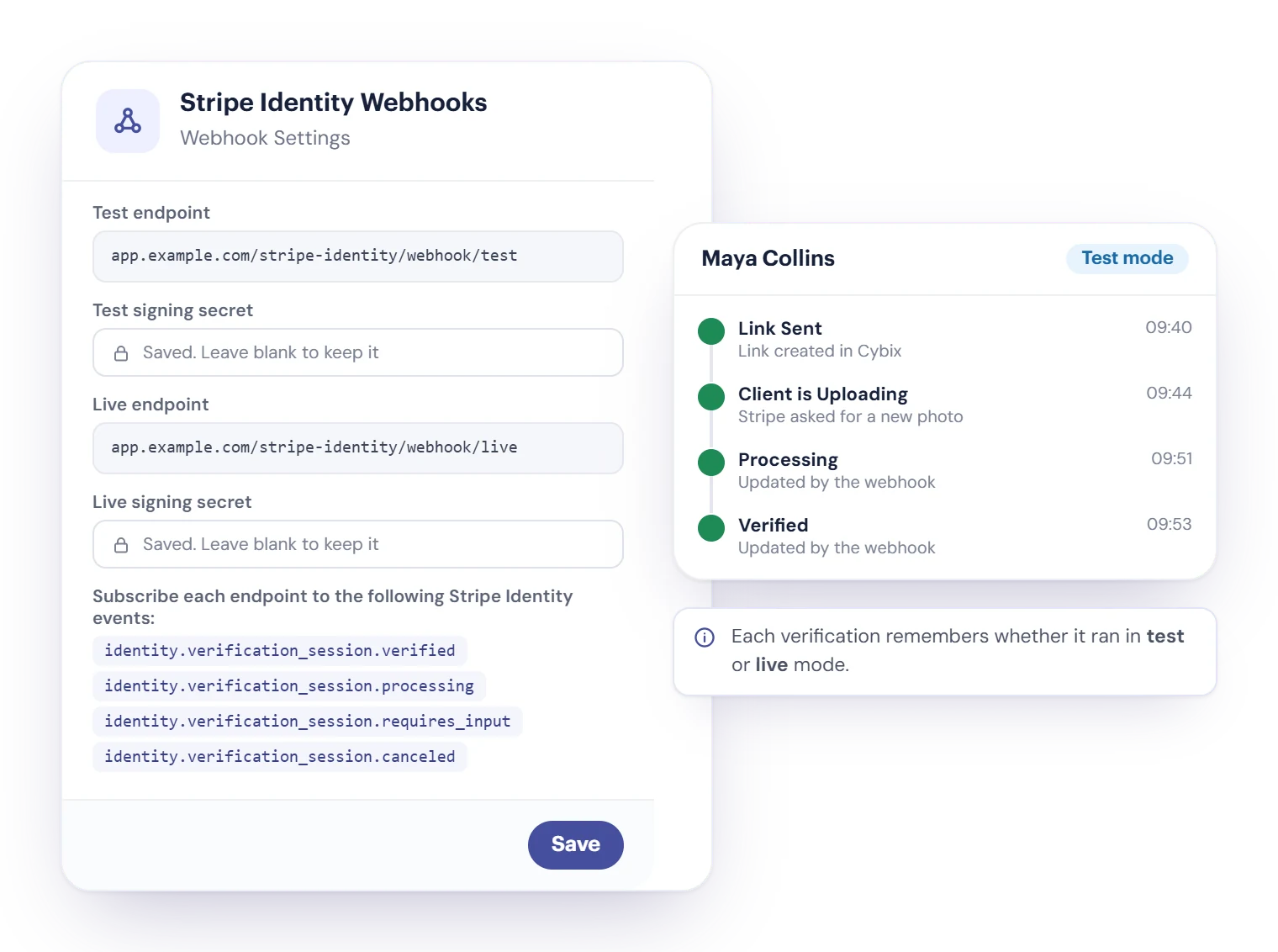
- Reports are limited to people with permission to view them, for the flows their roles are authorized for. Each report shows whether it ran in test or live mode.
Built into HireFlow
Verify candidates as a step of your hiring pipeline. HireFlow includes Stripe Identity.
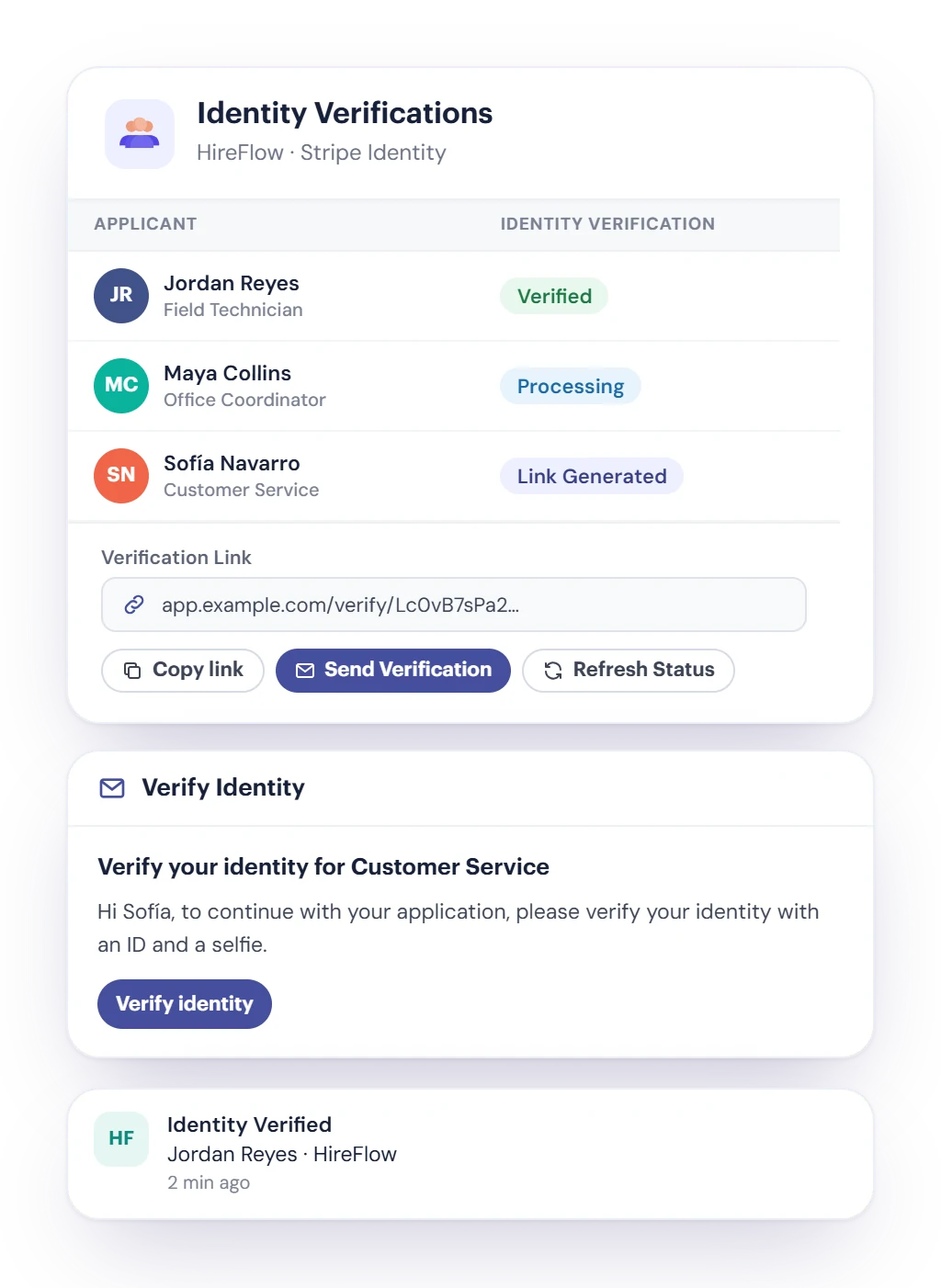
- In Identity Verifications, generate a verification link from the candidate’s row.
- Copy it, or choose Send Verification to email it with your Verify Identity template.
- Use Refresh Status any time, and the people who handle the flow get an Identity Verified notification.
- Results feed the HireFlow dashboard’s identity approval rate. See HireFlow.
Statuses that update on their own
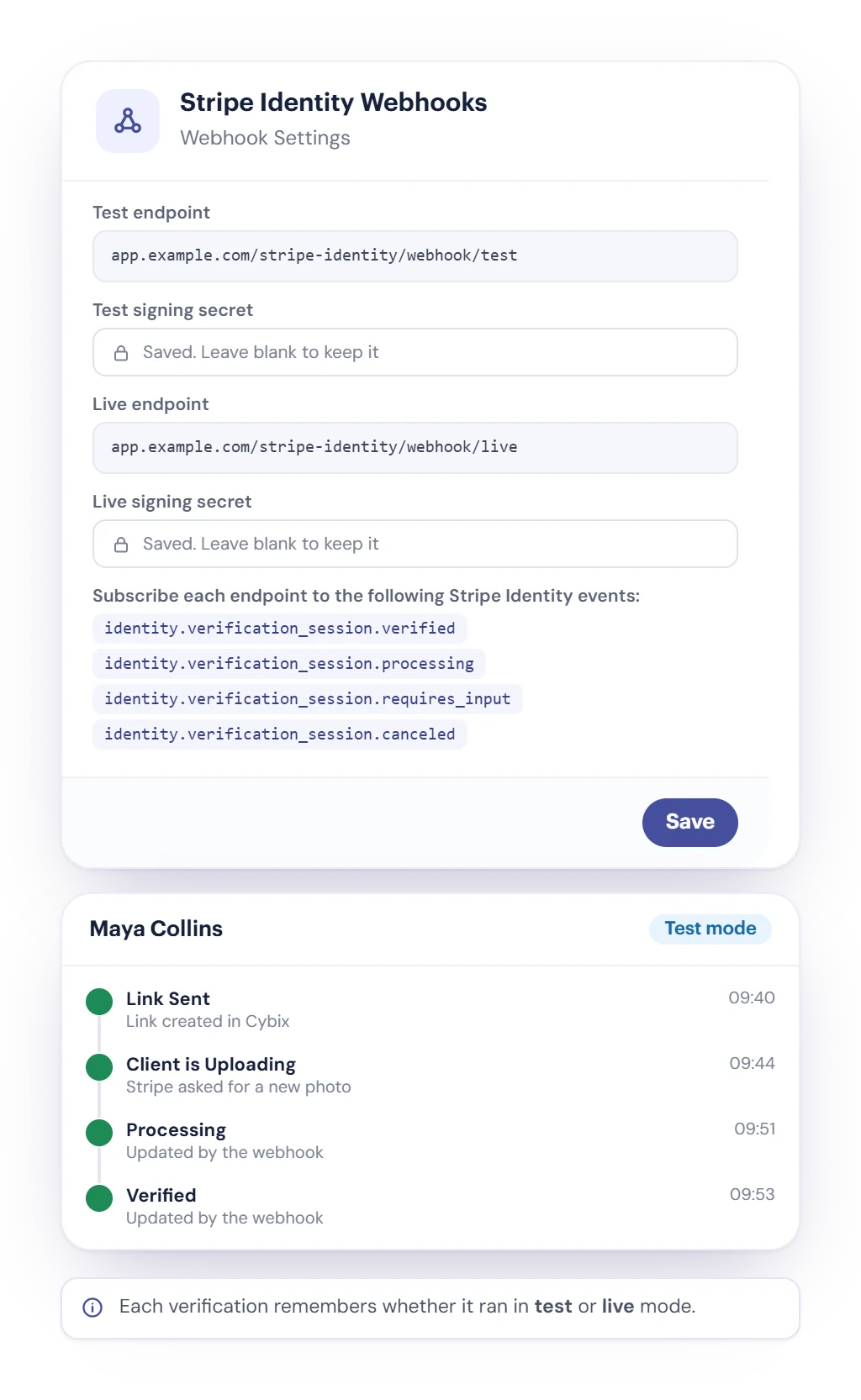
Stripe tells Cybix when a verification moves forward, so your list stays current.
Stripe webhooks
Add a webhook endpoint for each mode and statuses update automatically: processing, waiting for the person to upload again, verified or failed.
Test and live modes
Separate test and live endpoints and keys let you try a flow safely before real people use it. Each verification remembers which mode it ran in.
Your Stripe account, your fees
Stripe Identity runs on your own Stripe account (your API keys), and Stripe charges its verification fees to that account. It checks an ID and a selfie; it isn’t a background check.
Connected to the rest of Cybix
Stripe Identity works with the modules and settings your team already uses.

HireFlow
HireFlow includes Stripe Identity, so candidates can verify their identity as a step of your hiring pipeline. See HireFlow.
Cybix mobile app
See your verification totals and recent checks, and generate a flow link to share right from your phone.
Notifications
When a HireFlow candidate is verified, the people who handle that flow get an Identity Verified notification.
Roles and permissions
Choose which roles can use each flow and who can open reports.
Your Stripe account
Verifications run on your own Stripe account, and Stripe bills its verification fees there.
Test and live
Try your flows in Stripe’s test mode first, then switch to live with separate keys and webhooks.
Stripe Identity questions, answered
Still deciding? Try the live demo or talk to our team.
What does Stripe Identity do in Cybix?
It lets you verify that a person is who they say they are. You set up verification flows, share a secure link, the person checks their ID and a selfie with Stripe, and you see the status and the report in Cybix. It works on its own with links you share, and inside HireFlow for candidates.
Does the person need a Cybix account?
No. Anyone who opens a verification link can complete the check. A public link from a flow is reusable: each visit starts a new verification.
What does a verification check?
A government ID (a passport, driver’s license or ID card, depending on the flow) and, if the flow asks for it, a live selfie that Stripe compares with the photo on the ID.
Is it a background check?
No. Stripe Identity confirms a person’s identity from their ID and a selfie. It isn’t a criminal, credit or employment background check.
Whose Stripe account is used, and who pays the verification fees?
Yours. Stripe Identity runs on your own Stripe account through your API keys, and Stripe charges its verification fees to that account.
How do I send a verification link?
From Generate Links, copy the link and share it however you like, such as by email, text or on your website. From the Cybix mobile app you can share it with your phone’s share options. In HireFlow you can also send it by email with the Verify Identity template.
Does Cybix store ID pictures?
No. When you open a report, Cybix loads the ID and selfie from Stripe through links that expire in seconds. Cybix keeps the verification record: its status, flow, origin and whether it ran in test or live mode.
Can I test before using it with real people?
Yes. Stripe Identity in Cybix has separate test and live modes, each with its own webhook endpoint and keys, and every report shows which mode it ran in.
Is Stripe Identity included with HireFlow?
Yes. HireFlow includes Stripe Identity. If you don’t use HireFlow and only need identity verification, you can buy the Stripe Identity integration on its own. See pricing.
Ready to verify identities more securely?
Set up your verification flows, share secure links and review every result with Stripe Identity.