Tasks & Projects
Turn Tasks into Completed Work
Keep projects, tasks, and priorities in plain sight so your team can stay organized and move forward with confidence.
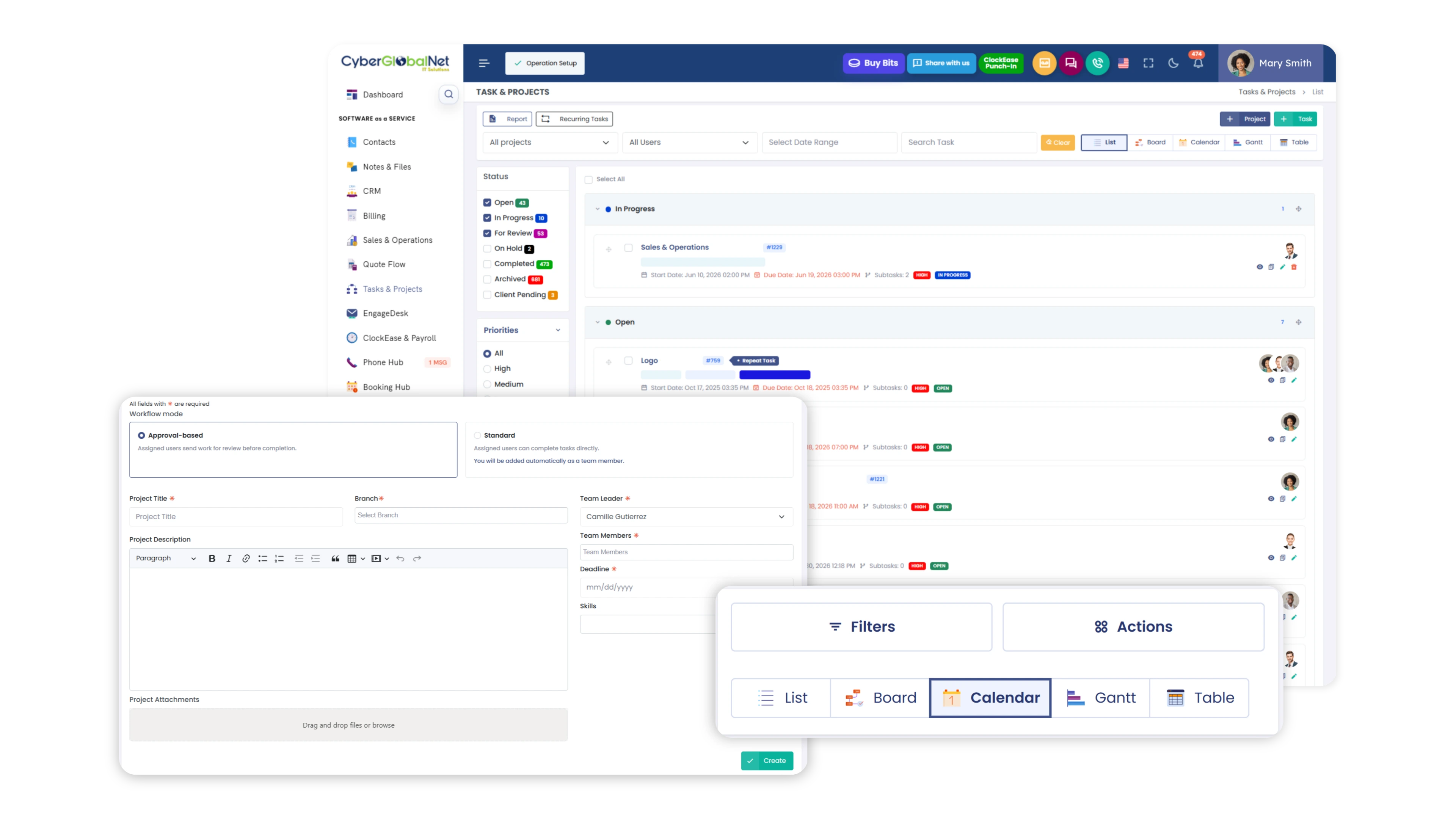
Clear Visibility Across Every Project
Stay on top of tasks, priorities, and progress with a centralized workspace designed to keep work moving.
Manage projects and tasks with greater control
Create Standard or Approval-Based projects, organize subtasks, recurring tasks, priorities, labels, and track time—all from one centralized workspace.
Standard and Approval Based Projects
Choose the ideal structure for your workflow. Set up Standard projects for direct task management and personal use, or utilize the Approval Based format if you require a team leader to review, approve, or reject tasks sent for review.
Advanced task management
Maintain total control over your to do list. Create recurring tasks, break them down into detailed subtasks, clone frequent assignments, and edit priorities or custom tags per project to tailor the workflow to your needs.
Tracking and Time Optimization
Track the exact hours dedicated to each activity with the built in Time Tracker. Plus, communicate seamlessly using chat style notes directly within the task and monitor progress through an interactive timeline of changes.
From Task to Completion
Track every task from creation to completion with complete visibility at every stage.
Task Created
A new task is added to the project.
Assigned
The task is assigned to the right team member.
In Progress
Work begins according to the project plan.
In Review
The completed work is reviewed before approval.
Completed
The task is finished and stored in the project history.
Better task visibility
Keep activities, assignments, and responsibilities organized.
Clear priorities
Quickly identify what needs attention first.
Better project visibility
Monitor project progress without losing important information.
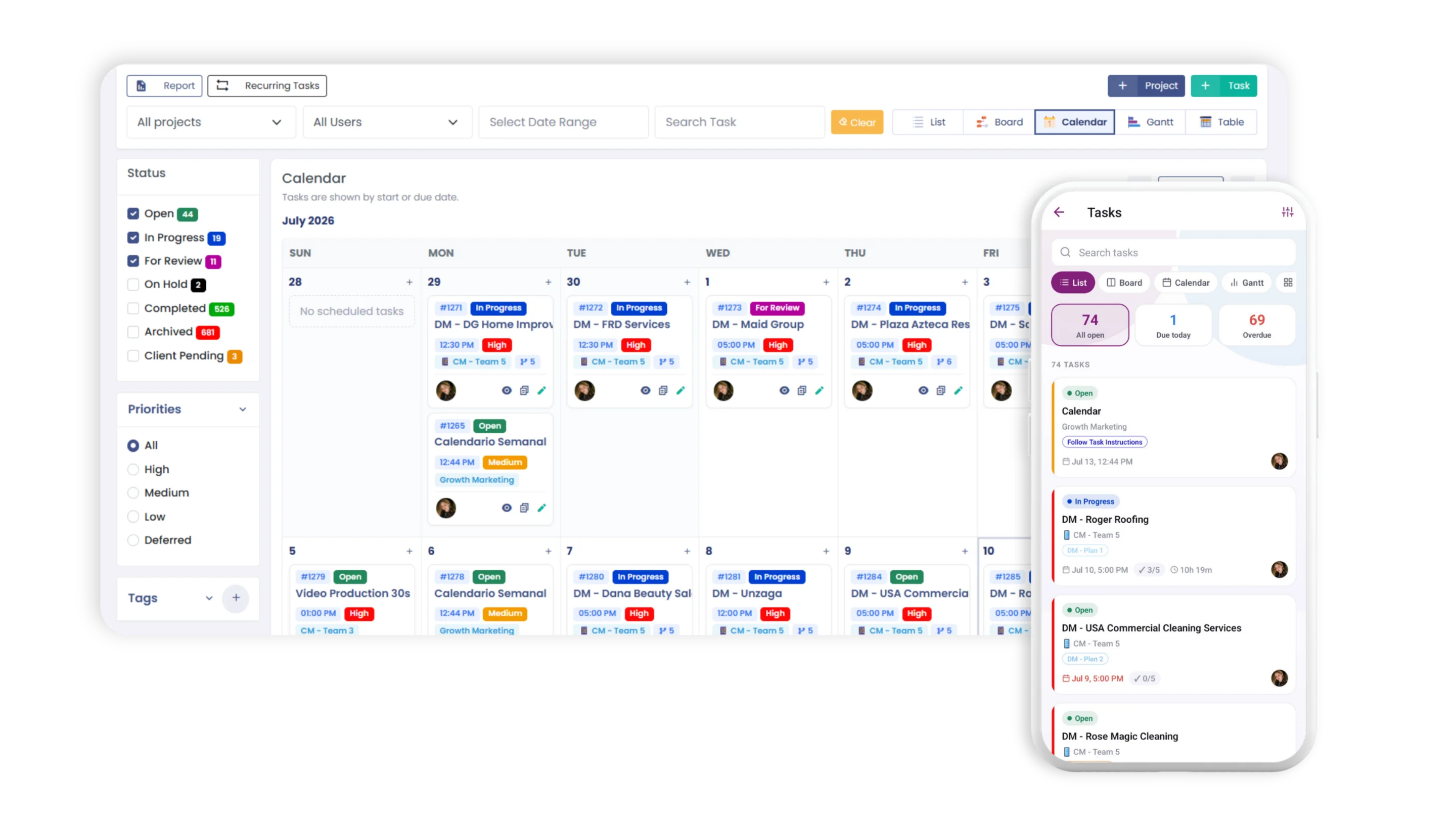
Work Your Way
Choose the view that best fits your team's workflow and project management style.
List View
View tasks, assignees, and due dates in a structured list.
Board View
Organize and manage tasks with a visual Kanban board.
Calendar
Track deadlines, schedules, and important dates.
Gantt
Visualize project timelines, dependencies, and progress.
Table
Filter, sort, and analyze detailed task information.
Ready to keep your projects moving?
Organize tasks, priorities, and projects from one platform designed to help your team stay productive.