

Video Meeting
Google Meet and Zoom Meetings, Linked to Your Bookings
Connect your own Google or Zoom account once. Booking Hub gives every appointment its own meeting link, you can generate a quick meeting any time, and Cybix keeps each meeting’s status, recording and transcript a click away.
Manage Meetings from Your Workspace
Generate Google Meet and Zoom links, get one for every booking, and follow each meeting’s status, recording and transcript.
Connect your video conferencing tools
Connect Google Meet or Zoom once to get meeting links for your bookings and quick meetings, and follow every meeting’s status, recording and transcript from Cybix.
A link for every booking
Booking Hub generates a unique Google Meet or Zoom link for each appointment, and Generate Meeting gives you a quick one any time.
Your own account
Each person connects their own Google or Zoom account and sees the meetings created with it.
Recordings & transcripts
Links to each meeting’s recording and transcript in your Google Drive or Zoom Cloud. Available with supported Google Meet and Zoom plans.
From Scheduling to Meeting
Connect once, and every meeting gets its link, its status and its recording in one place.
Account Connected
Connect your Google or Zoom account once.
Meeting Created
A booking or Generate Meeting creates the Meet or Zoom link.
Share Meeting Link
Copy the join link to share it. Booking Hub sends its own appointment emails.
Meeting in Progress
Join or start the call in Google Meet or Zoom.
Follow-Up
Access links to recordings and transcripts to review past meetings.
Centralized meetings
See each meeting’s status, links and files in one place.
Connected integrations
Work with Zoom and Google Meet from a single workspace.
Automatic links
Booking Hub creates the meeting link for each appointment.
Available Integrations
Choose Google Meet or Zoom for each Booking Hub event type, and connect the account your team already uses.


Every meeting and its status, at a glance
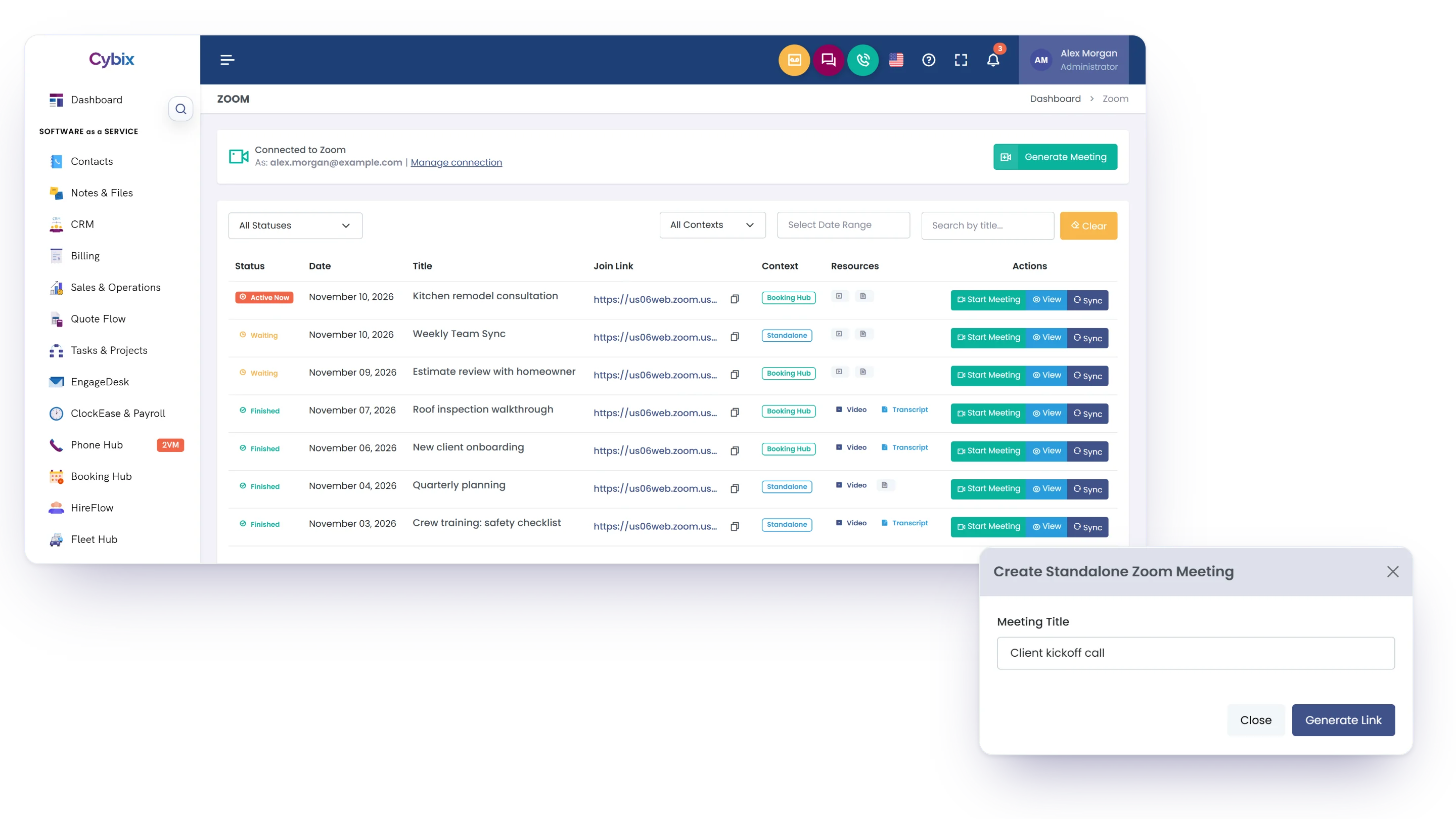
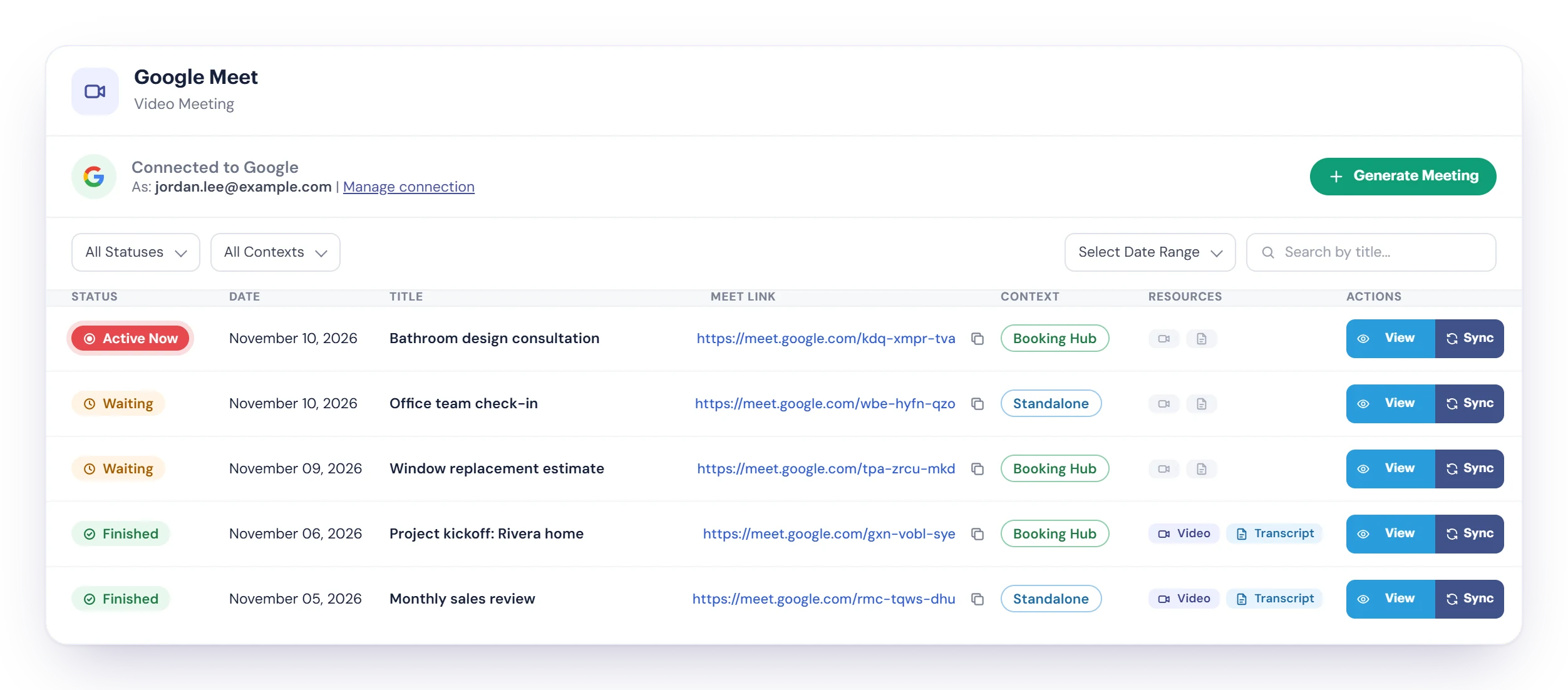
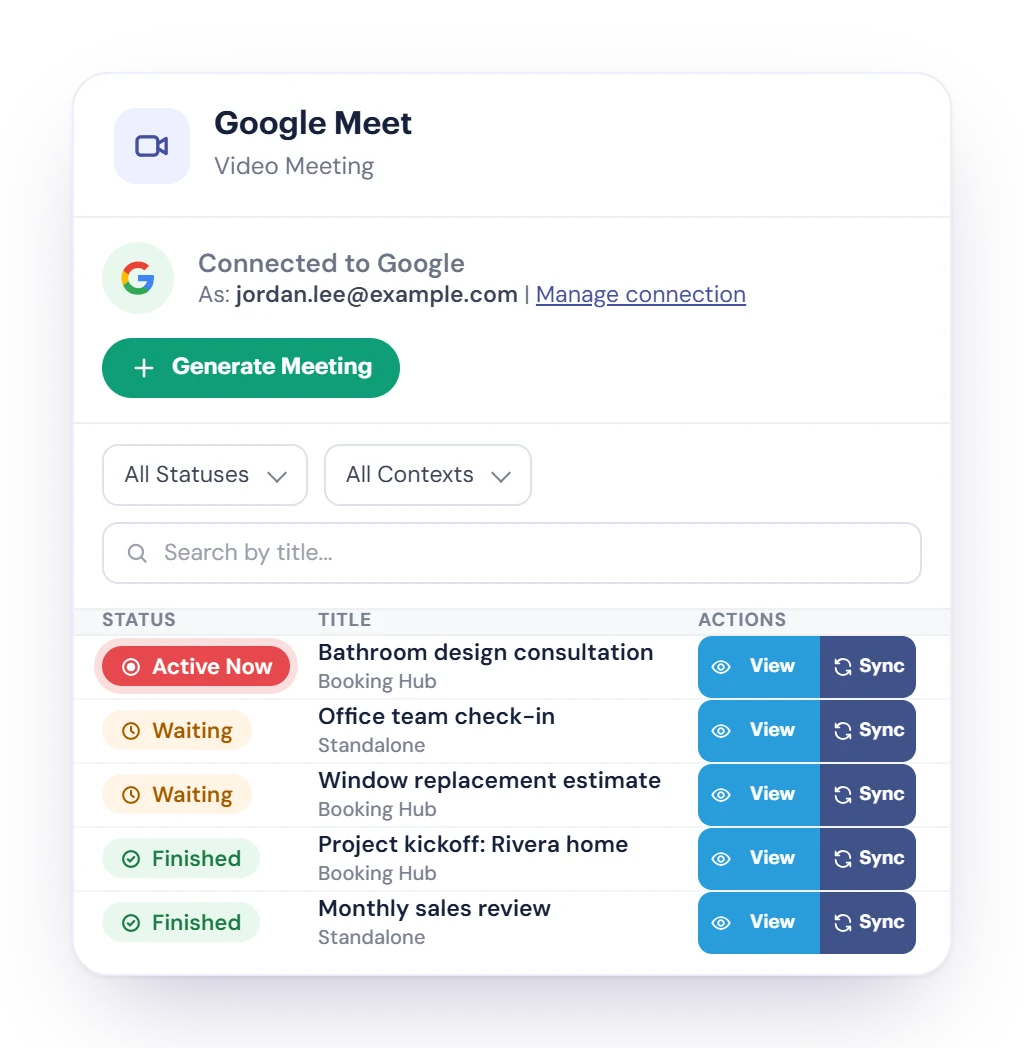
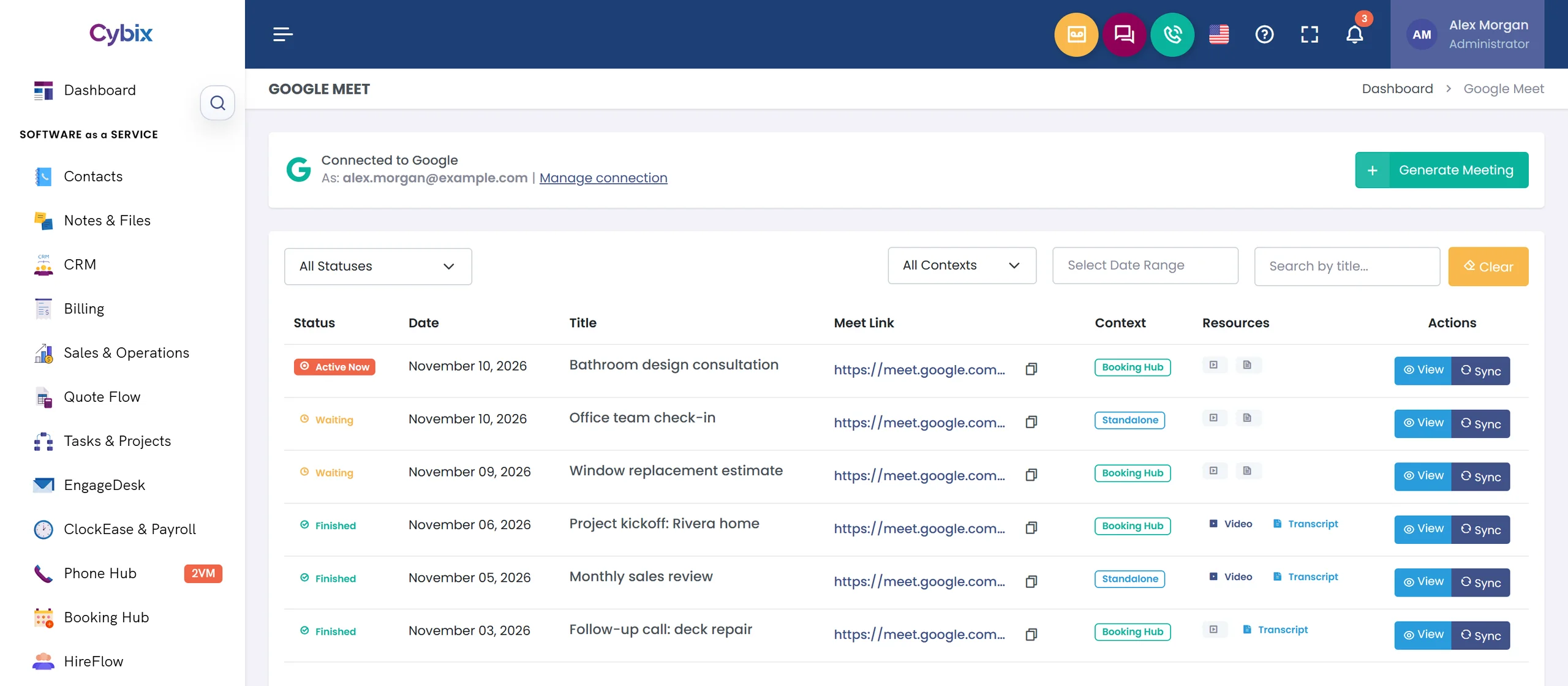
Google Meet and Zoom each have their own list: see what’s waiting, what’s live right now and what has finished.
Waiting, Active Now, Finished
Each meeting’s status updates on its own, so you know when a call has started or ended.
Booking or quick meeting
Booking Hub appointments and meetings you generated yourself sit side by side, labeled Booking Hub or Standalone.
Filters and search
Filter by status, context and date range, or search by title, then copy a link or open the meeting.
A meeting link for every booking
Booking Hub creates the Google Meet or Zoom link for you. Video Meeting is included with Booking Hub.
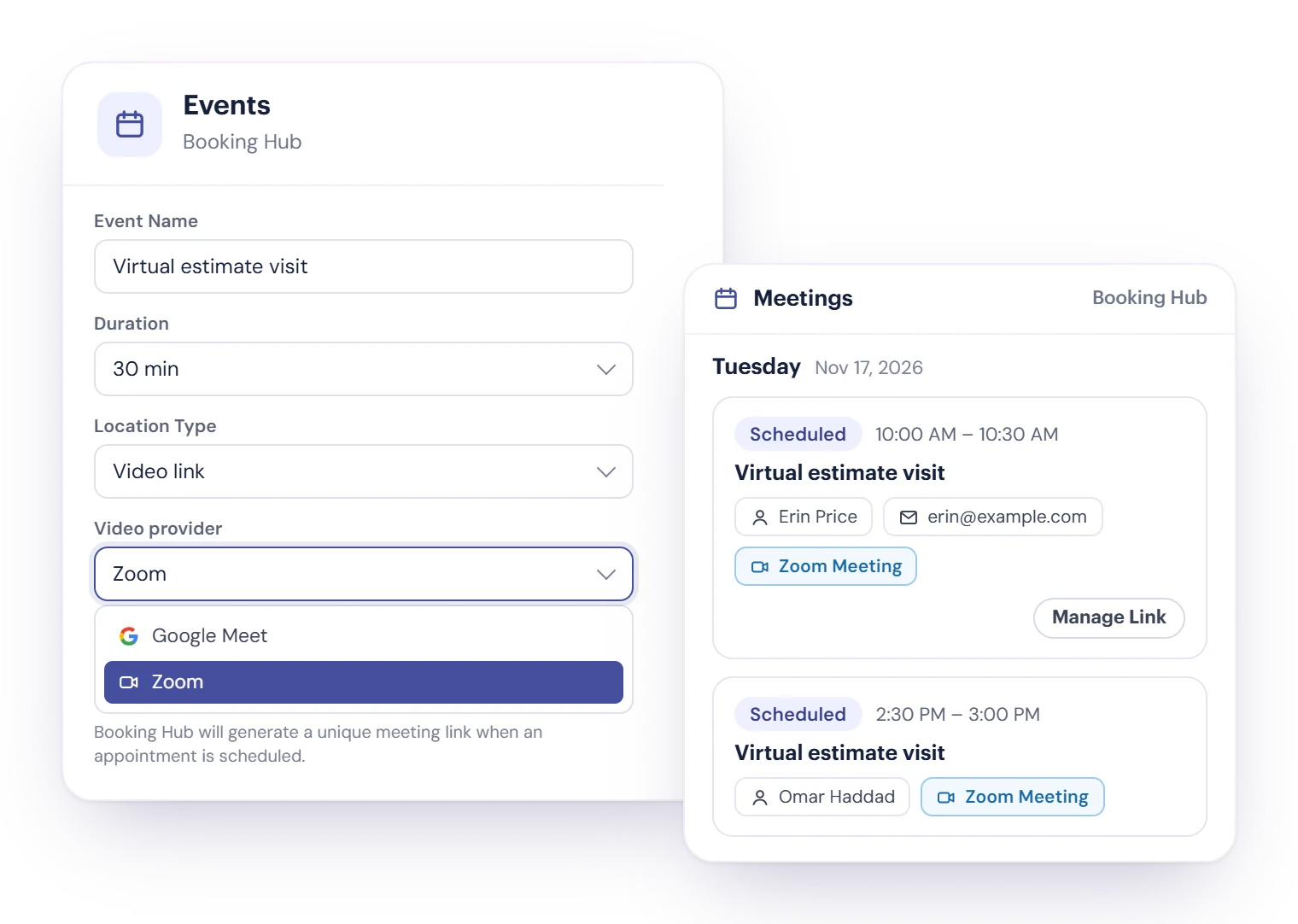
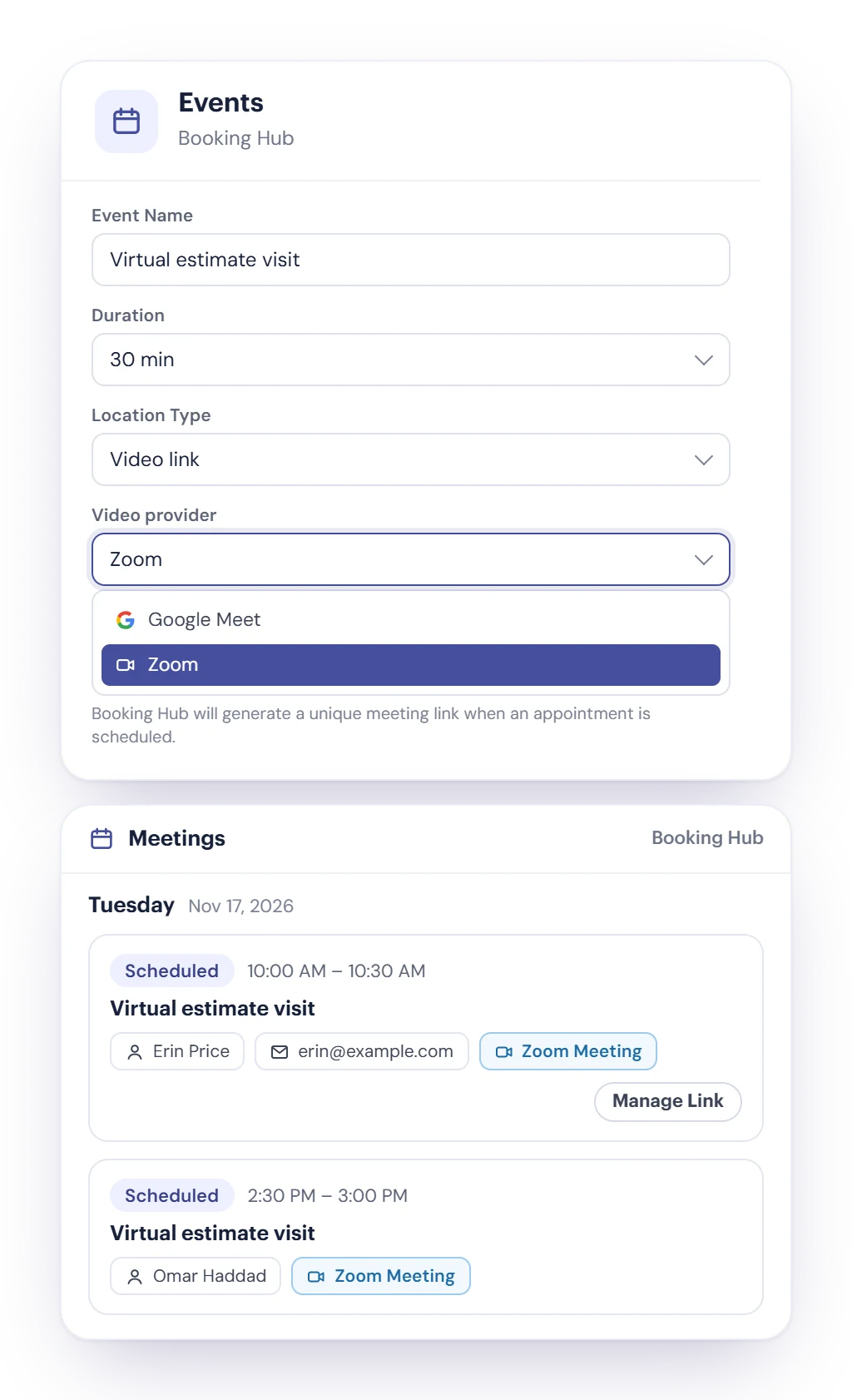
- On a Booking Hub event type, set the location to Video link and choose Google Meet or Zoom.
- When someone books, Booking Hub generates a unique meeting link for that appointment on the host’s connected account.
- The link shows on the appointment in Booking Hub’s Meetings, and the meeting appears in Video Meeting labeled Booking Hub.
- Team events skip members who haven’t connected the video provider until they do. See Booking Hub.
Recordings and transcripts, a click away
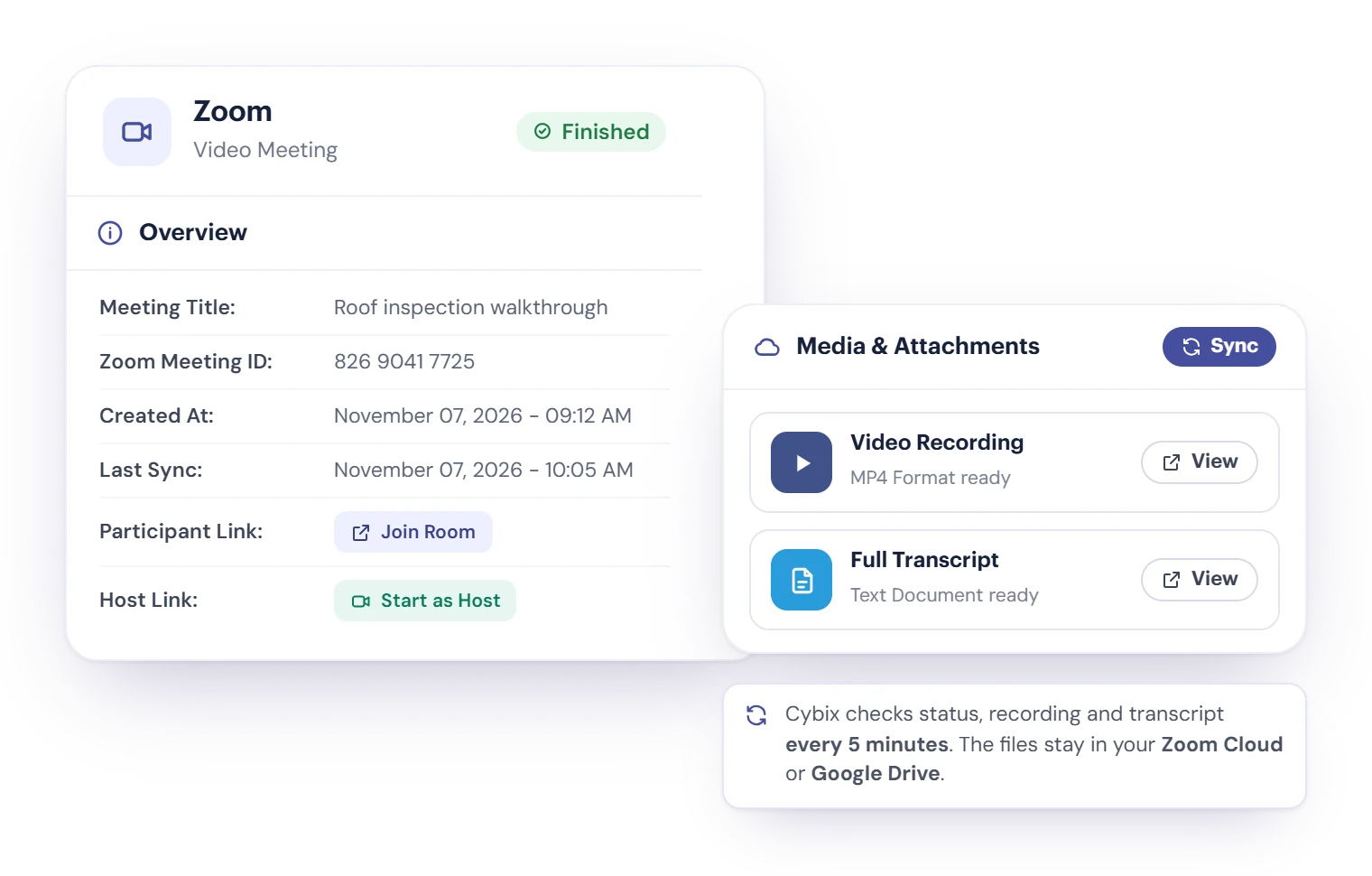
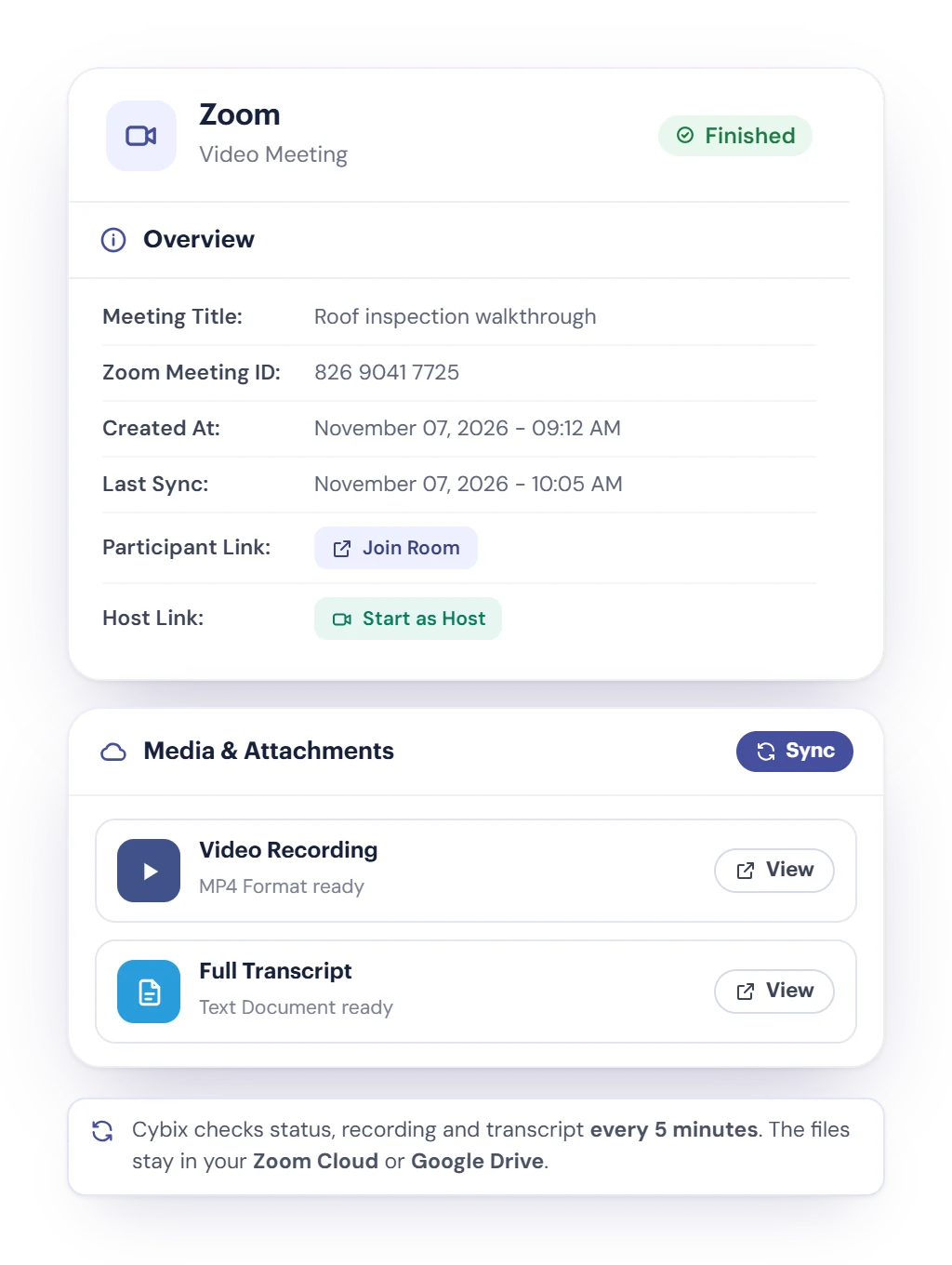
When your Google or Zoom plan records a meeting, Cybix finds the files and links to them.
Checked every 5 minutes
Cybix checks each meeting’s status, recording and transcript every five minutes, and Sync checks one right away.
Your files stay with you
Google Meet recordings and transcripts open in your own Google Drive and Docs. Zoom recordings play and transcripts download straight from your Zoom Cloud, with no copy kept in Cybix.
Host link and join link
For Zoom, Start Meeting opens the call as the host, and the join link is the one you share, so the two never get mixed up.
Your own account, your own meetings
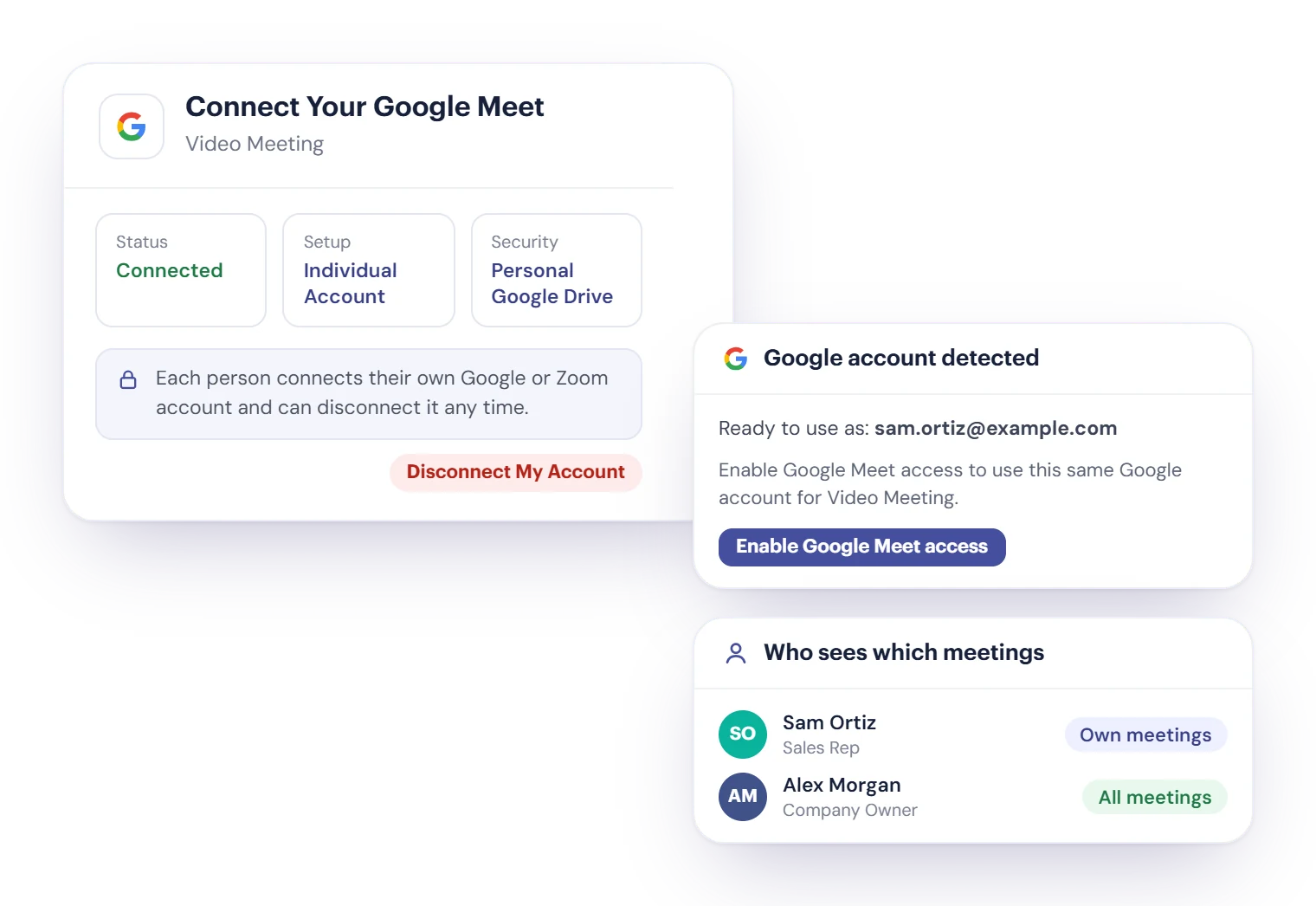
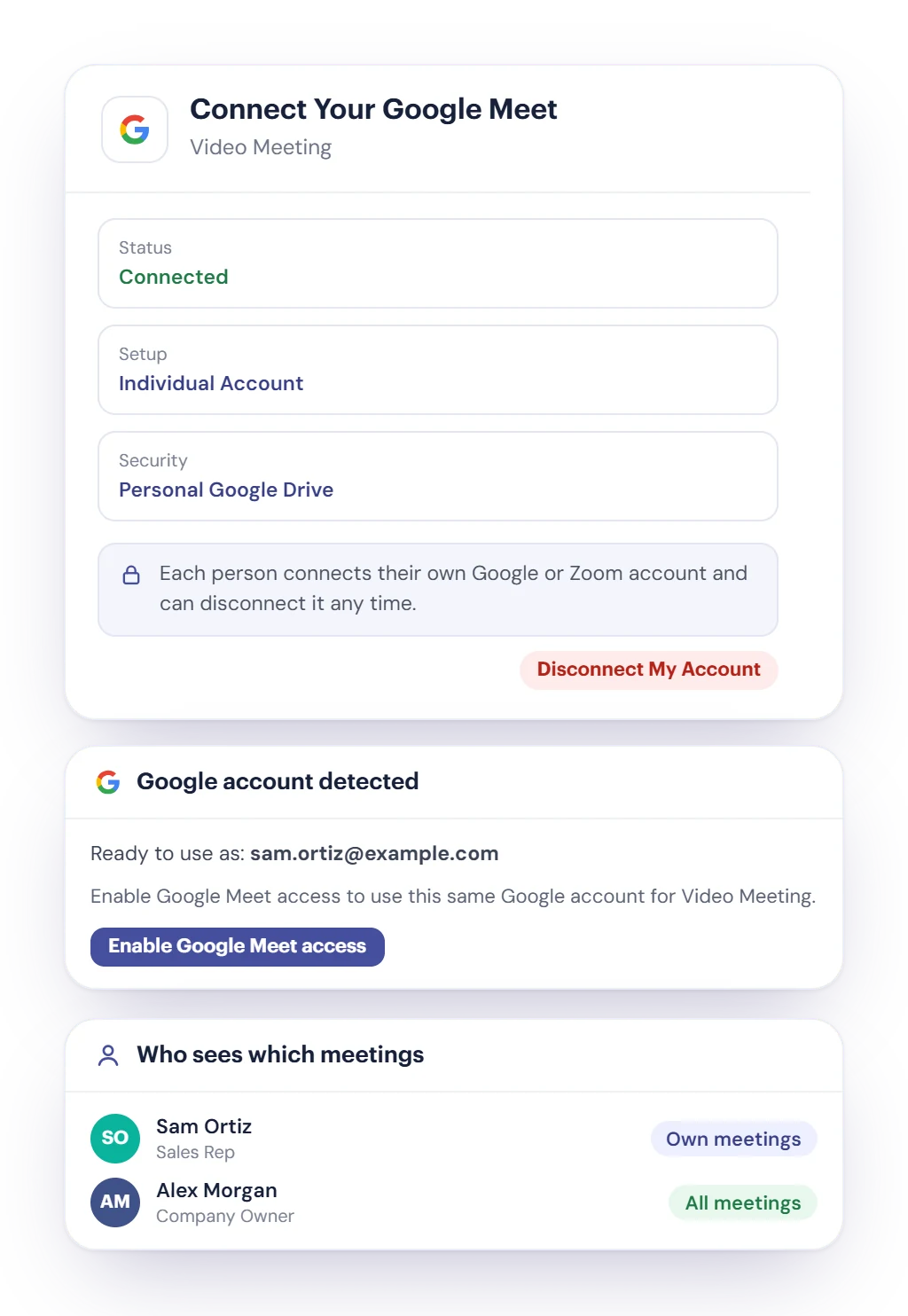
Each person connects their own Google or Zoom account, so every meeting is created on the right account.
- Each person signs in with their own Google or Zoom account and can disconnect it any time.
- Already connected Google to Cybix? Enable Google Meet access on that same account in one step.
- Everyone sees their own meetings. People with admin-level Video Meeting access, the Company Owner by default, see everyone’s.
- Optional extra access lets Cybix look for recordings and transcripts on plans that support them.
Connected to the rest of Cybix
Video Meeting works with the modules and settings your team already uses.
Booking Hub
Every appointment can get its own Google Meet or Zoom link. Booking Hub includes Video Meeting. See Booking Hub.

Cybix AI
Ask Cybix AI for your upcoming meetings or a meeting’s details, create a meeting, or sync its recording and transcript.
Cybix mobile app
See which provider is connected, your meeting, recording and transcript totals and recent meetings, and tap one to open its link.
Google Meet
Meet links on your own Google account, with recordings and transcripts kept in your Google Drive and Docs.
Zoom
Separate host and join links, with recordings and transcripts played from your Zoom Cloud when you open them.
Roles and permissions
Decide who can view meetings, create them and manage the connection.
Video Meeting questions, answered
Still deciding? Try the live demo or talk to our team.
What does Video Meeting do in Cybix?
It connects your Google Meet or Zoom account so Cybix can create meeting links: one for every Booking Hub appointment, or a quick standalone meeting from the dashboard. Each meeting’s status, recording and transcript are kept in the Google Meet or Zoom list.
Do meetings take place inside Cybix?
No. Join Room and Start Meeting open the call in Google Meet or Zoom, in a new tab. Cybix creates the links and keeps track of each meeting.
Does Cybix store recordings and transcripts?
No. Google Meet recordings and transcripts stay in your Google Drive and Google Docs, and Cybix links to them. Zoom recordings and transcripts stay in your Zoom Cloud: Cybix plays the video or downloads the transcript from Zoom when you open it, without keeping a copy.
Will every meeting be recorded and transcribed?
It depends on your Google Meet or Zoom plan and settings. Zoom needs a paid plan with Cloud Recording. Recording and transcripts are available with supported Google Meet and Zoom plans, and Cybix links to them when the provider has them.
Can I schedule a meeting for a specific date and time?
Yes, through Booking Hub: choose Google Meet or Zoom on an event type, and every appointment booked at its time gets its own meeting link. From the Video Meeting dashboard, Generate Meeting creates a link right away with just a title.
How do I share a meeting link?
Copy it from the meetings list and paste it into any message. For Booking Hub appointments, the link is on each appointment and Booking Hub handles its own emails.
Who can see our meetings?
Each person connects their own Google or Zoom account and sees the meetings created with it. People with admin-level Video Meeting access, the Company Owner by default, see everyone’s meetings.
Which video providers work with Cybix?
Google Meet and Zoom. Connect one or both.
Is Video Meeting included with Booking Hub, or sold on its own?
Both. Booking Hub includes Video Meeting, so your appointments can get Google Meet or Zoom links. If you don’t use Booking Hub, you can buy Video Meeting on its own. See pricing.
Ready to add Google Meet and Zoom to your bookings?
Connect Google Meet or Zoom, get a link for every booking, and keep each meeting’s recording and transcript a click away.