Phone Hub
Business Calls, Texts and Voicemail for Your Team
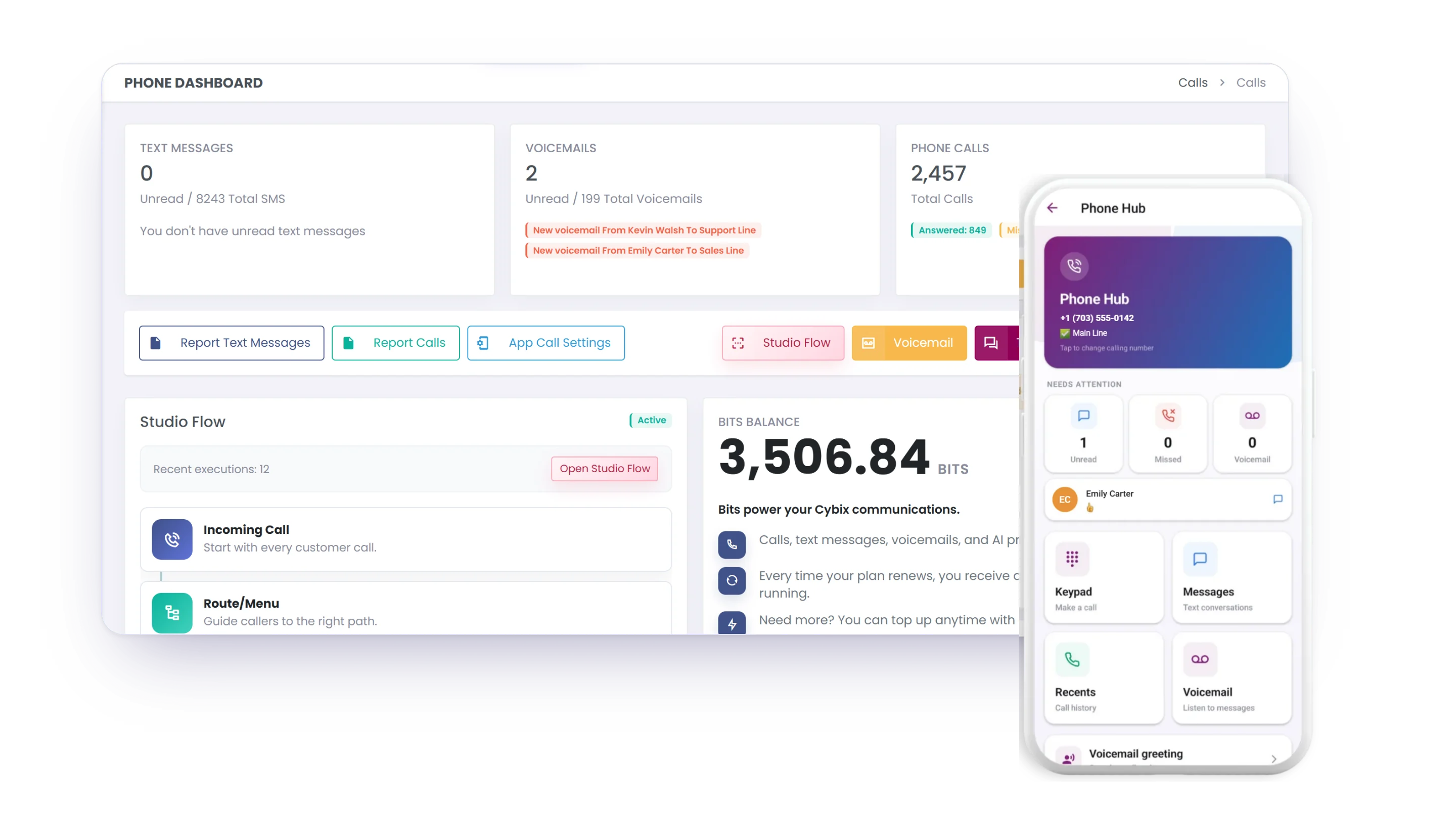
Call from your browser or the mobile app, record calls with Cybix AI summaries, text customers one by one or in campaigns, and keep every conversation in one shared workspace.
Customer Communication in One Place
Keep every call, text message, and customer interaction organized from one centralized workspace.
Keep every customer conversation organized
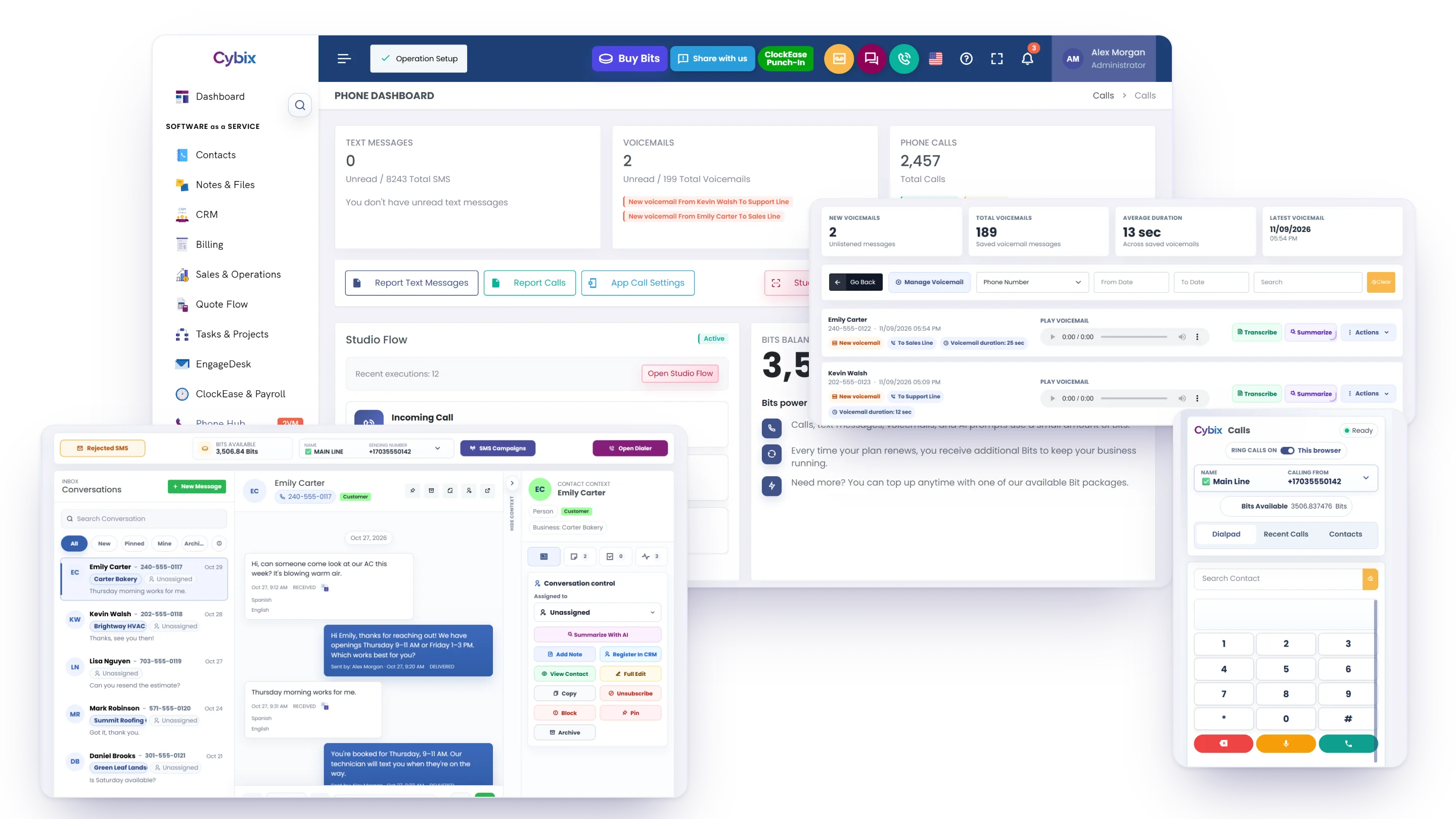
View calls, text messages, assigned conversations, SMS campaigns, and recent activity from one centralized workspace designed to improve customer communication.
Activity history
Review calls, messages, and recent activity from one centralized dashboard to keep every customer interaction organized.
SMS campaigns
Create, schedule and manage SMS campaigns that send in small, timed batches.
Studio Flow logs
Link a number to your Twilio Studio flow and see each execution and its report in Cybix.
From Conversation to Follow-Up
Keep every interaction organized and ensure consistent follow-up across your team.
Message Received
Texts arrive in a shared inbox for each of your numbers.
Assigned
Assign the conversation to the right team member.
Respond & Follow Up
Reply while keeping the full conversation history available.
Organized
Archive conversations and maintain records for future reference.
Ongoing Support
Your team always has access to the complete communication history.
Smarter collaboration
Assign conversations to the right team members and improve response times.
Organized communication
Keep calls, messages, and conversation history in one place.
Better continuity
Maintain complete communication records for every customer interaction.
AI-Powered Communication
With Cybix AI turned on, write, translate and summarize faster, right inside your texts, voicemail and recorded calls.
AI Writing Assistance
Improve the clarity and quality of messages before sending them.
Message Translation
Translate drafts and incoming texts in 11 languages without leaving the chat.
Grammar Correction
Review and polish messages before they're sent.
Summaries & Transcriptions
Transcribe or summarize a voicemail with one click when you need it.
Context
Summarize a conversation or get suggested replies before you answer.
Answer from the browser or the app
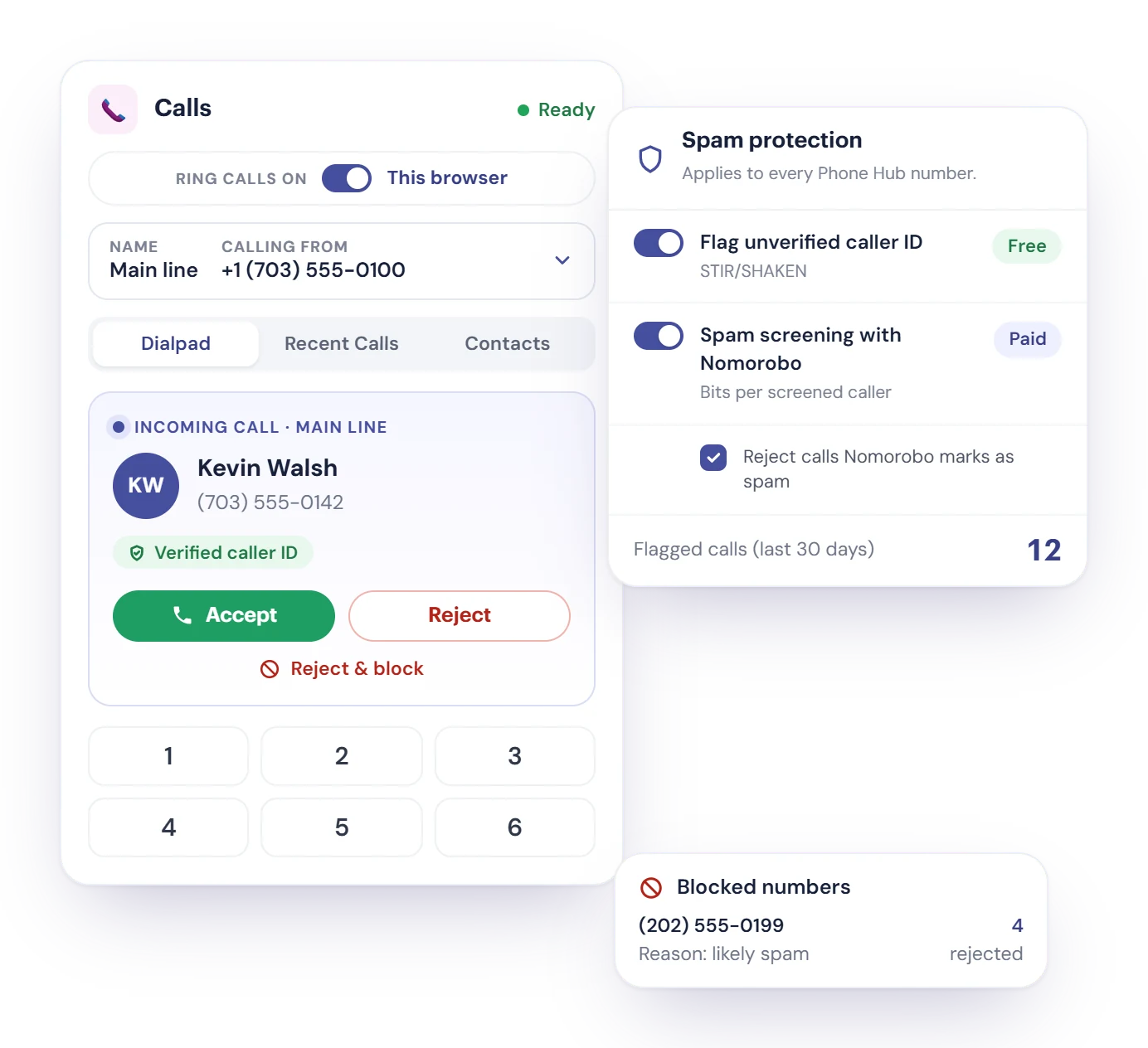
The Phone Hub browser phone has a dialpad, your contacts and recent calls, and a picker for the number you call from. Each number rings where you choose: this browser or the Cybix mobile app.
- A call to a shared number rings everyone assigned to it. The first person to answer takes it, the other devices stop ringing, and unanswered calls go to voicemail.
- With App Call Settings, each person rings their app always, on a schedule, or not at all.
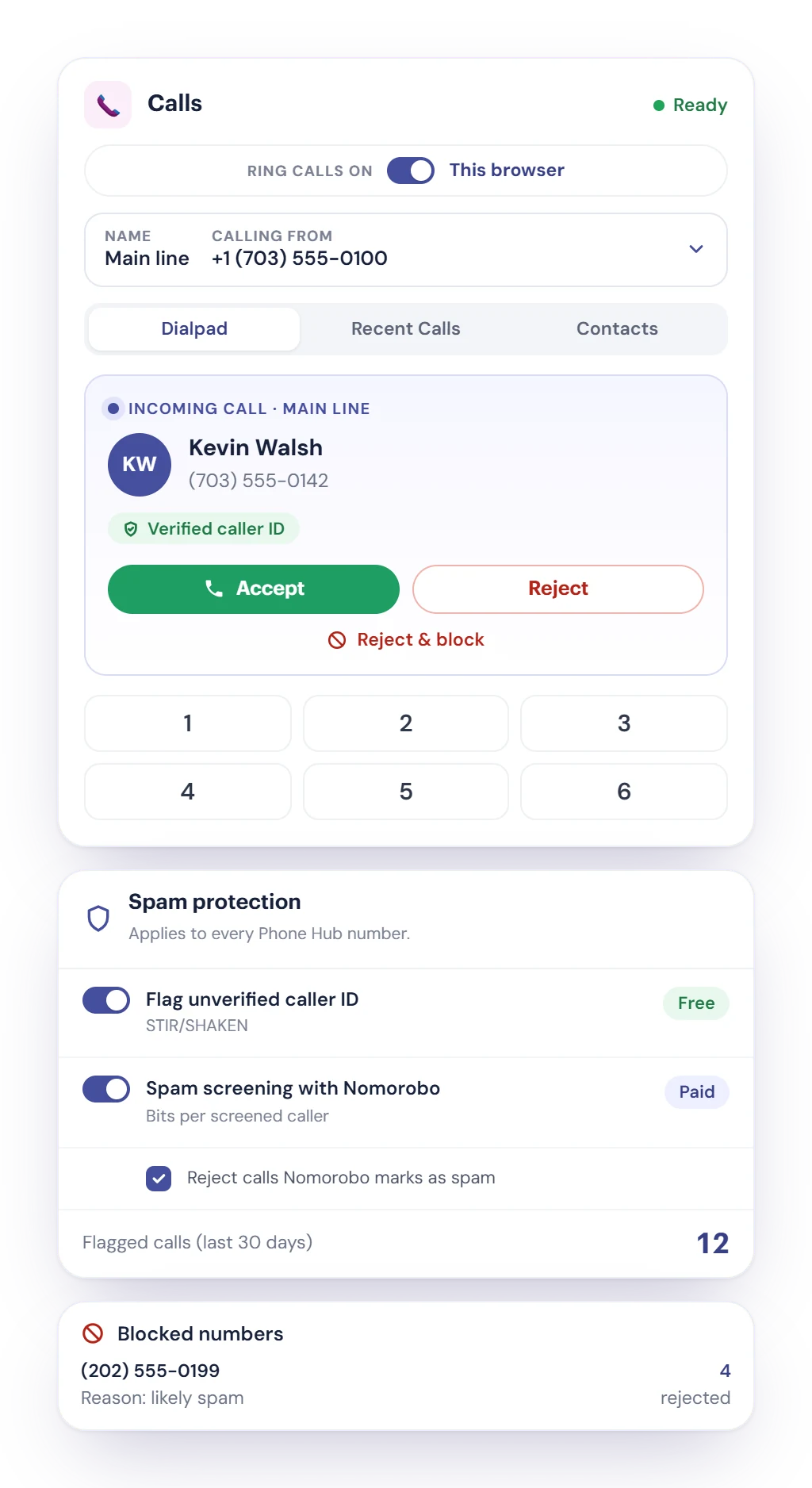
- Incoming calls show whether the caller ID was verified. Optional Nomorobo screening, paid in Bits, flags likely spam or rejects it.
- Reject & block a caller in one tap. Blocked numbers are rejected before they ring, and their texts are filed without a notification.
Record calls, with Cybix AI on request
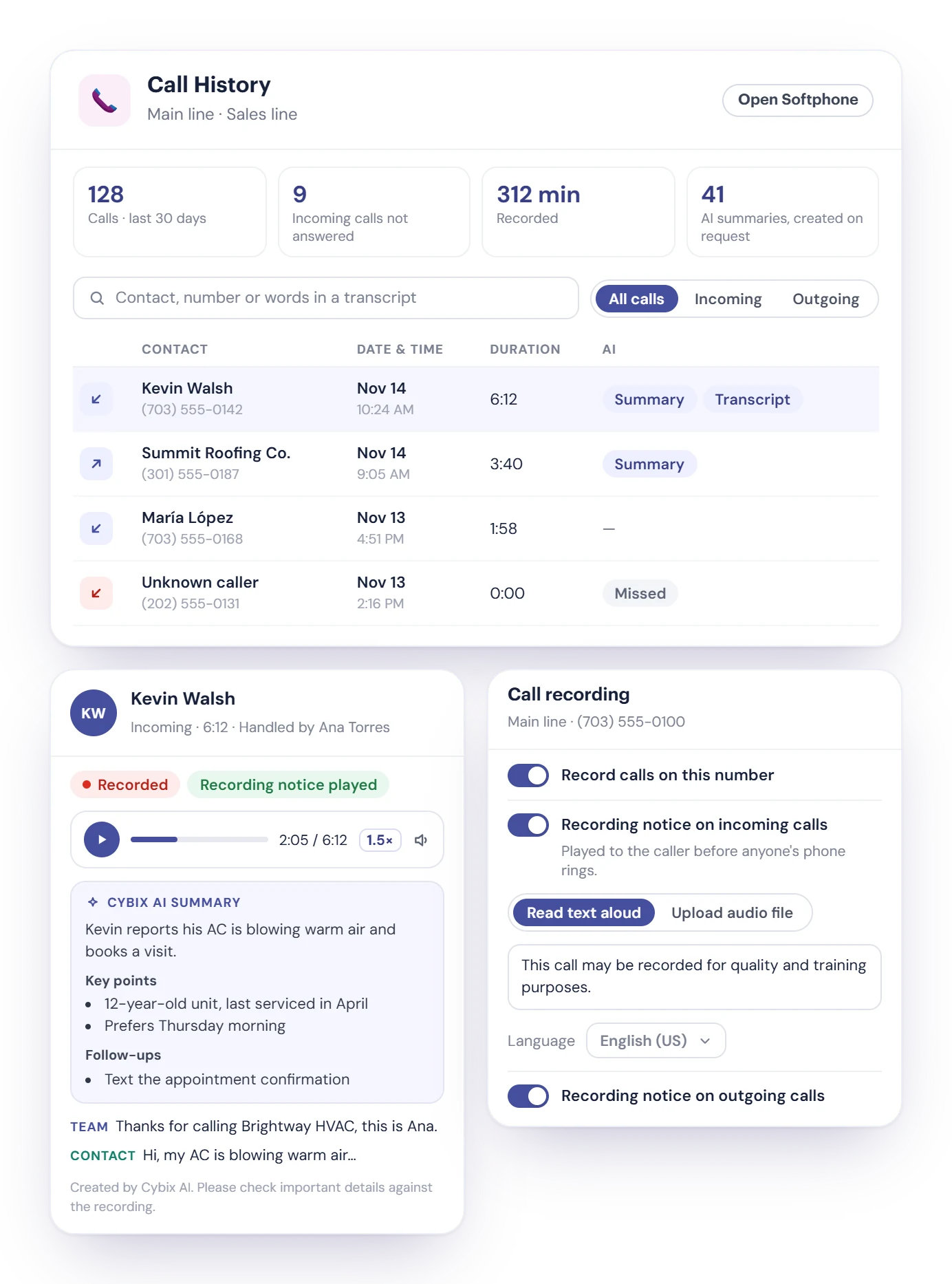
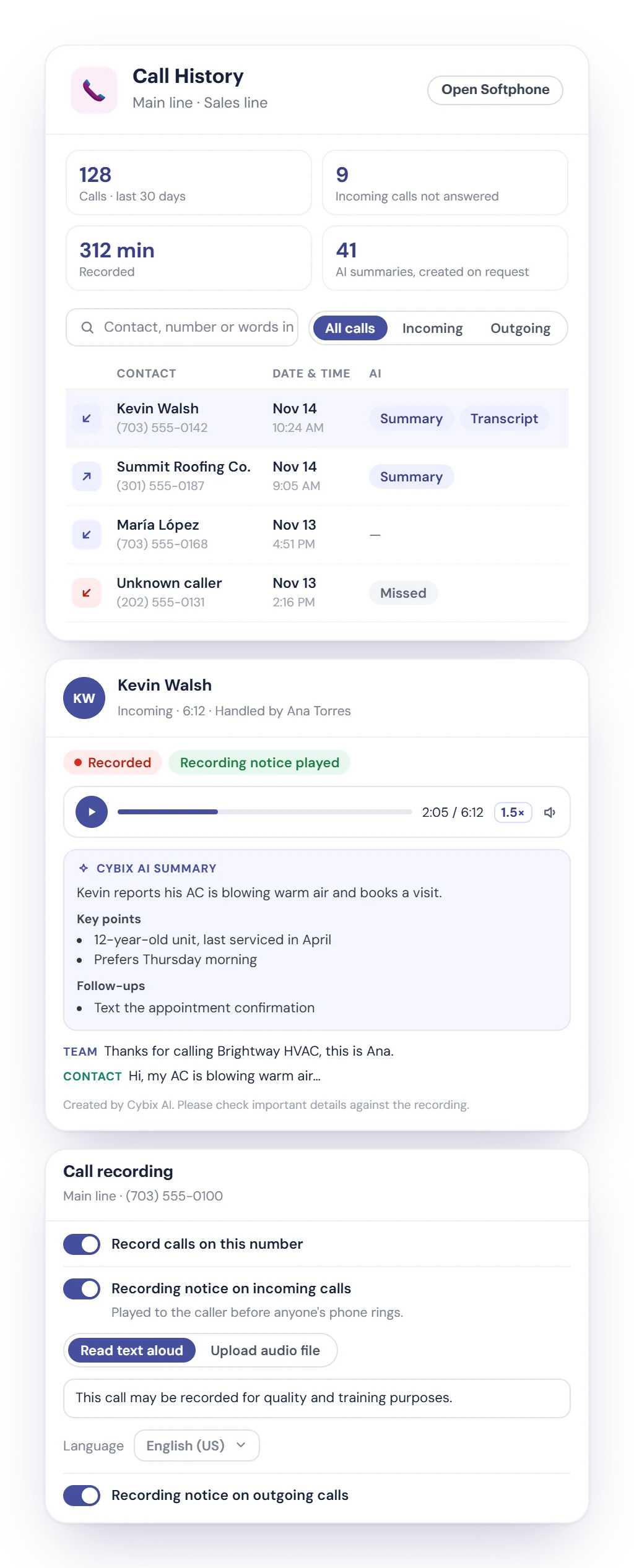
Turn on call recording for a number, and every recorded call lands in Call History with a player, plus a transcript and a summary whenever you ask for them.
- Recording is off by default. Turn it on per number to record incoming and outgoing calls, on the web softphone and the Cybix app.
- An automatic recording notice plays to callers before anyone’s phone rings, and to the people you call when they answer. Cybix reads your text aloud in English or Spanish, or plays an MP3 or WAV you upload.
- Call History shows the calls on your lines. Search by contact, number or words in a transcript, and play recordings at the speed you want.
- With the Cybix AI module, create a transcript that labels who said what, or a summary with key points and follow-ups.
- Roles decide who can listen, download, pause or delete recordings. Recordings are kept privately in your workspace and can be deleted automatically after 30, 60, 180 or 365 days.
Recording uses Bits for each recorded minute, and each transcript or summary uses Bits too. Some US states require everyone on a call to agree to recording, so keep the notice on or tell the other person.
Every text, with what you need to answer it
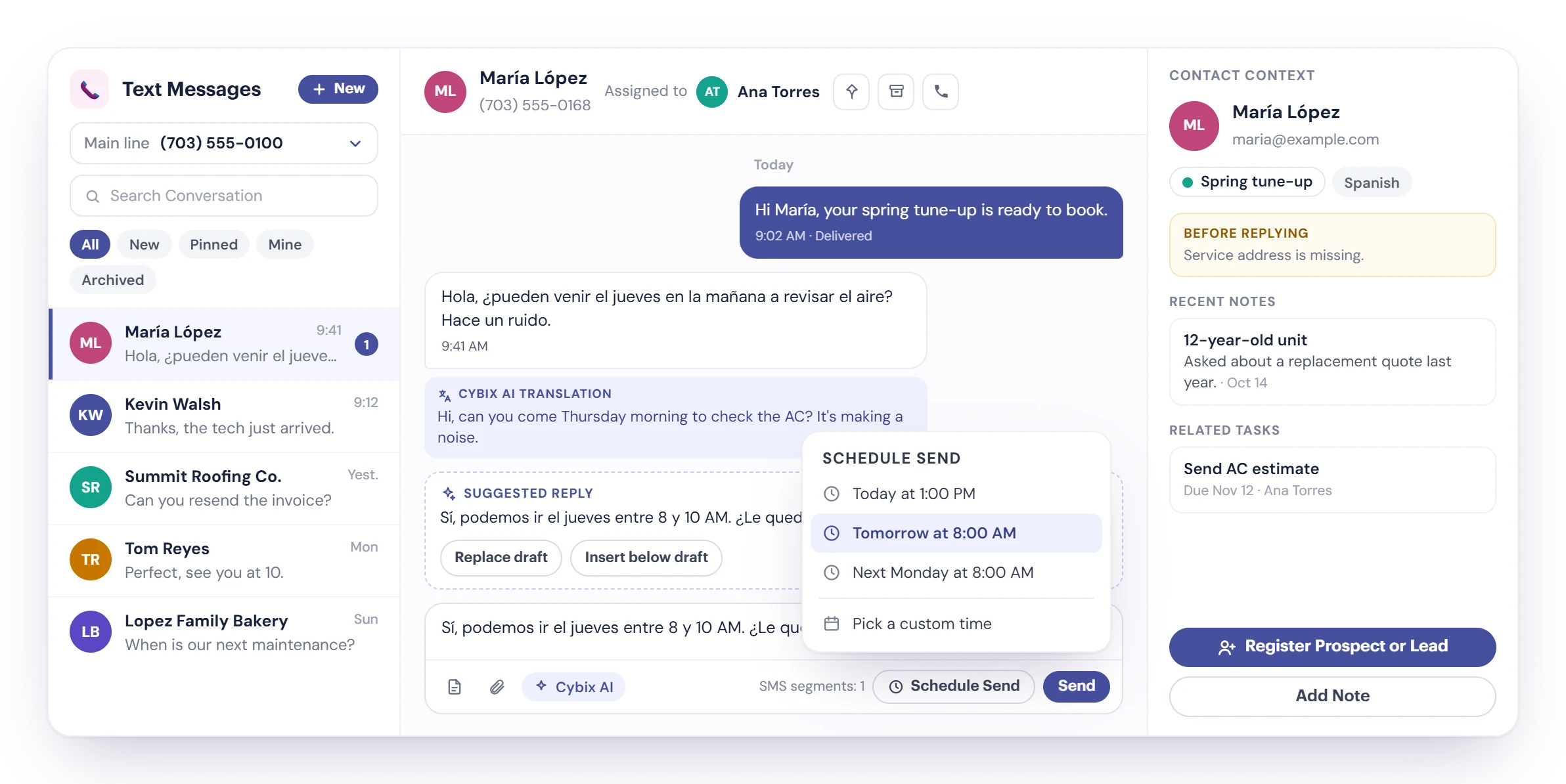
The Text Messages inbox keeps SMS and MMS conversations for each number, with filters for new, pinned, mine and archived, and a teammate assigned to each conversation.
Schedule send
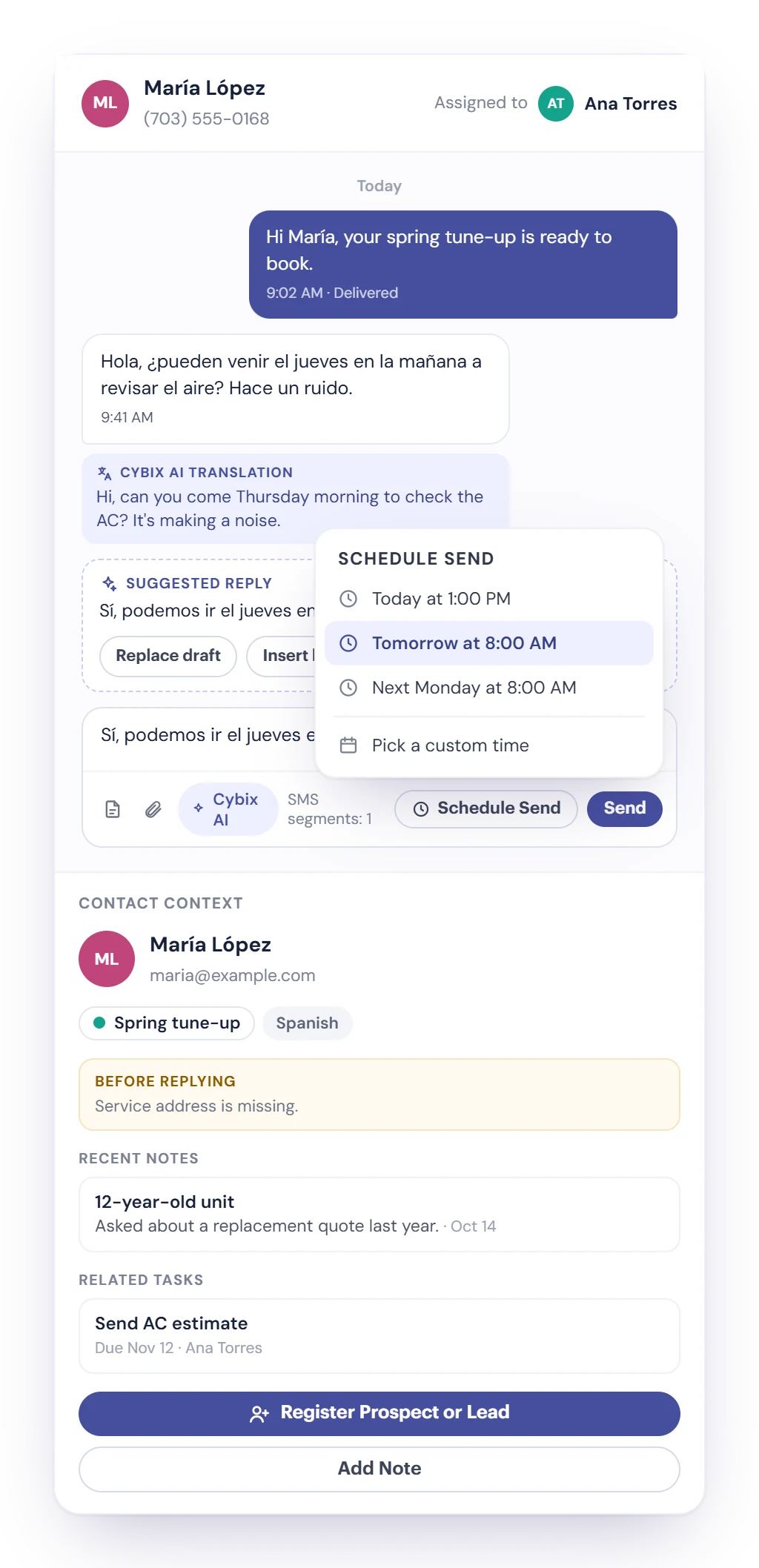
Send now or pick a time: today at 1 PM, tomorrow at 8 AM, next Monday, or any time you choose. You’re alerted if a scheduled text can’t be sent.
Cybix AI in the composer
Get suggested replies, improve, shorten or fix the grammar of a draft, and translate drafts and incoming texts in 11 languages.
A CRM lead from a text
The contact panel shows notes, tasks, labels and activity. Register a prospect or lead from the conversation, or add the text to your to-dos.
SMS campaigns with guardrails
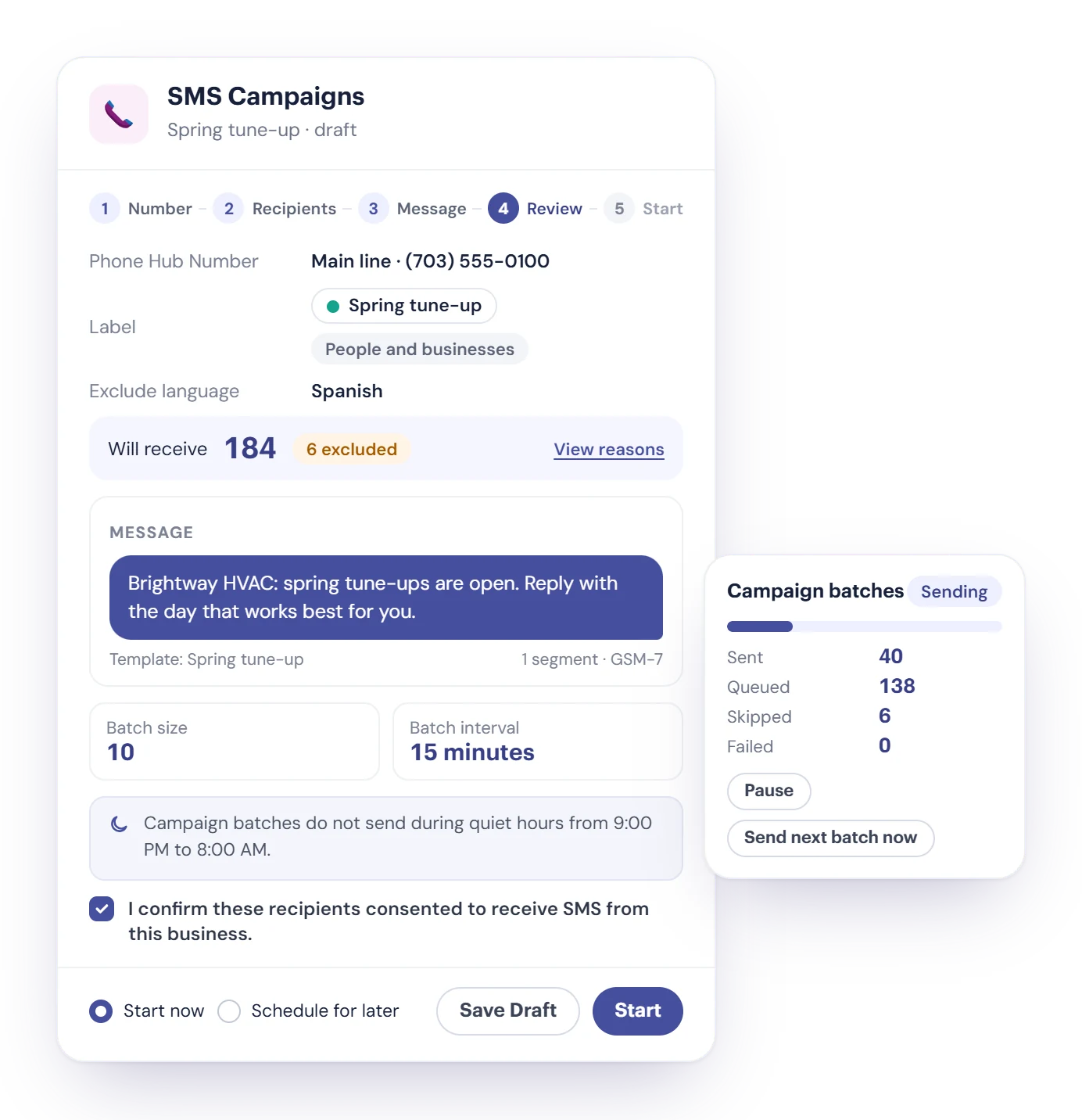
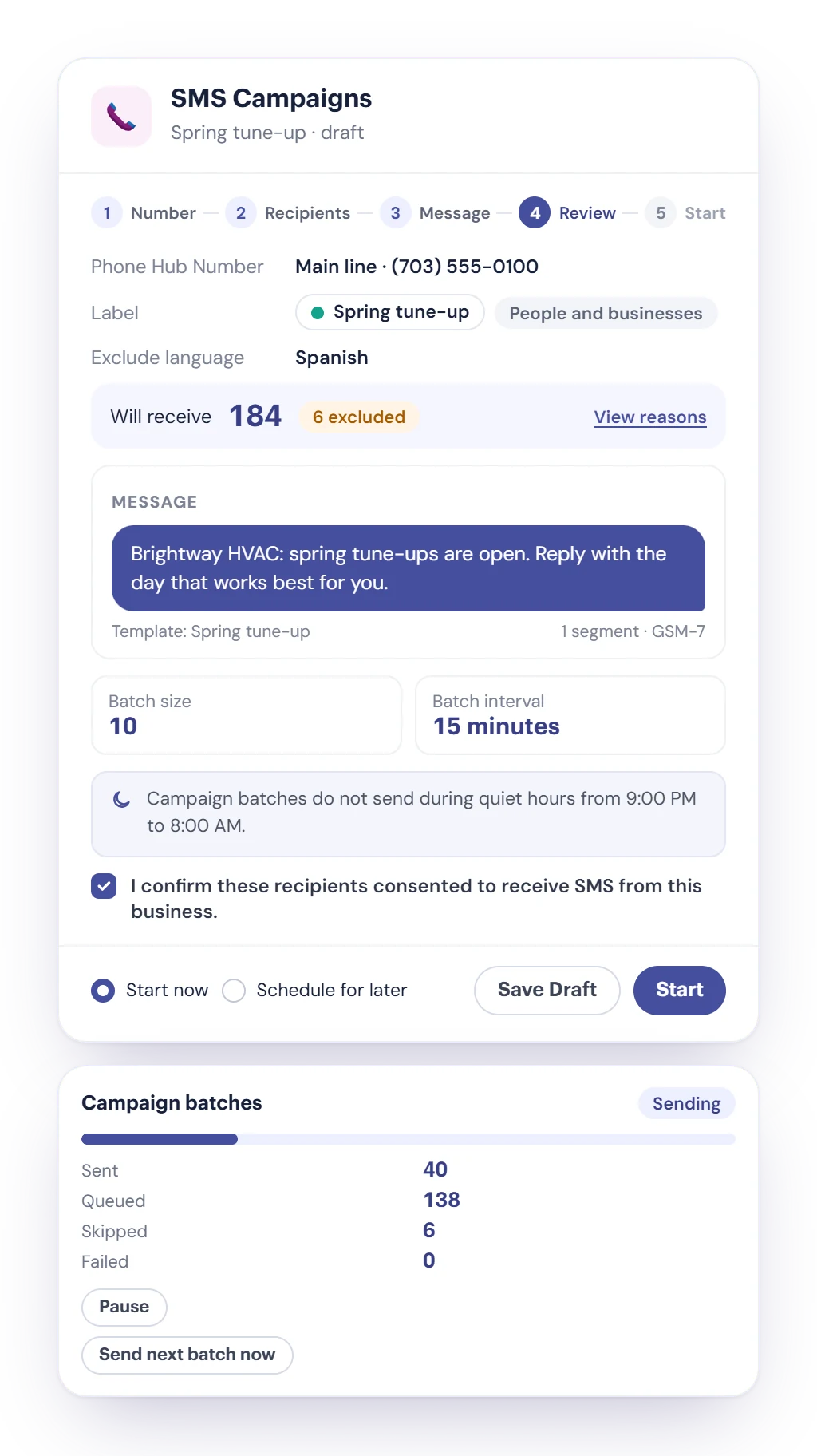
Pick a number, choose recipients by Contacts label, write the message from a template, and start now or schedule it.
- Send to people, businesses or both, or add recipients one by one.
- Exclude a language and see who was left out and why. Duplicates, invalid numbers and unsubscribed contacts are skipped.
- Messages go out in batches of 10 every 15 minutes, and no batch sends during quiet hours, 9 PM to 8 AM.
- Before you start, confirm the recipients agreed to receive texts from your business. Pause, resume, cancel or duplicate a campaign at any time.
Voicemail your team can act on
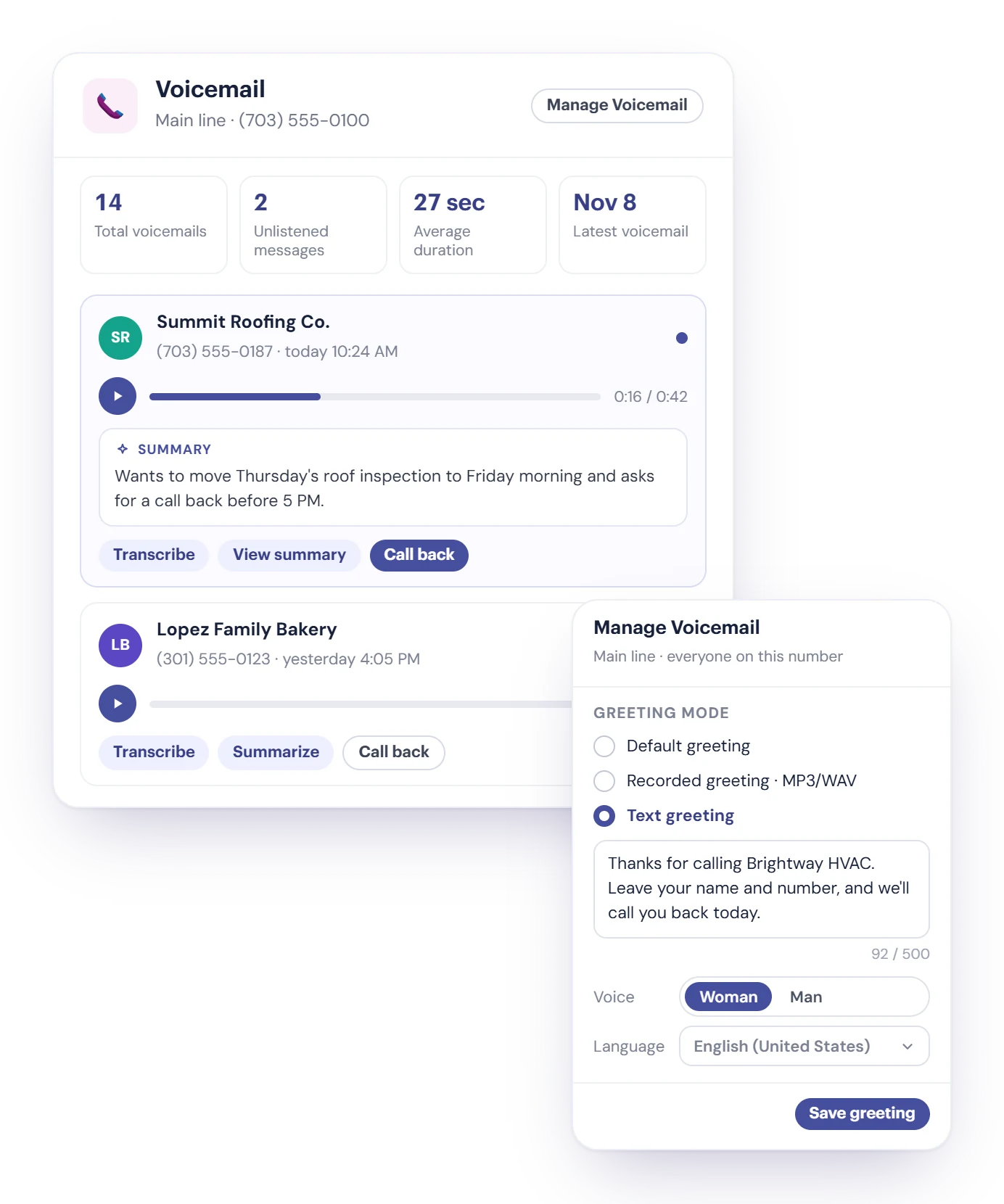
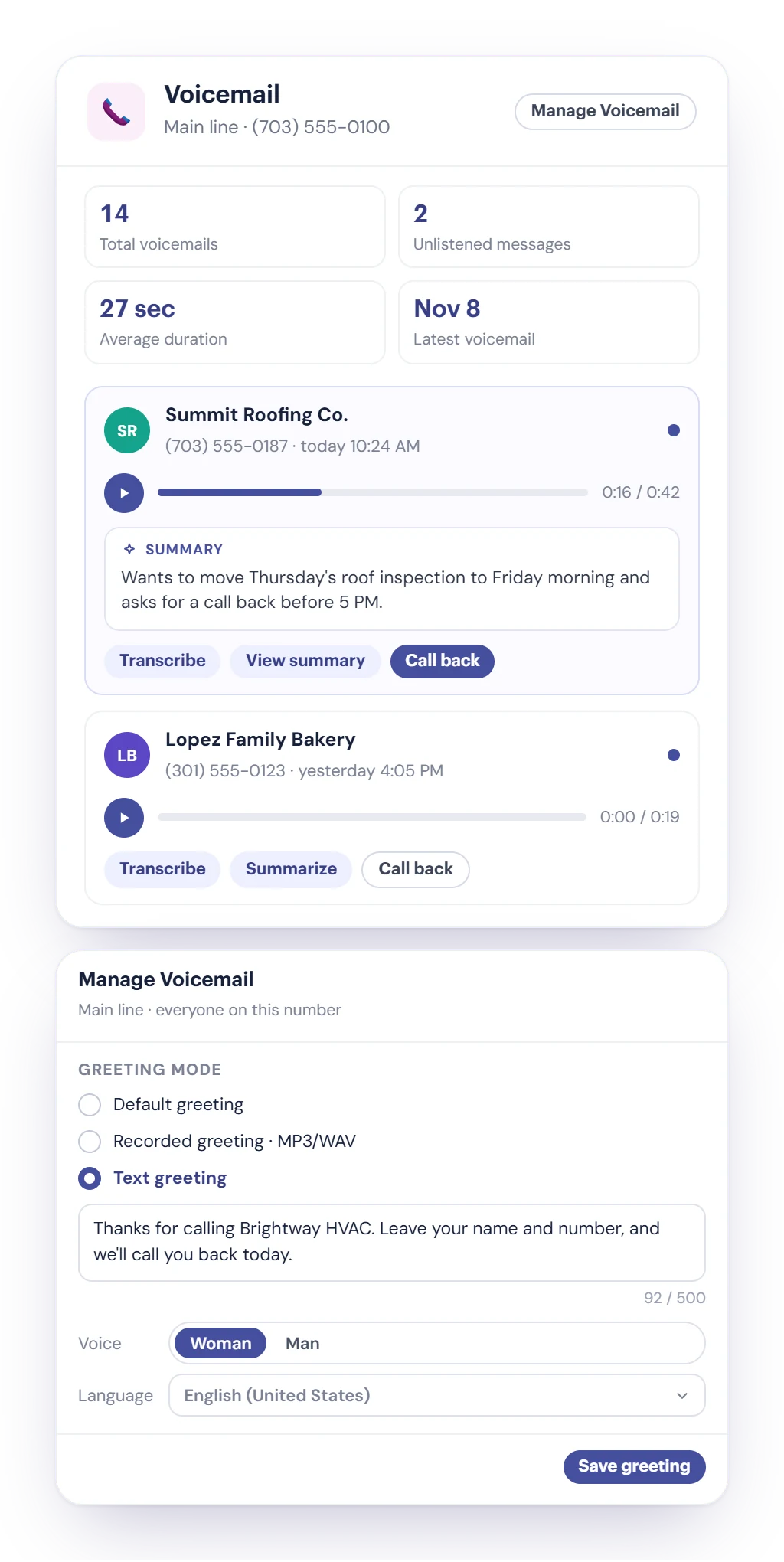
Every number has its own voicemail. Callers can leave up to 60 seconds, and your team plays the message and calls back right from the list.
Transcribe or summarize
One click turns a voicemail into a transcript or a short summary when you need it. It uses Cybix AI and a few Bits.
Your greeting, per number
Keep the standard greeting, record one in the browser or upload an MP3 or WAV, or type text the system reads aloud in English or Spanish.
Follow up
Mark it as read, create a note, open the contact or add the call back to your to-dos.
Calls you record are kept separately, in Call History.
Templates in folders, and costs you can see
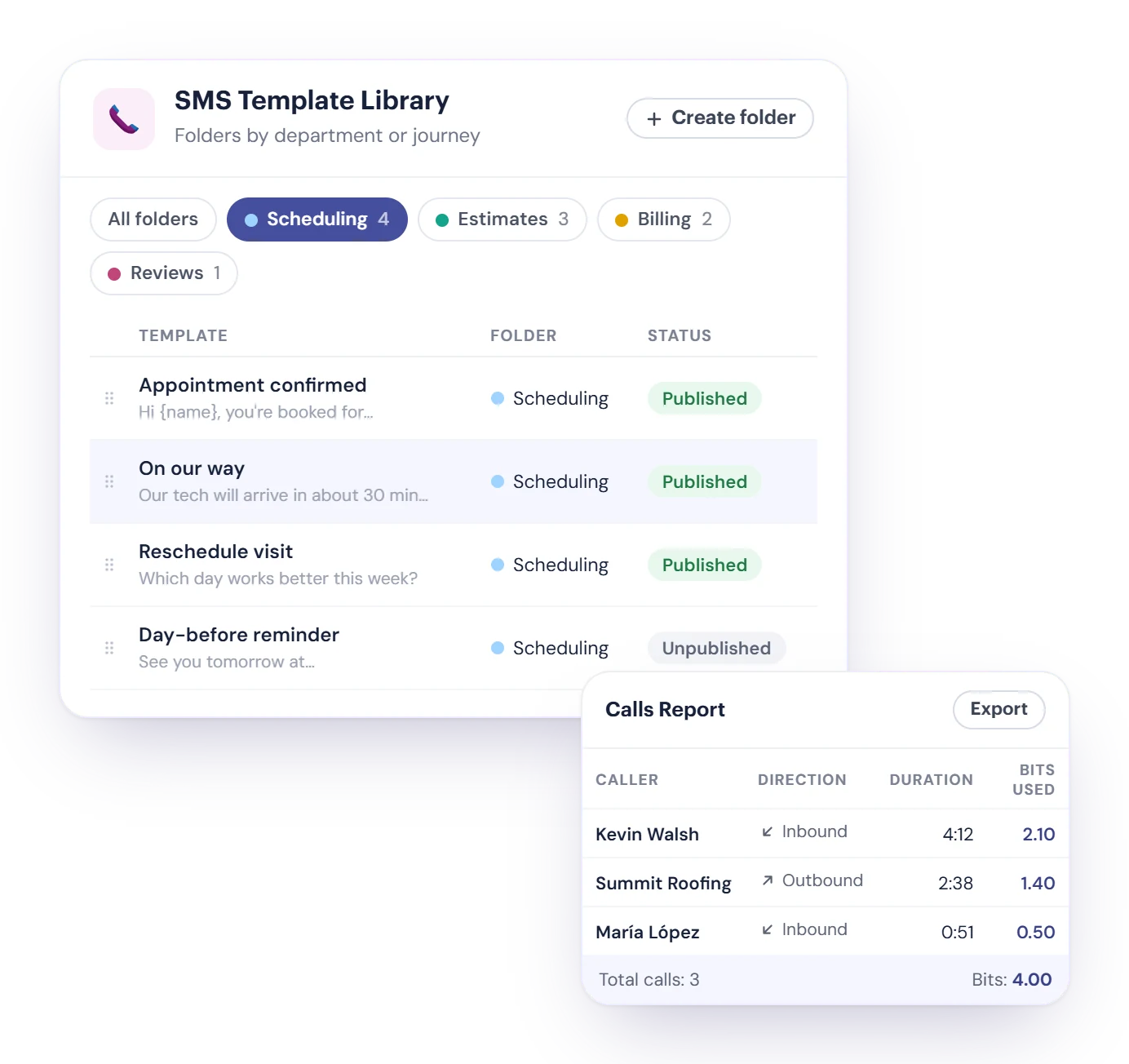
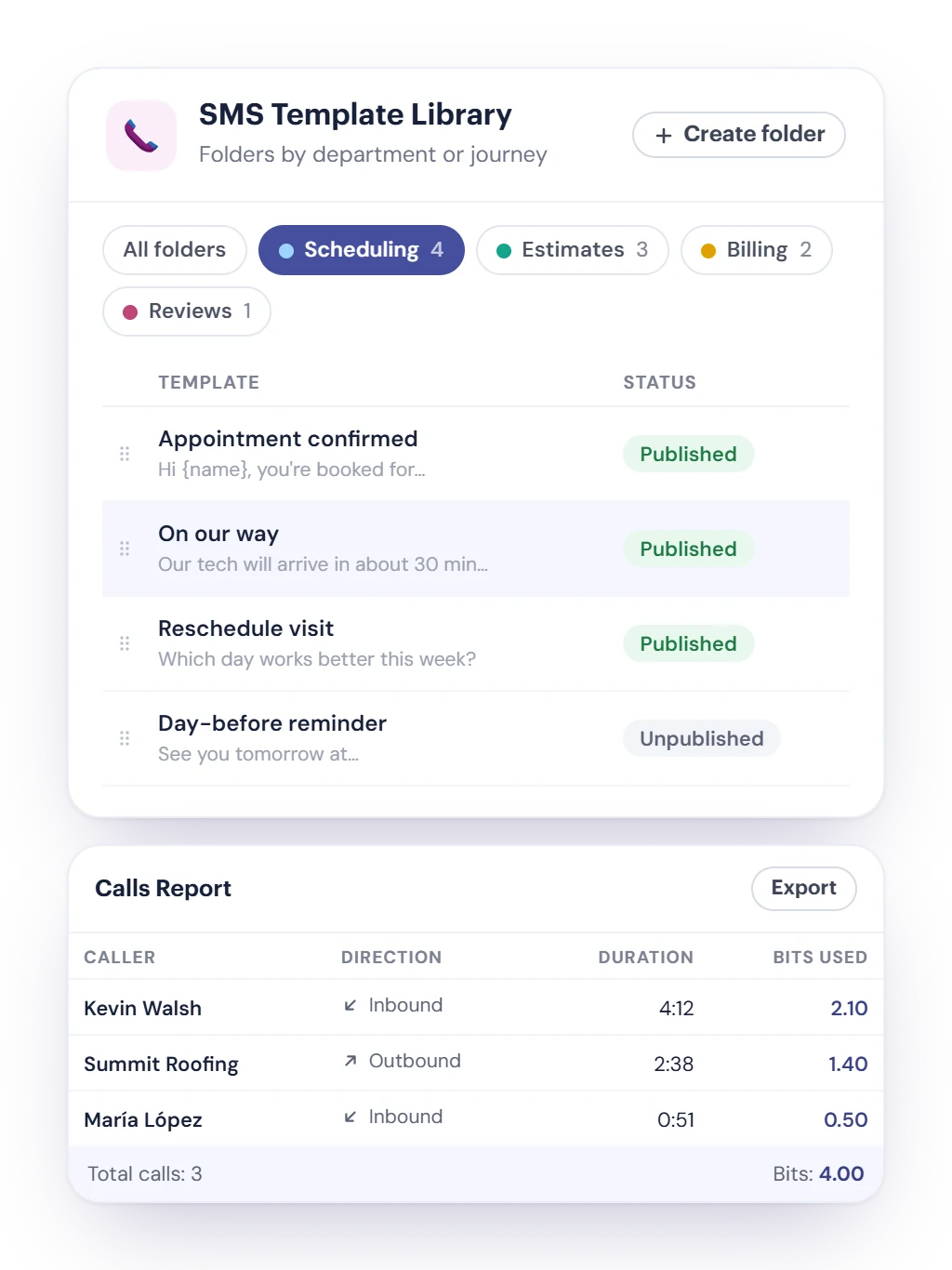
The SMS Template Library groups your replies in folders by department or customer journey, and anyone can insert a published template from the inbox.
- Give each folder a name, a color and a description, and drag templates into the order you want.
- Publish a template when it’s ready. Unpublished templates stay out of the inbox.
- Calls, texts, voicemail and AI use Bits from a prepaid balance. The Calls Report and the SMS/MMS Report show the Bits each call and message used, and you can print or export both.
A Bits limit for each person
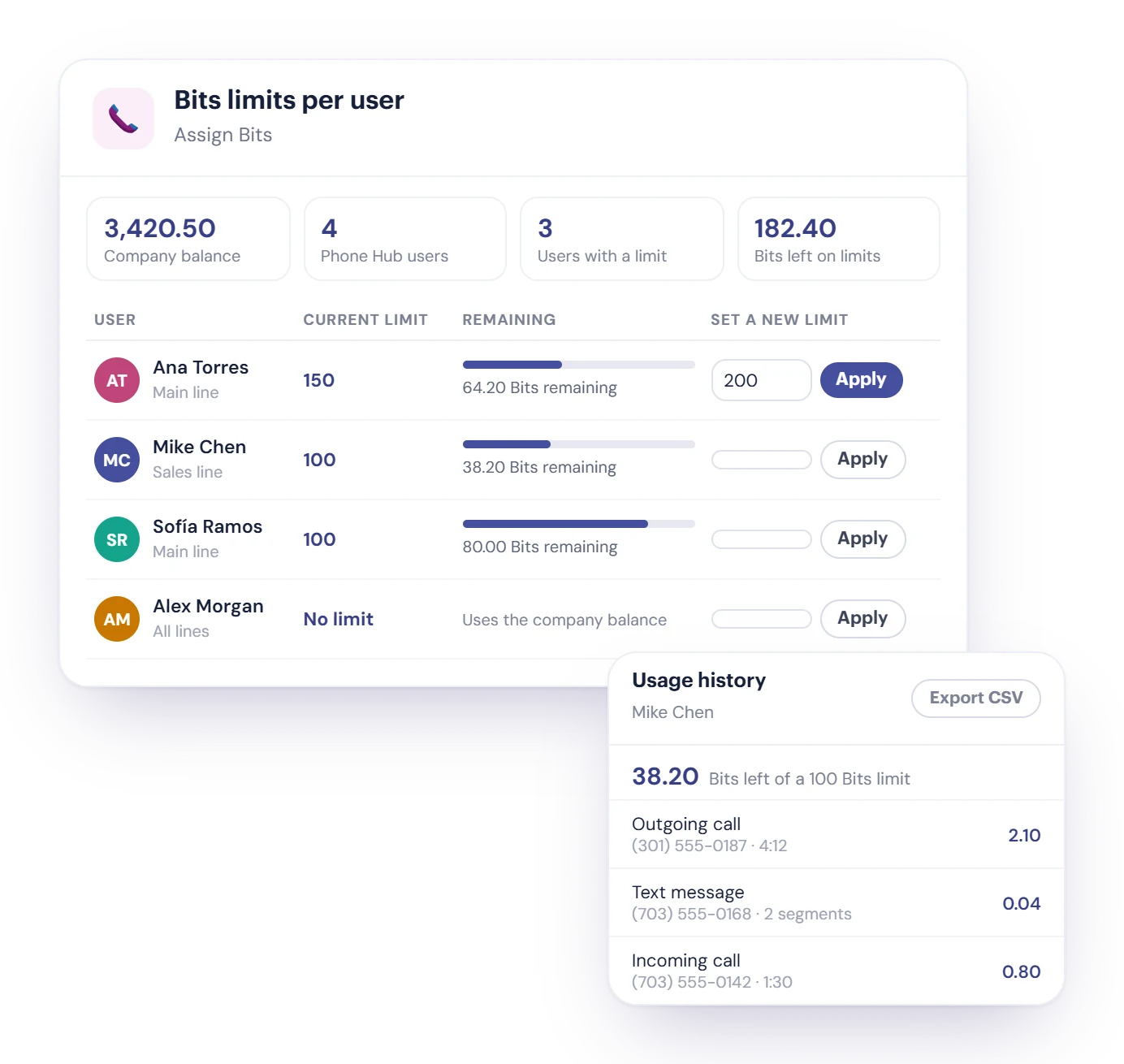
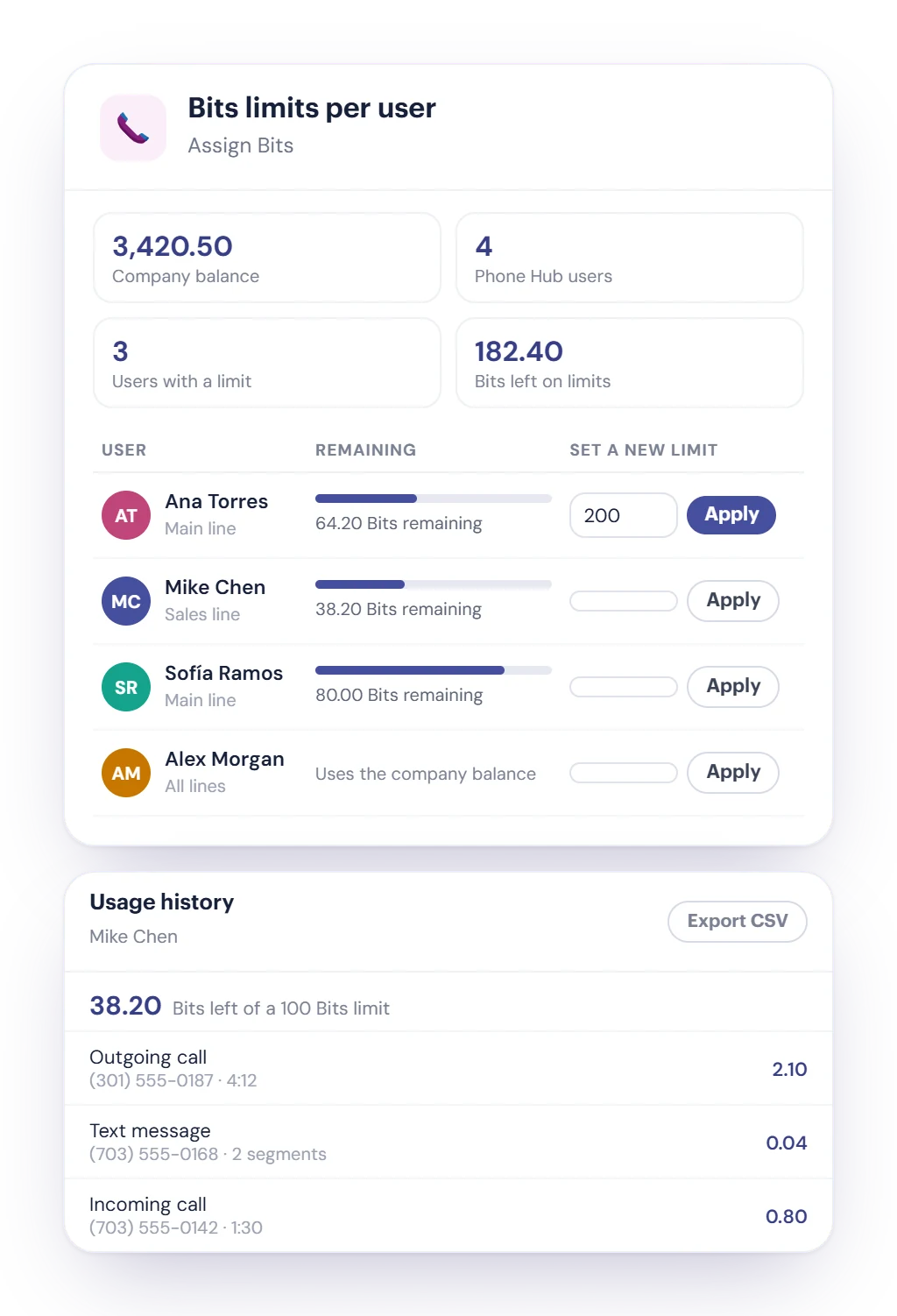
Calls, texts, voicemail and AI use Bits from your company balance. With Bits limits per user, you decide how much each person on Phone Hub can spend, so one person can't use up the whole balance.
- Type a number of Bits for a user and click Apply. Their calls and text messages count down from that limit, and outgoing calls are charged to the person who places them.
- When a limit runs out, that person’s softphone can’t make or receive calls until you assign more. A new limit replaces the current one.
- People without a limit spend from the company balance. Open Usage to see what each person spent, and export it to CSV.
Connected to the rest of Cybix
Phone Hub works with the modules your workspace uses.
Studio Flow logs
Already route calls with a Twilio Studio flow? Link it to a number and Cybix pulls its executions every five minutes, with logs and a report.
Numbers set up for you
The Cybix team adds your Phone Hub numbers, can port your current number when your carrier allows it, and assigns who uses each one.

Contacts and businesses
Each contact and business has Calls and Text Messages tabs with its full history.

CRM
Register leads from a text, and see the caller’s CRM timeline during a call.

My To-Dos
Turn a text or a voicemail into a to-do in one click.

WhatsApp
Call a WhatsApp contact with Phone Hub straight from the WhatsApp inbox.
Phone Hub questions, answered
Still deciding? Try the live demo or talk to our team.
What does Cybix Phone Hub do?
Phone Hub gives your team business phone numbers to call, text and take voicemail from one workspace. It includes a browser phone with a mobile app option, a shared Text Messages inbox with scheduled texts and templates, SMS campaigns, voicemail with greetings per number, call recording with Call History, spam protection, call and SMS reports with Bits usage, and Cybix AI help for writing, translating and summarizing.
Can my team answer calls on their phones?
Yes. Each number rings this browser or the Cybix mobile app. When a call comes in, everyone assigned to the number is rung, the first person to answer takes the call and the others stop ringing. Each person can set their app to ring always, on a schedule or not at all, and unanswered calls go to voicemail.
How does Phone Hub handle spam calls?
Incoming calls show whether the caller ID was verified by the carrier, at no cost. You can also turn on Nomorobo spam screening, paid in Bits, to flag or reject likely robocalls. Anyone on the team can Reject & block a caller, and blocked numbers are rejected before they ring.
Can Phone Hub record calls?
Yes. Turn on call recording for a number, and Phone Hub records its incoming and outgoing calls on the web softphone and the Cybix app. An automatic notice can tell the other person the call may be recorded. Recordings appear in Call History, where Cybix AI can create a transcript or a summary when you ask. Recording, transcripts and summaries use Bits.
Can I limit how many Bits each person uses?
Yes. In Bits limits per user, set how many Bits each Phone Hub user can spend on calls and text messages. Their usage counts down from that limit, people without a limit spend from the company balance, and you can see and export what each person spent.
Can I keep my current phone number?
Yes, the Cybix team can port your existing number to Phone Hub. In some cases it isn’t possible; it depends on your current carrier. Numbers aren’t bought or ported inside the app: the Cybix team adds them to your workspace and assigns the people who use each one.
Can Phone Hub build call menus (IVR)?
No. Phone Hub doesn’t include a menu builder. If you already route calls with a Twilio Studio flow, it can be linked to your number, and Cybix shows each execution with logs and a report.
Ready to improve every customer conversation?
Manage calls, messages, voicemails, and follow-ups from one platform built to keep your team connected.