




Image Image Dark
Image Image Dark

Site Builder

Build or Bring Your Website,
Then Grow It with Cybix AI

Import a site you made with Claude, ChatGPT or Lovable, or let Cybix AI write the first draft. Edit it visually, get found on Google and in AI search, connect your own domain and send every form message to your CRM.

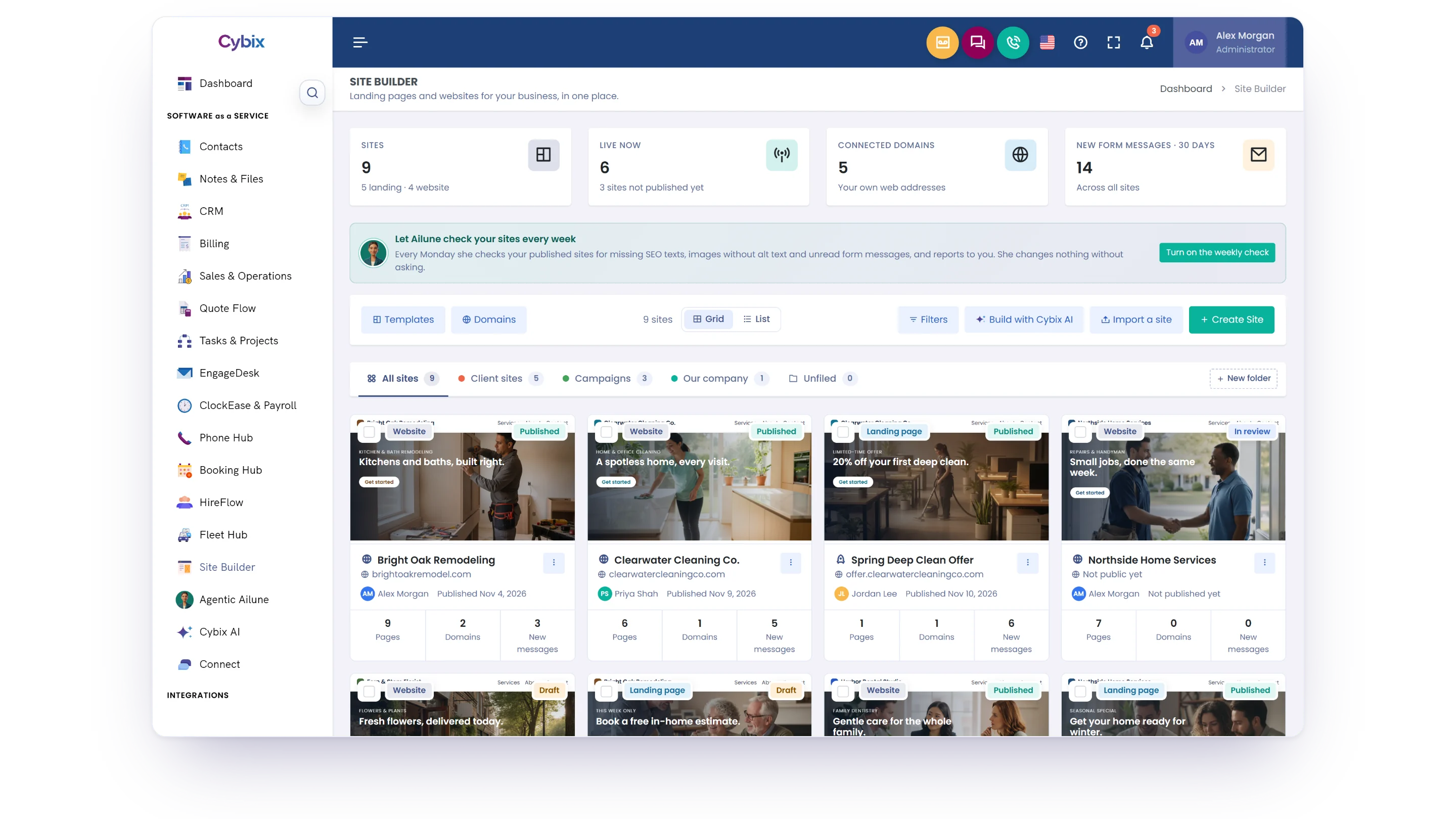
Cybix Site Builder’s Sites list with live sites, connected domains and new form messages at the top, Ailune’s weekly site check, folders, the Build with Cybix AI, Import a site and Create Site buttons, and sample landing pages and websites marked Published, Draft or In review

Everything your website needs, inside Cybix

Landing pages, full websites or both, built next to the tools your team already uses for leads, quotes, bookings and tasks.

One builder for landing pages and websites

Make a one-page campaign, a full business website, or a website with campaign pages. Your team works on it together, and every site keeps its own form inbox, SEO settings, domains and version history.

Landing pages Websites Templates Blog Site Shield Tracking

Templates and your own designs

Start from a ready-made template, preview it on computer and phone, or save one of your sites as a template for your team.

A blog that writes with you

Articles with categories, authors, scheduling, a table of contents and an RSS feed. Write or improve them with Cybix AI and translate them into your site’s other languages.

Site Shield and tracking

Slow down bots, stop form spam and pause custom code with one-click Lockdown. Add Google Analytics, Google Ads, Meta, TikTok, LinkedIn or ChatGPT Ads, with a conversion when a contact form is sent.

Built for teams and agencies

Shared folders, a site team with tasks, and client approval: your client reviews a version in the customer portal, comments and approves it.

From first draft to a site that brings in work

Start the way that suits you, publish when it’s ready, and keep improving it with your team and Cybix AI.

Start your site

Import a file from your AI tool, let Cybix AI write a draft, or pick a template.

Edit visually

Drag in elements, sections and Cybix components, and ask Cybix AI for changes.

Get it ready

Follow the launch checklist: Google title and description, contact option and menu links.

Publish

Press Publish on the site’s Cybix link or on your own domain with HTTPS.

Grow

Answer form messages, add leads to your CRM and let Ailune keep the site in shape.

Nothing goes live by accident

Imports and Cybix AI drafts arrive as private drafts. The public site changes only when you press Publish.

Cybix AI when you want it

Rewrite text, build sections, write SEO texts and create pictures when you ask. Each AI action uses Bits.

Connected to your business

Quote requests, bookings, job applications and form messages go straight into your Cybix modules.

Bring in the site you made with an AI tool

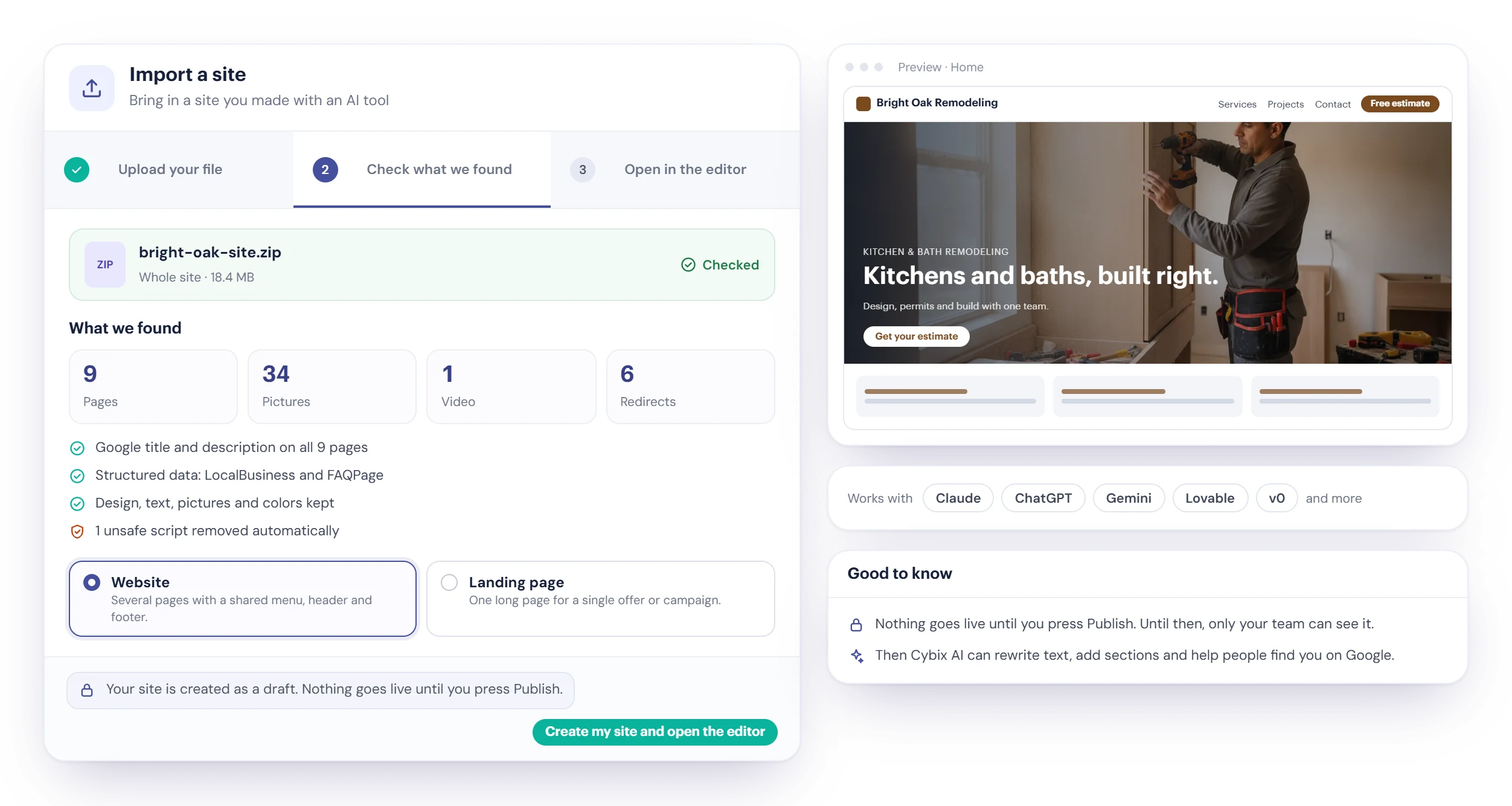
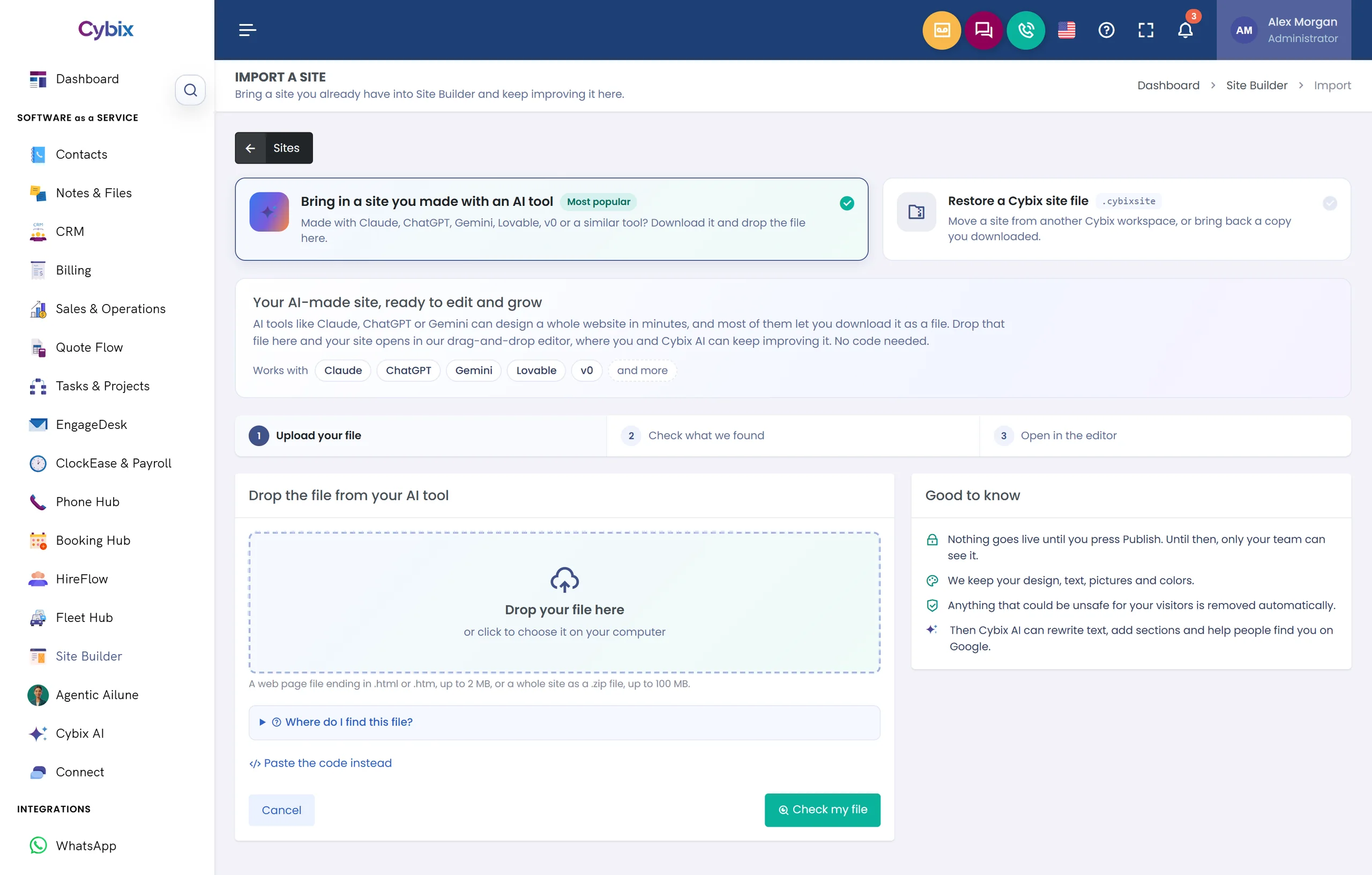
AI tools can design a whole website in minutes. Download yours, drop the file into Site Builder and keep improving it in the visual editor, with no code.

Import a site in Cybix Site Builder: a .zip file from an AI tool checked, with What we found listing the pages, pictures and videos, page titles and descriptions, structured data and redirects, and the note that the site is created as a draft
  • One page or a whole site

    Drop a single .html file up to 2 MB, or a .zip up to 100 MB with up to 60 pages and 300 pictures and videos.

  • Your work comes with it

    Design, text, pictures and colors stay. Each page’s title, description and structured data come in, and a cybix.json file can bring up to 500 redirects.

  • Safe, and private until you publish

    Anything unsafe for your visitors is removed automatically. The site is created as a draft, and nothing goes live until you press Publish.

Works with the AI tools you already use

Import from Claude, ChatGPT, Gemini, Lovable or v0, or from any other tool that lets you download your site as an .html file or a .zip.

ChatGPT
Claude
Gemini
Lovable
v0

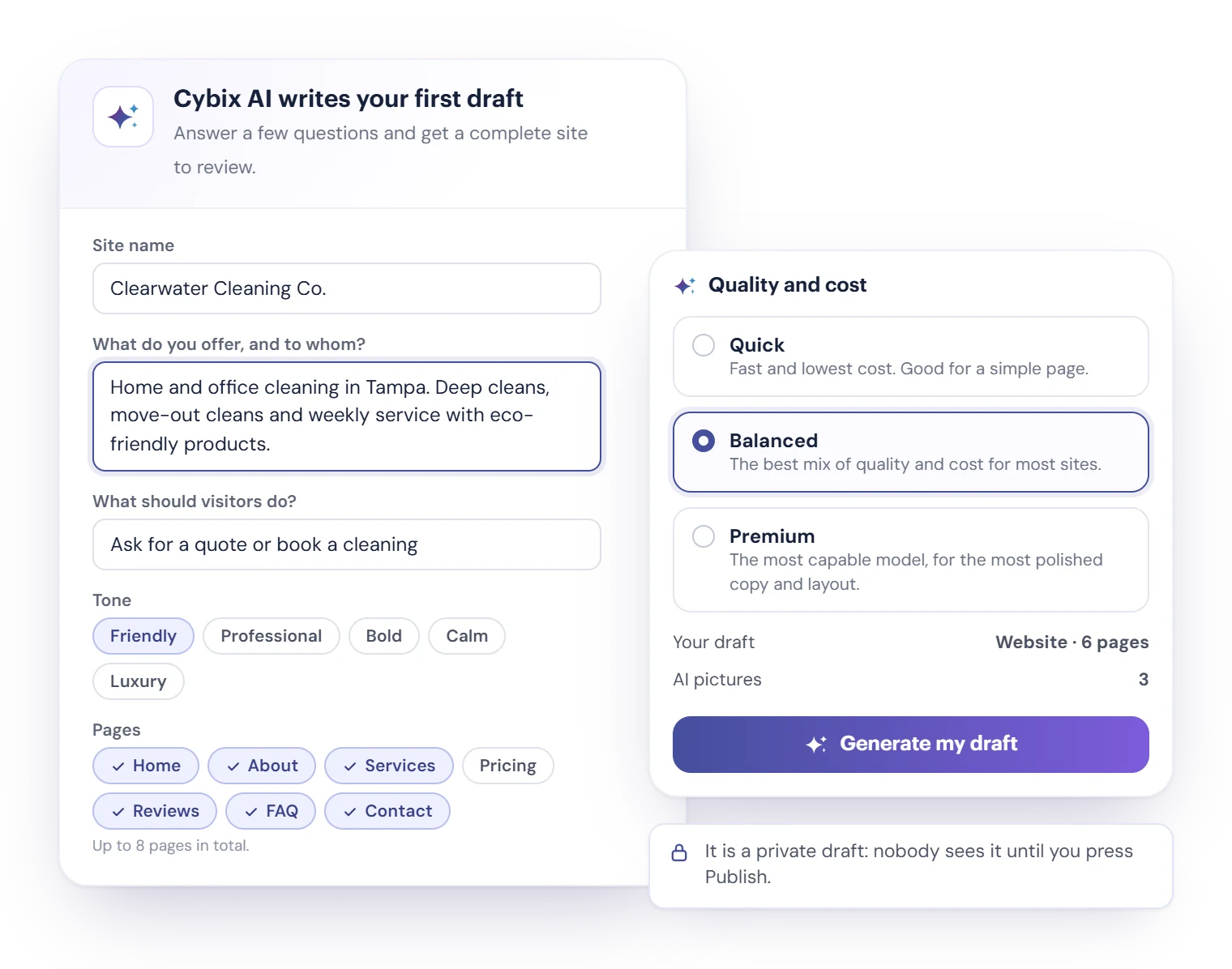
Or let Cybix AI write your first draft

Answer a few questions and get a complete site to review: pages, text, layout and colors. Prefer a head start without AI? Pick a template instead.

  1. Tell us about your business

    What you offer and to whom, what visitors should do, the tone, and the pages you need, up to 8 in total. Add your brand colors, a site you like and reference pictures.

  2. Cybix AI writes the draft

    Choose Quick, Balanced or Premium, and up to 4 AI pictures. You see the estimated Bits first; they are reserved when you start, and anything unused is returned.

  3. Review, edit and publish

    It is a private draft: nobody sees it until you press Publish.

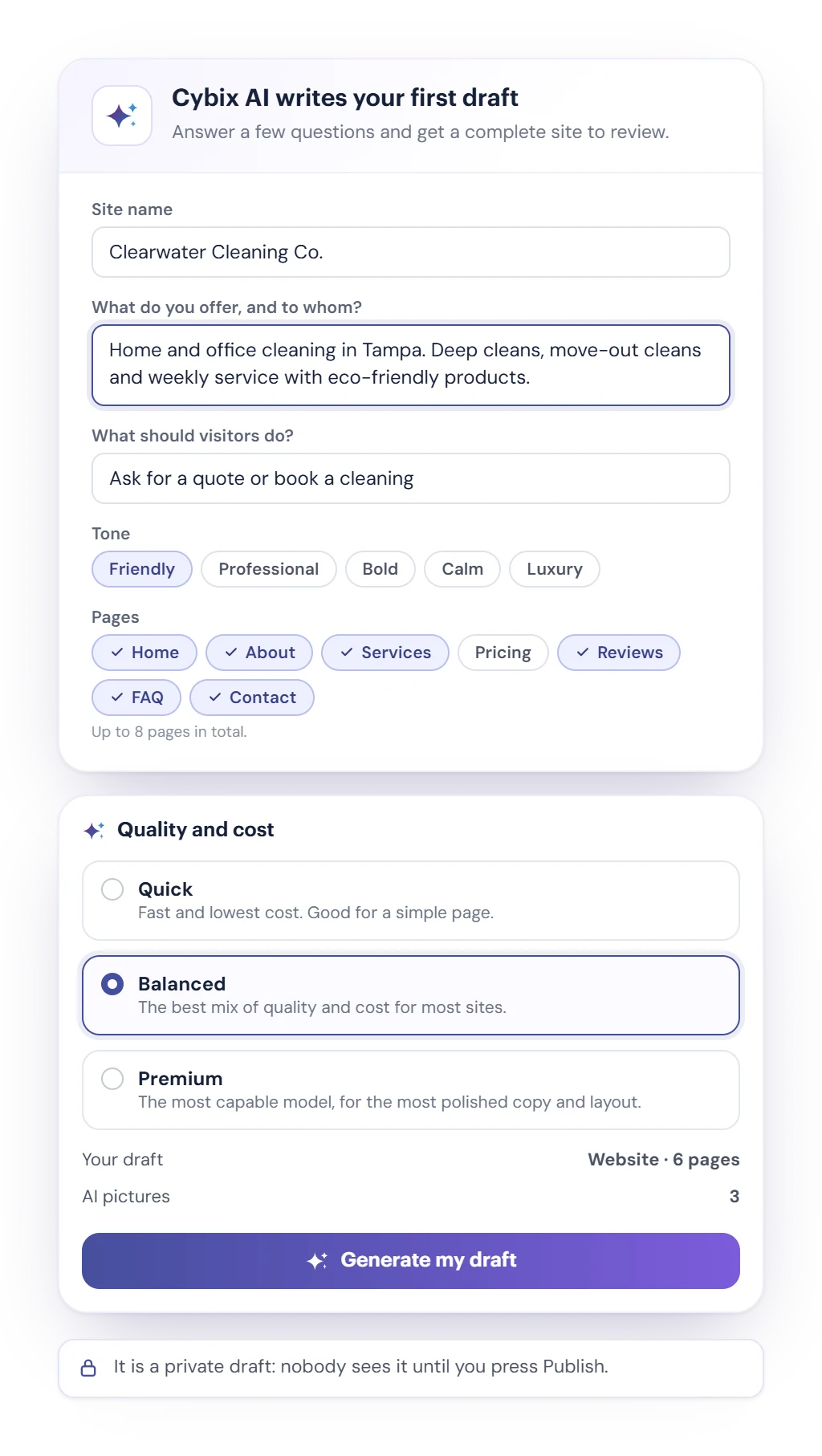
Build with Cybix AI: the brief with the site name, what you offer, what visitors should do, the tone and the pages, next to the Quick, Balanced and Premium quality choices and the note that it is a private draft

A visual editor with Cybix AI built in

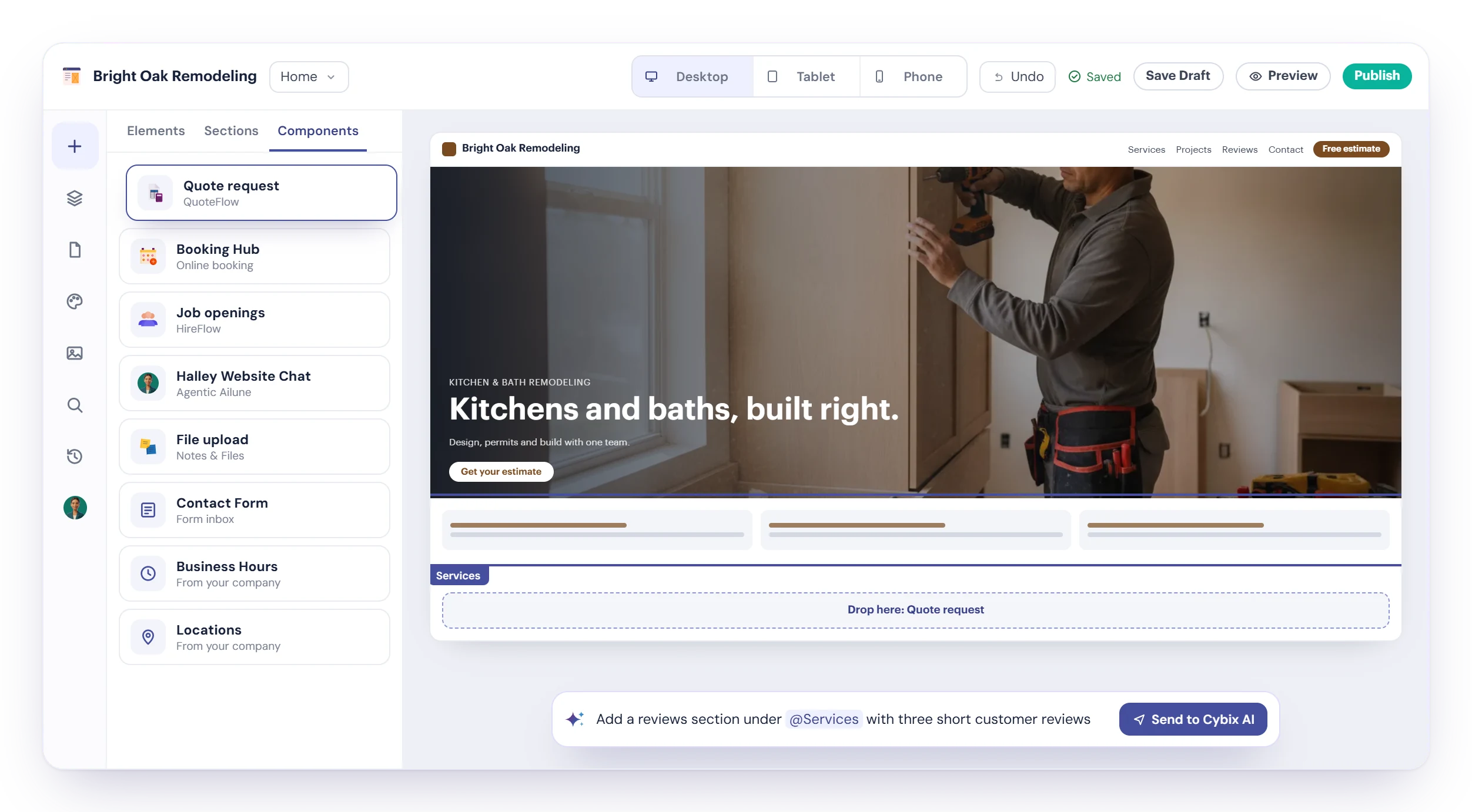
Drag, drop and type on the page itself. Select anything and tell Cybix AI what to change or build. Each AI action uses Bits.

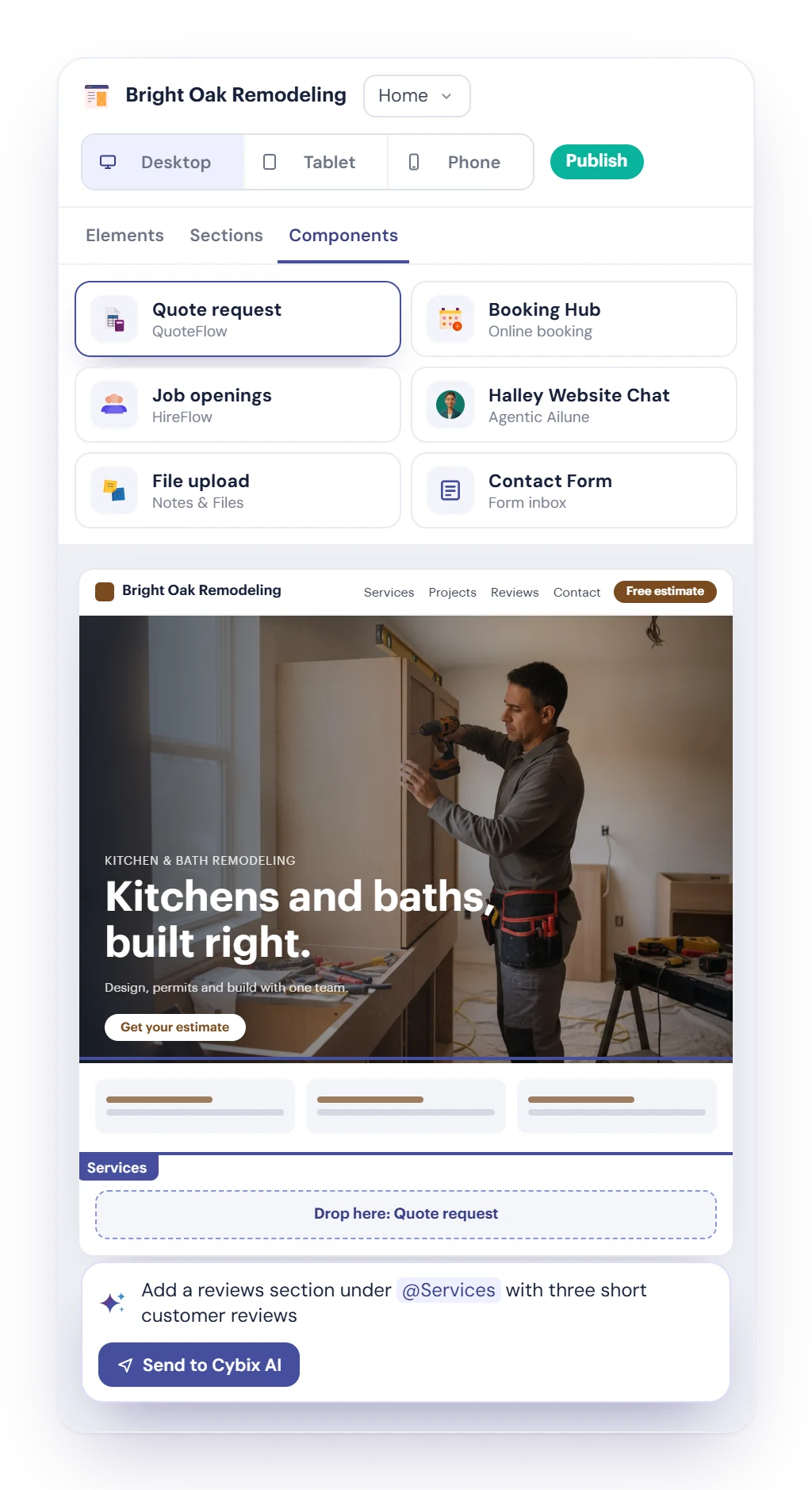
The Cybix Site Builder visual editor with the Components panel (Quote request, Booking Hub, Job openings, Halley Website Chat, File upload), a landing page on the canvas, the Desktop, Tablet and Phone switch, and the Cybix AI bar with a request to add a reviews section
  • More than 40 elements

    Headings, galleries, sliders, reviews, pricing tables, FAQ, maps, forms, sticky call bars and more, plus ready-made sections.

  • Cybix components

    Quote requests, bookings, job openings, Halley website chat and file uploads that work with your Cybix modules.

  • Every screen, every language

    Switch between Desktop, Tablet and Phone, translate your site into up to 3 more languages, and restore any saved version.

Every form message, one click from your CRM

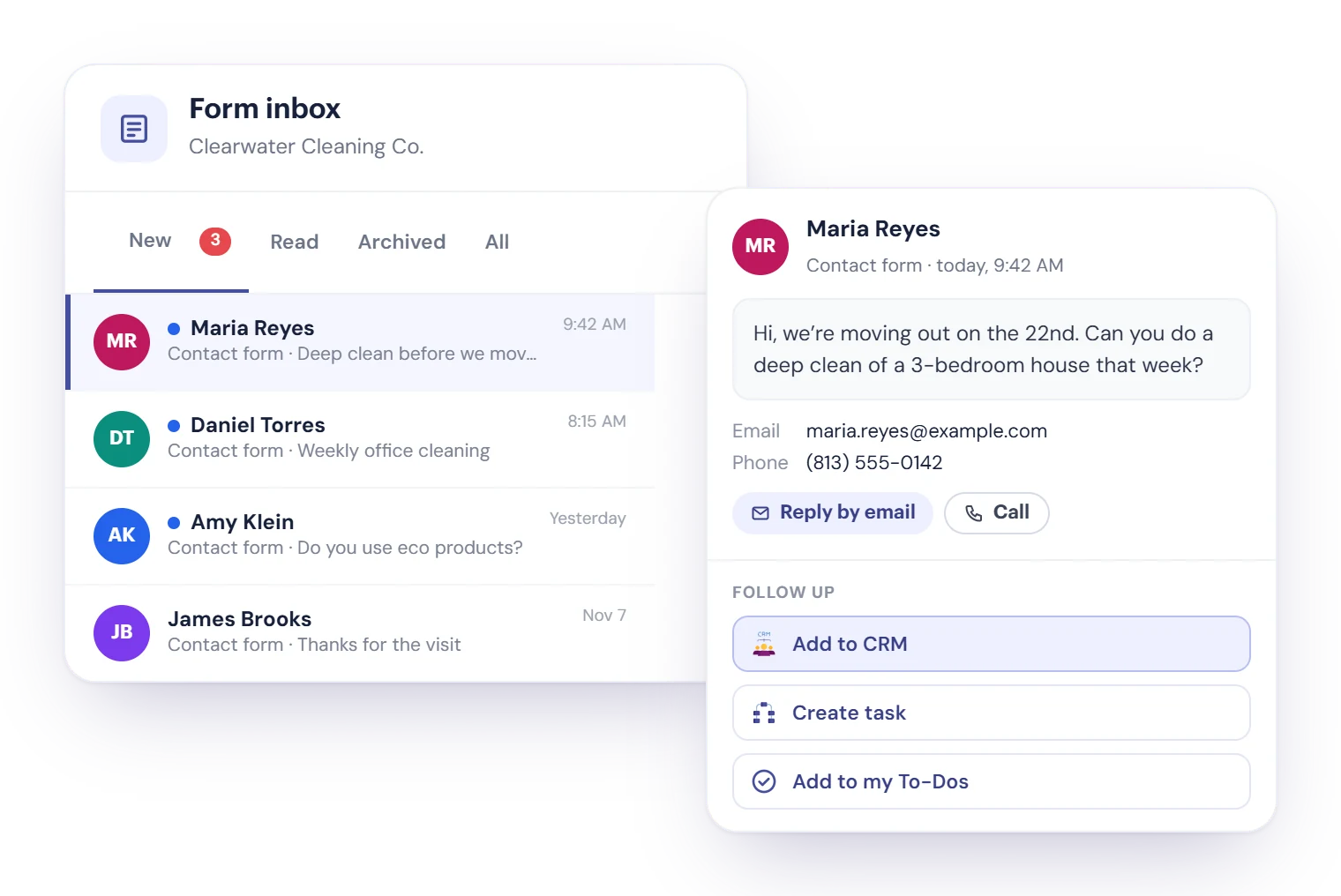
When a visitor sends a form, the message lands in the site’s Form inbox and your team gets a notification. Turn it into work right there, in CRM or your tasks.

  • Add to CRM creates a lead with the visitor’s details already filled in.
  • Create task or Add to my To-Dos when the message needs follow-up.
  • Reply by email or Call from the message, then mark it read or archive it.
  • Send visitors an automatic reply in your own words when they use the contact form.
The form inbox of a site with new messages from the contact form, one message open with Reply by email and Call, and Follow up: Add to CRM, Create task and Add to my To-Dos

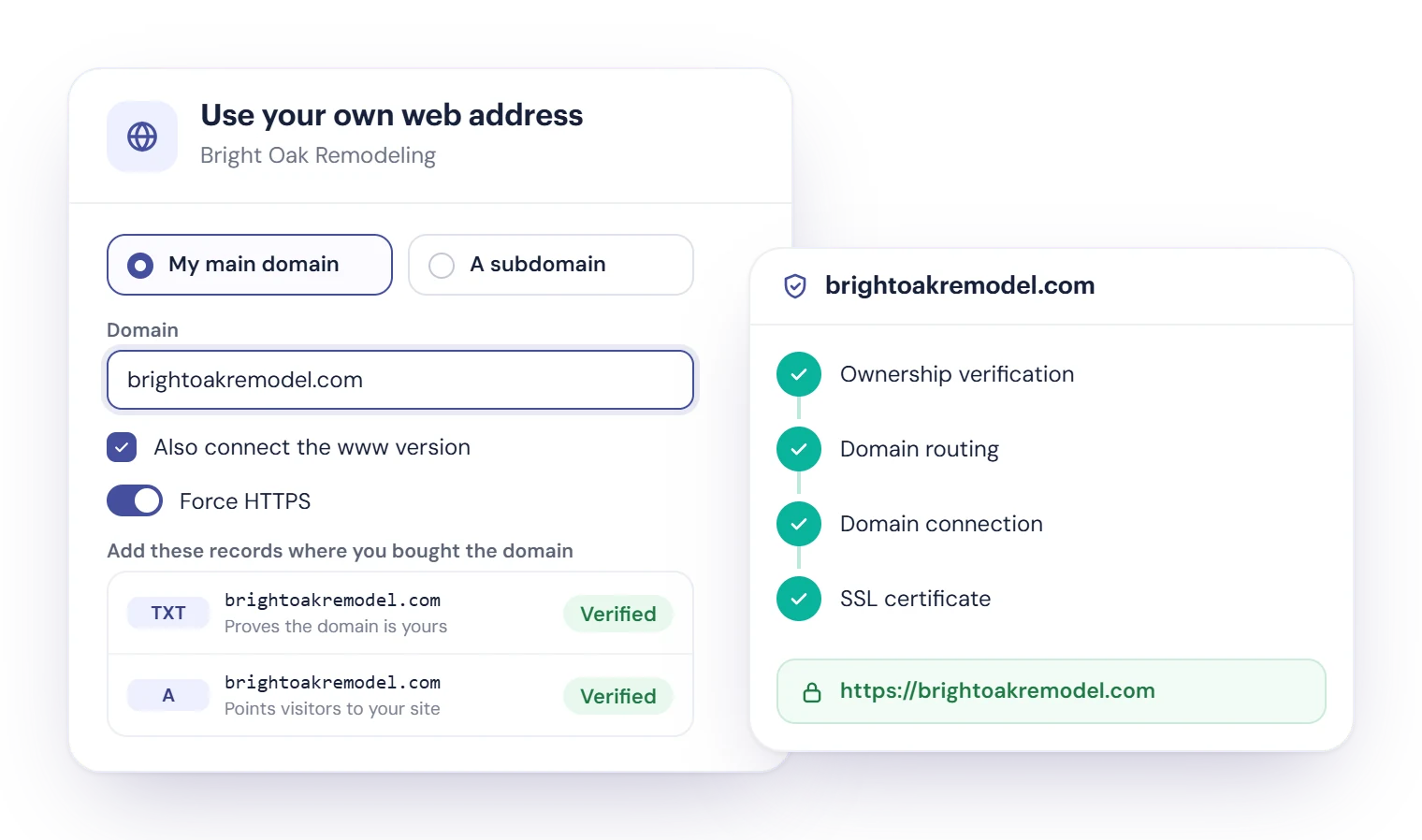
Your own domain, with HTTPS turned on for you

Every site gets a Cybix link to share right away. When you’re ready, use your own web address.

  • Connect your main domain or a subdomain, and the www version too.
  • Add two DNS records where you bought the domain: one proves it’s yours, one points visitors to your site. Step-by-step tutorials included.
  • We connect it and turn on the secure lock (HTTPS), and Force HTTPS keeps every visit secure.
  • Buying a domain inside Cybix isn’t available yet: connect one you already own.
Use your own web address: a domain with the www version, the TXT and A records to add, and the status steps up to the SSL certificate, with Force HTTPS turned on

Hand your site work to Ailune

With Agentic Ailune, your AI manager looks after your sites. She asks before she spends Bits or publishes anything.

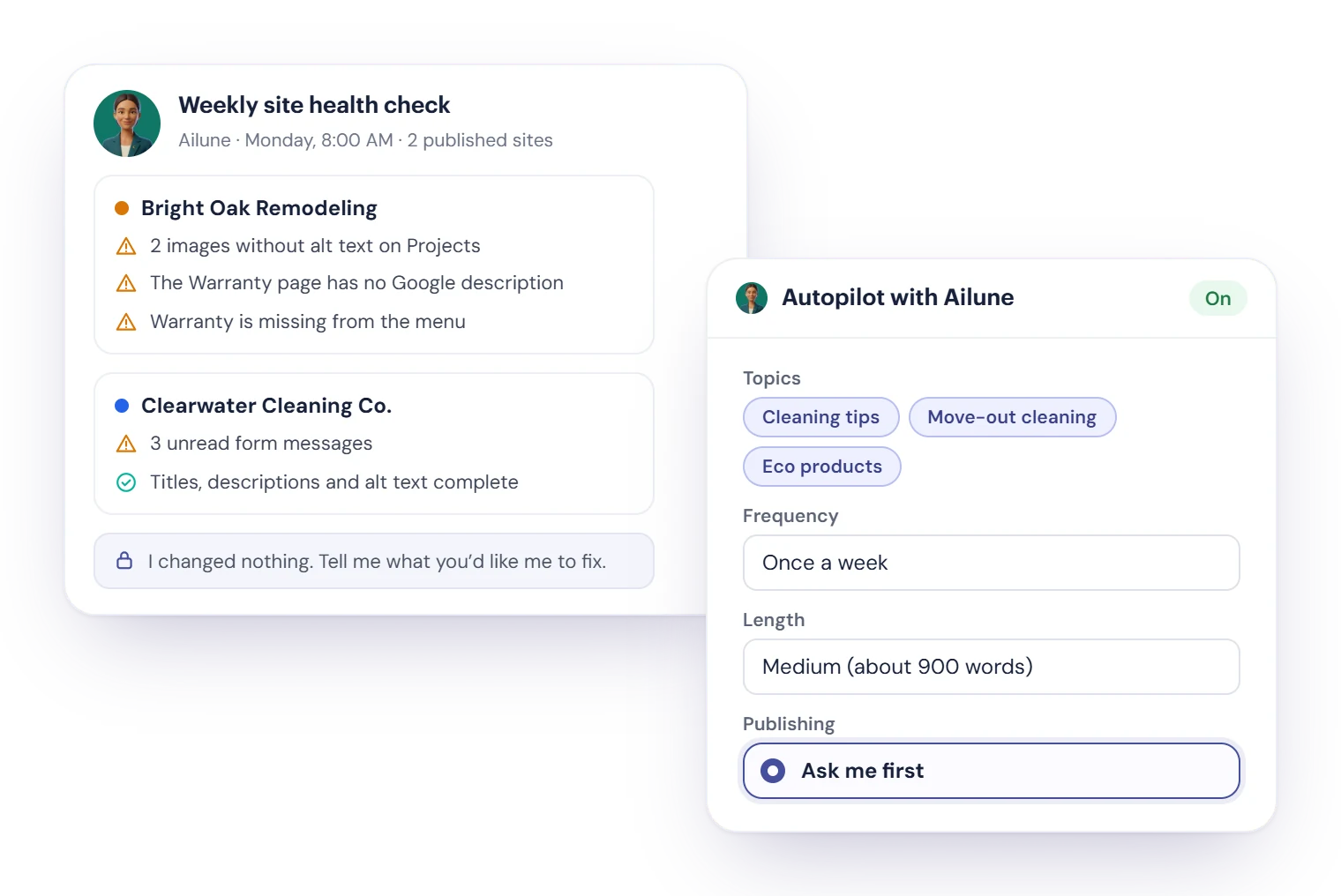
  1. Weekly site health check

    Every Monday she checks your published sites for missing Google titles and descriptions, images without alt text, empty sections, pages missing from the menu and unread form messages, and reports to you. She changes nothing.

  2. Blog autopilot

    Give her topics, an audience and a schedule. She writes articles of about 500, 900 or 1,500 words within a monthly Bits limit and asks you first. She publishes on her own only if you give her that freedom.

  3. Whole jobs in the editor

    Open Your AI Manager in the editor and hand her a job across pages, menus and SEO, or hand her a Site Builder task from Tasks & Projects.

Ailune’s weekly site health check report for two sites, next to the blog’s Autopilot with Ailune settings: topics, once a week, medium length and Ask me first

Connected to the rest of Cybix

Site Builder components work with the modules your workspace uses.

  • QuoteFlow

    The Quote request component sends visitors’ requests to QuoteFlow.

  • Booking Hub

    Visitors book an appointment on your site, straight into your calendar.

  • EngageDesk

    The Newsletter Signup element adds subscribers to your EngageDesk campaigns, with double opt-in.

  • HireFlow

    Job openings lists your open positions and takes applications.

  • Halley and Ailune

    Halley answers visitors in the website chat, and Ailune looks after your sites. Needs Agentic Ailune.

  • CRM

    Add a form message to CRM as a lead in one click.

  • Tasks & Projects

    Create a task or a to-do from a message, and plan site work with your team.

  • Notes & Files

    The File upload component lets visitors send you files.
Site Builder questions, answered

Still deciding? Try the live demo or talk to our team.

Site Builder is the website builder inside Cybix. Make landing pages and full websites with a visual editor, import a site you made with an AI tool, or let Cybix AI write the first draft. Each site has its own form inbox, SEO Center, domains, blog and version history, and connects to your other Cybix modules.

Yes. Download the site from your AI tool and drop it into Import a site: a single .html file up to 2 MB, or a .zip up to 100 MB with up to 60 pages and 300 pictures and videos. Design, text, pictures and colors stay, each page’s title, description and structured data come in, and unsafe code is removed. The site is created as a draft, so nothing goes live until you publish.

You answer a short brief: what you offer, what visitors should do, the tone and the pages you need, up to 8 in total. Cybix AI writes a complete private draft with up to 4 AI pictures. Before you start you see the estimated Bits, which are reserved from your workspace wallet; you only pay what is used, and anything unused is returned.

No. You edit on the page with drag and drop, more than 40 elements and ready-made sections, and you can ask Cybix AI for changes. If you do write code, there is a Custom HTML element.

Yes. Connect your main domain or a subdomain, and the www version too, by adding two DNS records; tutorials show you how. Cybix turns on HTTPS for you, and Force HTTPS keeps every visit secure. Buying a domain inside Cybix isn’t available yet, so connect one you already own.

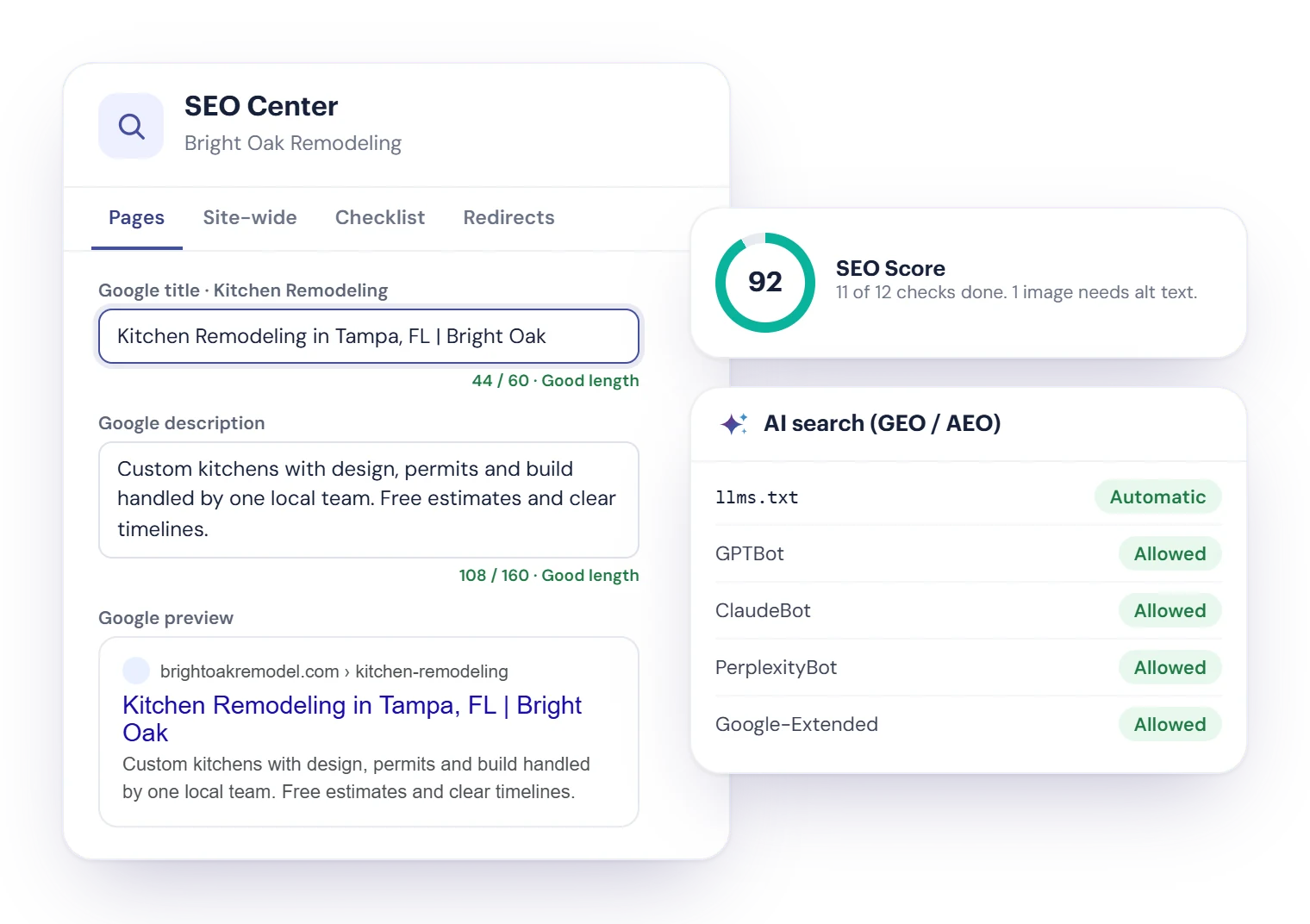
Site Builder gives you the tools: a Google title and description for each page with a preview, an SEO Checklist and score, structured data, sitemap.xml, robots.txt, llms.txt, control over AI crawlers and redirects. Rankings depend on Google and the AI services, so no builder can promise a position.

To the site’s Form inbox, and your team gets a notification. From each message you can reply by email, call, add the visitor to CRM as a lead, create a task or add a to-do. You can also send an automatic reply to people who use the contact form.

With Agentic Ailune, she runs a weekly site health check every Monday and reports what needs attention without changing anything, writes blog articles on a schedule within a monthly Bits limit and asks you before publishing, and takes whole jobs in the editor. Agentic Ailune is included in the Cybix All-in-One Plan and is a paid module in Build Your Own.

Yes. Keep sites in shared folders, give each site a team with tasks, and turn on client approval so your client reviews a version in the customer portal, comments and approves it. Clients never edit or publish. You can also move a whole site between Cybix workspaces with a .cybixsite file.

Site Builder is included in the Cybix All-in-One Plan, and you can add it to Build Your Own Cybix. Cybix AI actions in Site Builder use Bits from your workspace. See the pricing page for the details.

Ready to build or bring your website?

Import a site made with an AI tool or let Cybix AI write the first draft, then publish on your own domain and turn visitors into leads.

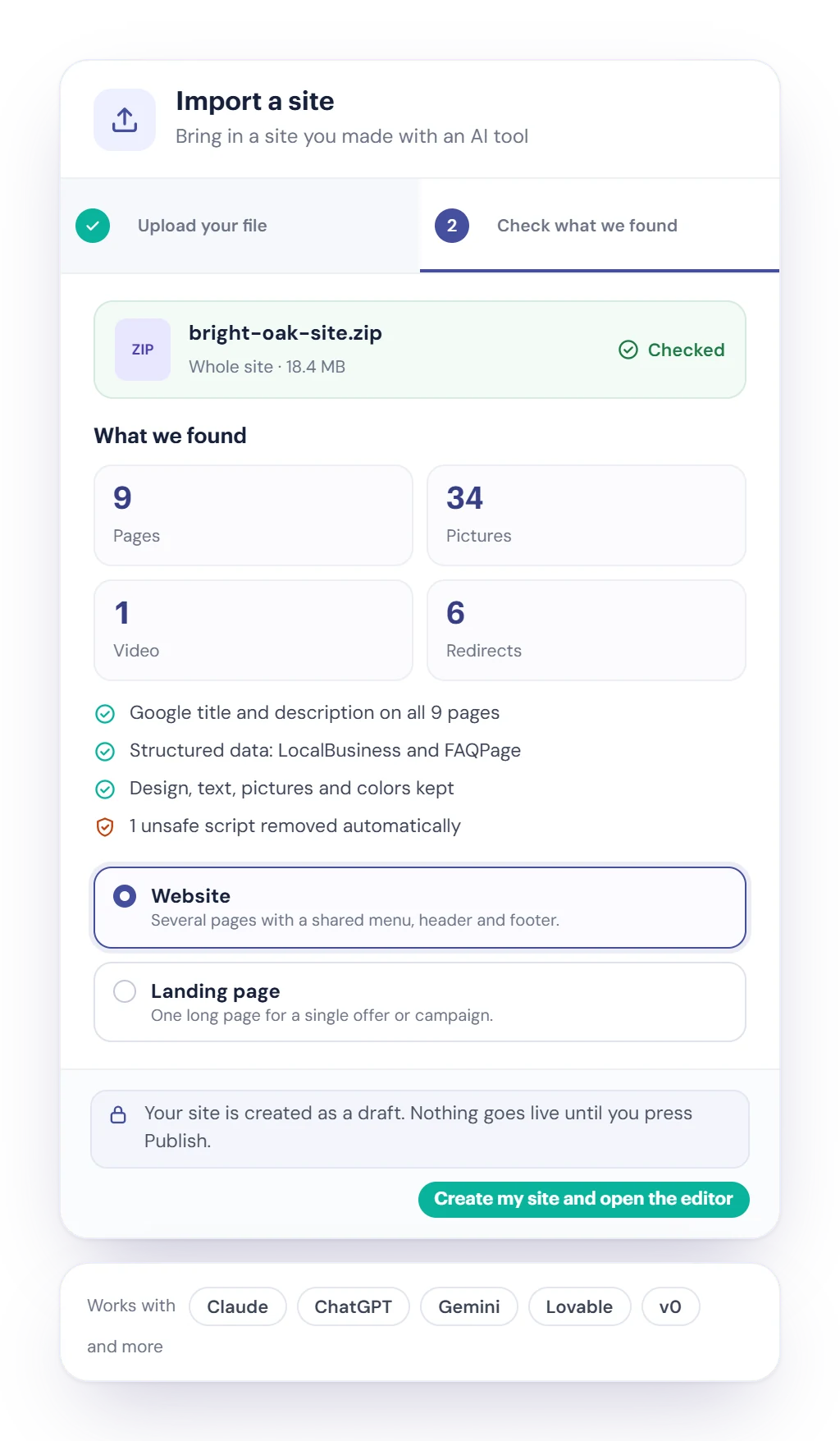
The Import a site screen in Cybix Site Builder: bring in a site you made with Claude, ChatGPT, Gemini, Lovable or v0, upload your file, check what we found and open it in the editor