Image Image Dark
Image Image Dark

WhatsApp · Coming soon

A Shared WhatsApp Inbox for Your Team, with Cybix AI

Coming soon to Cybix: answer customers on WhatsApp from your Phone Hub numbers, together. Assign chats, leave internal notes, send approved templates, let Cybix AI translate and transcribe, and turn any chat into a task, a booking or a CRM deal.

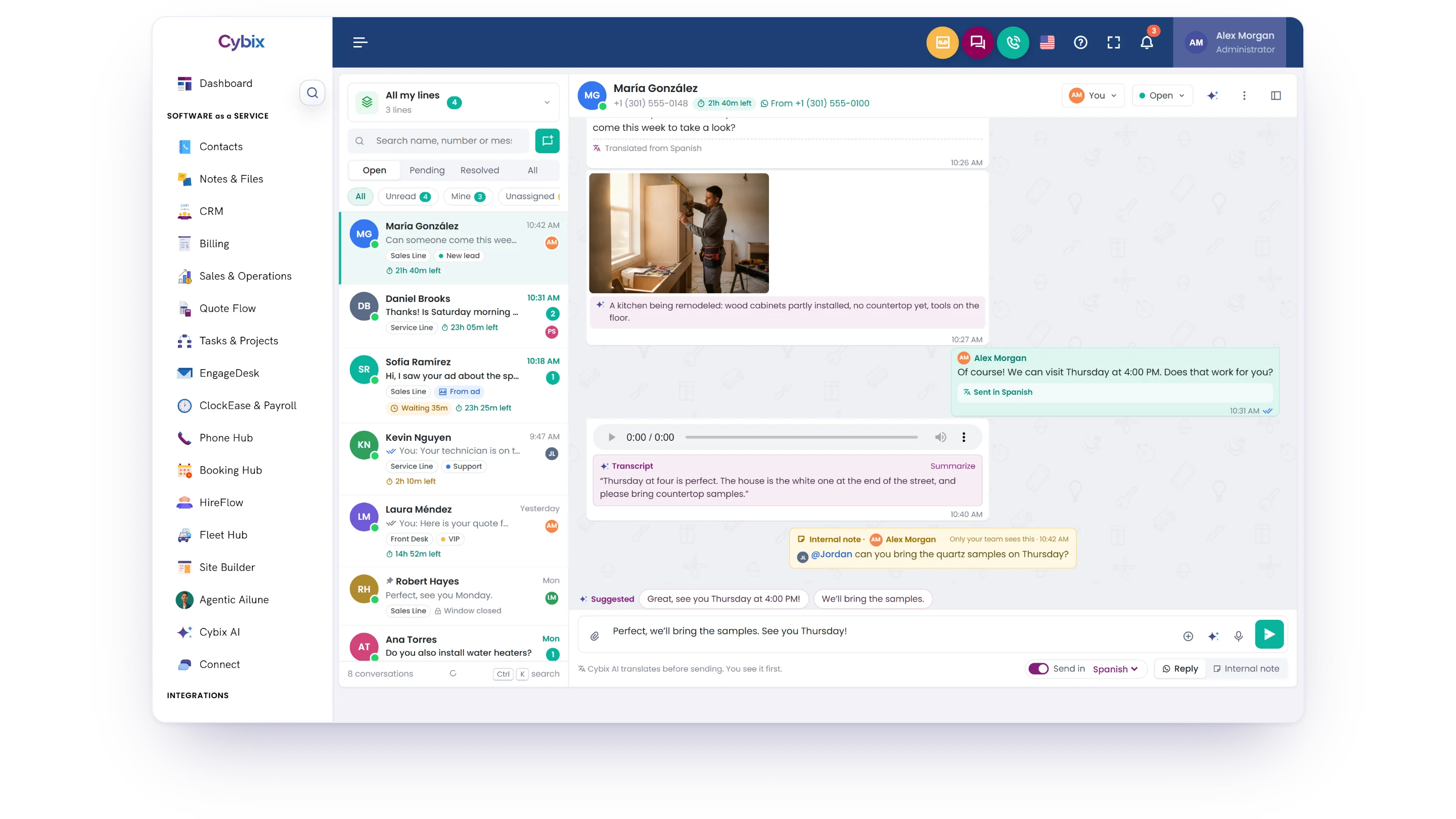
The Cybix WhatsApp inbox: conversations from all my lines with line, label and 24-hour window tags, and an open chat with a message translated from Spanish, a photo read by Cybix AI, a voice note transcript, an internal note with an @mention and suggested replies

Everything your team needs to answer on WhatsApp

One place for every WhatsApp line, next to the tools your team already uses for contacts, deals, bookings and tasks.

Customer chats your whole team can share

WhatsApp in Cybix gives every line one shared inbox. Each chat has an owner, a status and labels, and its history stays with the contact, so anyone on the team can pick up where someone else left off.

Team inbox Automations Templates Cybix AI Insights Halley

Every line in one inbox

See the chats from every line assigned to you, or switch to one line. Filter by unread, mine, unassigned or about to expire.

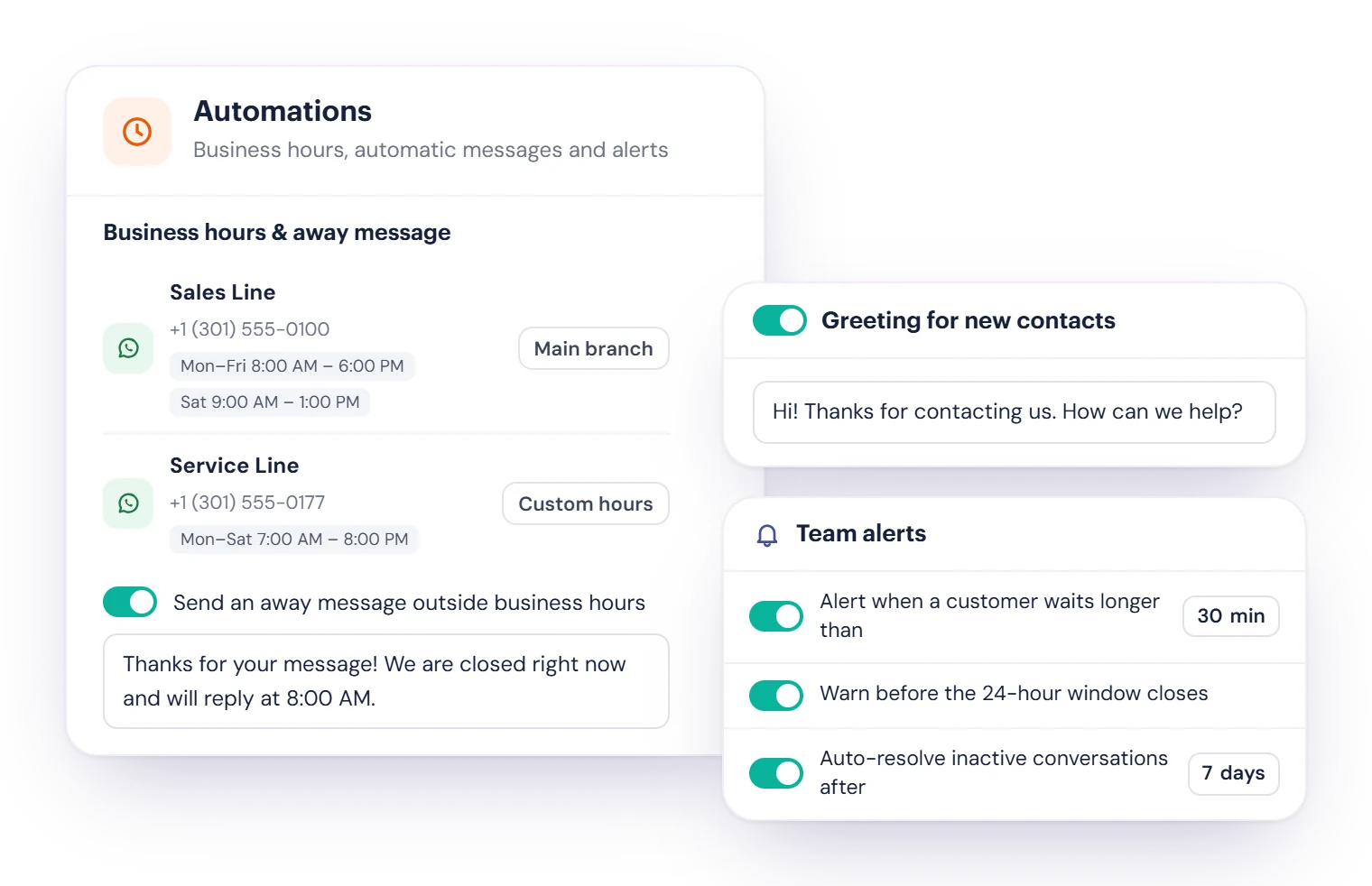
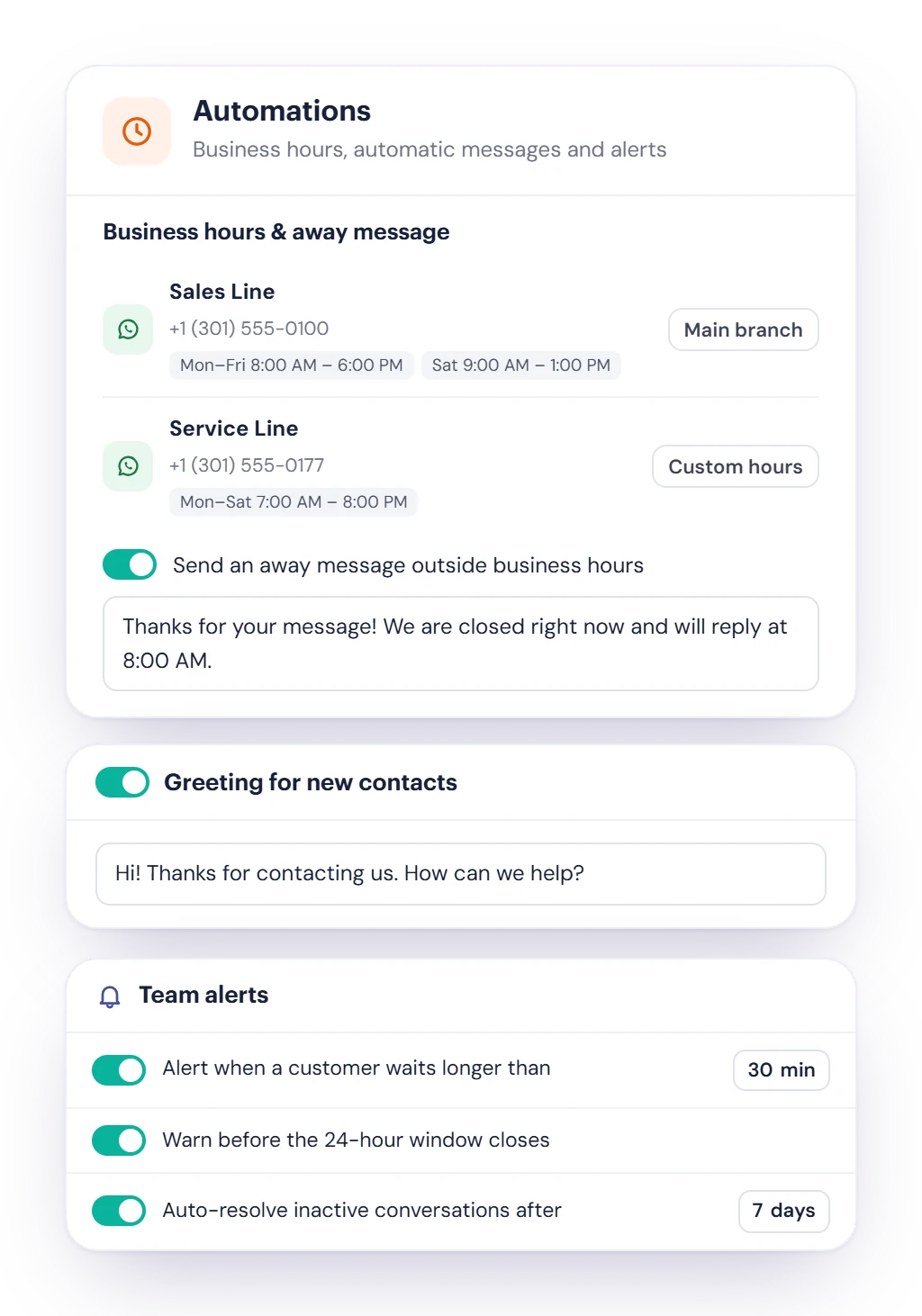
Business hours and automatic messages

Set hours per line, an away message for after hours and a greeting for new contacts. Turn each one on when you need it.

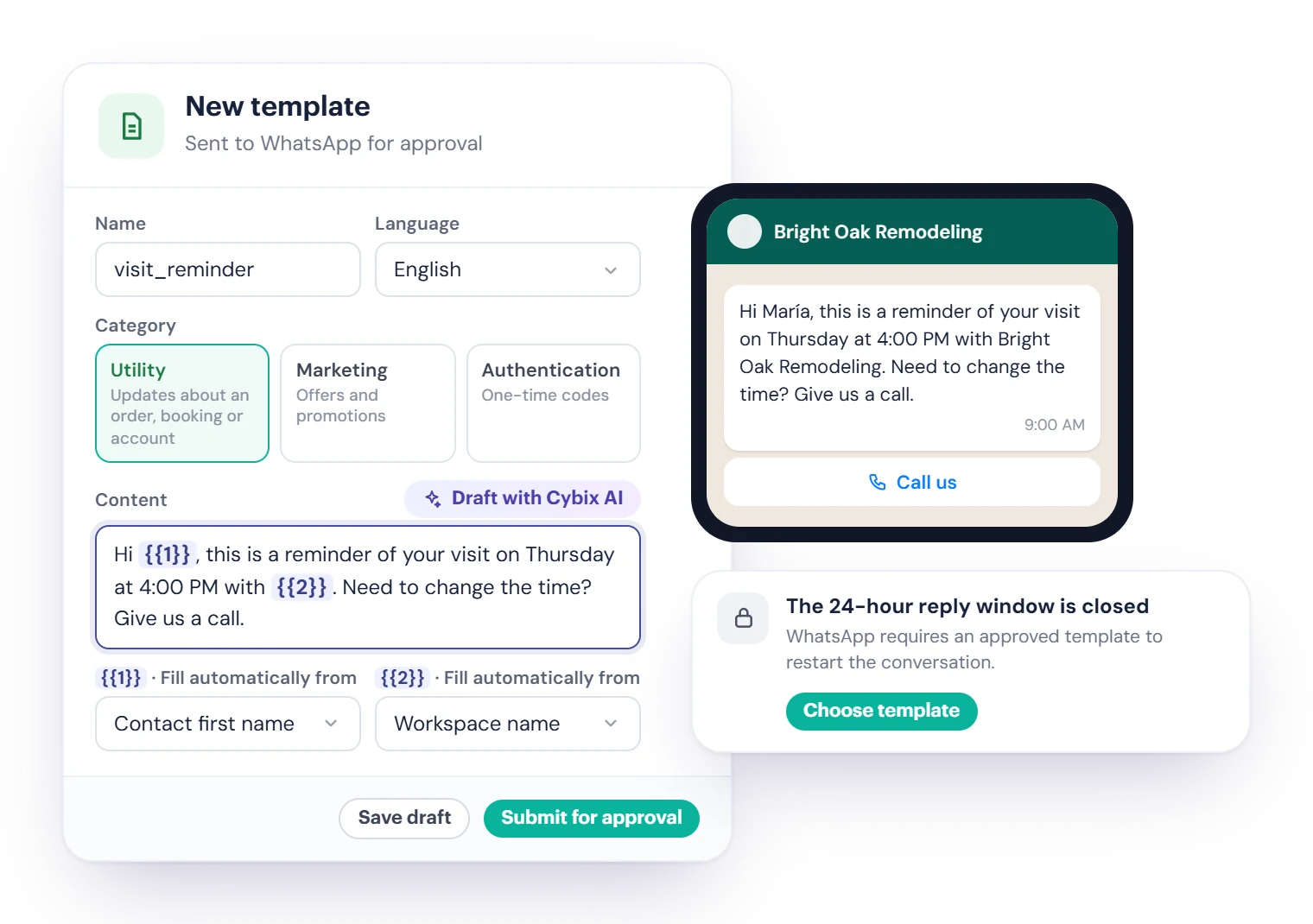
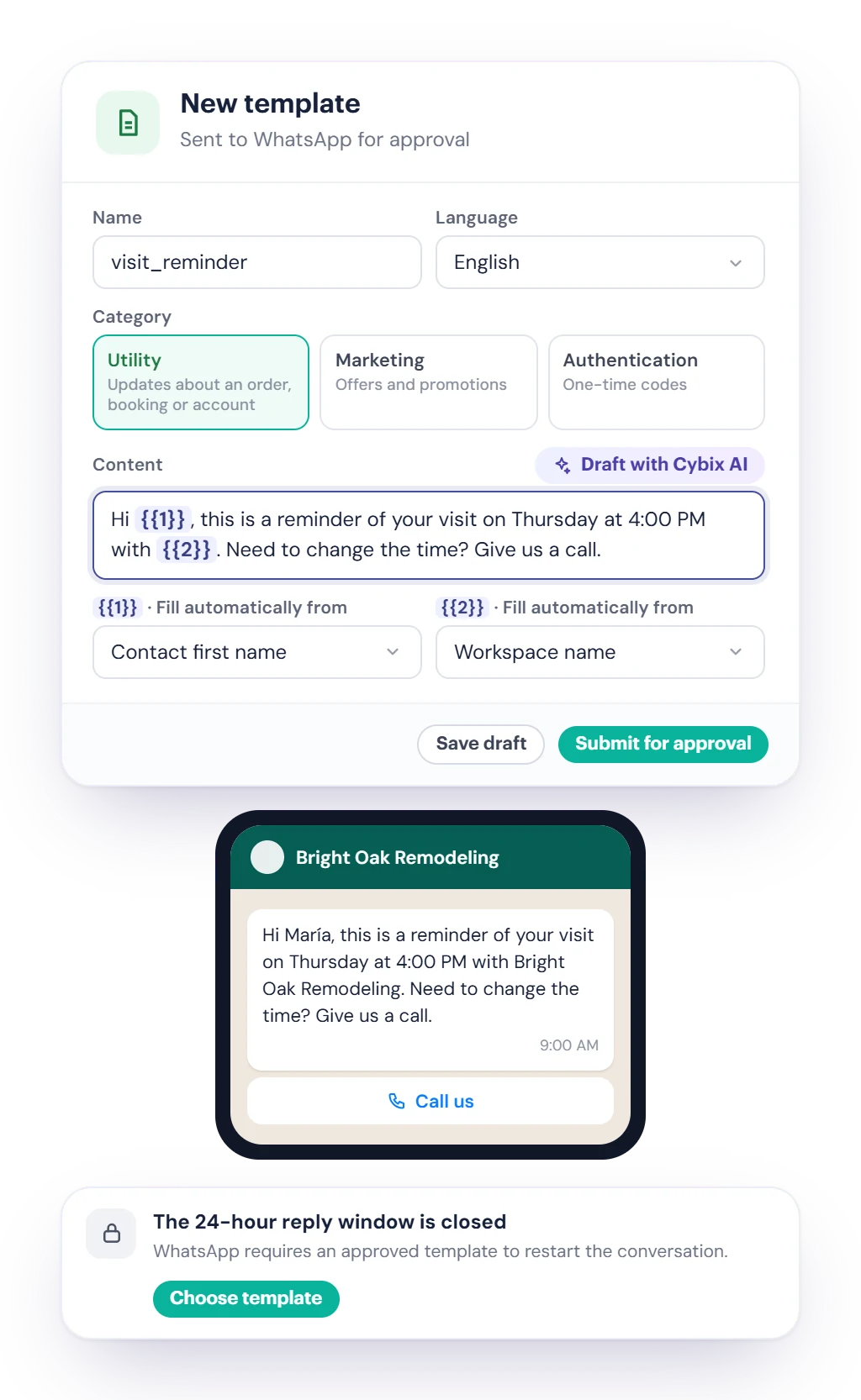
Templates approved by WhatsApp

Write templates with buttons, pictures or one-time codes, send them for approval and use them to start or restart a chat.

Never miss a customer

Get notified of new messages, assignments, @mentions, customers waiting too long and windows about to close.

From the first message to the finished job

Every chat has an owner, a status and a next step, so no customer waits without an answer.

A customer writes

Chats arrive on your Phone Hub numbers and land in one shared inbox.

The right person answers

Assign the chat, or let each line hand out new chats by Round-robin or Least busy.

Reply in their language

Cybix AI translates, transcribes voice notes and suggests replies.

Turn it into work

Create a task, a booking or a CRM deal right from the chat.

Resolve and measure

Mark it resolved and follow your response times in Insights.

Notes stay inside

Internal notes and @mentions are for your team only. They are never sent to the customer.

Cybix AI when you want it

Translate and transcribe on request, or automatically if you turn it on. AI actions need Cybix AI and use Bits.

Built on Phone Hub

Your WhatsApp lines are your Phone Hub business numbers, set up for you by the Cybix team.

One inbox for every WhatsApp line

Every chat on your Phone Hub numbers lands in one shared inbox. Your team sees who has it, what it’s waiting on, and how long the customer has been waiting.

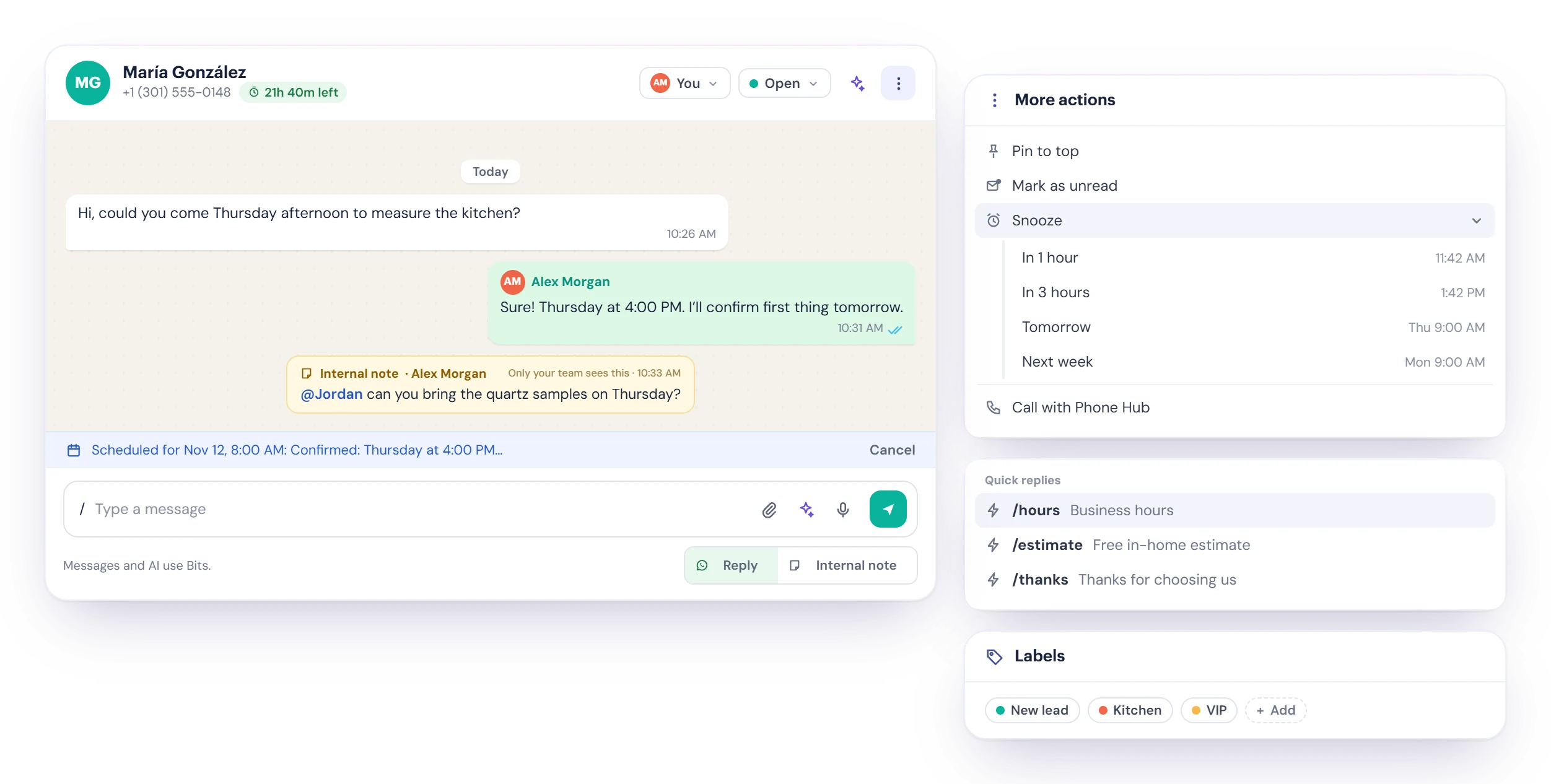
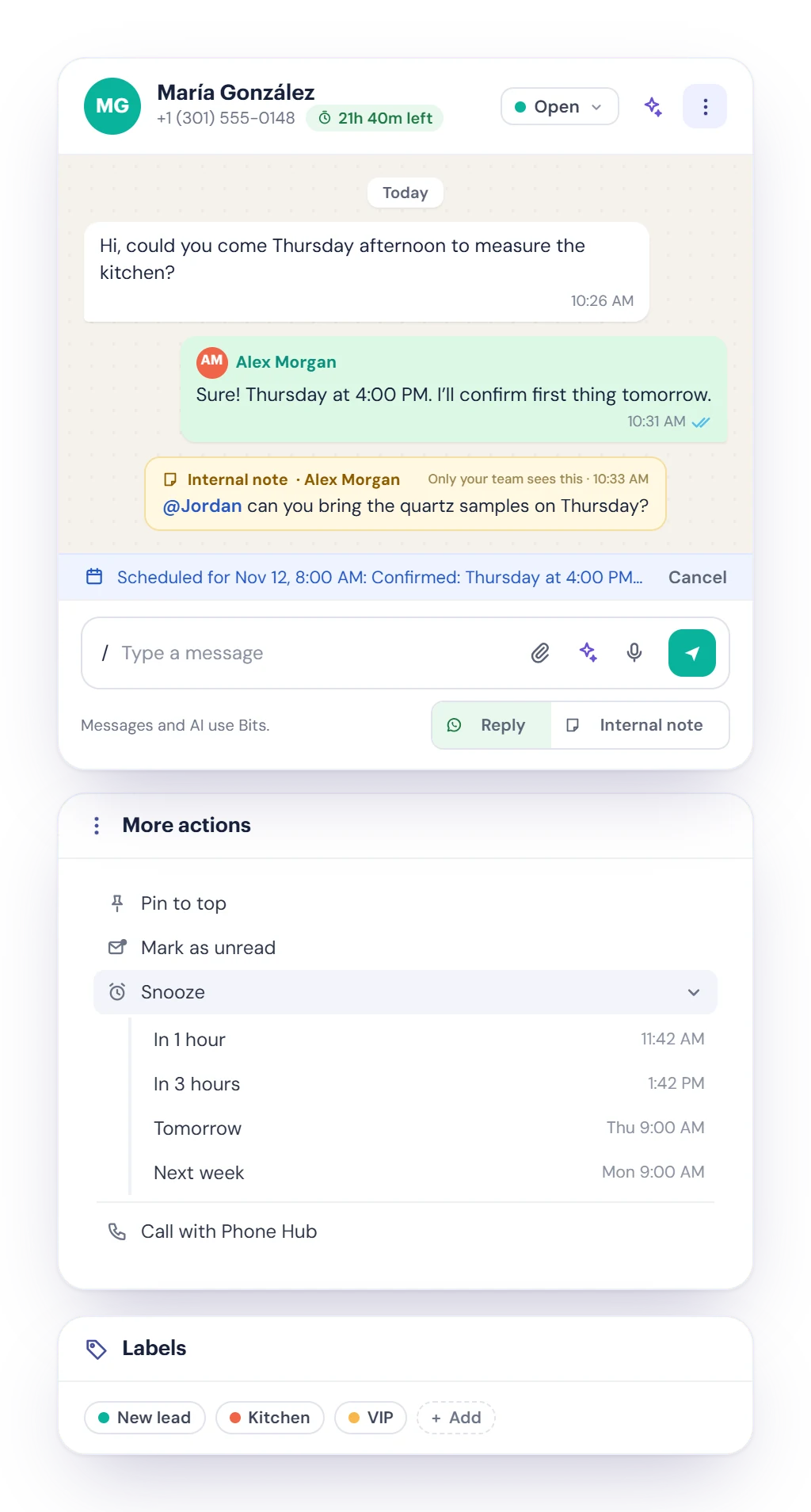
A WhatsApp chat in Cybix assigned to you and open, with an internal note that @mentions a teammate and a message scheduled for tomorrow morning, next to the More actions menu (Pin to top, Mark as unread, Snooze, Call with Phone Hub), quick replies and labels
  • Owners, status and snooze

    Assign a chat to yourself or a teammate, mark it Open, Pending or Resolved, pin it to the top, or snooze it until later.

  • Notes only your team sees

    Leave internal notes and @mention a teammate. They get notified, and the customer never sees the note.

  • Faster replies

    Quick replies with “/”, photos, documents and voice notes, messages scheduled for later, and Call with Phone Hub from the chat.

Answer on time, even when you’re closed

Each line follows its branch’s business hours or its own. Turn on the automatic messages you want, in your own words.

  • An away message outside business hours, sent at most once in the interval you choose.
  • A greeting for new contacts the first time they write.
  • Team alerts when a customer waits longer than you allow, and before a 24-hour window closes.
  • Auto-resolve chats that have been quiet for the number of days you set.
WhatsApp Setup automations: business hours for two lines, an away message sent outside business hours, a greeting for new contacts, and team alerts for customers waiting and windows about to close

The 24-hour window, handled for you

WhatsApp lets you reply freely for 24 hours after the customer writes. After that, you restart the chat with a template WhatsApp has approved. Cybix shows the time left on every chat.

  • Build Utility, Marketing or Authentication templates with pictures, video or PDF, link or call buttons, quick replies or one-time codes.
  • Draft with Cybix AI from a short description, with variables filled automatically from the contact’s name or your company.
  • Submit for approval and follow the status. If WhatsApp rejects a template, you see the reason.
  • Marketing templates to US numbers are blocked by default, following WhatsApp’s current rule.
The WhatsApp template builder: a Utility template drafted with Cybix AI, with variables filled automatically from the contact’s name, a call button and a phone preview, next to a chat whose 24-hour window is closed

Cybix AI in every chat

With Cybix AI in your workspace, every chat gets an assistant. Each AI action uses Bits.

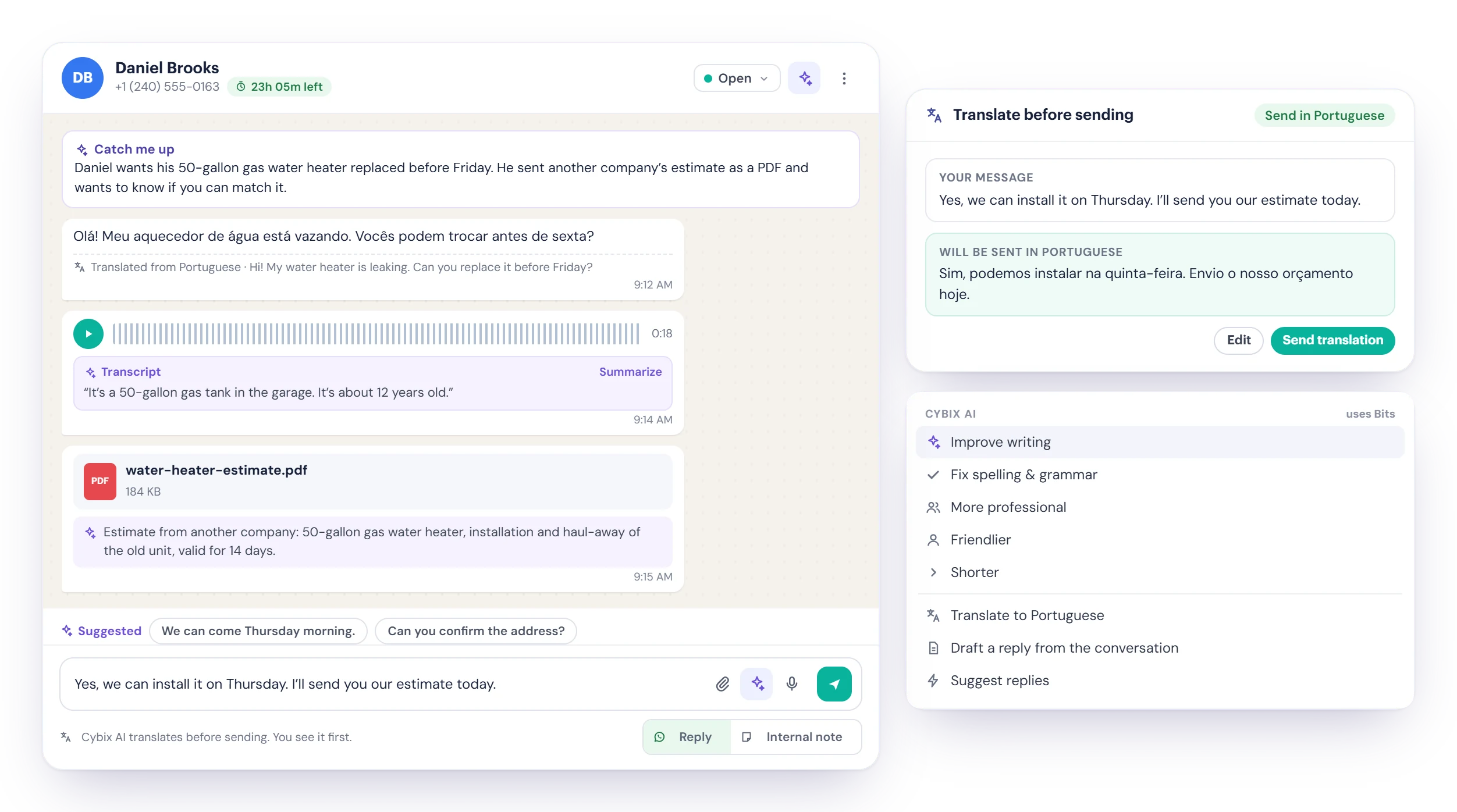
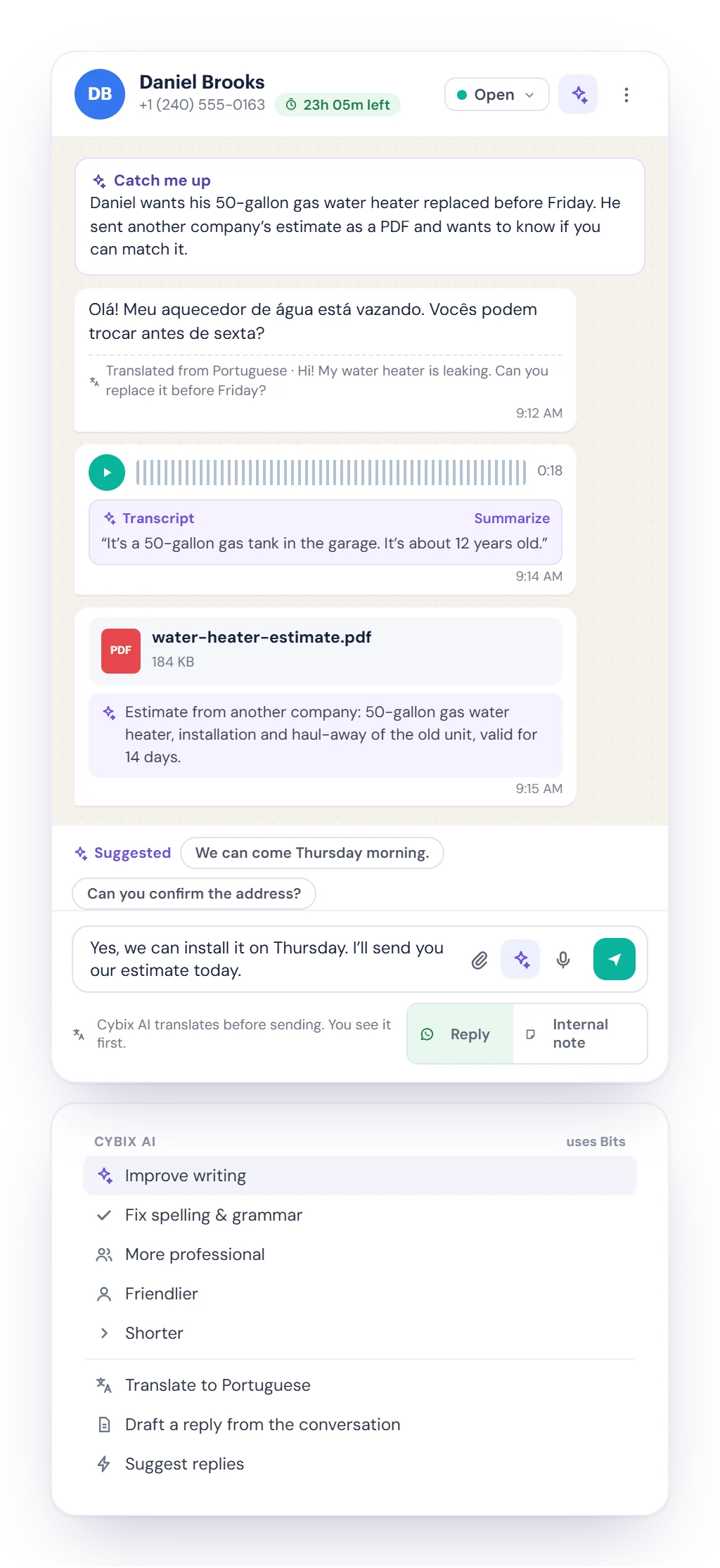
Cybix AI in a WhatsApp chat: Catch me up, a message translated from Portuguese, a voice note transcript, a PDF read by Cybix AI, and the Cybix AI menu with rewrite, translate and suggest replies
  • Speak their language

    Translate customer messages and write in your own language: Cybix AI translates before sending and you see it first. 12 languages.

  • Voice notes, photos and PDFs

    Transcribe a voice note, read what is in a photo or a PDF, and summarize it in one click.

  • Catch up and reply

    Get a summary of a long chat, suggested replies, or a draft rewritten shorter, friendlier or more professional.

Turn a chat into work

The contact panel sits next to the chat with the customer’s details, labels and history. Act on the conversation without leaving it.

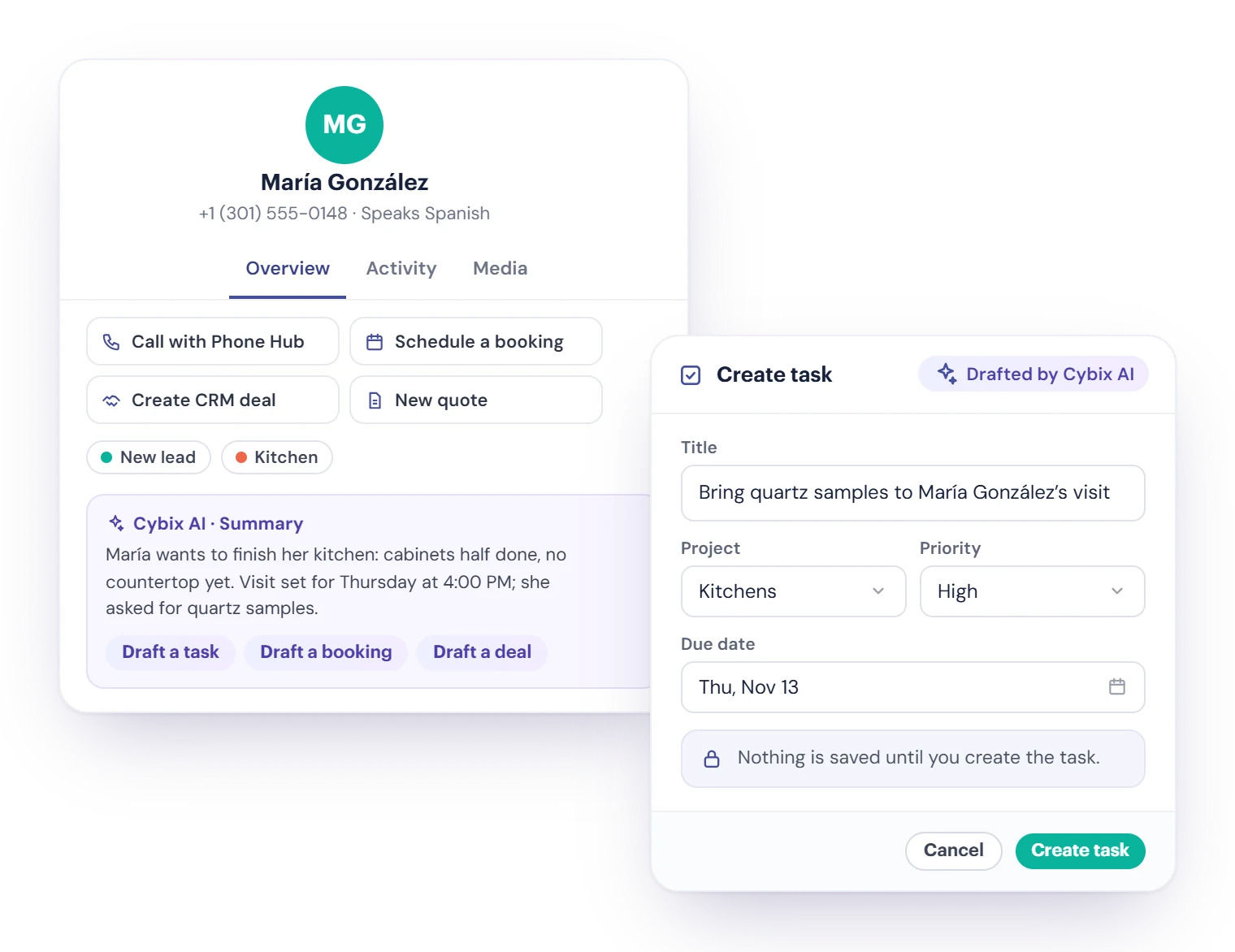
  • Draft a task for Tasks & Projects, with Cybix AI filling it in from the chat.
  • Schedule a booking in Booking Hub with the free times shown.
  • Create a CRM deal in CRM with owner, services and close date, or start a New quote.
  • Call with Phone Hub when a call is faster. Nothing is created until you confirm.
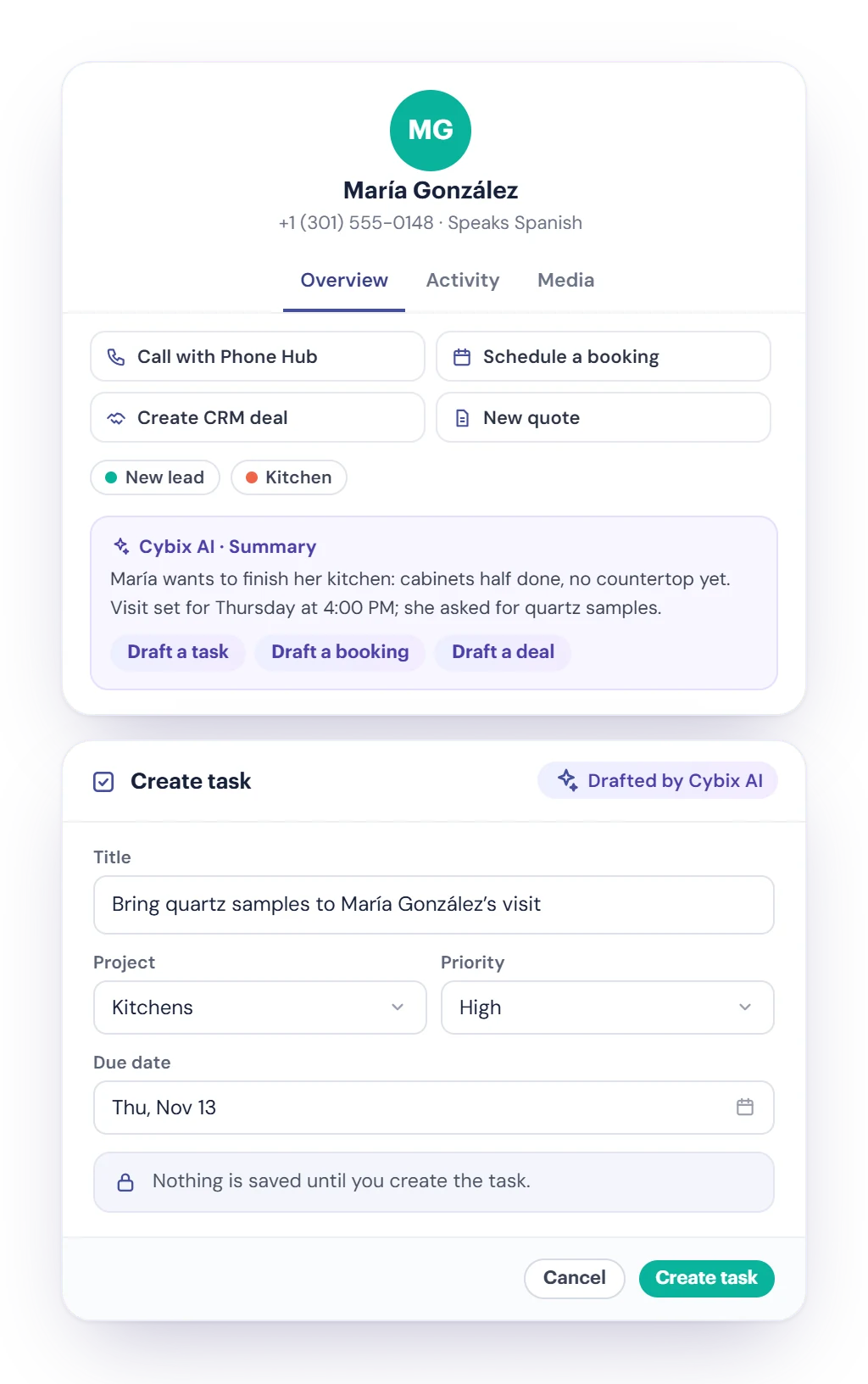
The contact panel next to a WhatsApp chat with Call with Phone Hub, Schedule a booking, Create CRM deal and New quote, and a task drafted by Cybix AI from the conversation

Share the work and see how you’re doing

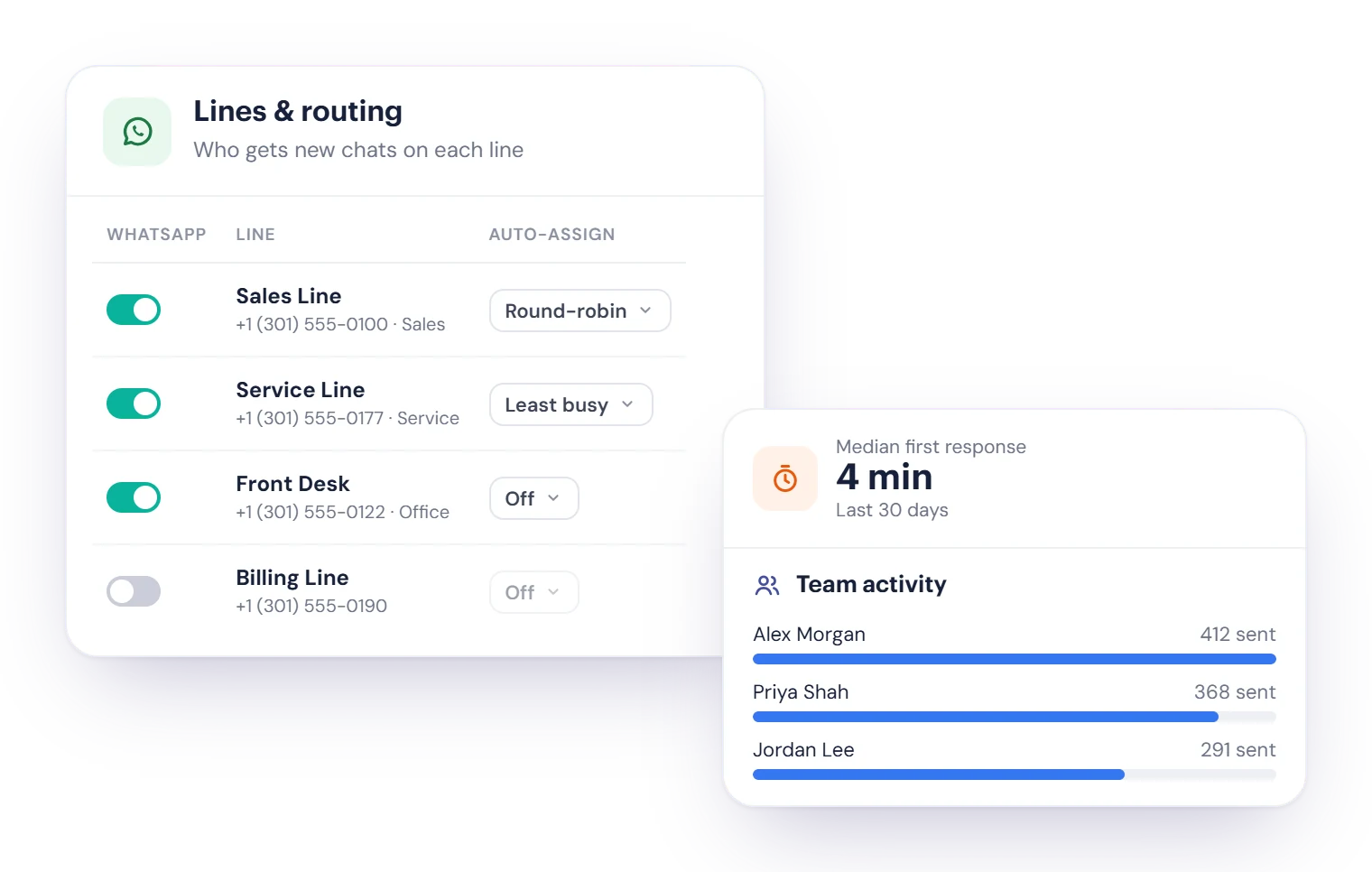
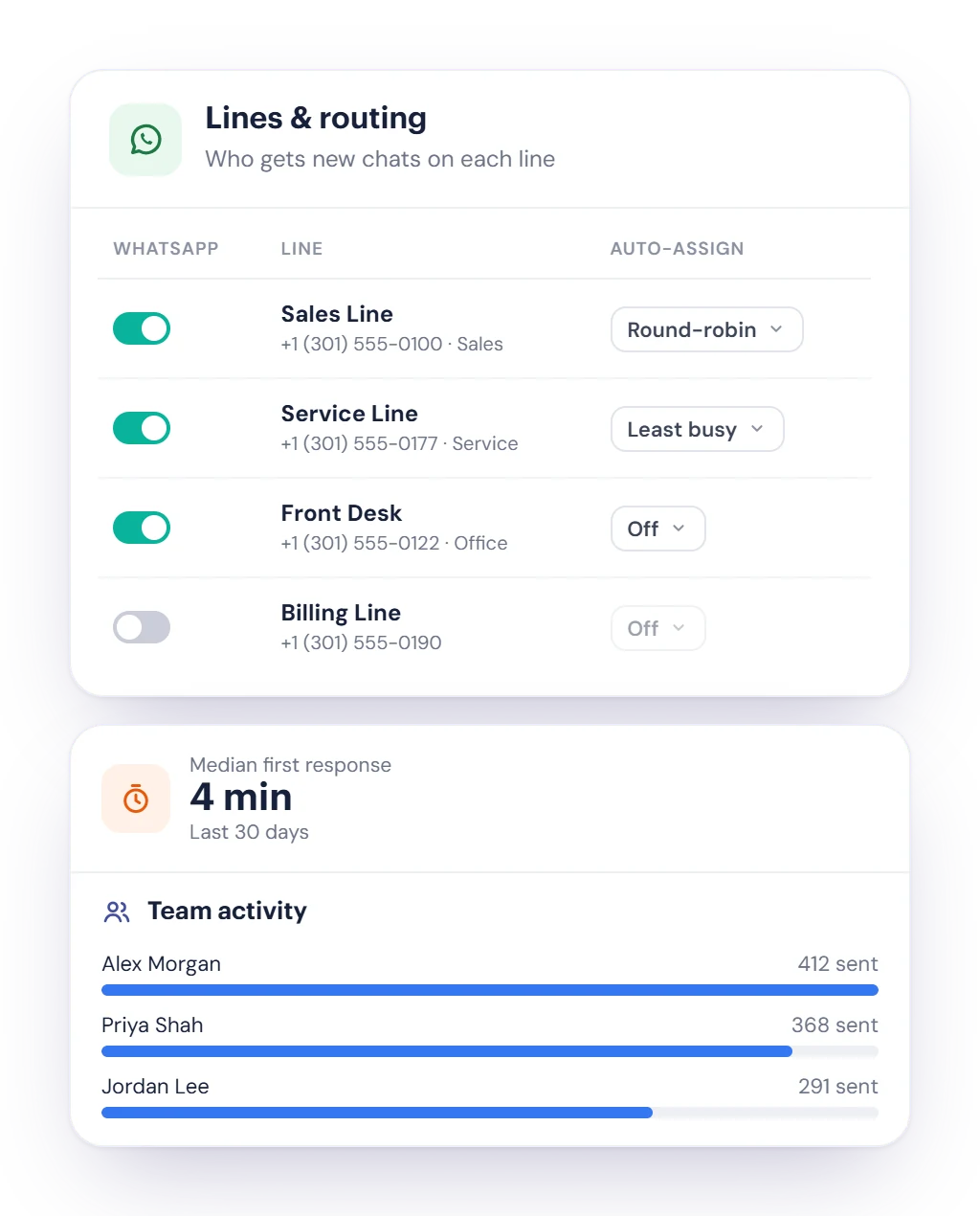
Decide who gets new chats on each line, then follow the numbers that matter in Insights.

  • Auto-assign new chats per line: Round-robin, Least busy or off.
  • When a chat moves to a teammate, Cybix AI can leave a handoff summary for them.
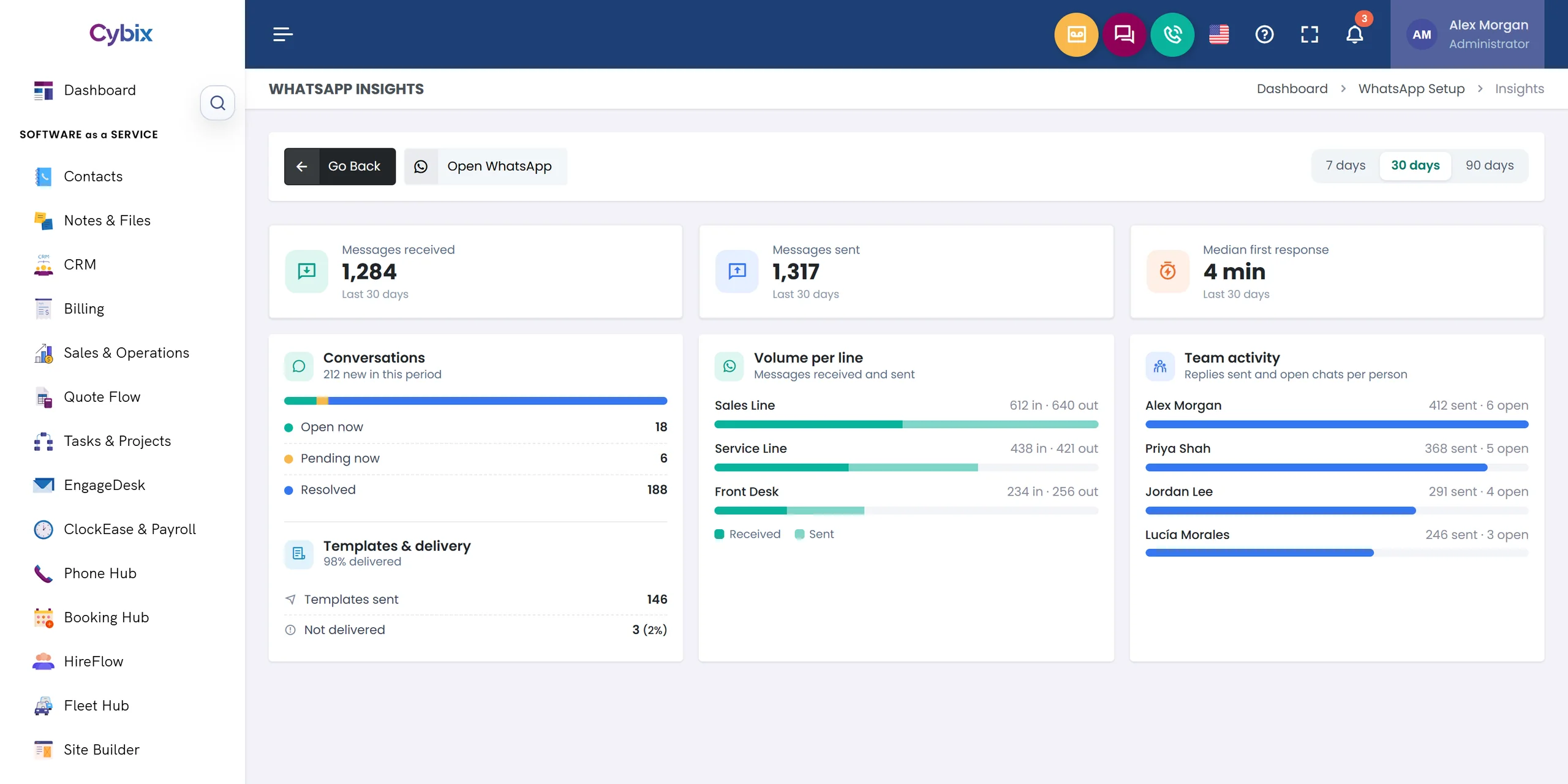
  • Insights for 7, 30 or 90 days: messages received and sent, median first response, open, pending and resolved chats.
  • Volume per line, team activity per person, and how many templates were delivered.
Lines and routing in WhatsApp Setup with Round-robin and Least busy auto-assign per line, next to Insights with the median first response and team activity

Halley answers after hours

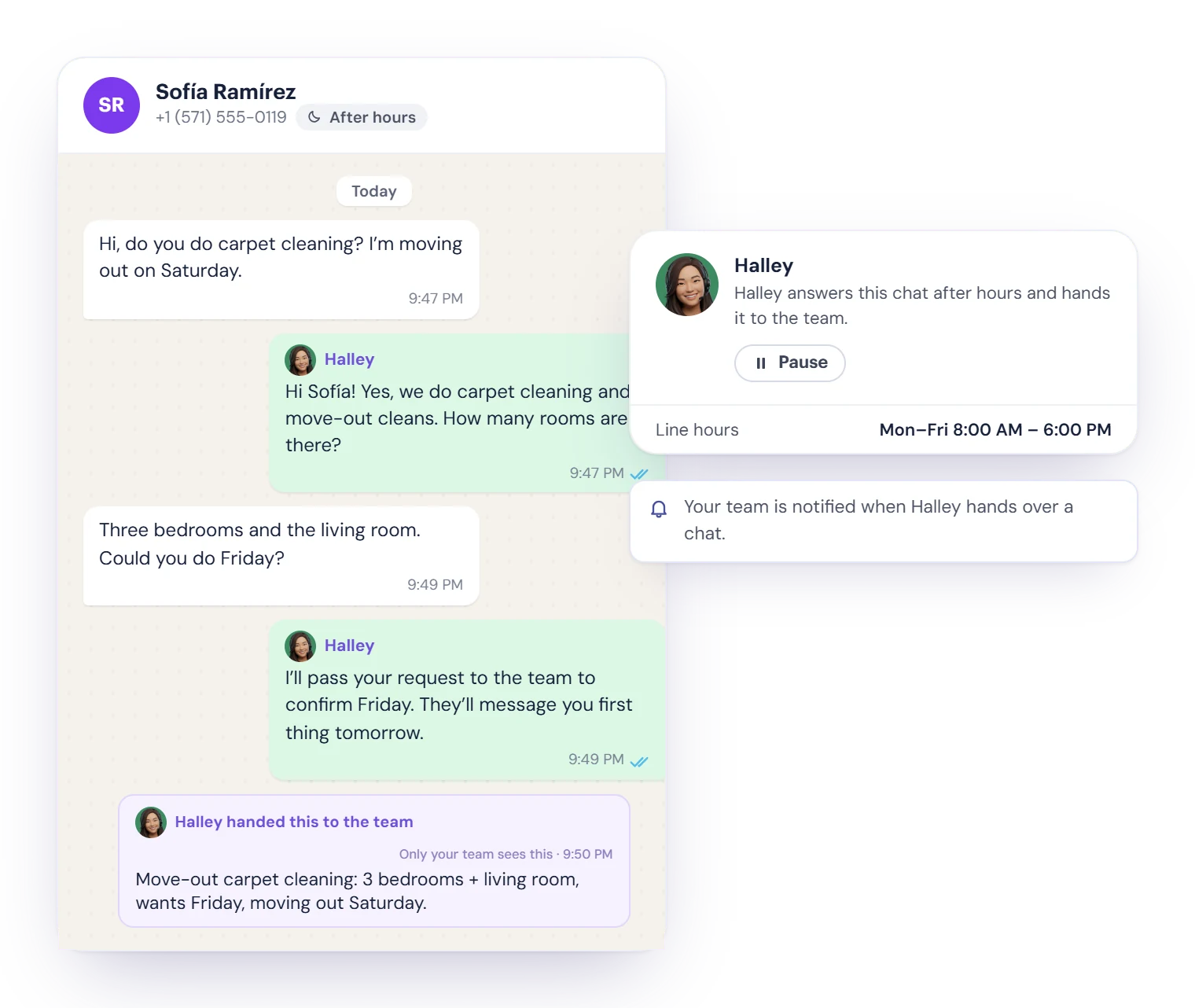
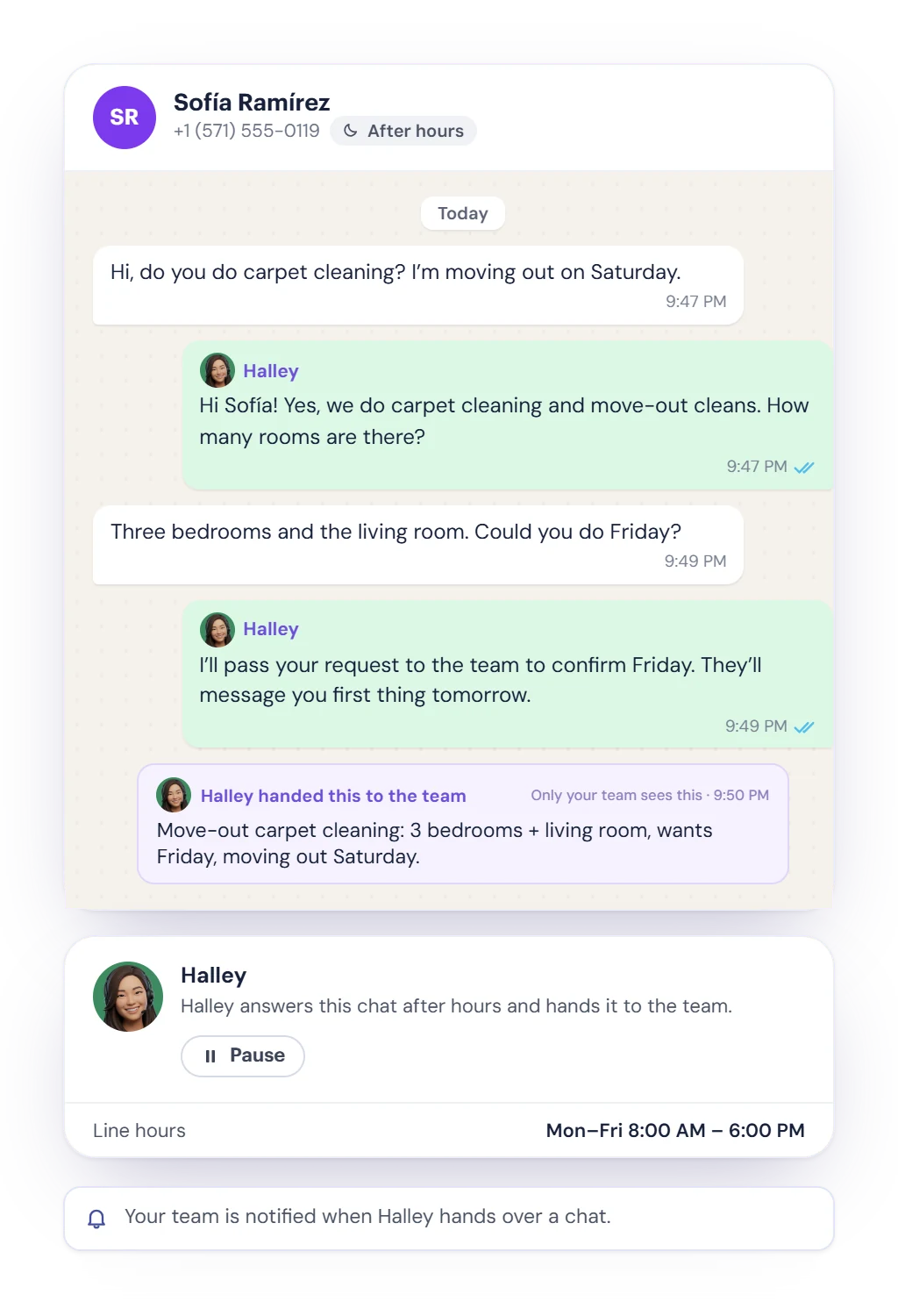
With Agentic Ailune, your AI assistant Halley can answer WhatsApp customers outside business hours and hand them to your team in the morning.

  1. Answers when you’re closed

    Halley reads the recent conversation and answers on lines outside their business hours. She stays out of chats a teammate is working on.

  2. Hands it to the team

    When a person should take over, Halley hands the chat to the team with a summary of what the customer needs.

  3. You stay in control

    Pause Halley in any chat with one click. Agentic Ailune is included in the Cybix All-in-One Plan and is a paid module in Build Your Own.

Halley answering a WhatsApp customer after business hours, then handing the chat to the team with a summary, and the option to pause Halley in this chat

Connected to the rest of Cybix

WhatsApp works with the modules your workspace already uses.

  • Phone Hub

    Your WhatsApp lines are your Phone Hub numbers, and you can call a customer from the chat.

  • Cybix AI

    Translate, transcribe, read photos and PDFs, summarize and suggest replies.

  • Tasks & Projects

    Create a task from a chat, with Cybix AI drafting it for you.

  • Booking Hub

    Book an appointment for the customer without leaving the chat.

  • CRM

    Create a deal from the chat. WhatsApp messages count in a lead’s activity.

  • Contacts

    Chats are linked to the contact, with their details and the files they shared.
WhatsApp questions, answered

Want to know more before it launches? Try the live demo or talk to our team.

It is a shared WhatsApp inbox for your team inside Cybix. Every chat on your Phone Hub numbers lands in one place, where you can assign it, leave internal notes, send approved templates, use Cybix AI to translate and transcribe, and turn the chat into a task, a booking or a CRM deal.

WhatsApp is coming soon. We haven’t announced a date yet. This page will be updated when it’s ready, and you can contact our team to ask about it for your business.

WhatsApp runs on your Phone Hub business numbers. The Cybix team sets the numbers up for you, and each person sees the chats on the lines assigned to them.

WhatsApp lets a business reply freely for 24 hours after the customer’s last message. After that, the chat can only be restarted with a template WhatsApp has approved. Cybix shows the time left on each chat, warns your team before it closes, and offers your approved templates when it has.

No. WhatsApp in Cybix is for conversations: templates are sent one chat at a time, or scheduled in a chat. Marketing templates to US numbers are blocked by default, following WhatsApp’s current rule.

With Cybix AI in your workspace, it translates customer messages and your replies in 12 languages, transcribes voice notes, reads photos and PDFs, summarizes long chats, suggests replies, rewrites your drafts and drafts tasks, bookings and deals. Each AI action uses Bits.

Yes, with Agentic Ailune. Halley answers customers on lines that are outside their business hours, stays out of chats a teammate is working on, and hands the chat to your team with a summary. You can pause her in any chat. Agentic Ailune is included in the Cybix All-in-One Plan and is a paid module in Build Your Own.

No. Internal notes and @mentions are only for your team. They appear in the chat with a note style, and the teammate you mention gets a notification.

Pricing for WhatsApp hasn’t been published yet. In the app, WhatsApp messages and Cybix AI actions use Bits from your workspace. The pricing page has the current Cybix plans.

WhatsApp for your team is coming soon

We’re getting WhatsApp ready for Cybix. Until then, see the plans it will be part of, or talk to our team about your numbers.

WhatsApp Insights in Cybix for the last 30 days: messages received and sent, median first response, conversations open, pending and resolved, templates delivered, volume per line and team activity